HelloGrowthCRM software
Built for real small-business sales teams
HelloGrowthCRM helps reps qualify faster, follow up on time, and close more deals—with practical automation in one place.
- AI lead scoring and pipeline visibility
- Built-in dialer, WhatsApp, and email automation
- Sales forecasting and RevOps-ready reporting
A sales quotation template for small businesses in the USA is a preformatted document that outlines your products or services, prices, terms, and conditions for a potential customer. This article provides a ready-to-use format, detailed steps to create and customize your quotation, common mistakes to avoid, and an example with realistic figures.
Why this comes up / what goes wrong
Small business owners in the USA need to send accurate, professional sales quotations quickly to win deals and maintain good customer relations. Without a standard template, quotations can be inconsistent or lack essential details such as payment terms, itemized pricing, or validity dates. This leads to confusion, delays in closing sales, or even lost leads. Many small businesses still rely on informal text messages or emails without a formal document, which increases misunderstandings or disputes. Using a clear, consistent sales quotation template saves time, increases professionalism, and helps close deals faster.
Step-by-step
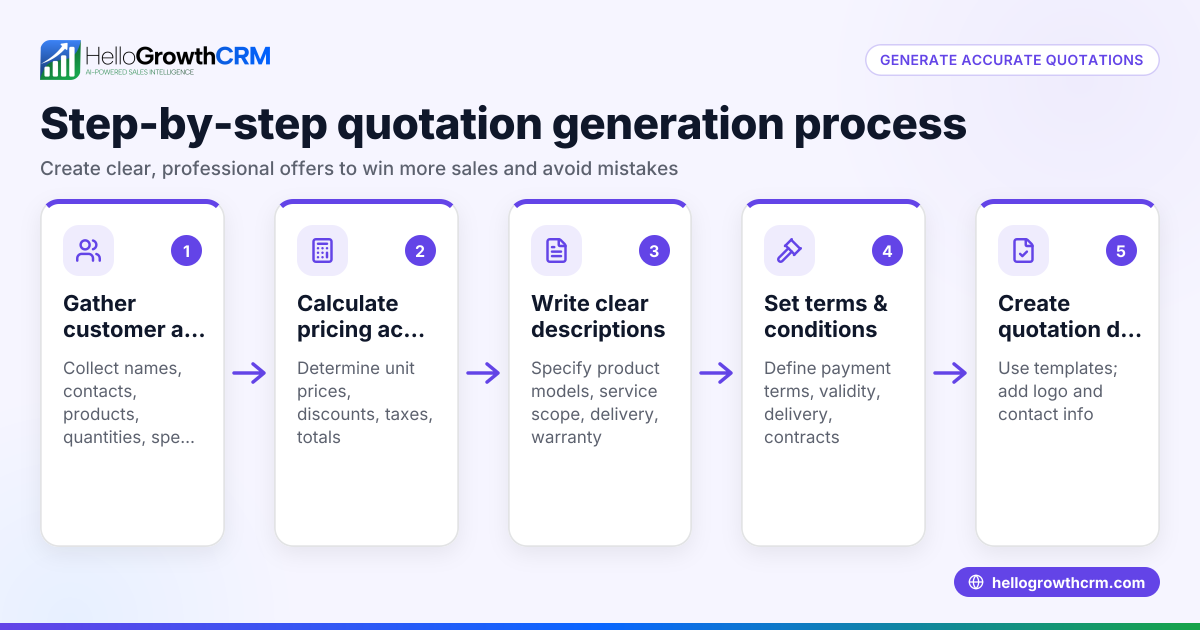
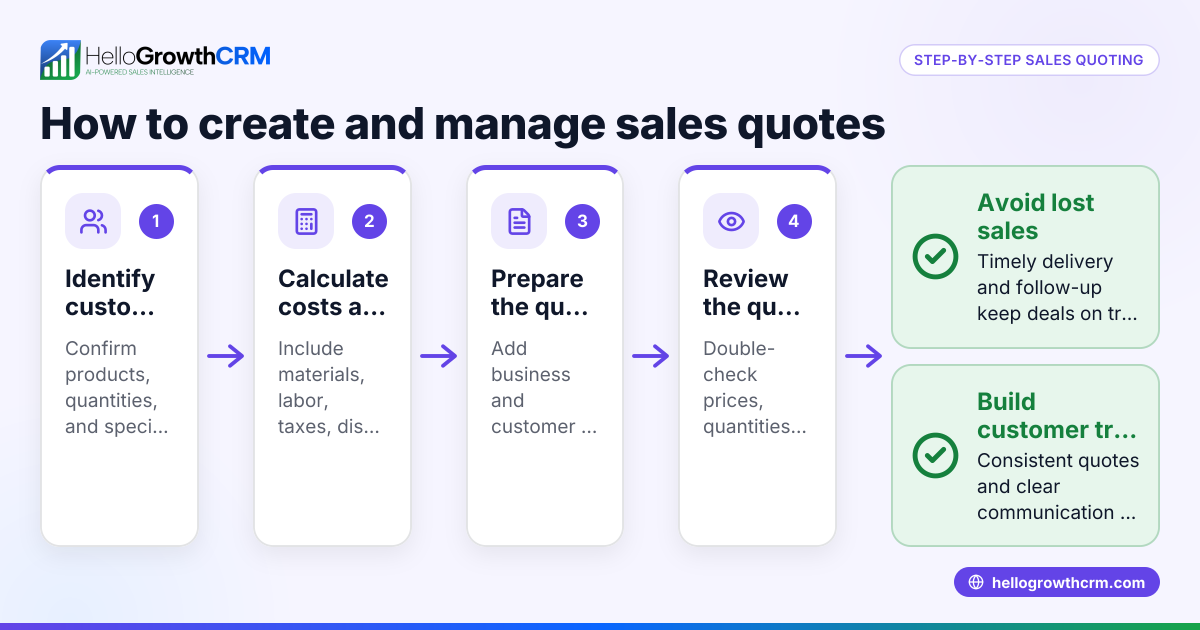
- Header and Contact Information: Start your quotation with your business name, logo if you have one, address, phone number, email, and website. Add the customer’s full name and contact details.
- Quotation Number and Date: Assign a unique quotation number for easy tracking and include the date the quotation is issued.
- Description of Products or Services: List each product or service clearly. Include the quantity, unit price, and total price for each line item.
- Subtotal: Calculate the sum of all item totals.
- Taxes and Fees: Add any applicable sales tax or fees. If unsure, use an assumed illustrative rate for your area.
- Total Amount: Show the final amount the customer needs to pay, including taxes and fees.
- Payment Terms: Specify accepted payment methods (such as check, bank transfer, or credit card), payment due dates, and any late fees or discounts for early payment.
- Validity Period: State how long the quotation is valid (commonly 30 days) to avoid future misunderstandings.
- Additional Notes or Terms: Include delivery details, warranty information, or any other terms and conditions relevant to the sale.
- Signature Line: Provide space for your signature and the customer’s acceptance to formalize the agreement.
Before sending, double-check that all prices are correct, terms are clear, and contact information is accurate.
You can download free sales templates, including quotation formats, from our sales templates page to get started quickly.
Example (fictional figures)
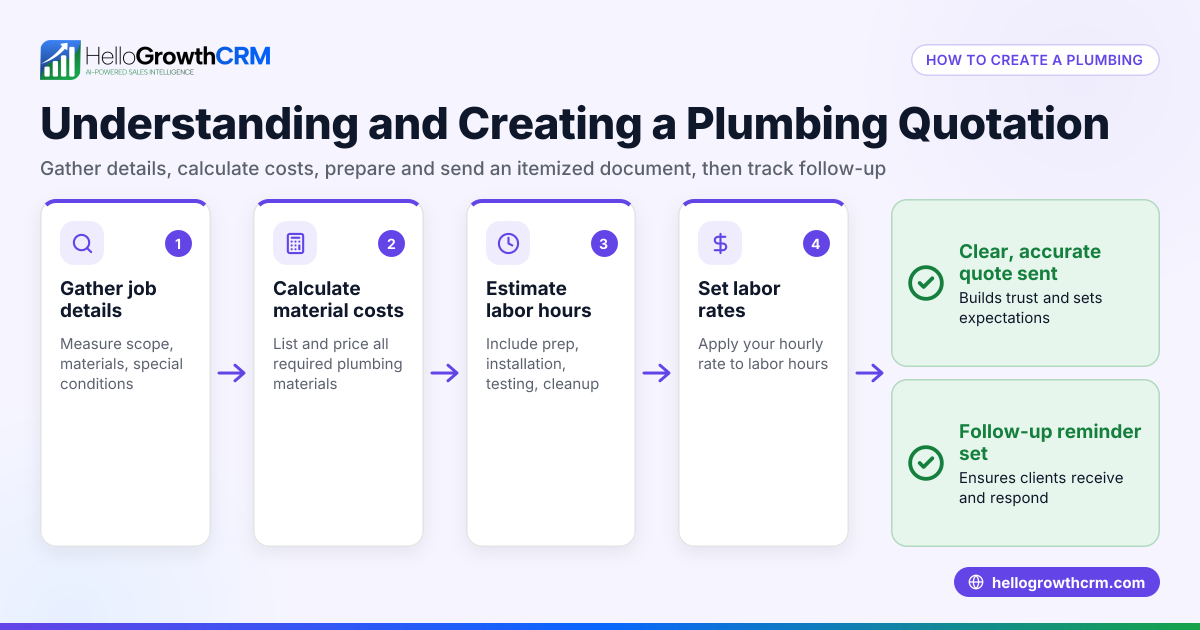
ABC Plumbing, based in Austin, Texas, issues a quotation on 06/15/2024 to XYZ Construction for pipe installation services.
| Item | Quantity | Unit Price | Total Price |
|---|---|---|---|
| Copper Pipes | 100 ft | $5.00 | $500 |
| Labor (pipe installation) | 20 hours | $50.00 | $1,000 |
Subtotal $500 + $1,000 = $1,500
Sales Tax (assumed 8.25%) $1,500 × 8.25% = $123.75
Total Amount $1,500 + $123.75 = $1,623.75
Payment Terms: Due within 30 days by check or bank transfer.
Quotation valid until 07/15/2024.
Common mistakes
- Missing or incorrect contact details: Always verify your and the customer’s contact information to avoid confusion or delays.
- No quotation number or date: Including these helps you and your customer track and reference the quotation easily.
- Unclear product or service descriptions: Be specific about quantities, units, and descriptions to prevent misunderstandings.
- Ignoring taxes or fees: Confirm and include applicable sales tax or fees to avoid surprises later.
- No validity period stated: Specify how long the quotation stands to protect your pricing and terms.
- No payment terms: Clearly outline payment methods and deadlines to ensure timely payments.
Prevent these errors by starting with a reliable template from our free sales tools and calculators and reviewing your document thoroughly before sending.
Doing this in HelloGrowthCRM
HelloGrowthCRM provides a built-in quoting and proposal tool that lets you create, send, and track sales quotations directly from a deal record. The quotation’s status—whether sent, viewed, or accepted—is visible on the same screen as your follow-up tasks, helping you manage your sales pipeline efficiently. If you’re a founder without a sales manager, HelloGrowthCRM offers Managed RevOps support to keep your follow-up queue active every week. Visit the HelloGrowthCRM for the United States page to learn more about these features.
Frequently asked questions
Can I customize a sales quotation template for different customers? Yes, a good sales quotation template is flexible. You can adjust product lists, prices, and terms for each customer while keeping a consistent format to maintain professionalism.
What should I include in payment terms? Payment terms should specify accepted payment methods (like check, bank transfer, or credit card), due dates for payment, and any penalties for late payment or discounts for early payment.
How long should a quotation be valid? Quotations are typically valid for 30 days, but you can set a shorter or longer validity period depending on your business needs and market conditions.
Do I need to include sales tax in the quotation? Yes, including applicable sales tax ensures the customer knows the total cost upfront. If you’re unsure of the exact rate, use an assumed illustrative rate for your location.
Can I send quotations through HelloGrowthCRM? Yes, HelloGrowthCRM allows you to send and track quotations directly from the CRM, streamlining your sales process and making follow-up easier.
Where can I find free templates to get started? You can download ready-to-use quotation templates without signing up from our sales templates and free sales tools and calculators pages.
Key takeaways
- Use a clear, consistent sales quotation template that includes all essential details.
- Include your contact info, a unique quotation number, itemized pricing, taxes, payment terms, and validity period.
- Double-check your quotation for common mistakes like missing contact info or unclear descriptions.
- Download free templates and tools from HelloGrowthCRM to save time and ensure professionalism.
- HelloGrowthCRM’s quoting tool helps you create, send, and track quotations efficiently from one screen.
Start simplifying your sales process today. Start on the Free Forever plan (200 leads, no credit card) and access free templates and tools to create professional sales quotations with ease.
Ready to put this into practice?
Set up your pipeline, WhatsApp follow-ups, and AI lead scoring in minutes — free, no credit card.
Try HelloGrowthCRM freeGet CRM tips in your inbox
Join thousands of sales professionals who get weekly insights on CRM strategy, AI automation, and pipeline optimization.

The HelloGrowthCRM team publishes guides on CRM strategy, AI sales tools, and revenue operations for small business sales teams.