HelloGrowthCRM software
Built for real small-business sales teams
HelloGrowthCRM helps reps qualify faster, follow up on time, and close more deals—with practical automation in one place.
- AI lead scoring and pipeline visibility
- Built-in dialer, WhatsApp, and email automation
- Sales forecasting and RevOps-ready reporting
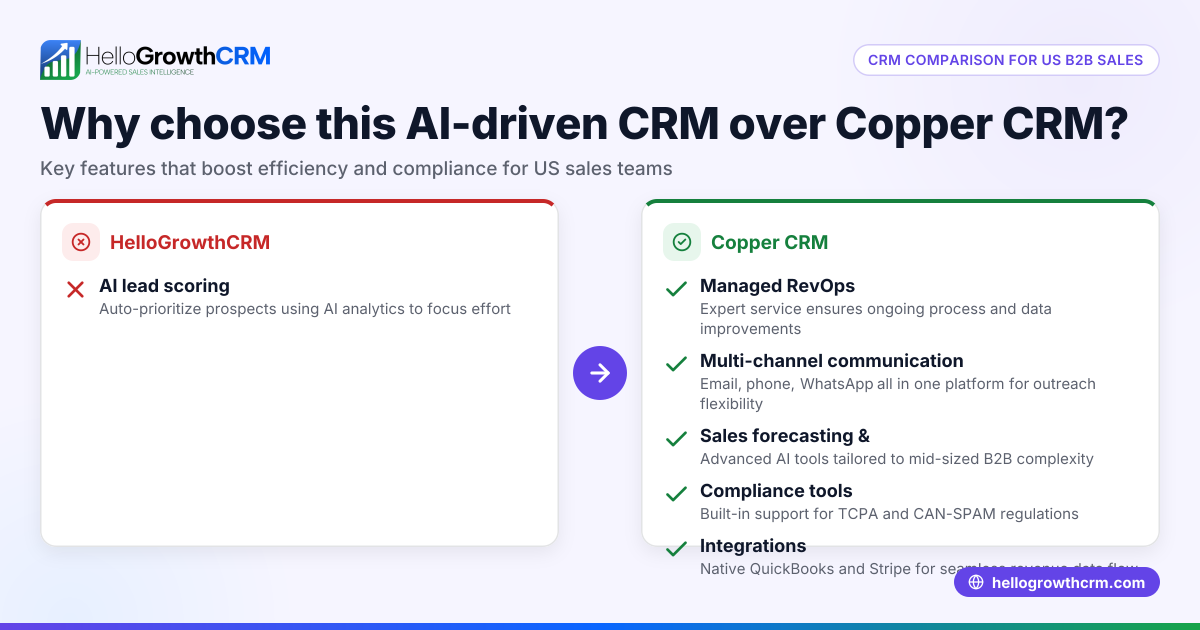
For agencies, Scoro offers comprehensive project and financial management alongside CRM features, while Copper CRM focuses on seamless Google Workspace integration and straightforward sales pipeline management. This article compares them on pricing, usability, integrations, and suitability for small Indian agencies, helping you decide which CRM fits your business needs.
Why this comes up / what goes wrong
Small and mid-sized Indian agencies often struggle with managing multiple client projects, sales pipelines, and team collaboration in one place. Many start with spreadsheets or basic tools but find tracking leads, projects, and billing separately slows down growth. When choosing a CRM, agency owners weigh features like project management, ease of use, integration with tools like Gmail, and cost. Scoro and Copper CRM are popular options but serve different priorities. Understanding their strengths helps agencies avoid buying a CRM that is either too complex or too limited.
Step-by-step
| Criteria | Scoro | Copper CRM | Which fits best? |
|---|---|---|---|
| Core focus | All-in-one work management: CRM, projects, billing | CRM focused on sales pipeline and Google Workspace | Agencies needing integrated project and financial management choose Scoro. Those wanting easy Google Workspace integration pick Copper. |
| User interface | Feature-rich but with a learning curve | Clean, simple, easy for sales teams | Small teams wanting quick adoption prefer Copper; larger teams with complex workflows may handle Scoro’s depth. |
| Integrations | Many apps including accounting and invoicing | Strong Google Workspace integration | Agencies using Google apps benefit from Copper; those needing broader integrations may prefer Scoro. |
| Pricing | Higher, reflecting all-in-one features | Moderate, focused on CRM | Budget-conscious small agencies may lean toward Copper. |
| Mobile app | Yes, supports field and remote teams | Yes, focused on sales activities | Both suitable for mobile use; choice depends on feature needs. |
| Reporting & Analytics | Advanced project and financial reports | Basic sales reporting | Agencies needing detailed project insights choose Scoro. |
| Customer support | Dedicated onboarding and support | Standard support | Agencies needing handholding prefer Scoro. |
Who should pick which?
- Pick Scoro if your agency manages multiple projects, needs integrated billing, and wants advanced reporting.
- Pick Copper CRM if your agency runs primarily on Google Workspace, needs a simple sales CRM, and prefers a lower-cost option.
Example (fictional figures)
An agency in Bengaluru managing 10 clients monthly considers both CRMs. They expect ₹5,00,000 monthly revenue and want to track sales and projects.
- Scoro monthly cost: ₹15,000
- Copper CRM monthly cost: ₹8,000
Calculations:
Scoro annual cost = ₹15,000 × 12 = ₹1,80,000 Copper CRM annual cost = ₹8,000 × 12 = ₹96,000
If Scoro helps reduce project delays by 10%, increasing revenue by ₹50,000 monthly:
Additional annual revenue = ₹50,000 × 12 = ₹6,00,000
Net benefit with Scoro = ₹6,00,000 - ₹1,80,000 = ₹4,20,000
If Copper CRM improves sales closure rate by 5%, adding ₹20,000 monthly:
Additional annual revenue = ₹20,000 × 12 = ₹2,40,000
Net benefit with Copper CRM = ₹2,40,000 - ₹96,000 = ₹1,44,000
In this example, Scoro’s higher cost is justified by larger project efficiency gains for this agency.
Common mistakes
- Choosing a CRM without assessing project needs
- Prevent by listing your agency’s core workflows and checking if the CRM supports them.
- Ignoring integration with existing tools
- Prevent by verifying CRM compatibility with your email, accounting, and communication tools.
- Overlooking user adoption challenges
- Prevent by trialing the CRM with your team before committing.
- Focusing only on price
- Prevent by considering total value including time saved and revenue impact.
- Not planning for mobile use
- Prevent by testing the CRM’s mobile app for your team’s on-the-go needs.
Learn more about how to compare CRMs effectively for your business.
Doing this in HelloGrowthCRM
HelloGrowthCRM supports agencies with WhatsApp and SMS: WhatsApp conversations with a lead are logged on the lead record and follow-ups can go out as messages. Its AI agents draft follow-up messages after calls so your sales rep only reviews and sends, improving response speed. For founders without sales managers, Managed RevOps provides a dedicated revenue specialist who manages the follow-up queue weekly, ensuring consistent lead engagement. Learn more about WhatsApp and SMS CRM and how HelloGrowthCRM fits Indian SMB sales needs.
Frequently asked questions
Which CRM is better for small agencies with limited budgets? Copper CRM is generally more affordable and easier to adopt for small teams focused on sales pipeline management, especially if you use Google Workspace. Scoro’s all-in-one features come at a higher price, better suited for agencies needing project and financial management.
Can I integrate Scoro or Copper CRM with Google Workspace? Copper CRM is built for seamless Google Workspace integration, syncing contacts, emails, and calendars. Scoro offers integrations but may require more setup for Google apps.
Do both CRMs support mobile use for teams on the move? Yes, both Scoro and Copper CRM have mobile apps that support sales and project management activities, suitable for remote or field teams.
How steep is the learning curve for these CRMs? Scoro is feature-rich and may require more training and onboarding. Copper CRM has a simpler, more intuitive interface, making it easier for new users.
Can these CRMs handle billing and invoicing? Scoro includes billing and invoicing features integrated with project management. Copper CRM focuses on sales and may need third-party apps for billing.
Explore more on choosing the right CRM in India with HelloGrowthCRM for India.
Key takeaways
- Scoro suits agencies needing integrated project, billing, and CRM features.
- Copper CRM is ideal for agencies focused on sales pipeline with Google Workspace.
- Consider your agency’s workflows, budget, and tool integrations before choosing.
- Trial both CRMs to check usability and team adoption.
- Mobile app support is available in both for remote sales and project work.
- HelloGrowthCRM offers WhatsApp-native CRM features with AI and Managed RevOps for Indian SMBs.
Start your CRM journey with HelloGrowthCRM’s Free Forever plan (200 leads, no credit card) to see how a WhatsApp-native CRM can fit your agency’s sales process.
Ready to put this into practice?
Set up your pipeline, WhatsApp follow-ups, and AI lead scoring in minutes — free, no credit card.
Try HelloGrowthCRM freeGet CRM tips in your inbox
Join thousands of sales professionals who get weekly insights on CRM strategy, AI automation, and pipeline optimization.

The HelloGrowthCRM team publishes guides on CRM strategy, AI sales tools, and revenue operations for small business sales teams.