HelloGrowthCRM software
Built for real small-business sales teams
HelloGrowthCRM helps reps qualify faster, follow up on time, and close more deals—with practical automation in one place.
- AI lead scoring and pipeline visibility
- Built-in dialer, WhatsApp, and email automation
- Sales forecasting and RevOps-ready reporting
A statement of account email template is a standardized email format that summarizes a customer's transactions, outstanding balances, and payment details. It helps small businesses communicate account status clearly and professionally to their clients. This article covers why you need a clear template, step-by-step guidance on creating and sending the email, a fictional example with US dollar figures, common errors to avoid, and how HelloGrowthCRM can assist with email management.
Why this comes up / what goes wrong
Small-business owners often need to send statements of account to remind customers of outstanding balances or summarize recent transactions. Without a ready template, emails can be inconsistent, unclear, or missing essential details, causing confusion or delayed payments. Many small businesses rely on manual processes like spreadsheets, text messages, or separate email accounts, which increase the risk of errors or slow follow-up. A clear, professional email template saves time and improves communication. It also helps maintain a consistent brand voice and ensures all necessary information is included.
Step-by-step
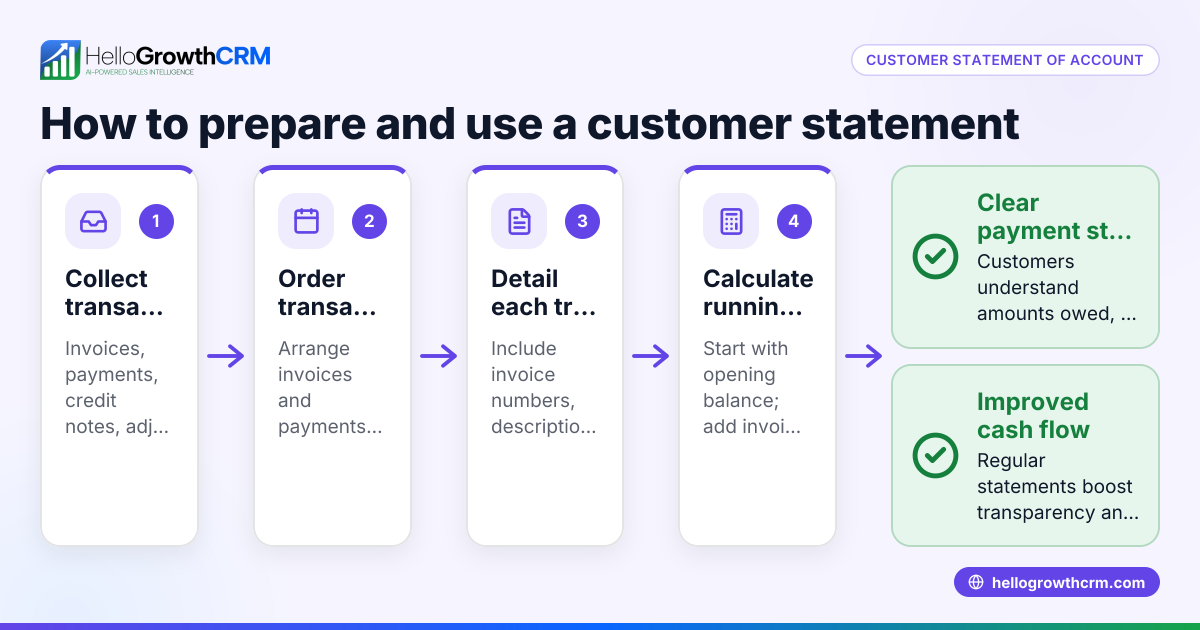
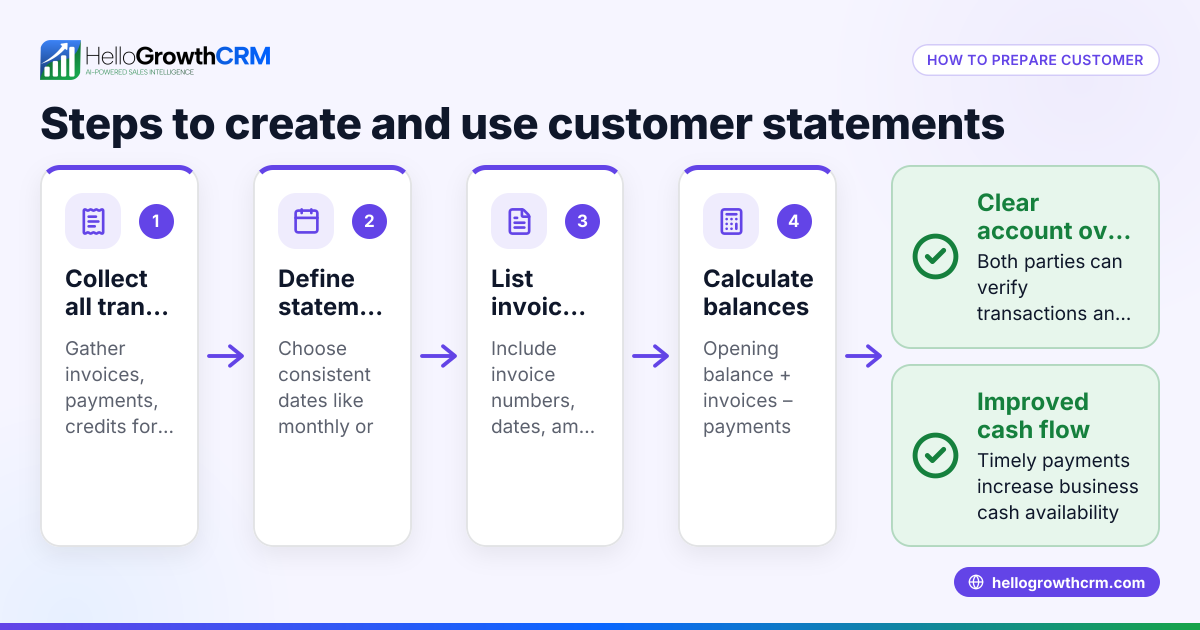
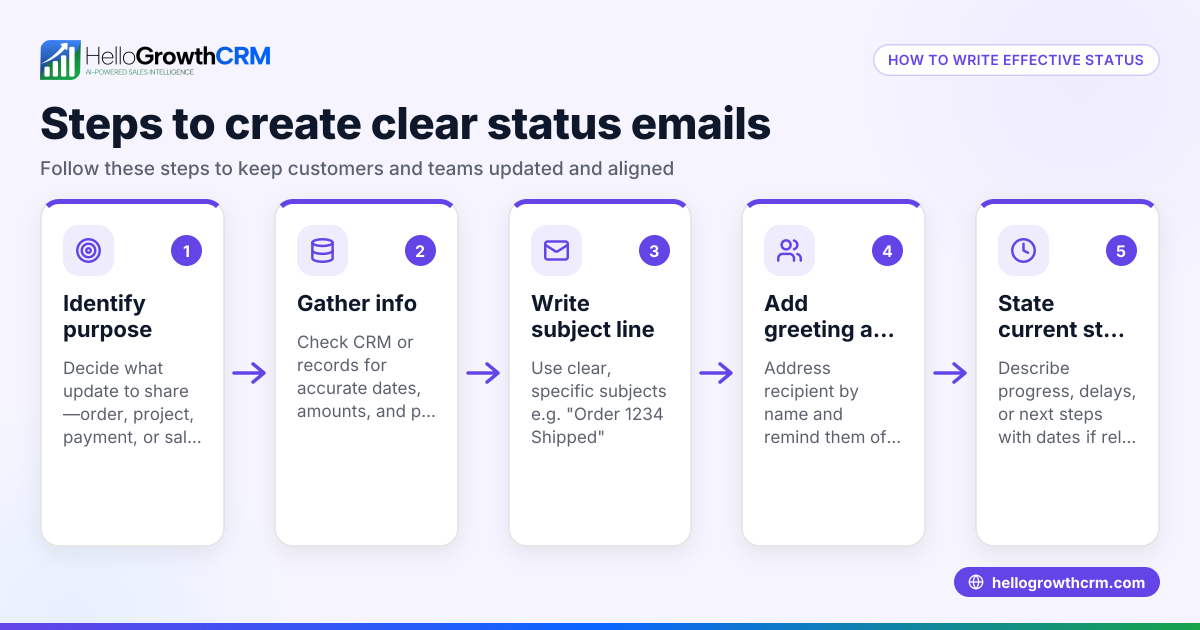
- Gather account details: Collect recent invoices, payments, credits, and current balance for the customer. Double-check figures for accuracy to avoid disputes.
- Start with a clear subject line: Use something like "Statement of Account for [Customer Name] – [Date]". This helps the recipient quickly identify the email's purpose.
- Open with a polite greeting: Address the customer by name and briefly state the purpose of the email to set a professional tone.
- Include a summary table: Present a simple table or list of recent transactions, dates, invoice numbers, amounts, payments received, and the current balance. This visual format makes it easier to understand.
- State payment terms and due dates: Clearly mention any upcoming payment deadlines or overdue amounts to prompt timely payment.
- Provide contact information: Offer a way for the customer to ask questions or clarify details, such as a phone number or email address.
- Close professionally: Thank the customer for their business and include your business name and contact details.
- Review and proofread: Check for typos, correct figures, and ensure the tone is professional and courteous.
For ready-to-use email templates and other sales documents, visit our sales templates and explore our free sales tools and calculators for more resources.
Example (fictional figures)
Subject: Statement of Account for GreenScape Landscaping – 06/15/2026
Dear Mr. Johnson,
Please find below the statement of your account with GreenScape Landscaping as of 06/15/2026.
| Date | Invoice # | Description | Amount | Payment Received | Balance |
|---|---|---|---|---|---|
| 05/01/2026 | 1001 | Lawn Maintenance | $1,200.00 | $1,200.00 | $0.00 |
| 05/15/2026 | 1002 | Tree Trimming | $850.00 | $0.00 | $850.00 |
| 06/01/2026 | 1003 | Fertilization Service | $450.00 | $0.00 | $450.00 |
Total Outstanding Balance: $850.00 + $450.00 = $1,300.00
Please arrange payment by 07/01/2026 to avoid any late fees.
If you have any questions, feel free to contact us at support@greenscape.com or call (704) 555-1234.
Thank you for your business.
Best regards,
GreenScape Landscaping
Common mistakes
- Omitting key transaction details: Always include invoice numbers, dates, and amounts to avoid confusion. Double-check your data before sending.
- Unclear subject lines: Avoid vague subjects like "Your Account"; use specific terms like "Statement of Account for [Name] – [Date]" to ensure the email is opened promptly.
- Not specifying payment deadlines: Clearly state due dates to encourage timely payments and reduce follow-up work.
- Sending from personal email accounts: Use a business email or CRM system to maintain professionalism and ensure team visibility of communications.
- Ignoring follow-up: Set reminders or use automated sequences to follow up on unpaid balances promptly to improve cash flow.
- Not proofreading: Typos or incorrect figures can damage credibility and delay payments. Always review before sending.
Explore how to automate follow-ups with email automation and sequences to reduce manual work and ensure consistent communication.
Doing this in HelloGrowthCRM
HelloGrowthCRM offers a shared inbox called HelloMail where your team can manage all customer emails including statements and replies without switching apps. This ensures everyone sees communication related to a deal or account, avoiding duplicated efforts. You can also download free sales templates and calculators from our free sales tools and calculators page to help prepare your statements efficiently. For ongoing customer engagement, set up automated multi-step follow-up sequences that stop as soon as a customer replies, streamlining your collections process. Learn more about these features at email automation and sequences.
Frequently asked questions
What should be included in a statement of account email? A statement of account email should include a clear subject line, a polite greeting, a summary of recent transactions with dates and invoice numbers, the current balance, payment terms or due dates, contact information for questions, and a professional closing.
How do I write an account activation email template? An account activation email typically welcomes the customer, provides instructions or a link to activate their account, and offers support contact details. For templates and examples, see our sales templates.
What is an account on hold email template? This template informs a customer that their account is temporarily on hold due to non-payment or other issues. It should clearly state the reason, any actions required to resolve the hold, and contact information. You can customize such templates from our free resources.
Can I automate sending statement of account emails? Yes, using HelloGrowthCRM's sequences and campaigns, you can automate multi-step email follow-ups that send statements and reminders until the customer responds, saving time and improving cash flow.
Key takeaways
- Use a clear, professional email template with transaction details and balances.
- Always include invoice numbers, dates, payment terms, and contact info.
- Avoid vague subjects and incomplete information.
- Automate follow-ups to ensure timely payments.
- Use HelloGrowthCRM’s shared inbox and free sales templates to streamline communication.
Start managing your customer accounts efficiently and professionally. Start on the Free Forever plan (200 leads, no credit card) today.
Ready to put this into practice?
Set up your pipeline, WhatsApp follow-ups, and AI lead scoring in minutes — free, no credit card.
Try HelloGrowthCRM freeGet CRM tips in your inbox
Join thousands of sales professionals who get weekly insights on CRM strategy, AI automation, and pipeline optimization.

The HelloGrowthCRM team publishes guides on CRM strategy, AI sales tools, and revenue operations for small business sales teams.