HelloGrowthCRM software
Built for real small-business sales teams
HelloGrowthCRM helps reps qualify faster, follow up on time, and close more deals—with practical automation in one place.
- AI lead scoring and pipeline visibility
- Built-in dialer, WhatsApp, and email automation
- Sales forecasting and RevOps-ready reporting
An order shipped email template confirms to customers that their purchase is on its way. It should include the order number, shipping date, delivery estimate, and contact information so customers feel informed and confident. This article covers why small-business owners need this template, how to write it step-by-step, a realistic example with USD figures and calculations, common pitfalls, and how HelloGrowthCRM can help manage these emails efficiently.
Why this comes up / what goes wrong
Small-business owners often lose customer trust or face extra support requests because they don't send clear order shipped emails. Without a proper template, emails may miss key details like tracking numbers or delivery dates, causing confusion and frustration. Many businesses manually send these emails, risking typos, inconsistent formatting, or delays. A reliable template ensures consistency and professionalism, saves time, and improves customer satisfaction by keeping buyers informed about their orders.
Step-by-step
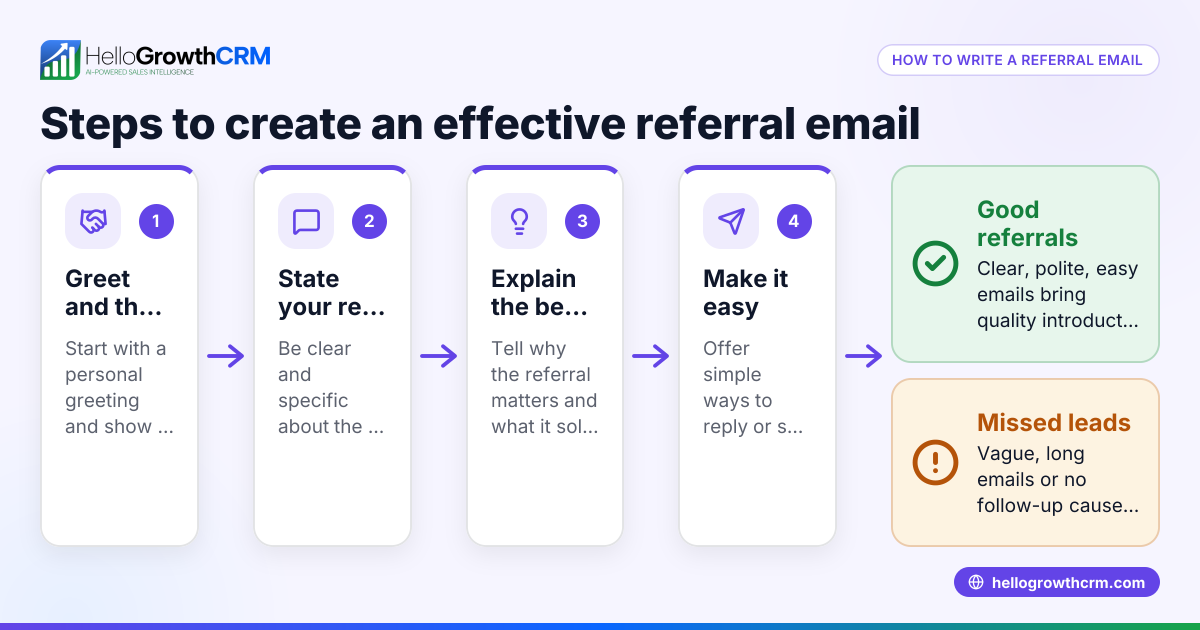
- Start with a clear subject line. Use a format like "Your Order #12345 Has Shipped!" to immediately inform the customer. Include the order number and the word "shipped" to catch attention.
- Greet the customer personally. Use their name if possible to make the message friendly and personal.
- Confirm the shipment. Clearly state the shipping date and provide an estimated delivery date or timeframe so customers know when to expect their order.
- List order details. Include the items shipped, quantities, and the order number to remind the customer exactly what is on its way.
- Provide tracking information. Add the tracking number and a clickable link to the carrier’s tracking page so customers can monitor delivery progress.
- Offer contact information. Give a phone number or email address for customer support in case of questions or issues.
- Close politely. Thank the customer for their purchase and encourage them to reach out with any concerns.
- Review before sending. Double-check all details—order numbers, dates, links, and spelling—to avoid errors.
For ready-made templates and follow-up sequences, visit the free sales tools and calculators available without an account at free sales tools and calculators. You can also explore email automation and sequences to automate these messages and save time.
Example (fictional figures)
Imagine a landscaping contractor in Charlotte, North Carolina, named GreenScape LLC, sending an order shipped email for a customer’s garden tools.
Subject: Your Order #78910 Has Shipped!
Dear Jane Smith,
We’re happy to inform you that your order #78910 was shipped on 04/10/2026. You can expect delivery by 04/15/2026.
Order details:
- Garden Trowel (Qty: 2) — $25 each
- Pruning Shears (Qty: 1) — $40 each
Calculations: $25 × 2 = $50 $40 × 1 = $40 $50 + $40 = $90 total order value
Tracking number: 1Z999AA10123456784 Track your package here: https://carrier.example.com/track/1Z999AA10123456784
If you have any questions, please contact us at (704) 555-1234 or support@greenscape.com.
Thank you for choosing GreenScape LLC!
Best regards, GreenScape Team
Common mistakes
- Missing tracking info: Always include a tracking number and link to avoid customer confusion. Without this, customers may contact support unnecessarily.
- Using vague delivery dates: Provide a specific estimated delivery date or a clear range. Avoid vague phrases like "soon" or "within a week."
- No contact details: Customers need a clear way to reach support if issues arise. Include a phone number or email.
- Typos in order numbers: Double-check order numbers to prevent miscommunication and delays.
- Generic greetings: Personalize the email with the customer’s name to improve engagement and trust.
- Sending emails late: Send the email promptly after shipment to manage customer expectations.
Avoid these mistakes by using templates from the sales templates page and automating follow-ups with email automation and sequences.
Doing this in HelloGrowthCRM
HelloGrowthCRM includes HelloMail, a shared inbox that lets your sales and support teams see all replies to order-related emails on the deal, improving team coordination and response times. You can also download free sales tools and templates like follow-up cadences and pipeline templates without needing an account at free sales tools and calculators. For ongoing customer communication, set up automated sequences that send a series of follow-ups over two weeks and stop as soon as the customer replies, saving time and ensuring no lead is forgotten. Learn more about these features at email automation and sequences.
Frequently asked questions
What should an order shipped email include? An order shipped email should include the order number, shipping date, expected delivery date, list of items shipped, tracking number with a link to the carrier’s tracking page, and contact information for customer support.
How soon after shipping should I send the email? Send the email as soon as the order is dispatched to keep customers informed and reduce support inquiries. Prompt communication helps build trust.
Can I automate order shipped emails? Yes, you can use email automation tools or CRM sequences to send these emails automatically after shipment, ensuring consistency and saving time.
How is an order shipped email different from a purchase order email? An order shipped email confirms the dispatch of goods to the customer. A purchase order email is typically sent by a buyer to a supplier to request goods or services.
Where can I find templates for order emails? You can download free templates from HelloGrowthCRM’s sales templates or free sales tools and calculators pages, which provide formats ready to customize.
What if the customer wants to change the delivery address after shipment? Include clear contact details so customers can reach support quickly. If changes are needed after shipment, your team can assist or provide instructions.
Key takeaways
- Use a clear subject line with the order number and shipment status.
- Include detailed order and tracking information to keep customers informed.
- Personalize the greeting and provide clear support contact details.
- Send the email promptly after shipment to manage expectations.
- Avoid common mistakes like missing tracking info, vague dates, or typos.
- Use free sales templates and email automation to save time and improve consistency.
Start managing your customer communications better by trying HelloGrowthCRM. Start on the Free Forever plan (200 leads, no credit card).
Ready to put this into practice?
Set up your pipeline, WhatsApp follow-ups, and AI lead scoring in minutes — free, no credit card.
Try HelloGrowthCRM freeGet CRM tips in your inbox
Join thousands of sales professionals who get weekly insights on CRM strategy, AI automation, and pipeline optimization.

The HelloGrowthCRM team publishes guides on CRM strategy, AI sales tools, and revenue operations for small business sales teams.