HelloGrowthCRM software
Built for real small-business sales teams
HelloGrowthCRM helps reps qualify faster, follow up on time, and close more deals—with practical automation in one place.
- AI lead scoring and pipeline visibility
- Built-in dialer, WhatsApp, and email automation
- Sales forecasting and RevOps-ready reporting
A status email is a communication tool used by businesses to inform recipients about the current state of a task, order, project, or sales process. It provides clarity on progress, next steps, or delays, ensuring that everyone involved stays aligned.
Why this comes up / what goes wrong
Small-business owners often send status emails to customers or team members to keep them informed about ongoing work, such as order fulfillment, service delivery, or sales follow-up. Without clear status emails, customers may feel neglected, leading to lost sales or unhappy clients. Internally, lack of updates can cause confusion and duplicated effort among team members. Many small businesses struggle with slow or inconsistent follow-up, relying on text messages, email threads, or spreadsheets that are hard to track. This can cause delays, missed opportunities, and poor customer experience.
Step-by-step
- Identify the purpose of the status email: Decide what update you need to communicate — order shipped, project milestone reached, payment received, or next steps in a sales process.
- Gather accurate information: Check your records or CRM for the latest status details. Confirm dates, amounts, or actions completed.
- Write a clear subject line: Use a straightforward subject like "Order #1234 Shipped" or "Project Update: Phase 2 Complete" so the recipient immediately knows the email’s purpose.
- Start with a greeting and context: Address the recipient by name and briefly remind them what the update concerns.
- State the current status clearly: Use simple language to describe progress, delays, or next steps. Include dates or deadlines if relevant.
- Include any required actions: If the recipient needs to respond, approve, or prepare something, state this clearly.
- Close politely and offer support: End with a thank you or invitation to ask questions.
- Review and send promptly: Double-check for accuracy and send the email promptly to keep communication timely.
- Track replies and follow up as needed: Monitor responses and continue updates until the issue is resolved or the deal closes.
For managing these emails efficiently, consider using tools like HelloGrowthCRM’s email automation and sequences to automate follow-ups and keep your team aligned.
Example (fictional figures)
A two-location dental practice in Columbus, Ohio, sends a status email to a patient about their upcoming appointment and insurance claim status on 07/10/2026.
- Patient: Jane Doe
- Appointment date: 07/15/2026
- Insurance claim submitted: 06/30/2026
Email content: "Dear Jane Doe,
This is a status update regarding your dental care. Your appointment is scheduled for 07/15/2026 at our Downtown Columbus location. We have submitted your insurance claim on 06/30/2026 and expect processing within 10 business days.
Please bring your insurance card and any questions you have to your appointment. If you need to reschedule, contact us at least 48 hours in advance.
Thank you for choosing us for your dental care.
Best regards, Columbus Dental Team"
This email keeps the patient informed about the appointment and insurance claim status, reducing confusion and no-shows.
Common mistakes
- Sending vague updates: Avoid unclear language. Be specific about dates and actions to prevent misunderstandings.
- Delaying status emails: Send updates promptly to keep trust and avoid customer frustration.
- Ignoring replies: Always monitor responses and follow up. Use CRM tools to track replies and automate follow-ups, like HelloGrowthCRM’s sequences and campaigns.
- Not personalizing emails: Address recipients by name and tailor updates to their case to improve engagement.
- Using multiple disconnected tools: Managing status emails across email, texts, and spreadsheets causes errors. Consolidate communications in one platform such as HelloGrowthCRM’s WhatsApp and SMS CRM to keep everything visible.
Doing this in HelloGrowthCRM
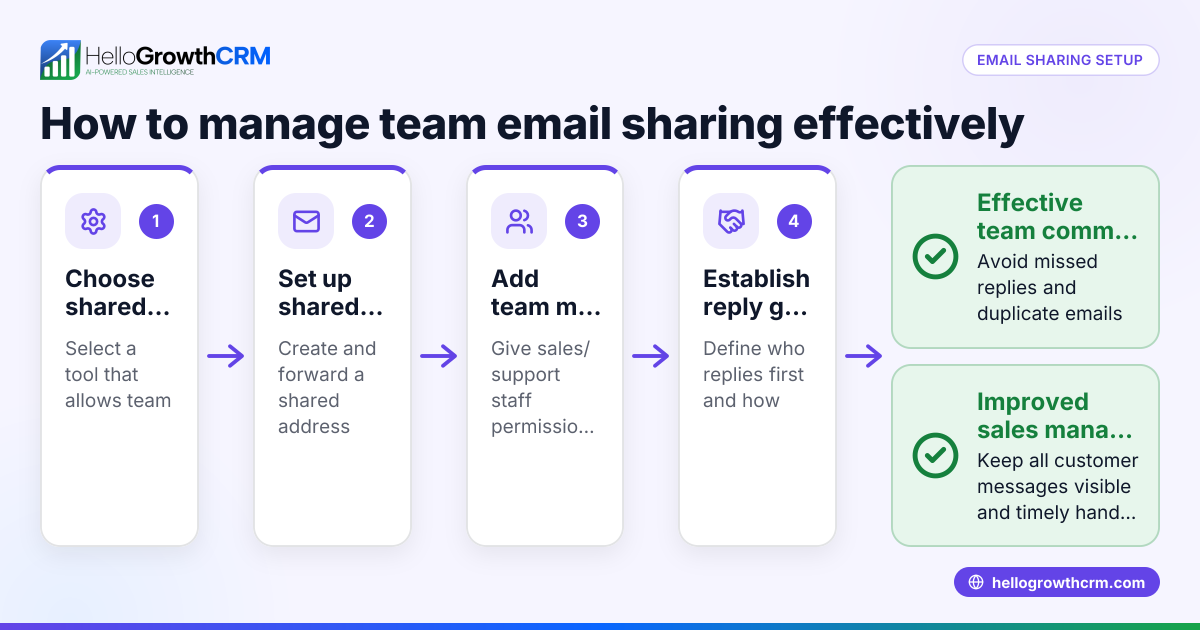
HelloGrowthCRM helps teams manage status emails with its HelloMail shared inbox. Replies to your quotation or status emails are visible to the whole team on the deal, avoiding duplicated efforts or missed messages. You can also set up sequences—a five-step follow-up over two weeks that runs automatically and stops the moment the prospect replies. This keeps your follow-up consistent without manual effort. Learn more about these features on the email automation and sequences page.
Frequently asked questions
What is a status email used for? A status email updates customers or team members on the progress of an order, project, or sales process. It helps keep everyone informed and aligned.
How often should I send status emails? Send status emails whenever there is a meaningful update or change. For ongoing projects, weekly or biweekly updates are common, but tailor frequency to your customer’s expectations.
Can status emails be automated? Yes, you can automate status emails using CRM tools that support email sequences and campaigns. Automation ensures timely follow-up without manual work.
What should I include in a status email subject line? Use clear, concise subjects that specify the update, like "Invoice #456 Paid" or "Project XYZ: Phase 1 Complete."
How do I handle replies to status emails? Monitor replies carefully and respond promptly. Use a shared inbox like HelloMail in HelloGrowthCRM to ensure your whole team can see and manage replies.
Key takeaways
- A status email communicates current progress or updates clearly to customers or team.
- Write specific, timely, and personalized emails with clear subject lines.
- Avoid common mistakes like vague updates, delayed emails, and ignoring replies.
- Use CRM tools like HelloGrowthCRM to automate follow-ups and share email replies across your team.
- Tracking and responding to replies promptly improves customer experience.
Start managing your status emails better by trying HelloGrowthCRM’s free plan with 200 leads and no credit card required at Start on the Free Forever plan.
Ready to put this into practice?
Set up your pipeline, WhatsApp follow-ups, and AI lead scoring in minutes — free, no credit card.
Try HelloGrowthCRM freeGet CRM tips in your inbox
Join thousands of sales professionals who get weekly insights on CRM strategy, AI automation, and pipeline optimization.

The HelloGrowthCRM team publishes guides on CRM strategy, AI sales tools, and revenue operations for small business sales teams.