HelloGrowthCRM software
Built for real small-business sales teams
HelloGrowthCRM helps reps qualify faster, follow up on time, and close more deals—with practical automation in one place.
- AI lead scoring and pipeline visibility
- Built-in dialer, WhatsApp, and email automation
- Sales forecasting and RevOps-ready reporting
A UTM campaign is a method for tracking the source of your website traffic by adding UTM parameters—special tracking tags—to your URLs. These tags identify the traffic source, the medium, and the specific campaign that brought visitors to your site. Tracking this data helps you understand which marketing efforts are effective and where to focus your budget.
Why this comes up / what goes wrong
Small-business owners often run multiple marketing campaigns across email, social media, paid ads, and SMS. Without UTM parameters, website analytics lump all traffic together without showing which campaign or channel brought visitors. This lack of clarity can cause wasted marketing spend on ineffective campaigns and missed opportunities to optimize successful ones. Knowing how to use UTM campaigns lets you track and evaluate your marketing results clearly.
Step-by-step
- Define your campaign goal and name: Decide what you want to track, such as a product launch, seasonal sale, or newsletter promotion. Use a clear and consistent campaign name like
spring_sale_2024. - Identify the traffic source: This is where the visitor clicks your link, for example, Facebook, Google, or your email newsletter.
- Set the medium: This describes the marketing channel, such as
email,cpc(cost-per-click ads),social, orsms. - Build your UTM-tagged URL: Add the parameters to your base URL in this format:
?utm_source=source&utm_medium=medium&utm_campaign=campaign_nameExample:https://yourwebsite.com/promo?utm_source=facebook&utm_medium=social&utm_campaign=spring_sale_2024 - Use the tagged URL in your marketing: Place this URL in your ads, emails, social posts, or SMS messages to track traffic accurately.
- Monitor your analytics: Use Google Analytics or a similar tool to filter traffic and conversions by UTM campaign.
- Adjust your campaigns: Based on the data, refine your campaign names, sources, or messaging to improve results.
Example (fictional figures)
A B2B software reseller in Denver, Colorado, runs a LinkedIn ad campaign for a new product launch starting on 04/01/2026.
- Base URL:
https://denversoftwaresales.com/launch - Source: linkedin
- Medium: cpc
- Campaign: product_launch_april2024
Tagged URL: https://denversoftwaresales.com/launch?utm_source=linkedin&utm_medium=cpc&utm_campaign=product_launch_april2024
Traffic results for April:
- Clicks from LinkedIn: 5,000
- Conversion rate: 4% (leads generated)
Leads = 5,000 × 4% = 200 leads
If average sale value is $2,500:
Revenue = 200 × $2,500 = $500,000
This data shows the LinkedIn campaign generated $500,000 in sales, helping the business decide to increase LinkedIn ad spend.
Common mistakes
- Inconsistent naming conventions: Using different spellings or formats for the same campaign causes confusion. Prevent this by standardizing campaign names and documenting them.
- Not tagging every link: Missing UTM tags on some links leads to incomplete data. Double-check all URLs before launching campaigns.
- Overcomplicating parameters: Using too many or unclear tags makes analysis difficult. Keep source, medium, and campaign simple and consistent.
- Failing to test URLs: Broken or incorrect UTM tags can cause tracking errors. Always test links in a browser before use.
- Ignoring analytics data: Collecting data but not reviewing it wastes effort. Schedule regular checks to optimize campaigns.
- Mixing personal and professional campaigns: Use separate UTM parameters for different campaigns to keep reports clean and actionable.
Checklist to Know if Your UTM Campaign Is Working
To make sure your UTM campaigns are delivering value, ask yourself these questions regularly:
- Are you seeing clear differences in traffic sources when you check your analytics?
- Do the tagged URLs lead to measurable actions like sign-ups, inquiries, or sales?
- Is the volume of traffic from specific campaigns consistent with your marketing efforts?
- Are you able to identify which campaigns have the best return on your time and budget?
- Have you noticed any broken or mis-tagged URLs causing gaps in your data?
- Are you adjusting your campaigns based on the insights from UTM tracking?
If you answer "no" to any of these, it might be time to review your UTM setup, ensure consistent naming, test all links, and revisit your campaign goals. Tracking alone isn’t enough; use the data to make informed decisions that improve your marketing results.
Doing this in HelloGrowthCRM
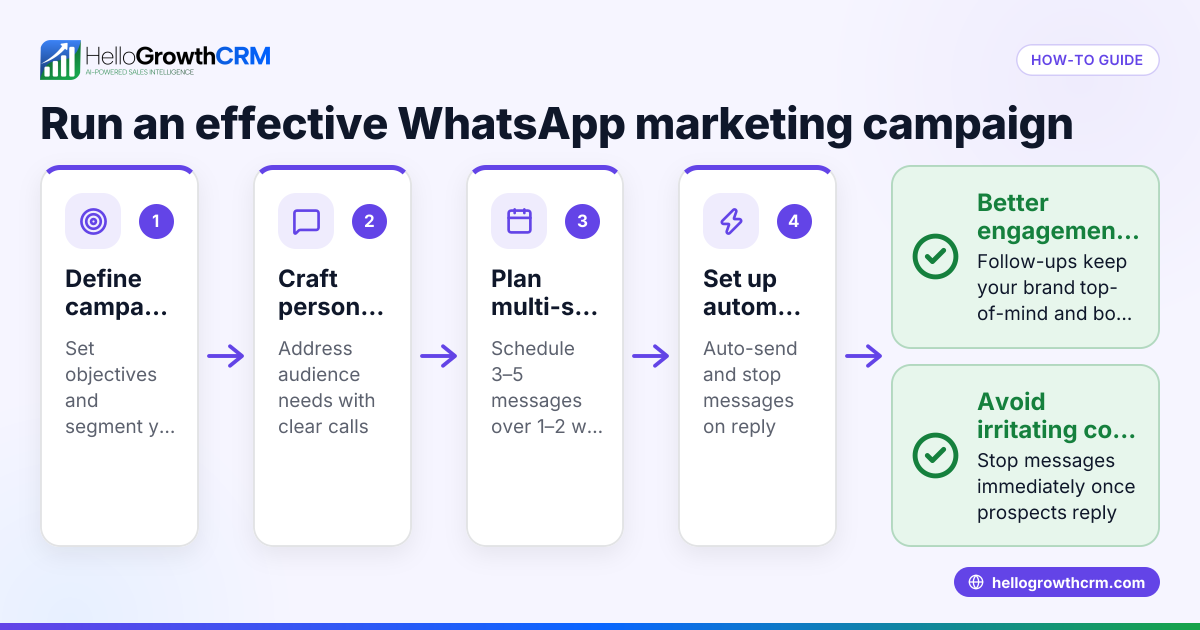
HelloGrowthCRM supports sequences and campaigns that automate follow-ups based on your marketing efforts. For example, after a prospect clicks your UTM-tagged link and becomes a lead, you can set a five-step follow-up over two weeks that runs automatically and stops as soon as the prospect replies. This helps your sales team engage leads quickly without manual tracking or reminders. Learn more about WhatsApp and SMS CRM and the built-in CRM dialer to boost your outreach.
Frequently asked questions
What do UTM parameters stand for? UTM stands for Urchin Tracking Module. These are tags added to URLs to track where website traffic comes from. The main parameters are utm_source, utm_medium, and utm_campaign.
Can I use UTM campaigns for email marketing? Yes, adding UTM tags to links in your emails helps you see which messages drive clicks and conversions in your analytics.
Do UTM tags affect SEO? UTM parameters don’t directly affect your search rankings but can create duplicate URLs if not handled correctly. Use canonical tags or URL filters in analytics tools to avoid confusion.
How do I analyze UTM campaign data? Use tools like Google Analytics to filter traffic by UTM parameters. This shows which sources and campaigns bring the most visitors and conversions.
Can HelloGrowthCRM track UTM campaigns automatically? HelloGrowthCRM automates follow-up sequences triggered by lead activity, but you still need to add UTM tags to your URLs to track campaign sources in your analytics.
Key takeaways
- UTM campaigns track marketing traffic by tagging URLs with source, medium, and campaign.
- Consistent naming and tagging are essential for accurate data.
- Use analytics tools to review campaign performance and optimize.
- Avoid mistakes like inconsistent naming or missing tags.
- HelloGrowthCRM automates follow-up sequences to engage leads from your campaigns efficiently.
Start tracking your campaigns effectively and automate follow-ups with HelloGrowthCRM. Start on the Free Forever plan (200 leads, no credit card).
Ready to put this into practice?
Set up your pipeline, WhatsApp follow-ups, and AI lead scoring in minutes — free, no credit card.
Try HelloGrowthCRM freeGet CRM tips in your inbox
Join thousands of sales professionals who get weekly insights on CRM strategy, AI automation, and pipeline optimization.

The HelloGrowthCRM team publishes guides on CRM strategy, AI sales tools, and revenue operations for small business sales teams.