HelloGrowthCRM software
Built for real small-business sales teams
HelloGrowthCRM helps reps qualify faster, follow up on time, and close more deals—with practical automation in one place.
- AI lead scoring and pipeline visibility
- Built-in dialer, WhatsApp, and email automation
- Sales forecasting and RevOps-ready reporting
Virtual sales meetings are remote sales conversations held online using video, phone, or messaging tools to connect with prospects or customers. They replace in-person meetings and allow sales teams to present, negotiate, and close deals without physical presence. This article explains why virtual sales meetings matter, provides a step-by-step guide to running them, highlights common pitfalls, and shows how HelloGrowthCRM can help manage your sales pipeline remotely.
Why this comes up / what goes wrong
Small-business owners often turn to virtual sales meetings because travel time, scheduling conflicts, or geographic distance make in-person meetings difficult or costly. The COVID-19 pandemic accelerated this shift, but many businesses now see virtual meetings as a permanent part of their sales strategy. (pmc.ncbi.nlm.nih.gov) However, virtual meetings can go wrong if the technology fails, if preparation is lacking, or if engagement drops because of distractions or poor communication. Without a clear process, leads can be lost or deals delayed due to slow follow-up or missed appointments.
Step-by-step
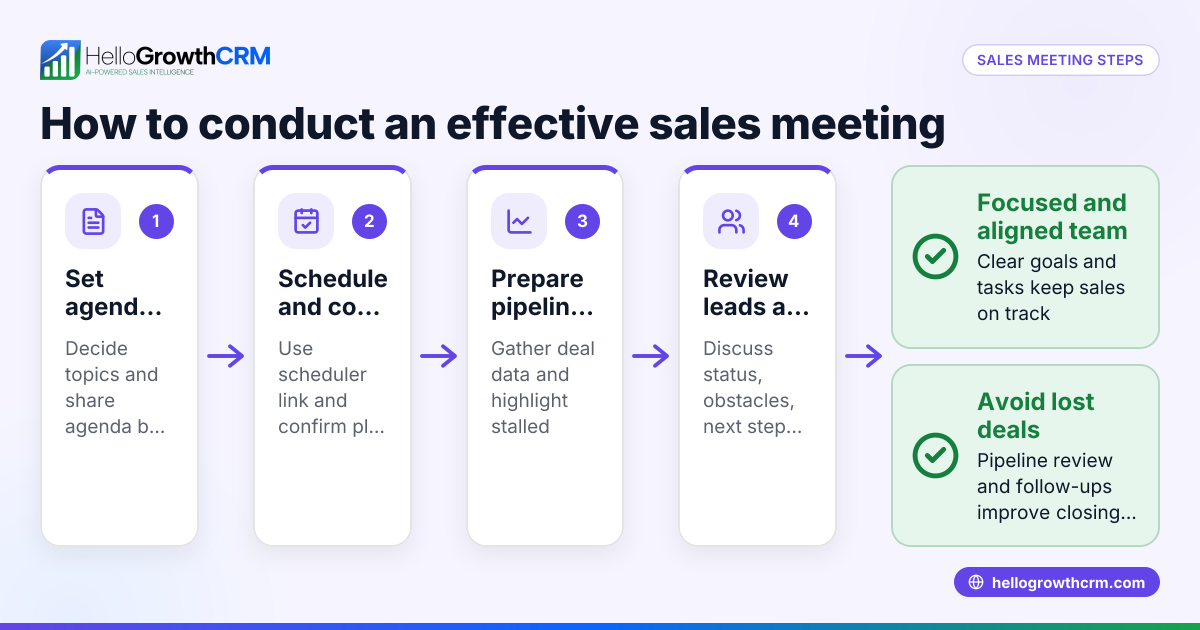
- Choose the right platform and test it. Decide whether to use video conferencing (Zoom, Google Meet), phone calls, or messaging apps. Test audio, video, and screen sharing beforehand to avoid disruptions.
- Schedule the meeting clearly. Send a calendar invite with the meeting link, agenda, and time zone. Use a meeting scheduler tool if available to avoid back-and-forth emails.
- Prepare your presentation and materials. Have your product demos, slides, or documents ready to share. Know the prospect’s needs and tailor your pitch.
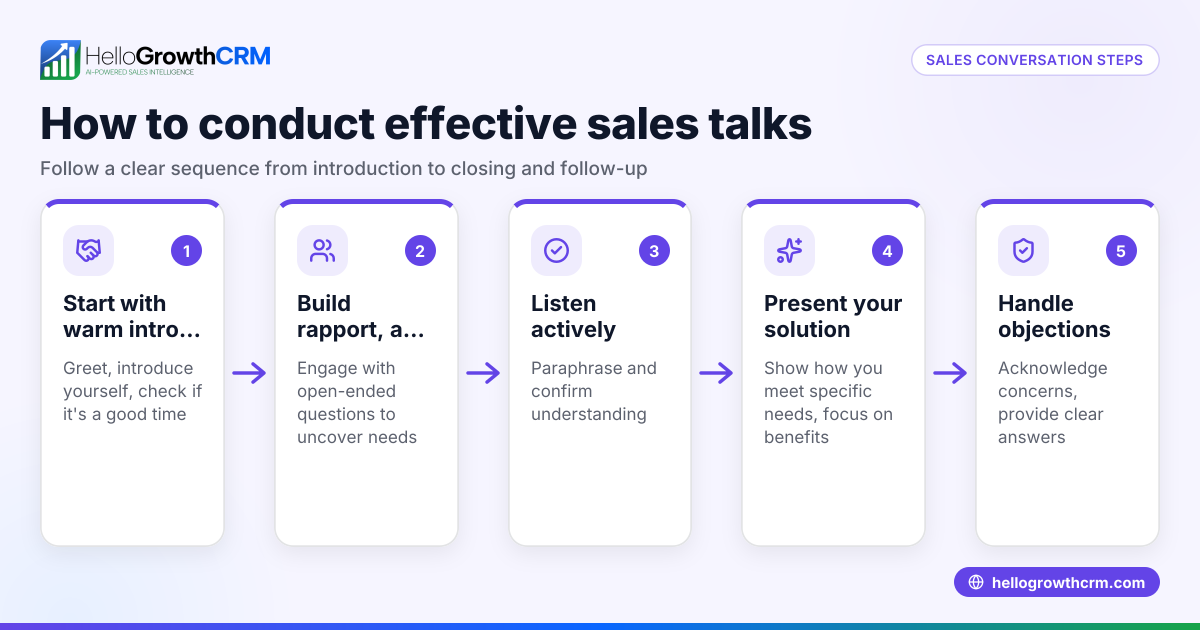
- Start the meeting on time and establish rapport. Begin with a brief introduction and small talk to build connection.
- Engage actively during the meeting. Ask questions, listen carefully, and respond to concerns. Use screen sharing to demonstrate features or proposals.
- Summarize next steps and set follow-up actions. Agree on timelines, responsibilities, and any additional information needed.
- Log the meeting details and update your sales pipeline. Record notes and update deal stages in your CRM to keep track of progress.
- Follow up promptly. Send a summary email or message and schedule the next contact.
Example (fictional figures)
A B2B software reseller in Denver, Colorado, schedules a virtual sales meeting on 07/15/2026 with a prospect interested in a $48,000 annual license.
- The reseller sends a calendar invite with a Zoom link and agenda.
- During the meeting, the reseller presents the software features and answers questions.
- The prospect requests a formal quote to review.
- The reseller creates a deal in HelloGrowthCRM at the 'quote sent' stage with a follow-up date set for 07/22/2026.
- On 07/22/2026, the reseller calls the prospect to discuss the quote and negotiate.
- The prospect agrees to purchase, and the deal moves to 'closed won.'
This process ensures no lead is forgotten and follow-up is timely.
Common mistakes
- Failing to test technology beforehand. Prevent by always conducting a tech check before the meeting.
- Not sending clear meeting details. Prevent by using a meeting scheduler to automate invites.
- Lacking preparation or customization. Prevent by researching the prospect and preparing tailored content.
- Ignoring follow-up or pipeline updates. Prevent by logging meeting notes and deal stages in your CRM.
- Overloading the meeting with too much information. Prevent by focusing on key points and pacing the conversation.
- Not engaging the prospect actively. Prevent by asking open-ended questions and encouraging dialogue.
Doing this in HelloGrowthCRM
HelloGrowthCRM helps you manage virtual sales meetings efficiently by tracking your deals in a pipeline. For example, a quotation sent last week appears as a deal at the 'quote sent' stage with a follow-up date, ensuring no opportunity is forgotten. Field sales teams can log visits and calls from their phones, and managers can see daily activities with territories and field operations tools. If you lack a dedicated sales manager, HelloGrowthCRM's Managed RevOps service assigns a revenue specialist to handle follow-ups, clean the pipeline, and provide weekly reports. Learn more about HelloGrowthCRM for the United States and its WhatsApp and SMS CRM capabilities.
Frequently asked questions
What tools are best for virtual sales meetings? Video conferencing tools like Zoom or Google Meet are common, but phone calls or messaging apps can work depending on your prospect’s preference. Test your chosen platform to ensure reliability.
How can I keep prospects engaged during a virtual meeting? Use screen sharing to demonstrate products, ask questions to involve them, and keep your presentation concise. Avoid reading slides verbatim and encourage interaction.
How do I schedule virtual meetings without confusion? Use a meeting scheduler tool to automate invitations and allow prospects to pick times that suit them, reducing back-and-forth emails.
How do I track virtual meeting outcomes? Log notes and update your sales pipeline in a CRM like HelloGrowthCRM to keep deals organized and set reminders for follow-up actions.
Can I manage virtual sales meetings on mobile? Yes. HelloGrowthCRM supports logging visits and calls from mobile devices, helping field reps stay productive on the go.
Key takeaways
- Virtual sales meetings connect you remotely with prospects using video, phone, or messaging.
- Preparation, clear scheduling, and technology checks are essential for success.
- Active engagement and concise presentations keep prospects interested.
- Logging meetings and updating your sales pipeline prevents lost leads.
- HelloGrowthCRM supports virtual sales by tracking deals, managing territories, and offering Managed RevOps support.
Start running effective virtual sales meetings today to save time and close more deals.
Get started with HelloGrowthCRM on the Free Forever plan (200 leads, no credit card).
Ready to put this into practice?
Set up your pipeline, WhatsApp follow-ups, and AI lead scoring in minutes — free, no credit card.
Try HelloGrowthCRM freeGet CRM tips in your inbox
Join thousands of sales professionals who get weekly insights on CRM strategy, AI automation, and pipeline optimization.

The HelloGrowthCRM team publishes guides on CRM strategy, AI sales tools, and revenue operations for small business sales teams.