What weekly kpi report does
The Weekly KPI Report is a managed reporting deliverable: every week, your HelloGrowthCRM specialist turns raw CRM data into a short, readable operating update — new leads and their sources, speed-to-lead, pipeline created and moved, deals won and lost, follow-up completion, and what changed versus last week. It arrives written for humans, with a line or two of commentary on what mattered, not just a wall of charts.
Most small teams have dashboards nobody opens. Numbers exist but no one packages them, so decisions get made on anecdote — the loudest rep's deal, the most recent bad week. Without a weekly rhythm, problems like slowing response times or a thinning top-of-funnel go unnoticed for a quarter. The report exists so the operating picture lands in front of leadership on schedule, whether or not anyone remembered to look.
How it works in HelloGrowthCRM
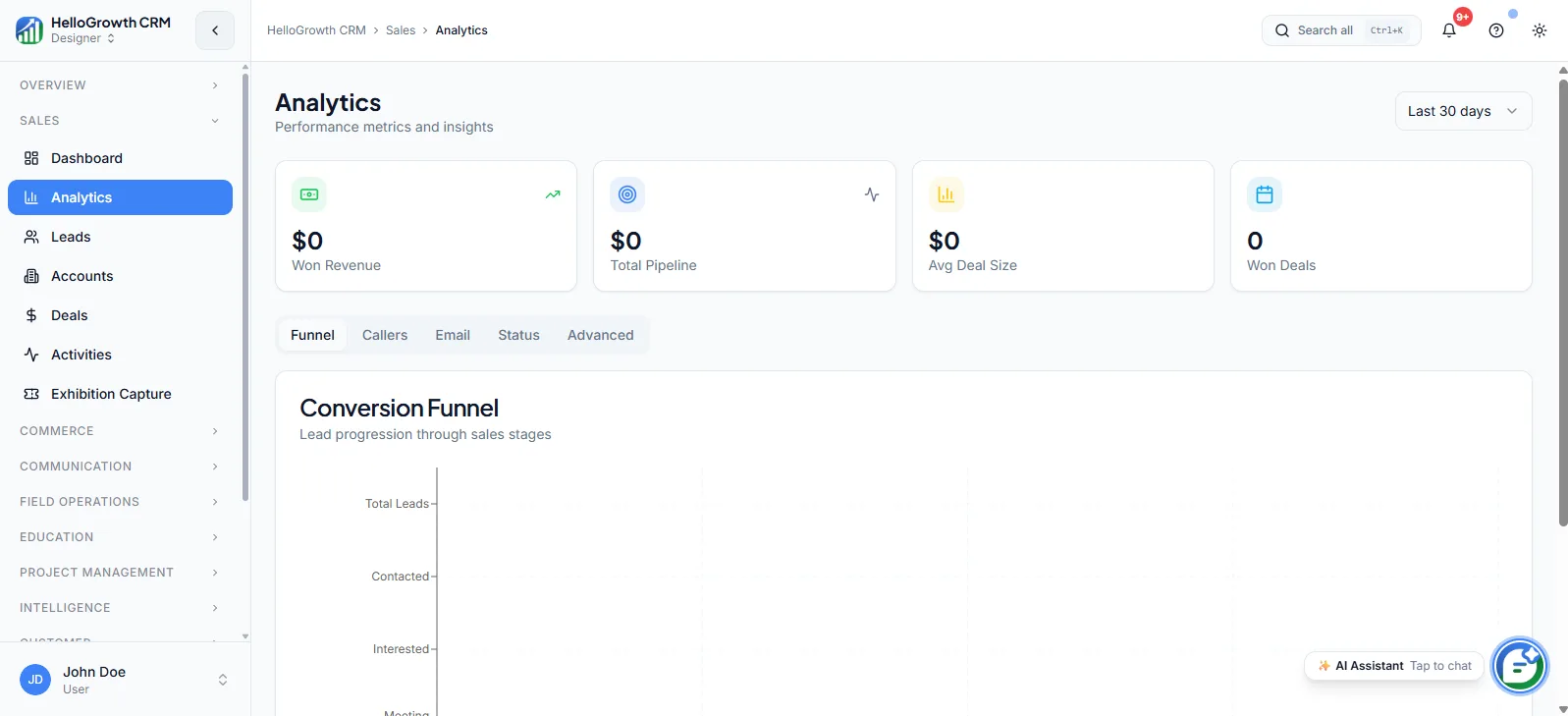
The report draws from live HelloGrowthCRM data — leads, deals, activities, and revenue records — using the same analytics surfaces you can open yourself. Your specialist compiles the agreed metric set each week, adds narrative context on movements worth noticing, and delivers it on a fixed day so it anchors your internal sales meeting or founder review.
It works hand-in-hand with Pipeline Cleanup & Hygiene, which keeps the underlying data honest, and feeds the Monthly Strategy Call and Quarterly Funnel Review on higher-touch plans, where the weekly threads get turned into decisions.
See it in action
How this capability is packaged by plan
| Plan | Availability |
|---|---|
| Free Forever | |
| Software Only | |
| Growth Engine | |
| RevOps Partner |
Setting it up — step by step
- 1
Pick your core metrics
In onboarding, agree the handful of numbers that actually drive your business — not everything the CRM can measure.
- 2
Set the delivery day
Choose when the report lands each week, timed so it arrives before your sales meeting, not after.
- 3
Confirm data readiness
Your specialist checks lead sources, stages, and activity logging so the report reads from complete, trustworthy inputs.
- 4
Agree the audience and format
Decide who receives it and how much narrative versus raw numbers your leadership team wants.
- 5
Refine after the first month
Review the first few editions together and cut, add, or reframe metrics based on what proved useful.
Who uses weekly kpi report
Founder/owner
Reads it Monday morning to know whether the machine ran last week — leads in, calls made, deals moved — without logging into dashboards or asking reps for a verbal status that varies by mood.
Sales manager
Uses it as the agenda for the weekly team meeting: which reps are behind on follow-up, which stage is jamming, and which sources produced pipeline worth doubling down on.
Finance/ops
Pulls the weekly won-revenue and pipeline-coverage figures into cash planning, getting a consistent, dated series instead of ad-hoc numbers that change depending on who was asked.
Weekly KPI Report in practice — industry examples
Agencies
A marketing agency principal sells between client work and loses track of their own pipeline. The weekly report shows proposals sent, follow-ups overdue, and expected close value — a five-minute read that stops the agency's own new business from being the most neglected account.
Insurance agents
An insurance agency tracks renewals alongside new policies. The weekly report separates the two funnels, flagging renewal conversations not yet started thirty days out and new-lead response times, so the principal sees retention risk and growth activity in one weekly page.
E-commerce
A B2B e-commerce wholesaler watches reorder pipelines from repeat buyers. The weekly update highlights accounts whose usual reorder window has passed with no activity, plus new stockist inquiries by source, prompting outreach before a quiet account becomes a lost one.
Common mistakes to avoid
Requesting twenty metrics in week one, producing a report nobody reads; the useful version is a page, not a workbook.
Letting the report land after the weekly sales meeting it should feed, so decisions happen on memory and the report becomes archive material.
Skipping data hygiene first, so early reports surface garbage numbers and leadership writes off the whole cadence prematurely.
Reading it silently and never acting, so reps learn the metrics are decorative and stop maintaining the data behind them.
What teams usually care about here
Helps teams move from scattered metrics to an actual decision-making cadence
Useful when leadership wants clear narrative context, not just raw dashboards
Pairs well with managed follow-up, forecast reviews, and specialist execution
How this fits the buying decision
Buyers usually do not evaluate weekly kpi report in isolation. They want to know whether it improves execution, reporting, handoffs, and accountability inside the broader CRM workflow. That is why this capability matters most when it is connected to records, ownership, activity history, and manager review rather than living in a separate point tool.
The real decision is often less about whether a box is checked and more about how much depth the team needs. Lower tiers may be enough when the workflow is simple or the volume is small. Higher tiers become more valuable when teams need governance, faster response expectations, specialist execution, or a repeatable operating cadence around the process.
If this capability is important to your rollout, compare it in the context of the whole plan. That includes related workflows, support level, reporting expectations, and whether your team will manage the motion itself or rely on managed RevOps help to keep it consistent.
Frequently asked questions
Which plans include the Weekly KPI Report?
Growth Engine and RevOps Partner. It is a managed deliverable compiled by your specialist, so it comes with the retainer plans. On Free Forever and Software Only you can build and check the same underlying analytics yourself, but nobody packages them for you weekly.
What does setup involve on my side?
Two short working sessions: one to pick the metrics and delivery day, one to confirm your lead sources and stages are logging cleanly. After the first month you review the format together and trim or add metrics based on what your team actually used.
Is this just an automated dashboard email?
No. The numbers come from CRM analytics, but a specialist writes the report — flagging what moved, what stalled, and what needs a decision. The commentary is the point; automated exports tell you what happened, the report tells you what to look at.
Does the report cover WhatsApp, calls, and automated follow-up activity?
Yes. Because dialer calls, WhatsApp messages, emails, and sequence touches are logged as activities on CRM records, the report can show follow-up volume and responsiveness across channels — useful for spotting when one channel quietly stops being worked.
Can I change what the report covers over time?
Yes, and you should. The metric set is reviewed after the first month and can be adjusted any time through your specialist — for example adding renewal tracking in Q4 or source-level breakdowns during a campaign push. The format follows your operating questions.
Related Pricing Capabilities
Lead Routing
Automated lead assignment rules that distribute new inquiries to the right rep based on territory, source, score, or round-robin logic.
Validation Rules
Field-level data validation rules that enforce required inputs and data quality standards before records can be saved or moved.
Workflows
Automated workflow builder for triggering actions — task creation, field updates, notifications, stage moves — based on CRM events.
Territories
Territory definition and ownership tools that assign accounts, leads, and deals to reps based on geography, industry, or custom rules.
Commissions
Commission tracking inside the CRM that links deal outcomes to rep incentive calculations without exporting to spreadsheets.
Field Operations
Tools for managing field sales teams — check-ins, visit logs, route planning, and on-site activity capture from mobile.