HelloGrowthCRM software
Built for real small-business sales teams
HelloGrowthCRM helps reps qualify faster, follow up on time, and close more deals—with practical automation in one place.
- AI lead scoring and pipeline visibility
- Built-in dialer, WhatsApp, and email automation
- Sales forecasting and RevOps-ready reporting
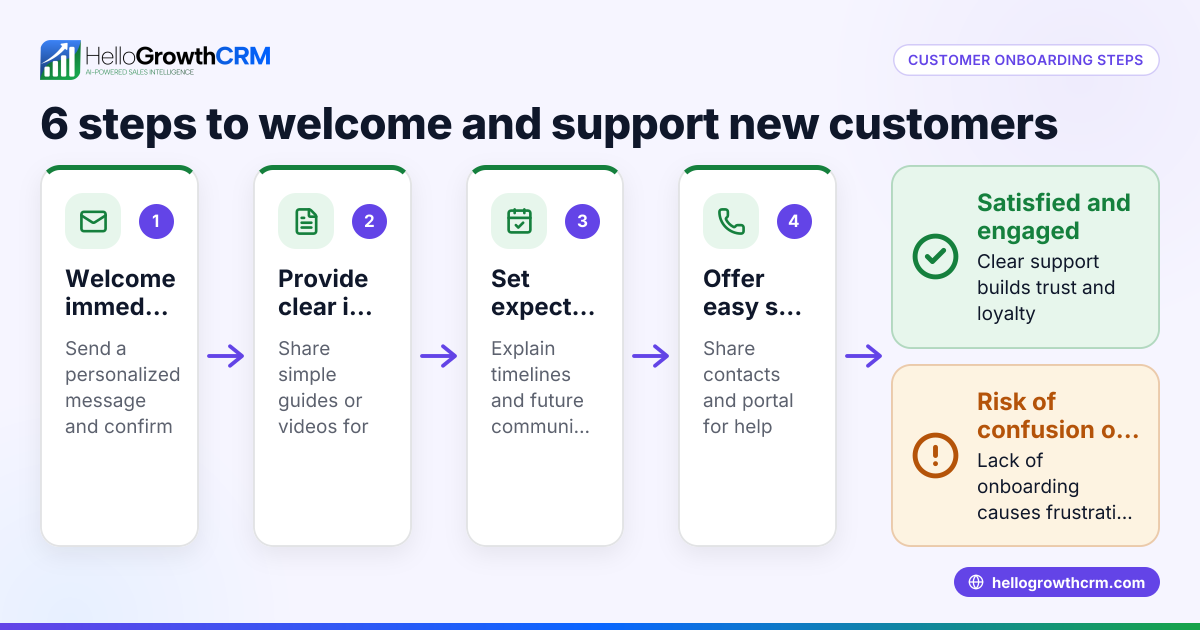
An attractive short welcome message for customers is a brief greeting that immediately makes new customers feel appreciated and comfortable. It should be warm, clear, and inviting, setting a positive tone for your relationship. Typically, this message appears in emails, SMS, WhatsApp, or on your website’s customer portal.
Why this comes up / what goes wrong
Small-business owners often struggle to create welcome messages that grab attention without overwhelming the customer. Many messages are either too long or too generic, lacking personalization or a clear call to action. This results in missed opportunities to build trust and encourage early engagement. Businesses that rely on text messages, email, and spreadsheets for sales management often experience inconsistent or slow follow-up, making the problem worse. Customers may feel ignored or unsure about what to do next, which can reduce repeat business and hurt growth.
Step-by-step
- Greet the customer warmly: Start with a friendly phrase that fits your brand’s voice. Example: "Welcome to [Business Name]!"
- Express appreciation: Thank the customer for choosing your business. Example: "Thank you for joining us."
- Set expectations clearly: Briefly explain what the customer can expect next, such as support availability or updates.
- Include a clear call to action: Invite the customer to reply, visit your website, or contact you for help.
- Keep it short and simple: Limit the message to 2-3 sentences to maintain attention.
- Personalize if possible: Use the customer’s name or mention their purchase to make the message more engaging.
- Check tone and clarity: Ensure the message sounds friendly and is easy to understand.
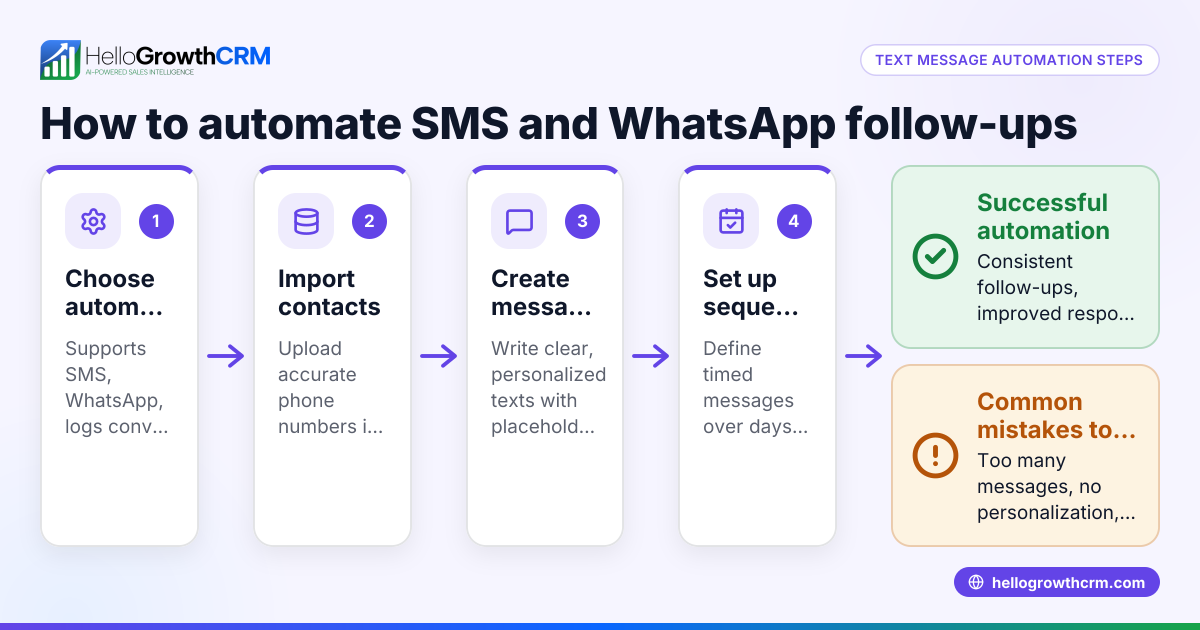
Using a CRM tool with WhatsApp and SMS capabilities can help automate and log these messages, especially on popular channels where customers respond quickly. This makes follow-up easier and more consistent. See WhatsApp and SMS CRM for more details.
Example (fictional figures)
Imagine a landscaping contractor in Charlotte, North Carolina, named GreenScape. They want to send a welcome SMS to new customers after a service request.
Message: "Hi [Customer Name], welcome to GreenScape! Thanks for trusting us with your lawn care. Reply anytime with questions or to schedule your next service."
This message is short, friendly, and invites engagement.
To understand the financial impact, GreenScape estimates that sending welcome messages increases repeat customer bookings by 10% monthly. Assume GreenScape has 300 customers paying $150 each per month.
Current monthly revenue: $150 × 300 = $45,000
With a 10% increase in repeat bookings: 300 customers × 10% = 30 additional bookings
Additional revenue: 30 × $150 = $4,500
New monthly revenue: $45,000 + $4,500 = $49,500
This shows that a simple welcome message can contribute to $4,500 more revenue monthly.
Common mistakes
- Too long or wordy: Customers lose interest quickly. Prevent this by keeping messages to 2-3 sentences.
- Generic wording: Feels impersonal and robotic. Prevent by adding customer names or specific details related to their purchase.
- No call to action: Misses chances to engage customers further. Always include a clear next step.
- Unclear tone: Can confuse or seem cold. Read the message aloud to check friendliness and clarity.
- Ignoring follow-up: A welcome message alone isn’t enough; timely follow-up is crucial. Use tools like HelloGrowthCRM to track and automate follow-ups for consistent engagement. See customer health score for ongoing customer insights.
How to Know if Your Welcome Message Is Working
After sending your welcome message, watch for signs that it’s doing its job. You want to see customers responding or taking the next step you suggested. Here’s what to look for:
- Are customers replying to your message or asking questions?
- Do they visit your website or use the links you provided?
- Are they making repeat purchases or booking follow-up services?
- Is your team able to follow up promptly using your CRM or communication tools?
If responses are low, consider tweaking your message to be more personal or clearer about what you want customers to do next. Testing different versions can help you find the best fit. Remember, a welcome message is just the start—consistent, caring communication builds lasting relationships.
Doing this in HelloGrowthCRM
HelloGrowthCRM supports WhatsApp and SMS messaging, allowing you to send welcome messages that are logged on each lead’s record. This means your team can see every conversation and ensure timely follow-ups. After the sale, all service requests stay on the same customer record, simplifying ongoing communication. If you don’t have a sales manager, Managed RevOps provides weekly follow-up support to keep your pipeline active and organized. Discover more about HelloGrowthCRM for the United States.
Frequently asked questions
What makes a welcome message attractive to customers? An attractive welcome message is brief, friendly, and personalized. It thanks customers, sets clear expectations, and invites interaction without overwhelming them.
How soon should I send a welcome message after a customer signs up? Send it as soon as possible, ideally within minutes or hours, to make customers feel valued and engaged early.
Can I use the same welcome message for all customers? A basic template works, but personalizing messages with names or purchase details improves connection and response rates.
Should I include a discount or offer in the welcome message? Offers can be effective but keep the message short. If used, ensure the offer is clear and easy to redeem.
How can a CRM help with welcome messages? A CRM with WhatsApp and SMS capabilities logs conversations on lead records and supports follow-ups, ensuring timely and consistent communication. See HelloGrowthCRM for the United States for details.
Key takeaways
- Keep welcome messages short, warm, and clear.
- Personalize messages to increase engagement.
- Include a call to action to guide customers.
- Avoid long or generic messages.
- Use CRM tools with WhatsApp and SMS to manage messaging and follow-ups efficiently.
Start building better customer relationships today. Start on the Free Forever plan (200 leads, no credit card).
Ready to put this into practice?
Set up your pipeline, WhatsApp follow-ups, and AI lead scoring in minutes — free, no credit card.
Try HelloGrowthCRM freeGet CRM tips in your inbox
Join thousands of sales professionals who get weekly insights on CRM strategy, AI automation, and pipeline optimization.

The HelloGrowthCRM team publishes guides on CRM strategy, AI sales tools, and revenue operations for small business sales teams.