HelloGrowthCRM software
Built for real small-business sales teams
HelloGrowthCRM helps reps qualify faster, follow up on time, and close more deals—with practical automation in one place.
- AI lead scoring and pipeline visibility
- Built-in dialer, WhatsApp, and email automation
- Sales forecasting and RevOps-ready reporting
A business phone message script is a prepared guide of what to say when leaving voicemails or answering calls. It helps ensure your message is clear, concise, and professional, which improves customer experience and increases the chances of a callback or sale. This article covers why scripts matter for small business owners, step-by-step instructions to create one, a detailed example with numbers, common mistakes to avoid, and how CRM tools can assist in managing phone messages.
Why this comes up / what goes wrong
Small business owners often face challenges with phone communication. Without a script, messages may be inconsistent, too long, or missing key details like the caller's name, reason for the call, or clear callback instructions. This can confuse or frustrate customers and lead to lost sales opportunities. Sales teams might also forget to log messages or follow up properly. A business phone message script standardizes communication and helps capture leads effectively.
Step-by-step
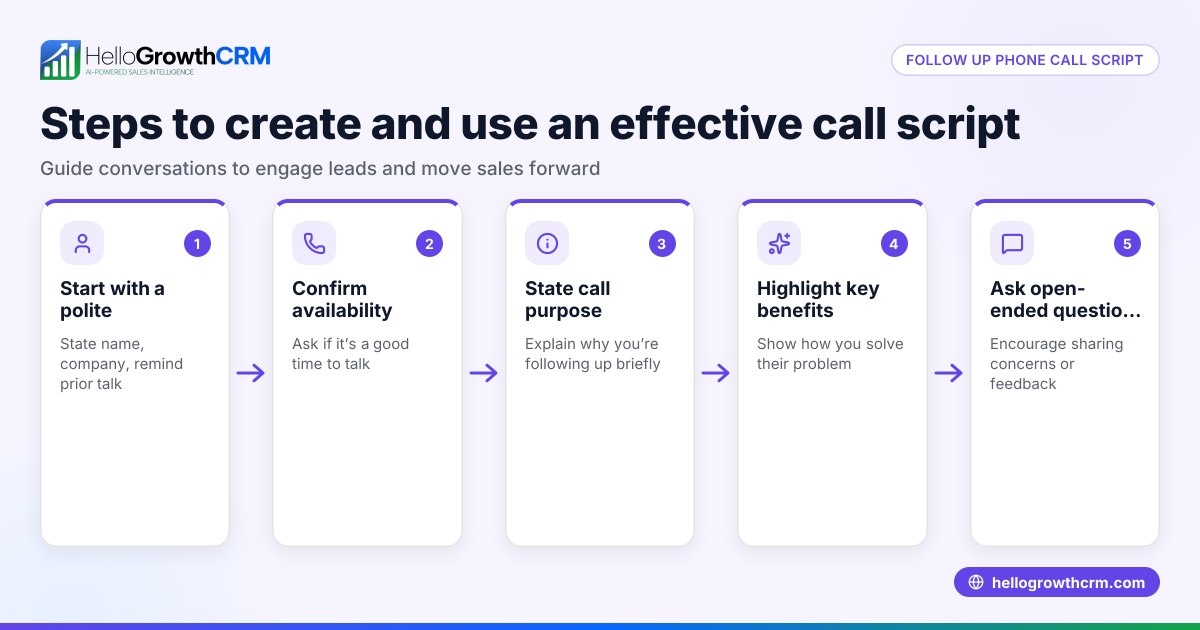
- Define the purpose of your message. Decide if you need a script for voicemail, answering calls, or both. Clarify your goal: to get a callback, schedule a meeting, or provide information.
- Include essential information. Your script should state your name and company, the reason for your call, a clear call to action (such as "Please call me back at..."), and a polite closing.
- Keep it brief and clear. Aim for 20 to 30 seconds when spoken. Avoid jargon or long explanations.
- Write in a conversational tone. The script should sound natural, not robotic.
- Practice reading the script aloud. Adjust phrasing for smoother flow and clarity.
- Train your team. Share the script and explain how and when to use it.
- Track results and update the script. Use feedback from calls to improve the script regularly.
- Use tools to log messages and follow-ups. For example, some CRMs log WhatsApp conversations on lead records and enable follow-ups via WhatsApp and SMS. You can also download free sales templates to help manage follow-ups without signing up at sales templates.
Example (fictional figures)
A landscaping contractor in Charlotte, North Carolina, named Mike wants to leave a voicemail for a prospective client. Mike’s goal is to get a callback to schedule a free lawn estimate.
Mike’s script:
"Hi, this is Mike from GreenScape Landscaping. I’m calling to follow up on your request for a free lawn estimate. Please call me back at 704-555-1234. I’m available Monday to Friday, 9 a.m. to 5 p.m. Thanks, and I look forward to helping you with your lawn."
Mike times the message to last about 25 seconds, which fits the recommended length.
To illustrate the business impact, assume Mike gets 100 calls a month and leaves a voicemail for each. If 20% of recipients call back, that’s 20 callbacks.
If Mike closes 50% of callbacks with an average job value of $1,200, his monthly revenue from callbacks is:
20 callbacks × 50% close rate = 10 jobs
10 jobs × $1,200 per job = $12,000
This shows how a clear message script can contribute to steady revenue by increasing callbacks and conversions.
Common mistakes
- Being too long or vague. Prevent this by timing your script and focusing on key points.
- Not stating your callback number clearly. Repeat or emphasize it to avoid confusion.
- Sounding robotic or unnatural. Practice and use conversational language.
- Forgetting a call to action. Explicitly ask for a callback or next step.
- Not training your team. Share scripts and do role-playing exercises.
- Failing to log messages and follow-ups. Use CRM tools to track communications and ensure no lead is lost. Learn more about messaging tools in CRMs at WhatsApp and SMS CRM.
Doing this in HelloGrowthCRM
HelloGrowthCRM supports small businesses by logging WhatsApp conversations on each lead record, making it easy to track phone and message interactions. Follow-ups can be sent as WhatsApp or SMS messages directly from the CRM, helping ensure timely responses. Additionally, you can download free sales tools and templates, including follow-up cadences and pipeline templates, without needing to create an account at sales templates. This helps you implement your phone message scripts and manage leads efficiently.
Frequently asked questions
What should a business phone message script include? A good script includes your name and company, the reason for your call, a clear call to action such as a callback number, and a polite closing. Keep it brief and conversational to hold the listener’s attention.
How long should a phone message script be? Aim for 20 to 30 seconds. This duration provides enough time to communicate key information without losing the listener’s interest.
Can I use the same script for voicemail and answering calls? Scripts differ. Voicemail scripts focus on leaving a clear message and callback instructions, while answering call scripts guide how to greet and assist the caller live.
How can I ensure my team uses the script? Provide training, role-play scenarios, and make the script easily accessible. Use CRM tools like HelloGrowthCRM to log calls and messages, encouraging consistent use. See more about WhatsApp and SMS CRM.
Does HelloGrowthCRM support phone message tracking? Yes. It logs WhatsApp conversations on lead records and enables sending follow-ups via WhatsApp and SMS, helping track all communications efficiently.
Key takeaways
- A business phone message script ensures clear, consistent communication.
- Keep scripts short, clear, and conversational.
- Include your name, company, reason for calling, callback info, and call to action.
- Train your team and update scripts based on feedback.
- Use CRMs like HelloGrowthCRM to log messages and manage follow-ups.
Start improving your lead follow-up with a clear business phone message script today. You can also Start on the Free Forever plan (200 leads, no credit card) with HelloGrowthCRM to manage your calls and messages more effectively.
Ready to put this into practice?
Set up your pipeline, WhatsApp follow-ups, and AI lead scoring in minutes — free, no credit card.
Try HelloGrowthCRM freeGet CRM tips in your inbox
Join thousands of sales professionals who get weekly insights on CRM strategy, AI automation, and pipeline optimization.

The HelloGrowthCRM team publishes guides on CRM strategy, AI sales tools, and revenue operations for small business sales teams.