HelloGrowthCRM software
Built for real small-business sales teams
HelloGrowthCRM helps reps qualify faster, follow up on time, and close more deals—with practical automation in one place.
- AI lead scoring and pipeline visibility
- Built-in dialer, WhatsApp, and email automation
- Sales forecasting and RevOps-ready reporting
An automated follow up system helps small businesses maintain timely contact with leads and customers by sending messages or reminders automatically. It reduces the risk of losing leads due to slow or forgotten follow-up and frees sales teams from manual tracking.
Why this comes up / what goes wrong
Many Canadian small-business owners struggle to keep up with lead follow-up because they rely on manual methods like spreadsheets, emails, or text messages. This often results in missed opportunities and lost sales. Without automation, reps forget to follow up on time or spend too much time managing contacts instead of selling. An automated follow up system addresses these issues by scheduling and sending follow-ups consistently, ensuring no lead is neglected.
Step-by-step
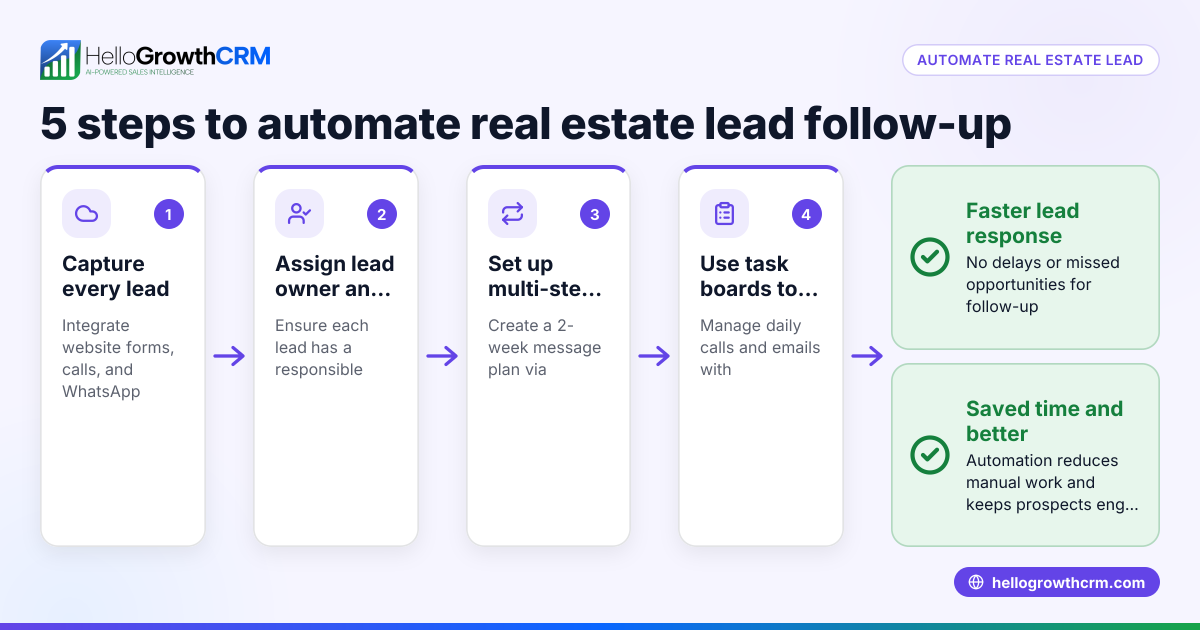
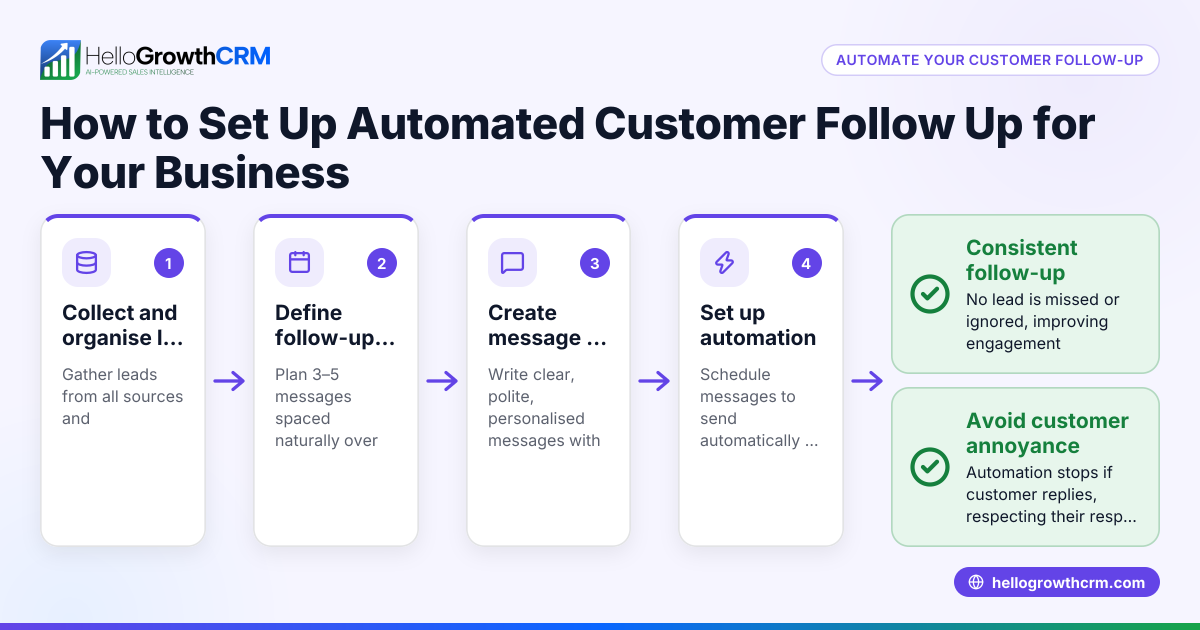
- Identify your follow-up needs: Determine how many follow-ups you typically send (e.g., 3-5 messages over two weeks) and the channels you use (email, SMS, WhatsApp). Check if the system supports multi-channel sequences.
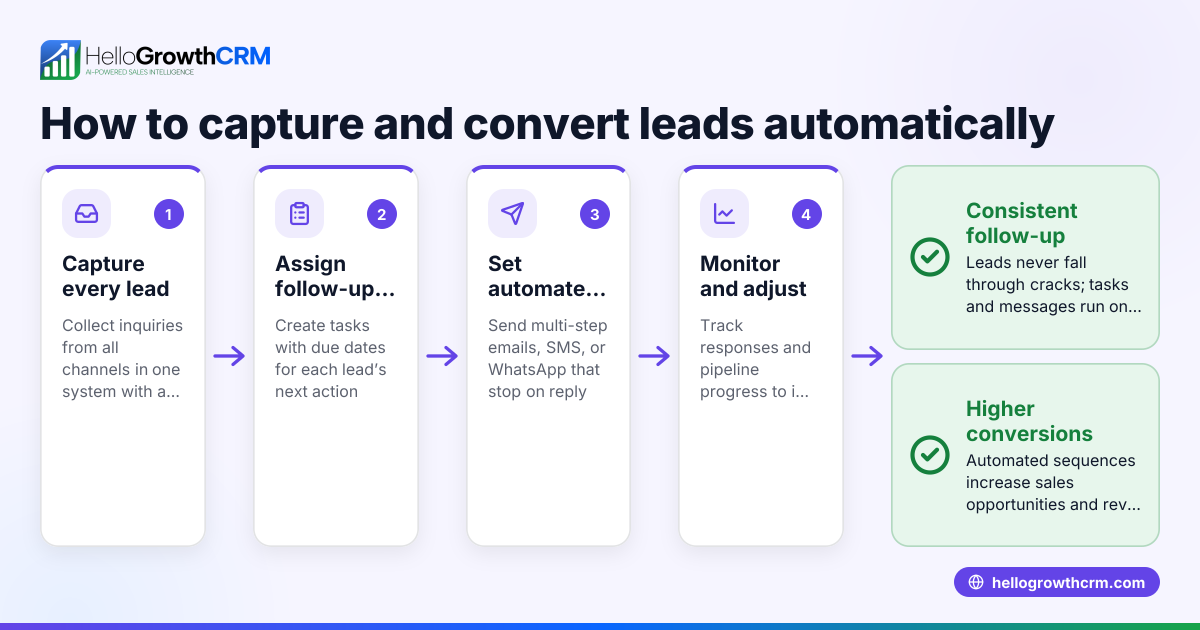
- Check task and activity management: Ensure the system converts follow-ups into tasks with due dates so your team can track daily calls and activities easily without relying on memory. Task boards help visualize progress.
- Look for automation features: Confirm the platform can automate multi-step sequences that stop automatically when a prospect replies. This prevents over-messaging and keeps communication relevant.
- Consider AI assistance: Some systems offer AI agents that draft follow-up messages after calls, letting reps review and send quickly. This saves time and keeps messaging consistent.
- Evaluate integration capabilities: Your follow-up system should capture leads from web forms or other sources automatically to start sequences without manual entry.
- Test user-friendliness: The system should be easy for your sales team to adopt, with clear task boards and simple sequence setup.
- Review reporting and forecasting: Check if the system provides insights into follow-up effectiveness and sales pipeline status to improve your process.
- Compare costs and plans: Ensure the pricing fits your budget and the features you need are included.
Example (fictional figures)
A bilingual insurance agency in Laval, Quebec, wants to automate follow-ups to increase lead conversion.
- They typically send 5 follow-ups over 14 days via email and WhatsApp.
- Average deal size: C$3,500.
- Current monthly leads: 80.
- Estimated conversion rate without automation: 10%.
They implement an automated follow up system that increases conversion to 15%.
Calculations:
Current monthly sales = 80 leads × 10% conversion = 8 sales
New monthly sales = 80 leads × 15% conversion = 12 sales
Additional sales = 12 − 8 = 4 sales
Additional revenue = 4 sales × C$3,500 = C$14,000
The agency gains C$14,000 more revenue monthly by automating follow-ups, paying off the system cost quickly.
Common mistakes
- Failing to set clear follow-up sequences: Without a defined number and timing of messages, follow-ups become inconsistent. Prevent this by planning sequences ahead.
- Ignoring task management: Not converting follow-ups into actionable tasks leads to missed calls and messages. Use task boards to keep follow-ups visible and due dates clear. See sales task boards.
- Over-messaging prospects: Continuing follow-ups after a reply annoys customers and wastes resources. Choose systems that stop sequences automatically on response.
- Not training the sales team: Complex systems discourage use. Pick one with simple workflows and AI assistance to draft messages, reducing rep effort. Learn about AI agents in HelloGrowthCRM here.
- Not integrating lead capture: Manually entering leads wastes time and risks errors. Ensure your system captures leads automatically from web forms.
- Ignoring reporting: Without tracking follow-up success, you can’t improve. Use systems that provide sales forecasting and campaign reports.
Doing this in HelloGrowthCRM
HelloGrowthCRM supports automated follow-up with features designed for small and mid-sized Canadian businesses. Each follow-up becomes a task with a due date on task boards, so your team sees daily calls as a list, not a memory test. Its sequences and campaigns automate five-step follow-ups over two weeks, stopping immediately when the prospect replies. Additionally, AI agents draft follow-up messages after calls for review and quick sending, saving time and improving consistency. Learn more about HelloGrowthCRM for Canadian businesses here.
Frequently asked questions
What is an automated lead follow up system? An automated lead follow up system sends scheduled messages or reminders to leads without manual effort, using email, SMS, WhatsApp, or other channels. It helps sales teams respond promptly and consistently, increasing conversion rates.
How does an automated follow-up system improve sales? By ensuring timely and consistent contact, it reduces lost leads caused by slow or forgotten follow-ups. Automation frees reps to focus on selling and keeps prospects engaged with relevant messaging.
Can I customize follow-up sequences? Yes, most systems allow you to set the number of follow-ups, timing between messages, and channels used. Some also support A/B testing to optimize messaging.
What mistakes should I avoid when using automated follow-ups? Avoid over-messaging after a reply, neglecting task management, and failing to train your team. Use systems that stop sequences on response and provide clear task boards.
Is AI used in automated follow-up systems? Some platforms offer AI agents that draft messages based on call notes or previous interactions, allowing reps to review and send quickly. This improves efficiency and message quality.
How do I know if an automated follow-up system is right for my business? Evaluate if it supports your communication channels, automates tasks, integrates with lead sources, and is easy for your team to use. Also, consider reporting features to track performance.
Key takeaways
- Automated follow up systems send scheduled messages to leads without manual effort, improving response rates.
- Task boards help sales teams track daily follow-ups and calls clearly.
- Multi-step sequences stop automatically when prospects reply to avoid over-messaging.
- AI agents can draft follow-up messages to save time and maintain consistency.
- Proper setup and team training prevent common mistakes like missed or excessive follow-ups.
- Integration with lead capture and reporting tools enhances effectiveness.
Start automating your follow-ups today with HelloGrowthCRM, which offers task boards, sequences, and AI agents tailored for Canadian businesses. Start on the Free Forever plan (200 leads, no credit card).
Ready to put this into practice?
Set up your pipeline, WhatsApp follow-ups, and AI lead scoring in minutes — free, no credit card.
Try HelloGrowthCRM freeGet CRM tips in your inbox
Join thousands of sales professionals who get weekly insights on CRM strategy, AI automation, and pipeline optimization.

The HelloGrowthCRM team publishes guides on CRM strategy, AI sales tools, and revenue operations for small business sales teams.