HelloGrowthCRM software
Built for real small-business sales teams
HelloGrowthCRM helps reps qualify faster, follow up on time, and close more deals—with practical automation in one place.
- AI lead scoring and pipeline visibility
- Built-in dialer, WhatsApp, and email automation
- Sales forecasting and RevOps-ready reporting
An automated lead follow up software demo shows you how software captures leads from various sources, assigns them to owners, schedules follow-ups as tasks, and automates multi-step outreach sequences using email, SMS, or WhatsApp. The demo helps you see if the software fits your business needs for timely, consistent follow-up that converts leads to customers.
Why this comes up / what goes wrong
Small-business owners often struggle with losing leads because follow-up is slow, inconsistent, or managed manually via text messages, emails, or spreadsheets. Without automation, leads can fall through the cracks, and sales teams waste time remembering who to call or email next. The demo is a chance to verify if the software simplifies lead capture, follow-up scheduling, and outreach automation so that the team actually uses it every day.
Step-by-step
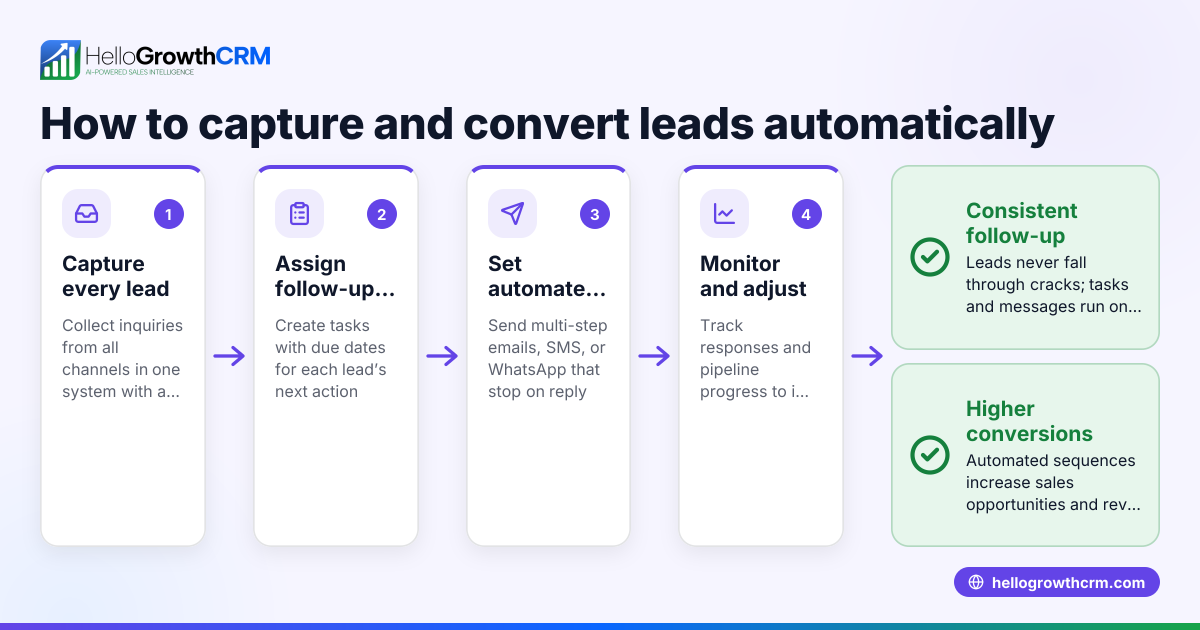
- Watch lead capture in action: Check how the software captures leads from web forms, calls, or WhatsApp messages. Confirm each lead lands in a centralized system with an assigned owner and a next step.
- Review task and activity management: See how follow-ups become tasks with due dates. Confirm that daily call lists or task boards replace memory-based follow-up.
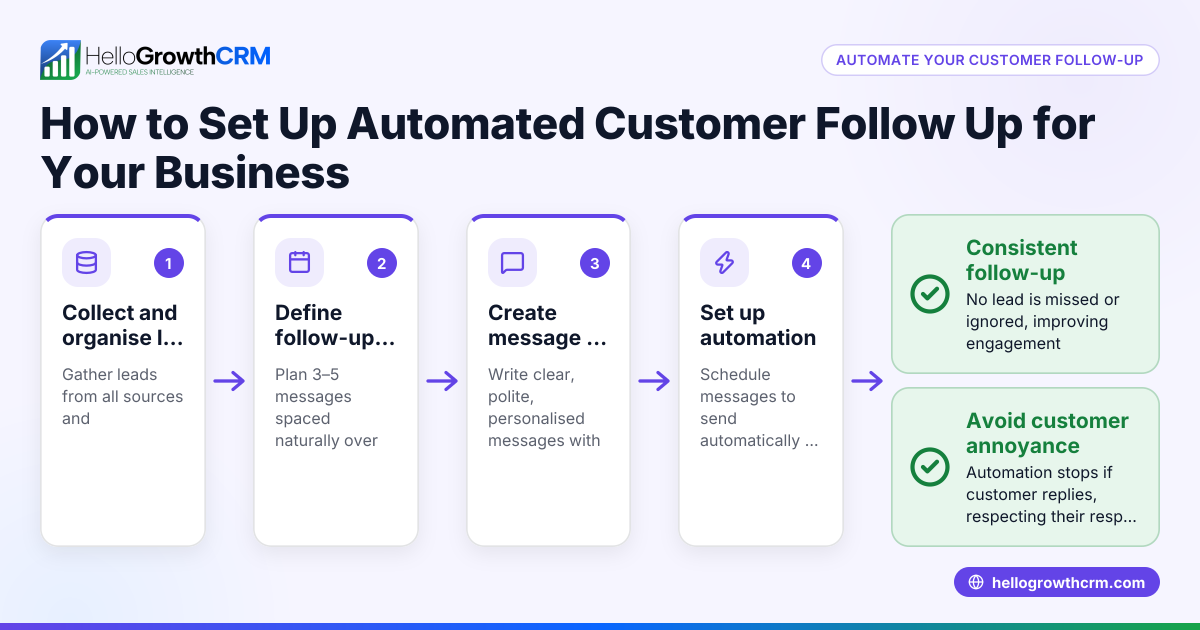
- Explore sequences and campaigns: Observe a multi-step follow-up sequence running automatically over days or weeks, sending emails, SMS, or WhatsApp messages until the prospect replies.
- Check customization options: Verify if you can customize message content, timing, and the number of follow-up steps to fit your sales process.
- Assess integration capabilities: Confirm the software can integrate with your existing web forms or communication channels.
- Evaluate reporting and forecasting: Look for sales pipeline visibility, lead status updates, and forecasting tools to measure follow-up effectiveness.
During the demo, ask about how the software handles leads that respond mid-sequence and how it prevents duplicate outreach. Also, clarify user limits and mobile access if your team works remotely.
Example (fictional figures)
A two-location dental practice in Columbus, Ohio, captures 200 new patient inquiries monthly via web forms and phone calls. They want to automate follow-ups to reduce lost leads.
- Monthly leads: 200
- Average conversion rate without automation: 15% (30 patients)
- Sales value per patient: $1,200
- Expected conversion increase with automation: 5% (NEEDS EXPERT REVIEW)
Calculations:
Current monthly revenue from new patients: 200 leads × 15% conversion = 30 patients 30 patients × $1,200 = $36,000
Expected patients with automation: 200 leads × (15% + 5%) = 40 patients 40 patients × $1,200 = $48,000
Additional monthly revenue: $48,000 - $36,000 = $12,000
This practice could gain an extra $12,000 monthly by automating lead follow-up, assuming a 5% conversion lift. The demo should confirm the software can handle lead capture from forms and calls, assign follow-up tasks, and run sequences to achieve this.
Common mistakes
- Ignoring lead ownership: Without clear assignment, follow-ups get missed. Prevent by verifying the demo shows lead owners and next steps.
- Overlooking task management: Relying on memory leads to dropped leads. Check if the demo includes task boards or daily call lists to organize follow-ups. See sales task boards.
- Not testing automation limits: Some tools limit follow-up steps or channels. Confirm the demo covers multi-step sequences and channel options. See email automation and sequences.
- Failing to validate response handling: Automated sequences should stop when a prospect replies to avoid spamming. Confirm this behavior during the demo.
- Skipping integration checks: Without web form or communication channel integration, leads won’t enter the system automatically. Ask about integration capabilities.
Doing this in HelloGrowthCRM
HelloGrowthCRM captures every enquiry from a form, call, or WhatsApp as a lead with an owner and a next step, keeping leads organized instead of lost in notebooks. Each follow-up becomes a task with a due date, and the day's calls appear as a list, not a memory test. Its sequences run a five-step follow-up over two weeks automatically, stopping the moment the prospect replies. For more, see AI lead scoring, sales task boards, and email automation and sequences.
Frequently asked questions
What is the ROI of automated lead follow up software? Automated lead follow-up software can increase conversion rates by ensuring timely, consistent contact with prospects. This can lead to more closed deals and higher revenue. Calculating ROI involves comparing increased sales revenue against the software cost and time saved. Use a CRM ROI calculator to estimate this for your business.
How quickly should automated follow-up respond to new leads? The best practice is to follow up within minutes to a few hours after lead capture, as prompt contact improves conversion chances. Automated sequences should start immediately or within a defined timeframe after lead entry.
Can automated follow-up sequences be customized? Yes, most software lets you customize message content, timing, number of steps, and channels (email, SMS, WhatsApp). Customization ensures the sequence fits your sales process and audience.
How does automated follow-up handle prospect replies? Good software stops the automated sequence as soon as a prospect replies to avoid redundant or annoying messages. It then alerts the assigned owner to engage personally.
Is task management important in lead follow-up software? Yes. Task management ensures each follow-up action is scheduled and tracked, preventing leads from slipping through. Task boards organize daily calls and next steps, improving team efficiency.
Key takeaways
- Automated lead follow-up software demos show lead capture, task scheduling, and multi-step outreach sequences.
- Verify lead ownership, task boards, and sequence customization during the demo.
- Common mistakes include ignoring task management and not testing response handling.
- HelloGrowthCRM captures leads from forms, calls, and WhatsApp, creates follow-up tasks, and runs automated sequences that stop on reply.
- Use tools like a CRM ROI calculator to estimate the financial benefits before choosing software.
Automated lead follow-up software can transform how your small business manages leads and sales outreach. To try a system built for growing teams, start on the Free Forever plan (200 leads, no credit card).
Ready to put this into practice?
Set up your pipeline, WhatsApp follow-ups, and AI lead scoring in minutes — free, no credit card.
Try HelloGrowthCRM freeGet CRM tips in your inbox
Join thousands of sales professionals who get weekly insights on CRM strategy, AI automation, and pipeline optimization.

The HelloGrowthCRM team publishes guides on CRM strategy, AI sales tools, and revenue operations for small business sales teams.