HelloGrowthCRM software
Built for real small-business sales teams
HelloGrowthCRM helps reps qualify faster, follow up on time, and close more deals—with practical automation in one place.
- AI lead scoring and pipeline visibility
- Built-in dialer, WhatsApp, and email automation
- Sales forecasting and RevOps-ready reporting
The best field sales CRM software in New Zealand should help your team manage customer visits, follow up on deals, and communicate effectively while on the move. It must support territory management, pipeline tracking, and mobile messaging to keep your field sales reps productive and your managers informed.
Why this comes up / what goes wrong
Small and mid-sized New Zealand businesses with field sales teams often struggle with slow lead follow-up, lost deals, and inefficient communication. Sales reps working remotely rely on phones and messaging apps but lack a central system to log visits, track deal stages, and coordinate territories. Without a CRM designed for field sales, businesses run sales on scattered tools like text messages, email, and spreadsheets, leading to missed opportunities and poor sales visibility.
Step-by-step
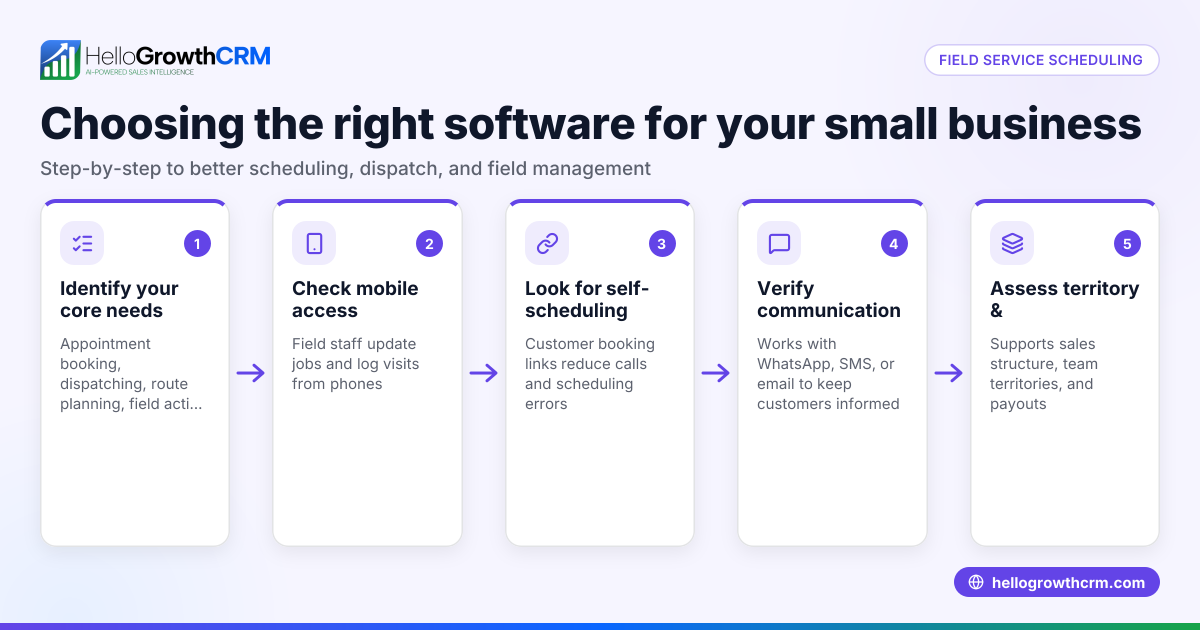
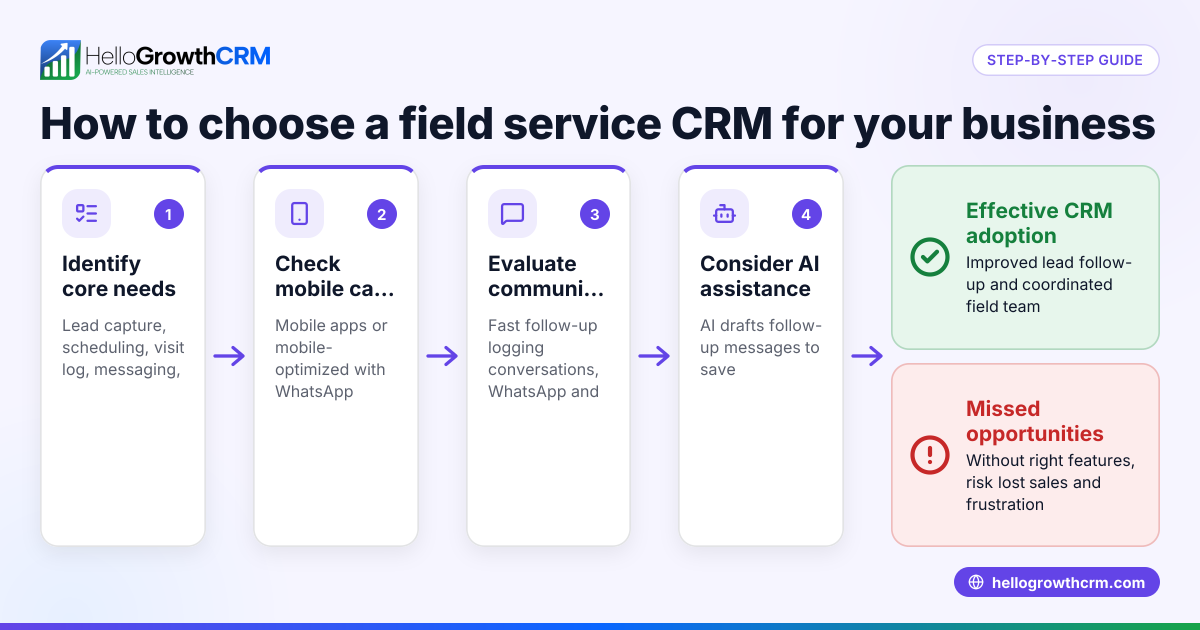
- Define your field sales needs: Identify if you require territory management, mobile visit logging, commission tracking, or simple pipeline tracking. Check if your reps need offline access or route planning.
- Evaluate CRM mobile capabilities: Ensure the CRM supports mobile check-ins, visit logs, and on-site activity capture from phones. This is crucial for field reps who are often away from desks.
- Check pipeline and deal tracking features: Confirm the CRM offers a deals pipeline that tracks opportunities from first contact to close, with stages and follow-up reminders.
- Assess communication integration: Look for WhatsApp and SMS integration to log conversations and send follow-ups directly from the CRM, reducing lost messages.
- Consider territory and commission tools: If your business uses territories, check if the CRM allows defining and owning territories and tracking commissions linked to deals.
- Review pricing and plans: Compare pricing with the features offered, especially mobile and territory management capabilities. Some features may only be on higher plans.
- Test user adoption and ease of use: Choose a CRM your team will actually use, with simple interfaces and mobile-friendly design.
- Look for local support and compliance: Ensure the CRM provider understands New Zealand business needs and data privacy requirements.
For more on how to organise sales territories effectively, see our territory management page.
Example (fictional figures)
A real-estate agency in Auckland with 10 field agents wants to improve lead follow-up and territory management. They spend NZ$1,000 per agent per month on CRM software.
- Monthly cost = 10 agents × NZ$1,000 = NZ$10,000
- Expected increase in deal closure rate from 20% to 25% (NEEDS EXPERT REVIEW)
- Average deal value = NZ$500,000
Current monthly deals closed = 40 leads × 20% = 8 deals
Projected monthly deals closed = 40 leads × 25% = 10 deals
Additional deals = 10 - 8 = 2 deals
Additional revenue = 2 deals × NZ$500,000 = NZ$1,000,000
If the CRM helps close 2 extra deals per month, the agency gains NZ$1,000,000 in sales against NZ$10,000 CRM cost.
This example shows how investing in field sales CRM features like visit logging and follow-up reminders can improve sales performance.
Common mistakes
- Choosing a CRM without mobile field tools: Prevent this by confirming visit logging, check-ins, and route planning features.
- Ignoring communication channels: Avoid losing leads by selecting CRM with WhatsApp and SMS integration for direct messaging.
- Overlooking territory management: If your sales team covers regions, pick CRM with territory ownership and commission tracking to keep reps accountable.
- Picking complex software your team won’t use: Ensure the CRM is simple and mobile-friendly to boost adoption.
- Not testing CRM with your actual sales process: Run a trial to see if the CRM fits your workflow before committing.
- Focusing only on price: Balance cost with essential features to avoid paying for unused functions or missing critical tools.
Learn more about essential CRM features to avoid these mistakes.
Doing this in HelloGrowthCRM
HelloGrowthCRM supports territories, field operations, and commissions where field reps log visits from their phones, and managers see the day's beat. Its deals pipeline tracks opportunities with stage movement and follow-up dates, ensuring quotations are not forgotten. WhatsApp and SMS messaging are integrated, so conversations are logged on lead records, and follow-ups go out as messages. This combination suits New Zealand small businesses wanting a CRM their field sales teams actually use.
Frequently asked questions
What is the typical pricing for field sales CRM software in New Zealand? Pricing varies by features and user count. Many CRMs charge per user monthly fees, with advanced field sales tools available on higher-priced plans. It's important to compare features against costs to find a solution that fits your budget and needs. See our CRM pricing in New Zealand for examples.
What alternatives exist for field sales CRM software? Alternatives include general CRMs with add-ons for field sales, industry-specific solutions, or using spreadsheets and messaging apps. However, dedicated field sales CRMs offer mobile visit logging, territory management, and messaging integration in one platform, reducing manual work and errors.
How can a field sales manager benefit from CRM software? Field sales managers gain visibility into reps’ daily activities, territory coverage, and pipeline status. They can track commissions linked to deals and ensure follow-ups happen on time, improving team performance and forecasting accuracy.
Can field sales CRMs integrate with WhatsApp and SMS in New Zealand? Yes, some CRMs offer WhatsApp-native and SMS messaging integration, allowing teams to communicate on channels customers prefer. Messages are logged automatically, helping maintain a complete customer history.
What questions should I ask before choosing a field sales CRM? Ask about mobile capabilities, territory management, communication integrations, ease of use, pricing, and local support. Also, check if the CRM fits your sales process and if your team will adopt it easily.
For more detailed comparisons, visit our compare CRMs page.
Key takeaways
- The best field sales CRM supports mobile visit logging, deal tracking, and messaging integration.
- Territory management and commission tracking help manage field reps and sales regions.
- Avoid CRMs without mobile and communication features to prevent lost leads.
- Test CRM usability with your team to ensure adoption.
- Balance pricing with essential features for your business needs.
- HelloGrowthCRM offers these features tailored for New Zealand small and mid-sized businesses.
Choosing the right field sales CRM can transform your sales process and boost revenue. To explore pricing options and plans that fit New Zealand businesses, see New Zealand pricing.
Ready to put this into practice?
Set up your pipeline, WhatsApp follow-ups, and AI lead scoring in minutes — free, no credit card.
Try HelloGrowthCRM freeGet CRM tips in your inbox
Join thousands of sales professionals who get weekly insights on CRM strategy, AI automation, and pipeline optimization.

The HelloGrowthCRM team publishes guides on CRM strategy, AI sales tools, and revenue operations for small business sales teams.