HelloGrowthCRM software
Built for real small-business sales teams
HelloGrowthCRM helps reps qualify faster, follow up on time, and close more deals—with practical automation in one place.
- AI lead scoring and pipeline visibility
- Built-in dialer, WhatsApp, and email automation
- Sales forecasting and RevOps-ready reporting
A bot to fill out forms is software designed to automatically enter information into digital forms, replacing manual typing. This tool helps small businesses handle repetitive form filling faster and with fewer errors. If your team spends too much time copying data into web forms or spreadsheets, a form-filling bot can improve efficiency.
Why this comes up / what goes wrong
Small business owners often face slow sales processes and lost leads because their teams manually enter data into multiple forms and systems. For example, after capturing a lead from a website, sales reps might spend valuable time transferring contact details into CRM forms, email sequences, or order systems. This manual work causes delays and errors, such as typos or missed fields, which can frustrate customers and reduce conversion rates.
Businesses that rely on text messages, emails, and spreadsheets for sales tracking especially struggle to keep data consistent and up-to-date. A bot to fill out forms addresses these pain points by automating data entry, allowing your team to focus on selling rather than administrative tasks.
Step-by-step
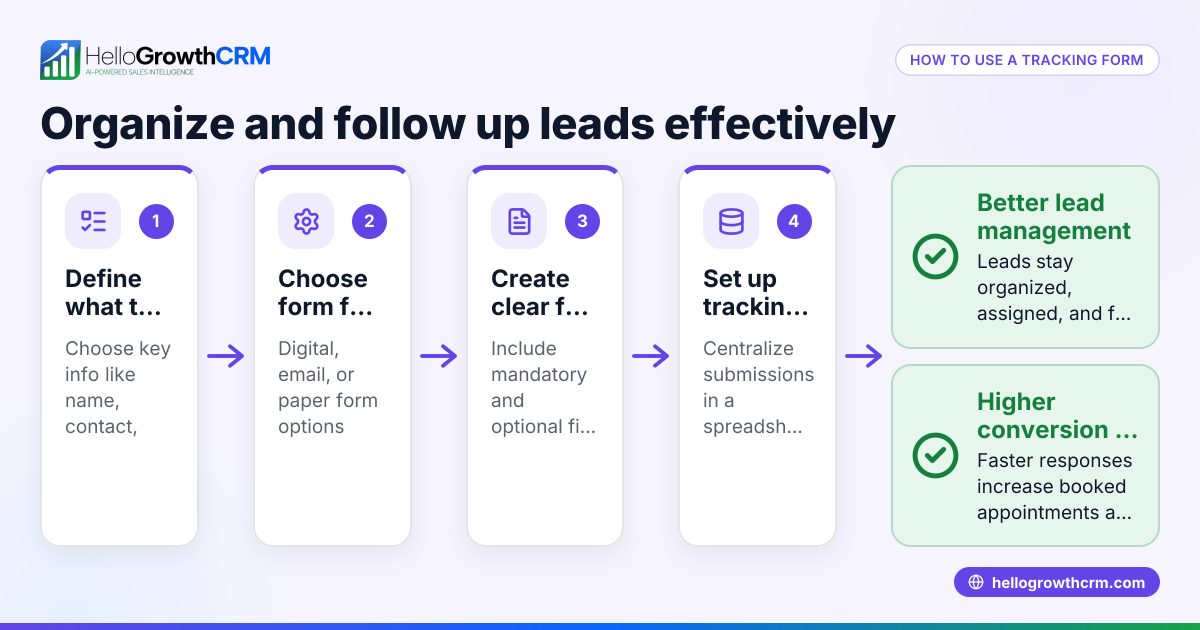
- Identify the forms to automate: List all the digital forms your team uses regularly, such as lead capture forms, order forms, or customer feedback surveys. Check if these forms are web-based or part of software platforms.
- Choose a form-filling bot tool: Select a bot software that supports the types of forms you use. Many tools work with web forms and can integrate with APIs or browser extensions. Confirm the bot can handle the specific fields and formats required.
- Prepare your data source: Organize the data you want to input into forms in a structured format like Excel, CSV files, or a CRM database. Clean your data to avoid errors during automation.
- Configure the bot: Set up the bot by mapping your data fields to the corresponding form fields. Define the sequence and rules for filling out each form, including handling required fields and optional data.
- Test the bot on sample forms: Run the bot on test forms to ensure it inputs data correctly without errors. Check for field mismatches, formatting issues, or skipped entries.
- Deploy and monitor: Start using the bot in your live environment. Monitor its performance regularly to catch any changes in form structure or errors that need fixing.
- Update as needed: Forms and data requirements may change over time. Keep your bot’s configuration updated to maintain automation accuracy.
Example (fictional figures)
A landscaping contractor in Charlotte, North Carolina, receives 200 online service requests monthly. Each request requires entering customer details into a scheduling form that takes 3 minutes manually.
Manual data entry time per month: 200 requests × 3 minutes = 600 minutes = 10 hours
Assuming the labor cost is $25/hour: 10 hours × $25/hour = $250 per month
By implementing a form-filling bot, the contractor reduces manual entry time by 90%, saving 9 hours monthly: 9 hours × $25/hour = $225 saved per month
Annual savings: $225 × 12 months = $2,700
This saving allows the contractor to reallocate staff time to customer service and sales follow-up, improving business growth.
Common mistakes
- Not verifying form changes regularly: Forms can update their layout or fields, causing the bot to fail. Prevent this by scheduling regular checks and bot updates.
- Using unstructured or dirty data: Bots rely on clean data. Avoid errors by validating and cleaning your data sources before automation.
- Ignoring security and privacy: Bots handle sensitive customer data. Ensure your bot complies with data protection policies and encrypts information where needed.
- Over-automation without human oversight: Some complex forms may require manual review. Balance automation with human checks to maintain accuracy.
- Choosing incompatible bot tools: Not all bots support every form type or integration. Test tools thoroughly before committing.
For sales teams using WhatsApp and SMS CRM or a built-in CRM dialer, integrating form-filling bots can complement these tools by automating data capture and reducing manual input across platforms. Learn more about WhatsApp and SMS CRM and the built-in CRM dialer.
Frequently asked questions
What types of forms can a bot fill out? Bots can fill out web forms, PDF forms, and forms embedded in software applications, depending on the bot’s capabilities. Most commonly, bots automate online lead capture, order entry, and survey forms.
How secure is using a bot to fill out forms? Security depends on the bot software and data handling policies. Choose bots that encrypt data, comply with privacy laws, and allow you to control access. Always avoid sharing sensitive information with untrusted bots.
Can a bot handle complex forms with conditional fields? Advanced bots can manage conditional logic by programming rules for when certain fields appear. However, highly complex or dynamic forms may still require human intervention.
Does automating form filling require programming skills? Some bots offer user-friendly interfaces with drag-and-drop mapping, requiring little to no coding. Others may need technical setup. Choose a bot that matches your team’s skill level.
How does a form-filling bot integrate with my CRM? Many bots can connect directly to CRM systems via API or data exports, automatically pushing form data into your sales pipeline. This reduces double entry and keeps records up-to-date. For US businesses, see how HelloGrowthCRM for the United States can help manage leads captured via forms.
Key takeaways
- A bot to fill out forms automates repetitive data entry, saving time and reducing errors.
- Start by identifying forms to automate and preparing clean data sources.
- Choose a bot tool compatible with your forms and test thoroughly before deployment.
- Regularly monitor and update the bot to handle form changes and maintain accuracy.
- Balance automation with security, privacy, and human oversight.
- Integrate form-filling bots with CRM and communication tools for smoother sales workflows.
To get started with managing your leads and sales data more efficiently, Start on the Free Forever plan (200 leads, no credit card).
Ready to put this into practice?
Set up your pipeline, WhatsApp follow-ups, and AI lead scoring in minutes — free, no credit card.
Try HelloGrowthCRM freeGet CRM tips in your inbox
Join thousands of sales professionals who get weekly insights on CRM strategy, AI automation, and pipeline optimization.

The HelloGrowthCRM team publishes guides on CRM strategy, AI sales tools, and revenue operations for small business sales teams.