HelloGrowthCRM software
Built for real small-business sales teams
HelloGrowthCRM helps reps qualify faster, follow up on time, and close more deals—with practical automation in one place.
- AI lead scoring and pipeline visibility
- Built-in dialer, WhatsApp, and email automation
- Sales forecasting and RevOps-ready reporting
Confirmation of quotation is the formal acceptance by a buyer of the price and terms offered by a seller in a quotation. This acceptance confirms that both parties agree on what is being sold, the price, delivery terms, and payment conditions. Once confirmed, the quotation forms a binding basis for the sale or contract.
Why this comes up / what goes wrong
Small business owners frequently send quotations to potential customers to outline prices and terms for products or services. Without clear confirmation, misunderstandings may arise. For example, a customer might assume a discount applies when it was only tentative, or delivery dates may be unclear. These issues can cause disputes, delays, or lost sales. Confirmation of quotation ensures both parties are aligned, reducing risks and improving sales reliability.
Many small businesses operate with limited staff and rely on email or text messages to manage sales. Without a formal confirmation step, sales teams might proceed on assumptions, leading to errors such as delivering the wrong product, incorrect pricing, or missed deadlines. These mistakes can damage customer relationships and cause revenue loss.
Step-by-step
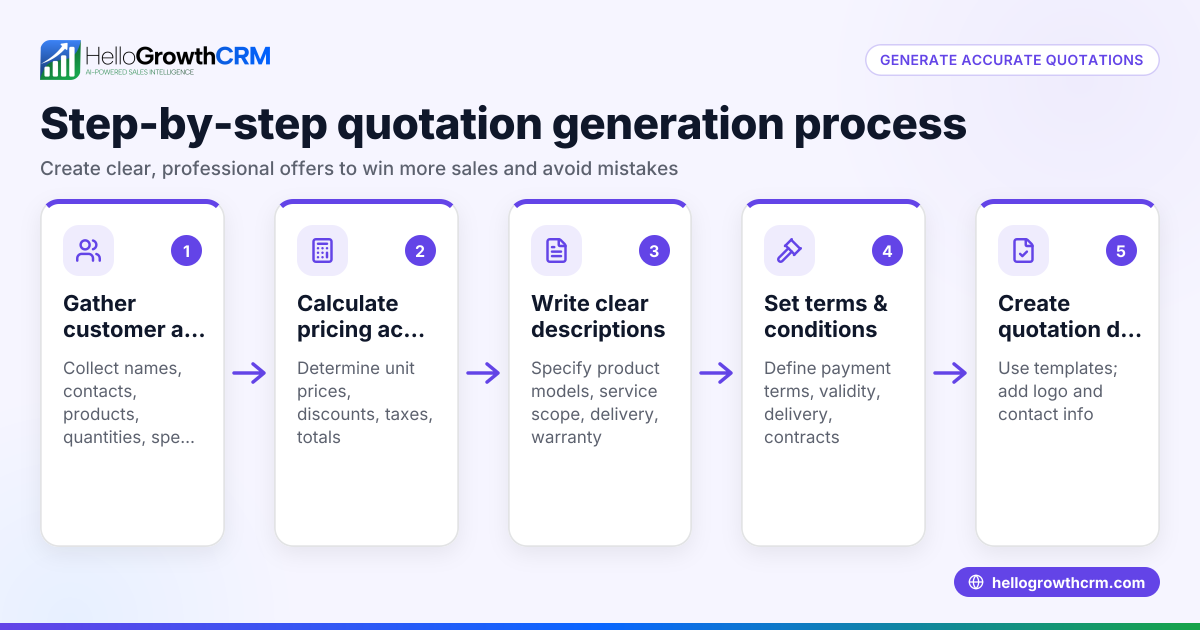
- Prepare and send a detailed quotation: Include clear descriptions of products or services, prices, quantities, delivery schedules, payment terms, and the quotation’s validity period. Double-check all figures and terms before sending.
- Request explicit confirmation from the buyer: Ask the customer to confirm acceptance by replying in writing, signing a copy of the quotation, or sending a purchase order that references the quotation.
- Review the customer’s confirmation carefully: Verify that the acceptance matches the quotation exactly. If the customer proposes any changes, clarify and negotiate these before proceeding.
- Record the confirmation: Save the acceptance email, signed document, or purchase order as proof of agreement.
- Update your sales records: Mark the quotation as confirmed or accepted in your tracking system to keep your sales pipeline accurate.
- Follow up promptly if no confirmation arrives: Contact the customer before the quotation expires to avoid missed opportunities or misunderstandings.
Managing these steps with a CRM that tracks quotations and follow-up tasks can save time and prevent errors. For example, a CRM with a built-in CRM dialer helps you keep all communication and quotation status in one place.
Example (fictional figures)
A two-location dental practice in Columbus, Ohio, requests a quotation from a dental chair supplier.
- Quotation sent on 06/01/2026 for one dental chair priced at $12,000.
- Delivery scheduled within 30 days (by 07/01/2026).
- Payment terms: net 60 days.
- Customer emails confirmation on 06/05/2026 accepting these terms exactly.
Calculations:
$12,000 × 1 chair = $12,000 total price
This confirmation means the supplier can proceed to order and deliver the chair as agreed.
Common mistakes
- Not requesting explicit written confirmation: Prevent this by always asking the customer to confirm acceptance in writing, such as an email or signed document.
- Ignoring discrepancies in confirmation: Prevent by carefully reviewing each confirmation and clarifying any changes before proceeding.
- Failing to track quotation status: Prevent by using a CRM or system to monitor quotations and their acceptance, ensuring no quotation is overlooked.
- Delaying follow-up after no confirmation: Prevent by setting reminders to contact the customer before the quotation expires.
- Losing confirmation documentation: Prevent by saving all emails or signed papers securely, preferably in a digital system.
Using a CRM with communication tools like WhatsApp and SMS CRM can help maintain clear records of confirmations and conversations.
Doing this in HelloGrowthCRM
HelloGrowthCRM lets you create and send quotations directly from a deal record. You can track the status of each quotation—whether it is sent, viewed, or accepted—on the same screen where you manage follow-up tasks. This helps keep your sales organized and ensures you never miss confirming a quotation before moving forward. Learn more at HelloGrowthCRM for the United States.
Frequently asked questions
What is the difference between a quotation and a confirmation of quotation? A quotation is the initial offer detailing prices and terms. Confirmation of quotation is the buyer’s formal acceptance of that offer, making it binding.
Is a verbal confirmation of quotation valid? Verbal confirmation can be valid but is risky because it’s hard to prove. Written confirmation by email or signed document is recommended for clarity and legal protection.
What should I do if the customer changes terms in their confirmation? Review the changes carefully and discuss them with the customer. Only proceed once both parties agree on the updated terms.
How long should I wait for confirmation before following up? Typically, follow up a few days before the quotation’s expiry date or within a week if no expiry is stated, to avoid losing the sale.
Can I send reminders for quotation confirmation using a CRM? Yes, a CRM allows you to set follow-up tasks and reminders linked to each quotation to prompt timely confirmation and next steps.
Key takeaways
- Confirmation of quotation is the buyer’s formal acceptance of a seller’s price and terms.
- Always request and keep written confirmation to avoid misunderstandings.
- Review confirmations carefully to catch any changes.
- Use a CRM to track quotation statuses and follow-up tasks efficiently.
- Prompt follow-up after sending quotations improves sales success.
Start confirming your quotations more efficiently with HelloGrowthCRM. Start on the Free Forever plan (200 leads, no credit card).
Ready to put this into practice?
Set up your pipeline, WhatsApp follow-ups, and AI lead scoring in minutes — free, no credit card.
Try HelloGrowthCRM freeGet CRM tips in your inbox
Join thousands of sales professionals who get weekly insights on CRM strategy, AI automation, and pipeline optimization.

The HelloGrowthCRM team publishes guides on CRM strategy, AI sales tools, and revenue operations for small business sales teams.