HelloGrowthCRM software
Built for real small-business sales teams
HelloGrowthCRM helps reps qualify faster, follow up on time, and close more deals—with practical automation in one place.
- AI lead scoring and pipeline visibility
- Built-in dialer, WhatsApp, and email automation
- Sales forecasting and RevOps-ready reporting
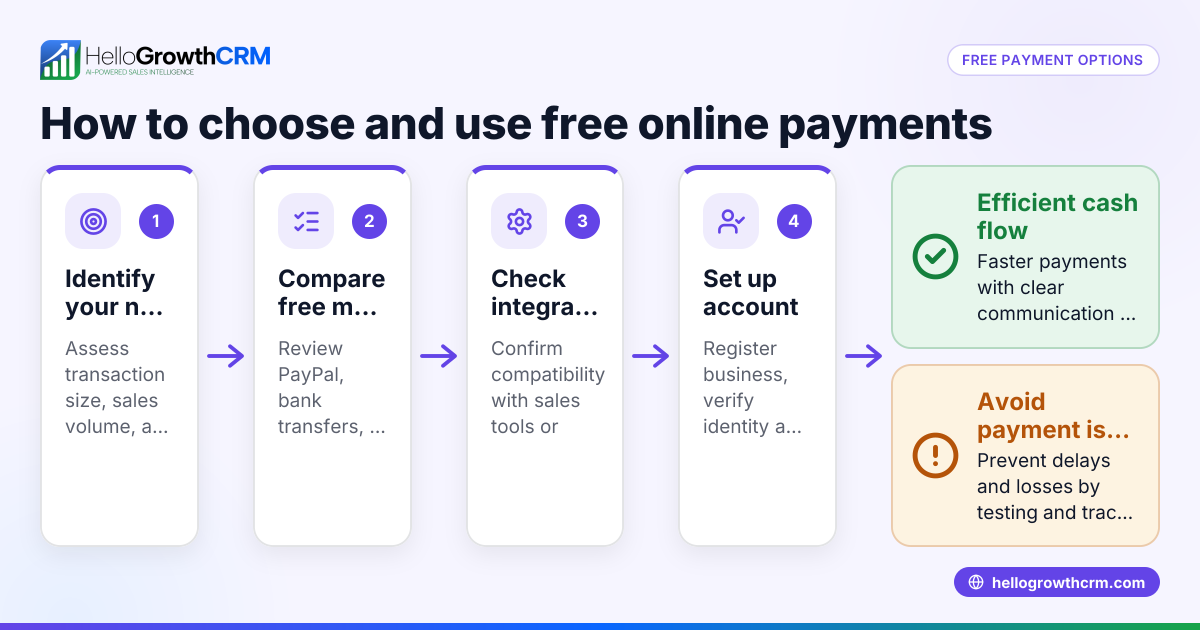
To create online payment accounts for customers, start by gathering their full legal name, email, billing address, and preferred payment method. Choose a secure payment platform such as Stripe, PayPal, or Square. Register the customer on that platform by entering their information accurately, verify their account as required, and link this account to your sales or CRM system to track payments and invoices efficiently. This guide explains why this process is important, walks you through each step, provides a realistic example, highlights common mistakes, and shows how HelloGrowthCRM can help manage payments.
Why this comes up / what goes wrong
Small-business owners often need to create online payment accounts for customers to streamline billing and get paid faster. Without a formal payment account, businesses may rely on manual invoicing or inconsistent methods like text or email, leading to slow payments and lost revenue. Setting up these accounts correctly from the start avoids confusion, ensures secure transactions, and integrates payment data into sales workflows. Owners may struggle with incomplete customer data, choosing the right platform, or linking payment accounts to their CRM, which causes delays and errors.
Step-by-step
- Collect Customer Information: Obtain the customer's full legal name, email address, billing address, and preferred payment method (credit card, ACH, PayPal, etc.). Verify accuracy to avoid delays.
- Choose a Payment Platform: Select a secure, reputable payment processor suitable for your business size and customer preferences (e.g., Stripe, PayPal, Square). Check fees and features.
- Create the Payment Account:
- Log into your chosen payment platform.
- Navigate to the customer or billing section.
- Enter the customer's details exactly as collected.
- Add payment methods securely (e.g., credit card info or bank account).
- Verify Customer Account: Follow any verification steps required by the platform, such as email confirmation or identity checks.
- Link Payment Account to Your Sales System: If you use a CRM or invoicing software, connect the payment account to the customer's record for seamless billing and payment tracking.
- Send Welcome or Payment Instructions: Provide the customer with login details or instructions on how to manage their payment account.
- Test the Setup: Run a small test transaction or invoice to confirm everything works smoothly.
Example (fictional figures)
A B2B software reseller in Denver, Colorado, sets up an online payment account for a new customer on 06/15/2026.
- Customer name: Acme Corp
- Email: billing@acmecorp.com
- Billing address: 123 Market St, Denver, CO 80202
- Payment method: Credit card
Steps:
- Enter Acme Corp’s details into Stripe’s customer section.
- Add credit card ending in 1234.
- Verify email via confirmation link sent to billing@acmecorp.com.
- Link Stripe customer ID to Acme Corp’s record in HelloGrowthCRM.
- Generate an invoice for $15,000 software license.
- Send invoice via CRM with payment link.
- Customer pays $15,000.
Calculations: $15,000 × 2.9% (Stripe fee) = $435 $15,000 - $435 = $14,565 (amount deposited to reseller)
The reseller tracks the invoice status and payment confirmation directly in their CRM.
Common mistakes
- Incomplete customer data: Always verify names, emails, and billing addresses before account creation to prevent payment failures.
- Choosing incompatible payment platforms: Match platform features and fees to your business and customer needs to avoid surprises.
- Not linking payment accounts to CRM: This causes manual reconciliation and missed follow-ups; integrate payments to keep all data in one place. Learn more about WhatsApp and SMS CRM for communication.
- Skipping verification steps: Ignoring email or identity verification delays payments and may violate platform policies.
- Not testing transactions: Always run a test payment to catch setup errors early.
- Failing to follow up on unpaid invoices: Use CRM tools to schedule reminders and track payment status efficiently.
Doing this in HelloGrowthCRM
HelloGrowthCRM lets you send quotes, proposals, and invoices directly from deal records, with payment reconciliation tied to invoices and deals. You can track the status of quotations (sent, viewed, accepted) alongside follow-up tasks, ensuring no payment opportunity slips through. After the sale, service requests and tickets stay on the same customer record, simplifying support. For founders without sales managers, Managed RevOps provides weekly follow-up support to keep payment and sales pipelines clean. Learn more about customer health score to monitor your customers’ engagement and payment status.
Frequently asked questions
How do I securely collect payment information from customers? Use trusted payment platforms that comply with PCI DSS standards. Avoid storing credit card data yourself; instead, use tokenization or platform-hosted payment pages.
Can I create multiple payment accounts for one customer? Yes, if a customer uses different payment methods or billing addresses, create separate accounts accordingly to track payments accurately.
What if a customer’s payment fails? Notify the customer promptly and request updated payment information. Use your CRM’s follow-up tasks to manage these cases systematically.
Is it necessary to verify customer identity when creating payment accounts? Verification helps prevent fraud and complies with payment platform policies. Follow all required steps such as email confirmation or ID checks.
How do I handle refunds or disputes? Most payment platforms allow you to issue refunds directly. Track these transactions in your CRM to maintain accurate financial records.
Can HelloGrowthCRM automate payment reminders? While HelloGrowthCRM tracks invoice status and payments, you can set follow-up tasks and sequences to remind customers about pending payments, improving collection rates.
Key takeaways
- Gather complete and accurate customer details before creating payment accounts.
- Choose payment platforms that fit your business and customer needs.
- Verify accounts and link them to your CRM for seamless tracking.
- Test payment setups to avoid surprises.
- Use CRM tools like HelloGrowthCRM to manage quotes, invoices, payments, and follow-ups efficiently.
- Avoid common mistakes like incomplete data or skipping verification to ensure smooth payment processing.
Creating online payment accounts for customers is straightforward when you follow these steps carefully. For managing your sales and payments in one place, start on the Free Forever plan (200 leads, no credit card) with HelloGrowthCRM today.
Ready to put this into practice?
Set up your pipeline, WhatsApp follow-ups, and AI lead scoring in minutes — free, no credit card.
Try HelloGrowthCRM freeGet CRM tips in your inbox
Join thousands of sales professionals who get weekly insights on CRM strategy, AI automation, and pipeline optimization.

The HelloGrowthCRM team publishes guides on CRM strategy, AI sales tools, and revenue operations for small business sales teams.