HelloGrowthCRM software
Built for real small-business sales teams
HelloGrowthCRM helps reps qualify faster, follow up on time, and close more deals—with practical automation in one place.
- AI lead scoring and pipeline visibility
- Built-in dialer, WhatsApp, and email automation
- Sales forecasting and RevOps-ready reporting
A CRM for manufacturers in the United States helps sales teams track RFQs, quotes, follow-ups, and revenue in one place. If your team uses QuickBooks and an ERP, the right setup connects sales activity to finance and operations without forcing reps to live in spreadsheets.
Key takeaways
- Manufacturers in the United States need a CRM that fits long sales cycles, repeat orders, and multi-step quoting.
- The best setup connects your CRM with QuickBooks and your ERP so sales, finance, and operations stay aligned.
- RFQs, quotes, follow-ups, and forecasts should live in one process, not across inboxes, shared drives, and spreadsheets.
- An ai crm can help score inbound leads, prompt next steps, and keep pipelines cleaner with less manual work.
- Forecasts improve when every quote stage has clear rules, owners, and close dates tied to real customer activity.
Why CRM matters for manufacturers in the United States
Manufacturing sales is different from standard transactional sales. Deals often start with an RFQ, move through engineering or pricing review, and take weeks or months to close. The same account may buy once, reorder six months later, and then expand into a new product line.
That complexity creates a common problem. Sales data ends up scattered across email threads, Excel files, ERP notes, and QuickBooks records. Reps know what is happening. Leadership does not always see the full picture until the quarter is almost over.
A strong CRM for manufacturers United States teams use every day solves that issue. It gives sales leaders one system for lead capture, account history, quote progress, follow-ups, and forecasting. It also reduces the handoff problems between sales, finance, and operations.
For many small and mid-sized manufacturers, the practical goal is not a giant digital transformation. The goal is simpler. You want reps to respond faster, quotes to move forward, customers to get timely follow-ups, and leadership to trust the pipeline.
Where manufacturing teams usually feel the pain
Most US manufacturers do not struggle because they lack effort. They struggle because the process is fragmented.
Common issues include:
- RFQs sit in shared inboxes with no owner
- Quotes are saved as PDFs in folders no one can search easily
- Follow-ups depend on rep memory
- ERP data shows orders, but not sales intent
- QuickBooks shows invoices, but not why a deal stalled
- Forecast calls rely on gut feel instead of stage-based data
These gaps hurt speed and predictability. They also create customer experience issues. A buyer in Chicago does not care that your sales team, finance team, and plant scheduler use different systems. They expect a quick answer and a smooth buying process.
What should a CRM for manufacturers in the United States actually do?
It should capture new inquiries, organize accounts and contacts, track RFQs and quotes, automate reminders, and support accurate sales forecasting. It should also work with QuickBooks and your ERP so your team sees sales progress, open opportunities, and customer history in one place.
That is the short answer. In practice, manufacturing teams need a CRM built around the real flow of a deal.
1. Capture leads and RFQs from every source
Manufacturers get demand from many channels. Website forms, trade show lists, inbound calls, distributor referrals, direct emails, and existing customer requests all matter.
Your CRM should make it easy to:
- Capture inquiries automatically
- Create a lead or account record
- Assign an owner fast
- Set the next action
- Flag urgent RFQs for quick response
If this step is weak, everything else breaks. Leads sit too long. Quotes arrive late. Buyers move on.
2. Track RFQs as structured opportunities
An RFQ is not just an email attachment. It is the start of a sales process.
Manufacturers need opportunity records that track:
- Requested product or service
- Quantity and timing
- Plant or region
- Buyer contacts
- Competitors involved
- Quote due date
- Technical review status
- Probability to close
- Expected revenue in USD ($)
When RFQs are tracked this way, managers can see volume, age, and bottlenecks. They can also identify which reps or product lines need help.
3. Manage quote creation and approval steps
Quoting in manufacturing often requires more than a standard price sheet. Freight, minimum order quantities, custom specs, lead times, tooling, and margin thresholds may all affect the final quote.
A good CRM does not need to replace your ERP or costing process. It should help sales manage the workflow around the quote:
- Request pricing input
- Track approval status
- Store final quote versions
- Log when the quote was sent
- Trigger follow-up tasks automatically
This gives leadership visibility without forcing every detail into email.
4. Automate follow-ups after the quote
This is where many deals are won or lost. A quote goes out, then the team gets busy. Days pass. The buyer goes quiet. No one follows up in a consistent way.
With the right email automation, reps can send timely reminders without sounding robotic. They can also see opens, replies, and next steps in one timeline.
For manufacturers, follow-up should reflect the buying cycle. A buyer comparing multiple suppliers may need answers on lead times, compliance documents, packaging, or sample availability. The CRM should help reps stay organized through that back-and-forth.
How do QuickBooks and ERP fit into a manufacturing CRM?
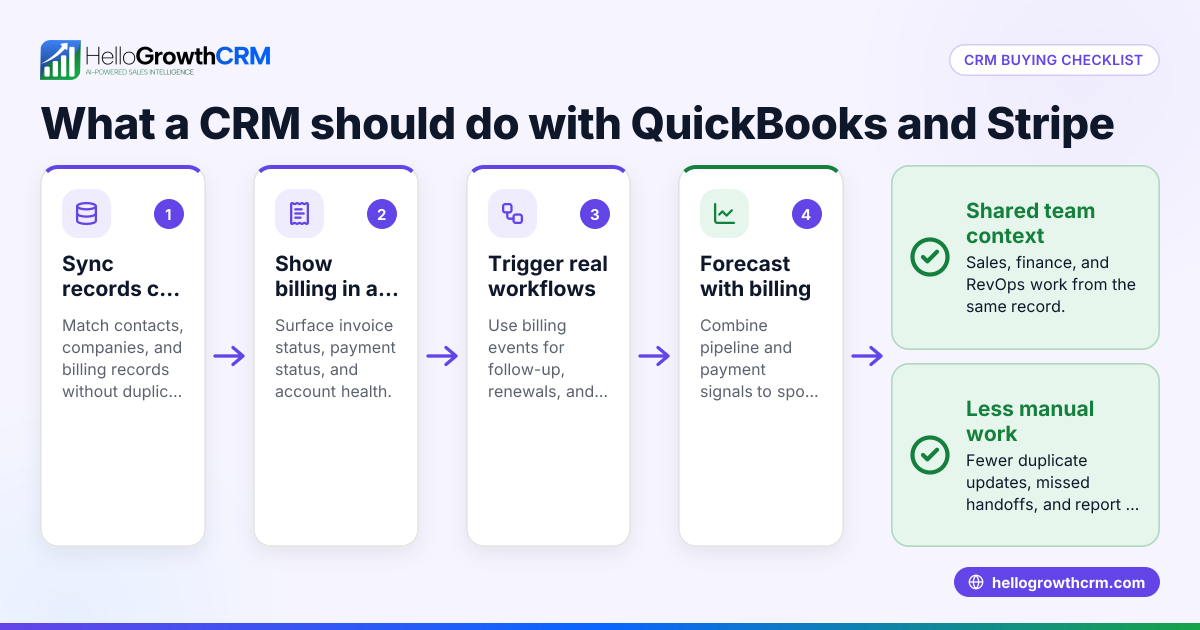
QuickBooks handles accounting, and your ERP handles operations. Your CRM should manage the sales process before the order is booked and help your team see customer context after the sale. The goal is clean handoffs and shared visibility, not forcing one system to do everything.
That short answer matters because many manufacturers buy software with the wrong expectation. They expect one platform to replace every tool. In reality, the best result usually comes from clear roles across systems.
QuickBooks gives finance truth
QuickBooks is often the source for invoices, payments, and customer billing history. That matters for sales. Reps should know if an account is active, dormant, or slow to pay before they push a new opportunity forward.
Useful QuickBooks-connected CRM workflows include:
- Syncing customer records
- Viewing invoice history inside the account
- Identifying past buyers for reorder outreach
- Helping reps spot expansion opportunities
- Giving managers more context before forecast reviews
A CRM should not turn reps into bookkeepers. It should simply give them enough financial context to sell intelligently.
ERP gives operational truth
For manufacturers, the ERP is often where product, inventory, production, purchasing, and fulfillment data live. That system is essential, but it is not usually where sales teams want to work all day.
Your CRM should complement the ERP by handling:
- Lead and account management
- Opportunity tracking
- Quote follow-up
- Contact activity
- Sales tasks
- Forecasting
In many cases, the ERP tells you what has been ordered. The CRM tells you what is likely to be ordered next.
Why system roles need to stay clear
When system ownership is unclear, teams duplicate work. Reps type notes into the CRM, then again into the ERP. Finance updates QuickBooks, but sales never sees the change. Managers pull reports from three places and still cannot answer simple questions.
A cleaner model looks like this:
- CRM manages pre-sale activity and pipeline
- ERP manages product and order execution
- QuickBooks manages accounting records
- Integrations move the right data between systems
That is why manufacturers should evaluate CRM integrations early, not as an afterthought.
What does a strong manufacturing sales process look like?
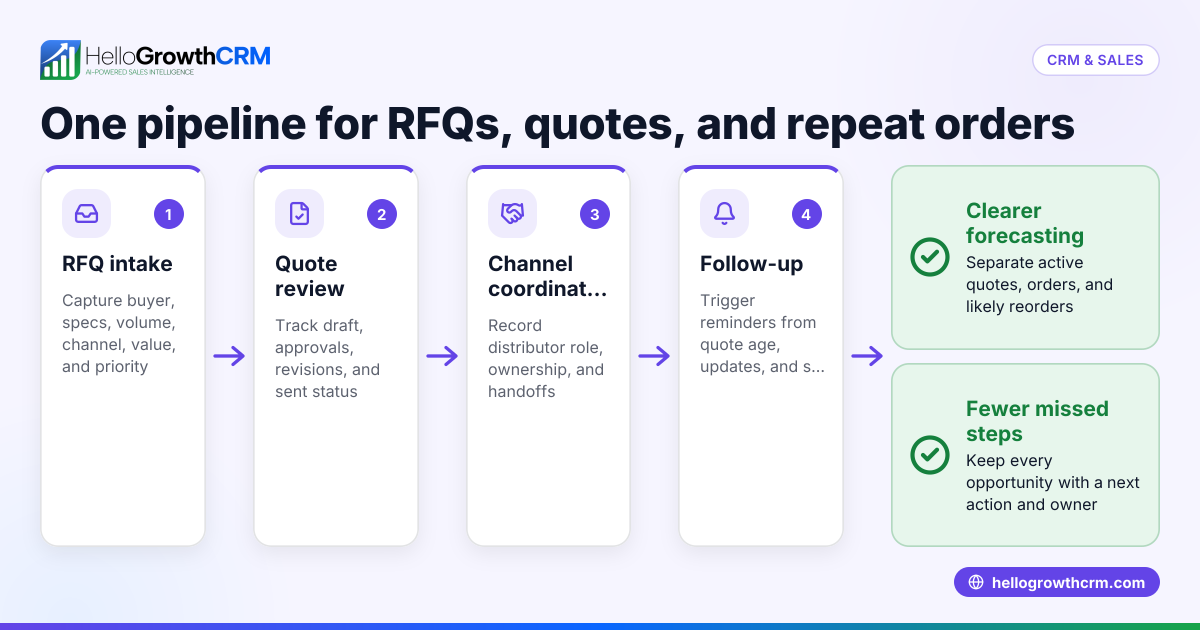
A strong process moves from inquiry to quote to follow-up to order with clear owners, dates, and stage rules. Every opportunity should have a next step, and every forecast should be tied to real buyer activity rather than rep optimism.
Once that foundation is in place, the CRM becomes much more useful. Forecasts improve because stages mean something. Follow-ups improve because tasks are not optional. Managers spend less time chasing updates.
A practical pipeline for US manufacturers
Your stages will vary by product and sales cycle, but a simple manufacturing pipeline often includes:
- New inquiry
- Qualified lead
- RFQ received
- Pricing or engineering review
- Quote sent
- Follow-up in progress
- Negotiation or revision
- Closed won
- Closed lost
The key is not complexity. The key is discipline. Each stage should answer a basic question. Has the buyer been qualified? Has the RFQ been reviewed? Has the quote been sent? Is there a confirmed next meeting or decision date?
Define exit criteria for each stage
Without clear stage rules, forecasts become fiction.
For example:
- RFQ received: required documents are attached and account ownership is assigned
- Quote sent: quote file is logged and send date is recorded
- Follow-up in progress: rep has a scheduled next action
- Negotiation: buyer has responded with a pricing, scope, or timing question
These rules make pipeline reviews faster. They also help newer reps follow the same process as your top performers.
Build follow-up into the process, not into memory
Every quote should trigger a follow-up plan. That may include:
- A first follow-up after the quote is sent
- A second check-in based on expected review timing
- A reminder if no response arrives
- A call task for high-value opportunities
- A re-engagement sequence for stalled quotes
This matters in manufacturing because buyers often get busy with operations. Silence does not always mean no interest. A structured CRM process keeps good deals from dying quietly.
How ai crm helps manufacturing teams sell faster
An ai crm can help by scoring leads, highlighting stalled quotes, suggesting next steps, and reducing manual data entry. It does not replace rep judgment. It supports the team by making priorities clearer and pipeline data more complete.
That is especially helpful for lean sales teams. A manufacturer in Houston may have a few reps covering many accounts, product lines, and territories. They need help deciding where to focus.
Better lead prioritization
Not every inquiry deserves the same response time. Some are high-fit, high-value buyers. Others are price shoppers or poor-fit requests.
Using AI lead scoring, manufacturers can rank inbound opportunities based on fit and behavior. That helps reps respond faster to the leads most likely to convert.
Cleaner activity capture
Reps often avoid CRM updates because data entry feels like extra work. AI can reduce that friction by organizing notes, prompting field updates, and surfacing missing information.
When the CRM is easier to use, adoption improves. When adoption improves, forecasting gets better.
Smarter manager visibility
Sales leaders do not just need more data. They need better signals.
AI can help managers identify:
- Opportunities with no recent activity
- Quotes sent without a next step
- Deals stuck too long in review
- Reorder opportunities based on customer history
- Forecast risk based on stage movement
That support is most useful when paired with a practical managed RevOps approach that keeps fields, stages, and reporting clean.
Forecasting for manufacturers in the United States
Forecasting is hard in manufacturing because revenue timing depends on quote acceptance, production planning, and customer buying cycles. Still, a CRM can improve forecast quality if your pipeline stages are consistent and your reps update next steps and close dates on time.
That means forecasting should be based on sales behavior, not just expected orders.
What manufacturers should forecast
A useful forecast often includes:
- Open pipeline by stage
- Quote value by expected close month
- Weighted pipeline by probability
- Won revenue by rep, region, or product line
- Reorder opportunities from active accounts
- Stalled opportunities at risk
With sales forecasting, leaders can see where the quarter stands and where pipeline quality is weak.
Why close dates matter so much
Many forecasts fail because close dates are placeholders. Reps enter the end of the month and move it later when the deal slips.
A stronger process requires a reason for the close date. It should reflect the buyer's expected decision timing, not internal hope. If there is no real decision date, the opportunity should probably sit in an earlier stage with lower forecast confidence.
Forecasting should connect to account history
This is another reason QuickBooks and ERP visibility helps. If a buyer has ordered similar products before, that context matters. If a customer has gone inactive, that matters too.
Manufacturers often win through repeat business. Your CRM should make those patterns visible so forecasts reflect actual customer behavior, not just net-new quote volume.
How to choose the right CRM for a US manufacturing team
Choosing a CRM starts with your process, not a feature checklist. Define how your team handles RFQs, quotes, handoffs, and reporting today. Then choose a system that supports those workflows with as little friction as possible.
Ask these practical questions
Before you choose a platform, ask:
- Can reps log RFQs and quote stages quickly?
- Can managers see follow-up gaps without chasing updates?
- Does it connect with QuickBooks and your ERP workflow?
- Can the team forecast by rep, product line, or region?
- Will reps actually use it from their inbox and phone?
- Can the system support email, calling, and task management in one place?
These questions matter more than flashy demos.
Look for adoption, not just features
A CRM only works if your team uses it. Manufacturing teams usually need simple layouts, clear pipelines, and minimal admin work. If the system is too heavy, reps will go back to spreadsheets.
That is why many growing teams look for an AI CRM with practical automation rather than a bloated platform with endless setup.
Implementation matters as much as software
Even a strong tool can fail with a weak rollout. You need clean fields, sane pipeline stages, a good import process, and clear owner rules. Reporting should be ready from the start.
For teams that want support, it helps to review platform features alongside implementation and process support, not software alone.
When should a manufacturer replace spreadsheets with a CRM?
The right time is usually when quotes are slipping, follow-ups are inconsistent, or forecasts feel unreliable. If your team cannot answer basic pipeline questions quickly, spreadsheets have already reached their limit.
That point often arrives earlier than founders expect.
Common signs include:
- Reps keep separate quote trackers
- Managers cannot trust forecast calls
- RFQs get lost in email
- Customer history is hard to find
- Finance and sales argue over account status
- Reorders depend on memory instead of process
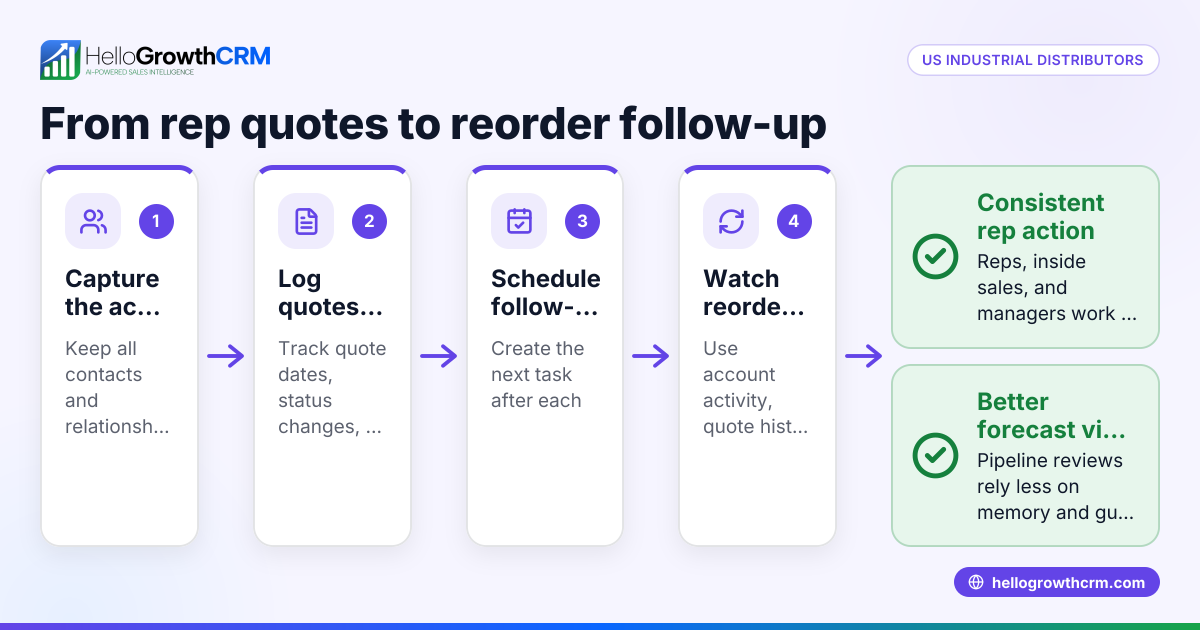
A CRM creates one shared system for the commercial side of the business. That is especially valuable for US manufacturers selling through field reps, inside sales, distributors, or a mix of all three.
If you are evaluating options, compare workflow fit, ease of use, reporting, and support before you compare anything else. You can review pricing once you know the system actually matches your process.
Ready to put this into practice?
Set up your pipeline, WhatsApp follow-ups, and AI lead scoring in minutes — free, no credit card.
Try HelloGrowthCRM freeGet CRM tips in your inbox
Join thousands of sales professionals who get weekly insights on CRM strategy, AI automation, and pipeline optimization.

The HelloGrowthCRM team publishes guides on CRM strategy, AI sales tools, and revenue operations for small business sales teams.