HelloGrowthCRM software
Built for real small-business sales teams
HelloGrowthCRM helps reps qualify faster, follow up on time, and close more deals—with practical automation in one place.
- AI lead scoring and pipeline visibility
- Built-in dialer, WhatsApp, and email automation
- Sales forecasting and RevOps-ready reporting
A CRM with ticket management for support managers in New Zealand helps organise customer support requests alongside sales and marketing activities. It keeps service requests linked to customer records, improves response times, and ensures no enquiry is lost. This article covers why businesses seek such CRMs, how to evaluate them step-by-step, a realistic example with explicit calculations, common pitfalls, and how HelloGrowthCRM supports ticket management alongside lead capture and messaging.
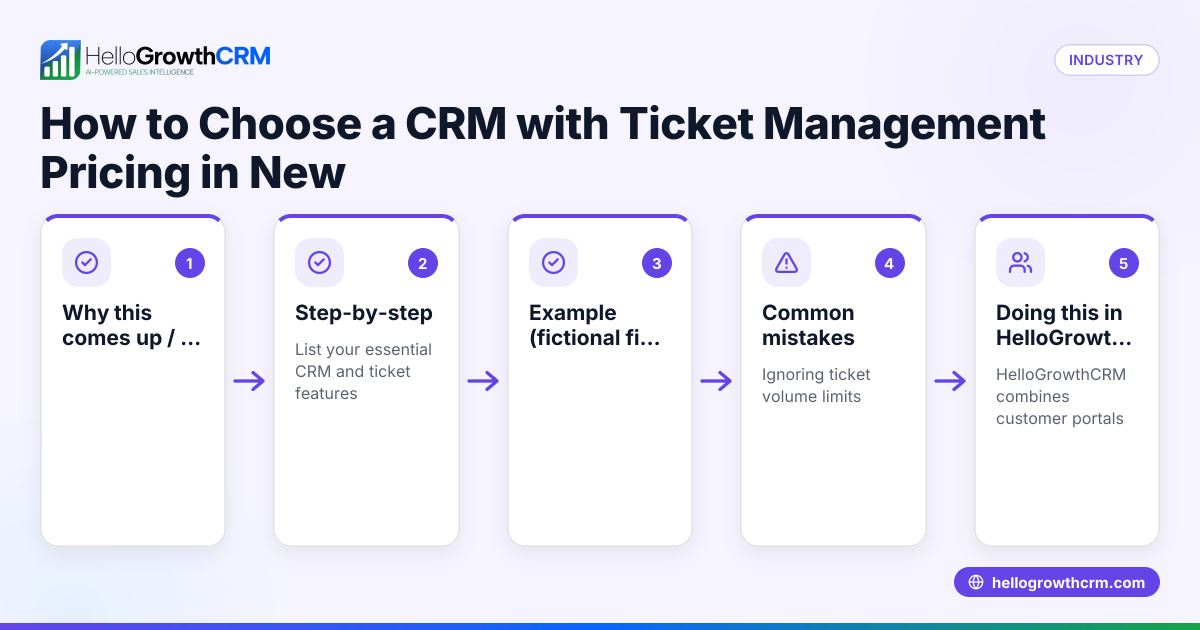
Why this comes up / what goes wrong
Small and mid-sized businesses in New Zealand often struggle with managing customer support when they rely on separate tools like email inboxes, spreadsheets, or messaging apps. Support managers face challenges such as losing track of tickets, slow follow-ups, and disconnected customer information. When support requests are not linked to sales or customer records, teams spend extra time searching for details, causing delays and dissatisfaction. This problem is common in businesses that run sales and support on text messages, emails, and spreadsheets without a centralised system.
Step-by-step
- Identify your support management needs: List what your support managers require — ticket tracking, customer history access, SLA tracking, and reporting.
- Check integration with sales and marketing: Ensure the CRM links support tickets to customer records and sales pipelines for a complete view.
- Evaluate ticket management features: Look for a branded customer portal, ticket status updates, knowledge base access, and referral tracking.
- Assess communication channels: Confirm the CRM supports WhatsApp, SMS, and email messaging with logs tied to customer records.
- Test lead capture and assignment: Make sure enquiries from web forms, calls, or WhatsApp automatically become leads with assigned owners and next steps.
- Review reporting and SLA capabilities: Check if the CRM can monitor ticket resolution times and generate reports for support performance.
- Consider user adoption and ease of use: The CRM should be straightforward so your team actually uses it daily.
- Compare pricing and plans: Match the features you need with the CRM’s pricing tiers, noting any limits on ticket volume or users.
- Request a demo or trial: Use a free plan or trial to see the CRM in action before committing.
Example (fictional figures)
An electrical contractor in Wellington, "Wellington Electrics Ltd," handles 150 support tickets monthly. They want to reduce response time from 48 hours to 24 hours and track all tickets linked to customer jobs.
- Current average response time: 48 hours
- Target response time: 24 hours
- Number of tickets per month: 150
- CRM monthly cost: NZ$200
Calculations:
Current total response hours per month = 48 hours × 150 tickets = 7,200 hours
Target total response hours per month = 24 hours × 150 tickets = 3,600 hours
Time saved per month = 7,200 hours − 3,600 hours = 3,600 hours
If the support manager’s time is valued at NZ$30/hour:
Value of time saved per month = 3,600 hours × NZ$30 = NZ$108,000
Subtract CRM cost:
Net monthly benefit = NZ$108,000 − NZ$200 = NZ$107,800
This example shows how investing in a CRM with ticket management can free significant time and improve customer satisfaction.
Common mistakes
- Using separate tools for support and sales: This causes fragmented data and lost context. Prevent by choosing a CRM that links tickets to customer records.
- Ignoring communication channels your customers prefer: Not supporting WhatsApp or SMS can reduce engagement. Check for WhatsApp and SMS CRM features as in HelloGrowthCRM’s WhatsApp and SMS CRM.
- Not assigning ticket ownership: Tickets without clear owners can stall. Ensure the CRM assigns tickets and leads with owners and next steps.
- Overlooking user experience: Complex CRM interfaces lead to low adoption. Select a CRM that your team finds easy to use and integrates lead capture from forms and calls, like HelloGrowthCRM’s Leads feature.
- Failing to use a customer portal: Without a portal, customers can’t track their tickets or find answers. Use a CRM with a branded customer portal and knowledge base, such as HelloGrowthCRM’s customer health score features.
Doing this in HelloGrowthCRM
HelloGrowthCRM keeps service requests on the same customer record as the deal, so support managers see the full customer history. Its Customer portal, referrals, tickets and knowledge base features allow customers to self-serve and track tickets. Leads from forms, calls, or WhatsApp automatically become organised leads with owners and next steps. WhatsApp conversations with leads are logged on the lead record and follow-ups can go out as messages, improving communication efficiency. Learn more about HelloGrowthCRM for New Zealand here.
Frequently asked questions
What is ticket management in a CRM? Ticket management is the process of tracking and resolving customer service requests within a CRM, linking each ticket to the customer’s record for context and follow-up.
Why should support managers use a CRM with ticket management? It centralises all support enquiries, assigns ownership, tracks progress, and improves response times, helping support managers deliver better service.
Can a CRM handle WhatsApp support conversations? Yes, some CRMs log WhatsApp conversations on customer records and allow follow-ups via WhatsApp and SMS, keeping communication in one place. HelloGrowthCRM offers this feature.
How does a customer portal help in ticket management? A customer portal lets customers submit and track tickets themselves and access a knowledge base, reducing support workload and increasing transparency.
What should I check when choosing a CRM with ticket management? Look for integration with sales and marketing, multi-channel communication, ticket ownership assignment, SLA tracking, and ease of use.
Key takeaways
- Choose a CRM that links support tickets to customer records for full context.
- Ensure the CRM supports WhatsApp and SMS messaging to match customer preferences.
- Use a branded customer portal and knowledge base to empower customers.
- Assign ticket ownership and next steps automatically to avoid delays.
- Test lead capture from forms, calls, and WhatsApp to keep enquiries organised.
- Prioritise ease of use to encourage your team to adopt the CRM daily.
Start managing your support tickets alongside sales and customer communication with HelloGrowthCRM. You can Start on the Free Forever plan (200 leads, no credit card) and explore how it fits your New Zealand business needs.
Ready to put this into practice?
Set up your pipeline, WhatsApp follow-ups, and AI lead scoring in minutes — free, no credit card.
Try HelloGrowthCRM freeGet CRM tips in your inbox
Join thousands of sales professionals who get weekly insights on CRM strategy, AI automation, and pipeline optimization.

The HelloGrowthCRM team publishes guides on CRM strategy, AI sales tools, and revenue operations for small business sales teams.