HelloGrowthCRM software
Built for real small-business sales teams
HelloGrowthCRM helps reps qualify faster, follow up on time, and close more deals—with practical automation in one place.
- AI lead scoring and pipeline visibility
- Built-in dialer, WhatsApp, and email automation
- Sales forecasting and RevOps-ready reporting
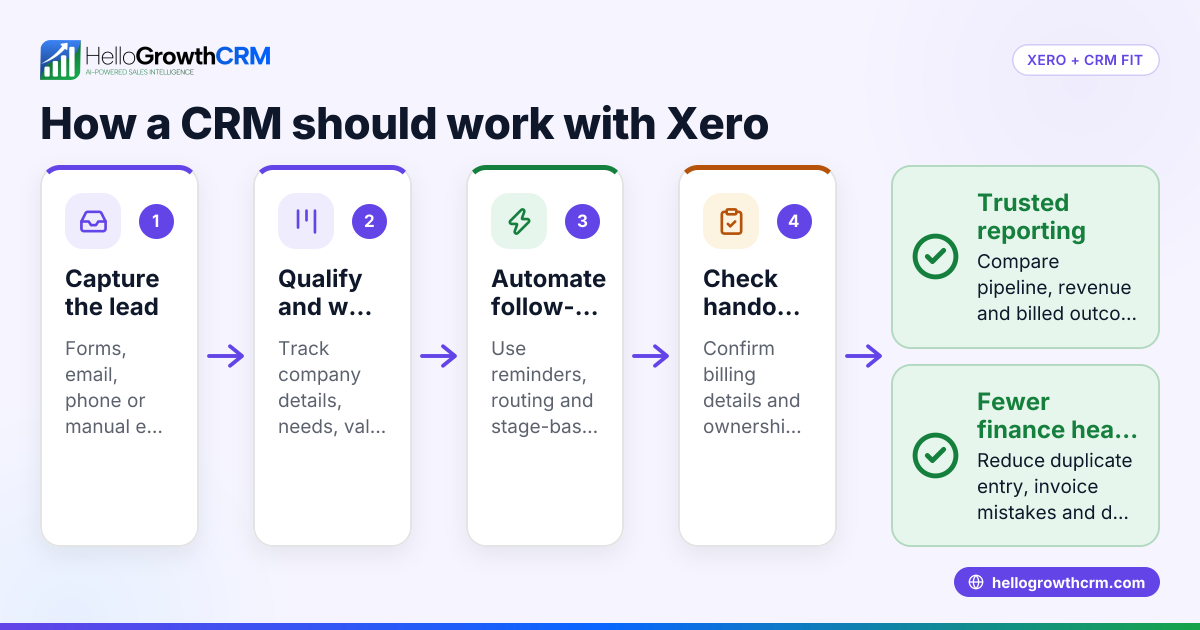
A CRM with Xero integration connects your customer relationship management system with your accounting software to automate tasks like invoicing, payment tracking, and financial reconciliation. This integration helps small and mid-sized business owners reduce manual data entry, avoid errors, and speed up cash flow management.
Why this comes up / what goes wrong
Many Indian small business owners run sales and customer management on WhatsApp, spreadsheets, or separate software, while using Xero for accounting. Without integration, they waste time manually transferring data between CRM and Xero, causing delays in invoicing and payment follow-up. This slows down cash flow and risks losing leads due to slow follow-up or errors.
A CRM with Xero integration automates syncing customer, invoice, and payment data, so sales and finance teams work with consistent information. However, not all CRM-Xero integrations are equally reliable or easy to use, so evaluating them carefully is important.
Step-by-step
- Identify your business needs: List what you want from integration — for example, automatic invoice creation from CRM deals, payment status updates back to CRM, or synced customer contact details.
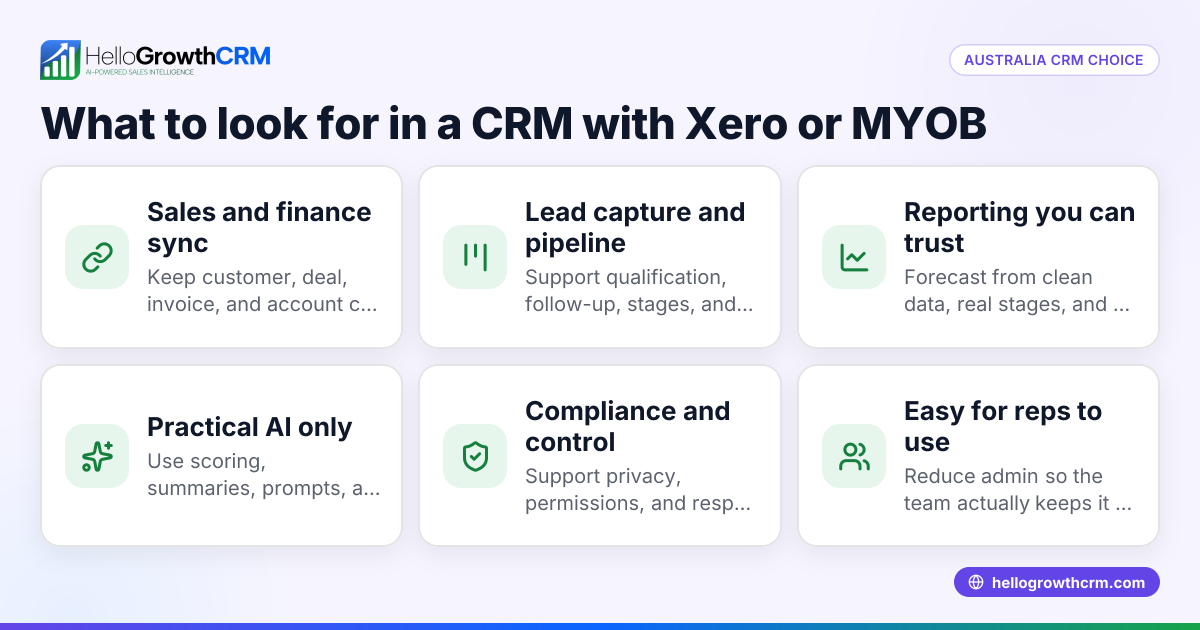
- Check CRM compatibility with Xero: Confirm the CRM supports Xero integration natively or via a trusted third-party connector.
- Evaluate integration features: Check if syncing is automatic or manual, what data fields are synced (contacts, invoices, payments, credit notes), and if syncing is two-way.
- Test integration ease and reliability: Look for demos, trials, or reviews to see if the integration is stable and user-friendly.
- Consider your team’s workflow: Ensure the CRM supports your sales process and communication channels (WhatsApp, SMS) alongside accounting integration.
- Check support and scalability: Confirm if the CRM vendor offers support for integration issues and if the system can grow with your business.
- Review pricing and plans: Some CRMs include integration only in higher plans; check costs and limits.
Example (fictional figures)
An Indian SME sells industrial parts and uses a CRM with Xero integration.
- On 01/05/2024, they close a sale worth ₹1,50,000.
- The CRM automatically creates an invoice in Xero for ₹1,50,000.
- The payment is received on 10/05/2024 via UPI.
- Xero updates the payment status, which syncs back to the CRM.
- The sales rep sees the paid status and schedules follow-up for next order.
This process replaces manual entry: ₹1,50,000 invoice created automatically = saves time and reduces errors Payment received ₹1,50,000 marked in Xero and synced back to CRM = real-time sales status
Common mistakes
- Choosing CRM without native or reliable Xero integration: Leads to manual work or sync errors. Prevent by verifying integration details and testing before purchase.
- Ignoring team workflows: Selecting a CRM that doesn’t support WhatsApp or SMS communication can disrupt sales follow-up. Prevent by checking CRM features like WhatsApp and SMS workflows (/product/whatsapp-sms-crm).
- Overlooking data syncing limits: Some integrations sync only contacts or invoices, not payments or credit notes. Prevent by reviewing integration feature lists carefully.
- Not planning for scalability: A CRM that works now might not support more users or complex workflows later. Prevent by choosing scalable CRM solutions with robust API and integration options (/integrations).
- Neglecting training and support: Without proper training, teams may not use integration effectively. Prevent by selecting vendors with good support and onboarding.
Doing this in HelloGrowthCRM
HelloGrowthCRM offers API and integrations that bring enquiries from IndiaMART and JustDial directly into the CRM as leads, helping you capture and manage prospects efficiently (/integrations). It supports WhatsApp and SMS messaging workflows, logging conversations on lead records and enabling follow-up messages to be sent easily (/product/whatsapp-sms-crm). Additionally, AI agents can draft follow-up messages after calls for reps to review and send, reducing manual effort and speeding up follow-up (/product/ai-crm). While HelloGrowthCRM does not currently advertise native Xero integration, its extensive integration capabilities and communication tools help streamline sales operations for Indian SMBs.
Frequently asked questions
What is Xero integration in a CRM? Xero integration means your CRM software can exchange data with Xero accounting software automatically. This usually includes syncing contacts, invoices, payments, and financial information to reduce manual entry and improve accuracy.
Can HelloGrowthCRM integrate with Xero? HelloGrowthCRM offers API and integrations including IndiaMART and JustDial enquiries, WhatsApp and SMS workflows, and AI agents for follow-up. It does not currently list native Xero integration but supports extensive integrations through its API. Check the latest at /integrations.
Why do Indian SMBs need CRM and Xero integration? Indian small businesses often juggle multiple tools for sales, communication, and accounting. Integration helps reduce errors, speeds up invoicing and payment tracking, and keeps sales and finance teams aligned.
How to check if a CRM’s Xero integration is reliable? Look for user reviews, request demos or trials, and verify if syncing is automatic and two-way. Also, confirm the vendor’s customer support for integration issues.
What communication channels should a CRM support alongside Xero integration? For Indian SMBs, WhatsApp and SMS are critical channels. A CRM that logs WhatsApp conversations and automates follow-ups improves lead engagement and sales efficiency (/product/whatsapp-sms-crm).
Key takeaways
- A CRM with Xero integration automates syncing of sales and accounting data to save time and reduce errors.
- Evaluate integration features carefully: syncing scope, automation, and reliability matter.
- Consider your team’s communication workflows, especially WhatsApp and SMS support.
- Test integration with trials or demos before committing.
- Avoid CRMs without proper support or scalability for your growing business.
- HelloGrowthCRM supports lead capture, WhatsApp and SMS workflows, and AI-assisted follow-ups, helping Indian SMBs manage sales efficiently alongside accounting tools.
Start on the Free Forever plan (200 leads, no credit card) at HelloGrowthCRM to experience lead management and communication workflows.
Ready to put this into practice?
Set up your pipeline, WhatsApp follow-ups, and AI lead scoring in minutes — free, no credit card.
Try HelloGrowthCRM freeGet CRM tips in your inbox
Join thousands of sales professionals who get weekly insights on CRM strategy, AI automation, and pipeline optimization.

The HelloGrowthCRM team publishes guides on CRM strategy, AI sales tools, and revenue operations for small business sales teams.