HelloGrowthCRM software
Built for real small-business sales teams
HelloGrowthCRM helps reps qualify faster, follow up on time, and close more deals—with practical automation in one place.
- AI lead scoring and pipeline visibility
- Built-in dialer, WhatsApp, and email automation
- Sales forecasting and RevOps-ready reporting
If your business runs on Xero, the best CRM for a United Kingdom B2B sales team is one that keeps sales and finance in sync without adding admin. It should help your team capture leads, manage deals, automate follow-up, and give finance clean customer data while supporting UK business requirements such as VAT records, UK GDPR and practical reporting.
Key takeaways
- The best crm for xero united kingdom buyers should prioritise clean data flow between sales and finance.
- A good Xero-connected CRM reduces duplicate entry, invoice mistakes and delays between won deals and billing.
- Sales teams need more than contact storage. They need pipeline visibility, automation, forecasting and simple adoption.
- UK businesses should check data handling, consent processes and reporting needs before choosing a CRM.
- An ai best crm should improve lead quality, follow-up timing and forecast accuracy, not add complexity.
- The right setup matters as much as the software. Process design, fields and ownership rules drive success.
Why Xero users need a CRM built for real sales work
Xero is excellent for finance records, invoicing and accounting workflows. It is not designed to run a B2B sales process from first enquiry to closed deal.
That gap becomes obvious as your team grows.
A founder in London may manage leads from email and memory for a while. A sales manager in Manchester may keep pipeline notes in spreadsheets. A finance lead in Birmingham may then chase missing billing details after a deal closes. This creates delays, duplicate work and poor visibility.
A CRM solves that by giving sales and RevOps one place to manage the customer journey. When it connects properly with Xero, the handover to finance becomes faster and cleaner.
For most B2B teams, that means:
- leads enter the CRM from forms, email or manual entry
- reps qualify and work deals in a pipeline
- product or service details are captured consistently
- customer data is kept accurate before handover
- finance receives the right details for invoicing in Xero
- leaders can report on pipeline, revenue and conversion
Without this link, teams often end up with partial records in both systems. Sales has one version. Finance has another. Nobody trusts the numbers.
What is the best crm for xero united kingdom businesses?
The best option is a CRM that connects sales activity with finance data in a way your team will actually use. It should support lead capture, pipeline management, automation, forecasting and a practical Xero workflow, while fitting UK business operations and compliance needs.
Choosing well is not about finding the longest feature list. It is about finding the system that helps your team sell more efficiently and bill accurately.
If you are evaluating tools, start with your sales process first. Then test whether the CRM supports that process and passes the right information into Xero at the right time.
Why this matters for growing B2B teams
Small and mid-sized businesses often buy software in pieces. One tool handles contacts. Another handles emails. Xero handles finance. Reporting lives in spreadsheets.
That setup looks cheap at first. It becomes expensive when:
- reps waste time entering the same data twice
- customer records are inconsistent
- handovers break after a deal is marked won
- forecasts do not match invoicing reality
- finance has to chase basic information
A CRM for Xero should reduce those problems, not move them around.
What to look for in a CRM if you use Xero
The strongest CRM choices for Xero users share a few important traits. These matter more than surface-level features.
1. Easy lead capture and qualification
Your CRM should capture enquiries from forms, inbound emails, referrals and manual imports. It should then make qualification simple.
Look for:
- custom fields for lead source, service line and company size
- clear ownership rules
- easy task creation
- lead scoring or prioritisation
- fast record creation from mobile or desktop
If your team cannot get leads into the system quickly, nothing else matters.
For growing B2B teams, AI lead scoring can help prioritise the best opportunities. That is useful when inbound volume rises and reps need to focus on likely buyers first.
2. Practical pipeline management
A CRM should show exactly where each deal sits. Stages should reflect your real sales process, not a generic template.
Look for:
- customisable stages
- weighted pipeline values
- next-step tracking
- close date visibility
- filtering by rep, source or service
This is where many teams discover whether a CRM is actually usable. If pipeline updates are clunky, reps stop logging activity.
3. Clean Xero handover
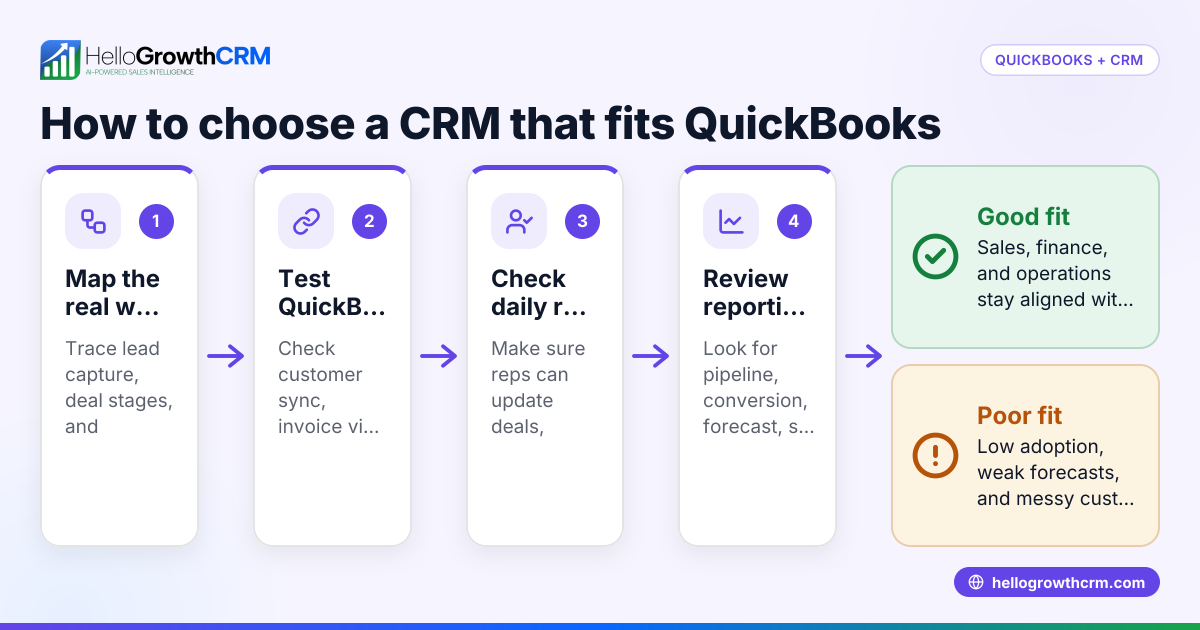
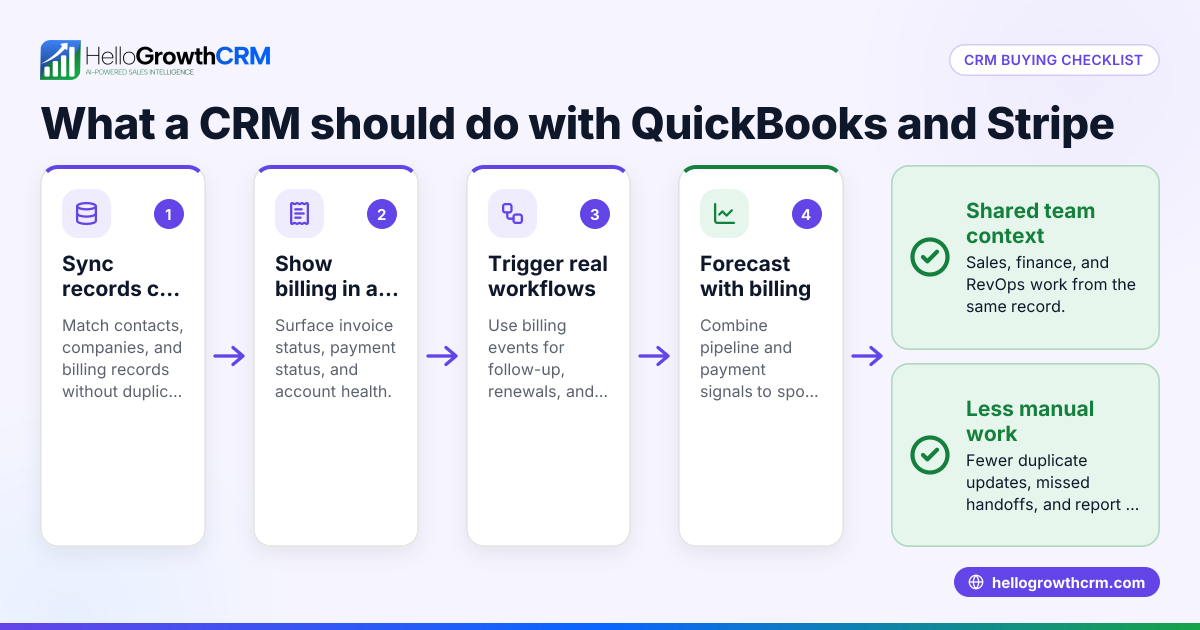
A CRM does not need to replace your finance system. It should pass the right customer and deal information to Xero clearly and reliably.
Look for a workflow that supports:
- syncing customer details accurately
- reducing duplicate contacts
- passing billing details after a deal closes
- keeping finance notes separate from sales notes where needed
- clear rules on which system owns which data
This is less about “having an integration” and more about whether the integration matches how your team works day to day.
4. Sales automation
Manual follow-up gets missed. Good CRM automation helps reps stay consistent without sounding robotic.
Look for:
- reminder sequences
- automatic task creation
- lead routing
- follow-up triggers after form fills
- stage-based automations
For many teams, email automation makes early-stage follow-up much more reliable. It also helps standardise communication across the team.
5. Forecasting and reporting
If your CRM cannot produce a trustworthy forecast, sales leaders end up back in spreadsheets.
Look for:
- revenue forecasting by stage and close date
- conversion reports
- activity reports
- source tracking
- dashboards that finance and leadership can understand
A useful CRM should make it easier to compare pipeline expectations with actual billed revenue later in Xero. That is where sales forecasting becomes practical rather than theoretical.
Which Xero CRM features matter most for a United Kingdom sales team?
Focus on data quality, pipeline visibility, automation and a sensible handover to Xero. For UK B2B teams, you should also check consent handling, access controls and reporting that supports VAT-ready finance processes without turning the CRM into an accounting tool.
Those basics matter more than a huge feature list.
UK-specific checks you should not ignore
For a United Kingdom business, software choice is not only about convenience. It also affects compliance and operational control.
Here are a few checks worth making:
UK GDPR and Data Protection Act 2018
Your CRM will likely store names, work emails, phone numbers and sales notes. Make sure you understand how data is stored, who can access it and how records are updated or removed when needed.
That does not mean your CRM must become a legal platform. It means your business needs sensible controls around personal data.
PECR and electronic marketing
If your team sends marketing emails or promotional electronic messages, you need to understand your obligations under PECR. A CRM should help you record communication preferences and support clean outreach processes.
For B2B teams, this matters most when marketing and sales data mix in one system.
VAT and finance accuracy
Your CRM should not calculate your VAT position. That belongs in your finance process. But the customer data sent into Xero should be accurate enough to support billing and record keeping.
Errors at the point a deal closes can create invoicing delays and rework for finance.
Making Tax Digital readiness
Your accounting system and finance workflow carry the main burden here. Still, the CRM should not create messy manual processes that damage record quality before data reaches Xero.
In simple terms, bad CRM data creates avoidable finance headaches.
Signs a CRM will fail your team
Many CRM projects fail for practical reasons, not technical ones.
The interface slows reps down
If adding a contact, logging a call or updating a stage takes too many clicks, reps will work elsewhere. Then reporting breaks.
The system tries to do finance badly
A CRM should support sales and customer data. It should not pretend to replace Xero for accounting work.
Reporting looks polished but lacks trust
Dashboards are useless if close dates, values and stages are not updated consistently. Ease of use matters more than attractive charts.
Setup is left to busy internal staff
This is a common issue in growing businesses. A sales lead is asked to “own the CRM” on top of closing deals. The system launches half-finished and adoption drops.
That is why some businesses prefer support with process design and rollout. HelloGrowthCRM combines an AI CRM with managed RevOps, which can help teams that want a working system rather than another software project.
How should a CRM and Xero work together?
The CRM should own pre-sale activity, pipeline and relationship management. Xero should own accounting records and invoicing. The handover between them should be simple, with clear rules on what data syncs, when it syncs and which system is the source of truth.
That separation keeps both teams efficient.
A simple model that works
For most B2B sales teams, this setup is sensible:
- Lead enters the CRM
A prospect is captured through a form, email, phone call or manual entry. - Sales qualifies the lead
The rep records company details, needs, likely value and expected timeline. - Opportunity moves through the pipeline
Calls, emails, meetings and notes stay in the CRM. - Deal is marked won
Required finance fields are checked before handover. - Customer data passes to Xero
Finance creates or manages invoicing and accounting records there. - Leaders compare pipeline and billed outcomes
This helps improve forecasting and handover quality.
Define ownership early
One of the biggest mistakes is assuming the software will solve process confusion. It will not.
Decide early:
- who creates new customer records
- who checks billing details
- whether finance can edit customer fields
- when Xero records are created
- how duplicates are handled
If those rules are unclear, the integration becomes messy very quickly.
A practical shortlist for evaluating CRM options
When comparing CRMs, use a scorecard instead of opinions. This makes decision-making easier.
Score each option against these areas
Give each area a score from 1 to 5:
- Lead capture
- Pipeline usability
- Automation
- Xero workflow fit
- Reporting and forecasting
- Data quality controls
- Team adoption
- Setup support
- Compliance and permissions
- Total operational effort
This helps you avoid choosing a tool based only on demos.
Run a real-world test
Before committing, test a live scenario:
- Add a new lead.
- Qualify it.
- Move it through the pipeline.
- Trigger follow-up.
- Mark the deal won.
- Send the right details into Xero.
- Review reporting.
If any step feels awkward, your team will feel it too.
Ask these questions in every demo
- How quickly can a rep update a deal after a call?
- What finance fields can be required before handover?
- How are duplicate contacts prevented?
- What reports can leadership trust weekly?
- How much admin is needed to keep data clean?
- What setup help is available?
These questions usually reveal more than a feature checklist.
Should you choose an AI-powered CRM?
Yes, if the AI helps your team prioritise work, keep records current and improve forecasting. No, if “AI” is just branding with little practical value.
The best AI features save time inside normal workflows.
What useful AI actually looks like
For a B2B sales team, practical AI may help with:
- ranking leads by likely fit
- suggesting follow-up priorities
- summarising sales activity
- spotting stalled deals
- improving forecast confidence
That is the difference between an ai best crm and a standard CRM with extra labels. The AI should support better decisions and less admin.
Where teams get value fastest
In most cases, value appears first in three areas:
Lead prioritisation
Reps spend less time chasing weak opportunities.
Faster follow-up
Automation and prompts reduce missed next steps.
Better management visibility
Leaders see pipeline risks earlier and coach more effectively.
Why adoption matters more than feature count
The best CRM is not the one with the most tools. It is the one your team updates every day.
This matters even more when Xero is part of your workflow. If sales records are incomplete, the finance handover breaks. If the handover breaks, confidence in the whole system drops.
How to improve adoption from day one
Use these steps:
- Keep required fields to a minimum at the start.
- Match pipeline stages to real selling behaviour.
- Automate routine tasks where possible.
- Train managers first, then reps.
- Review data quality weekly.
- Fix friction quickly.
A strong system should feel lighter after setup, not heavier.
If you are reviewing options, it helps to look at the core features and available integrations before making a shortlist.
When HelloGrowthCRM is a strong fit
HelloGrowthCRM is a good fit for growing B2B sales teams that want one system for lead capture, AI scoring, pipeline management, communication, automation and reporting, with support to get the process right. It is especially useful when the team wants sales and RevOps help, not just software.
That matters for businesses where adoption and setup have been problems before.
Best-fit situations
HelloGrowthCRM is worth a closer look if:
- your team uses Xero and needs a smoother sales-to-finance handover
- reps are working from spreadsheets or scattered tools
- follow-up is inconsistent
- forecasts are hard to trust
- you need help designing process, not just buying software
For many small and mid-sized B2B firms, this is the stage where buying another generic CRM creates more work than progress.
If that sounds familiar, review the pricing once you have mapped your process and shortlist.
If you want to see how HelloGrowthCRM could work for your Xero-based sales process, start a free trial or book a demo.
Frequently asked questions
Does a CRM replace Xero?
No. A CRM manages leads, deals, communications and pipeline activity. Xero remains the system for accounting and invoicing.
Is Xero enough for managing B2B sales?
Usually not for a growing team. Xero is strong for finance, but most B2B sales teams need pipeline management, follow-up automation and better reporting.
What should sync between a CRM and Xero?
Usually customer details and key billing-related information after a deal is won. The exact setup depends on your process and which system should own each field.
Do UK businesses need to think about compliance when choosing a CRM?
Yes. If you store personal data and send electronic communications, you should consider UK GDPR, the Data Protection Act 2018 and PECR as part of your process and system setup.
Is AI in a CRM actually useful?
It can be, if it helps reps prioritise leads, follow up on time and improve forecast accuracy. It is less useful when it adds features your team will not use.
Frequently Asked Questions
Ready to put this into practice?
Set up your pipeline, WhatsApp follow-ups, and AI lead scoring in minutes — free, no credit card.
Try HelloGrowthCRM freeGet CRM tips in your inbox
Join thousands of sales professionals who get weekly insights on CRM strategy, AI automation, and pipeline optimization.

The HelloGrowthCRM team publishes guides on CRM strategy, AI sales tools, and revenue operations for small business sales teams.