HelloGrowthCRM software
Built for real small-business sales teams
HelloGrowthCRM helps reps qualify faster, follow up on time, and close more deals—with practical automation in one place.
- AI lead scoring and pipeline visibility
- Built-in dialer, WhatsApp, and email automation
- Sales forecasting and RevOps-ready reporting
A customer contact database template for USA small businesses is a structured spreadsheet or digital format listing customer names, contact info, and interaction details. This article provides a ready-to-use format, step-by-step setup instructions, a realistic example with USD figures, common mistakes to avoid, and free templates you can download to get started quickly.
Why this comes up / what goes wrong
Small-business owners in the US often need an organized way to store and manage their customer contacts. Without a proper database template, they may rely on scattered notes, text messages, or unstructured spreadsheets. This leads to lost leads, slow follow-up, and missed sales opportunities. Many search for a "customer contact database template USA" to get a ready-made format that fits US business needs, including columns for phone numbers, emails, addresses, and notes relevant to sales and service. Having a clear, consistent structure helps sales teams track interactions and plan follow-ups effectively.
Step-by-step
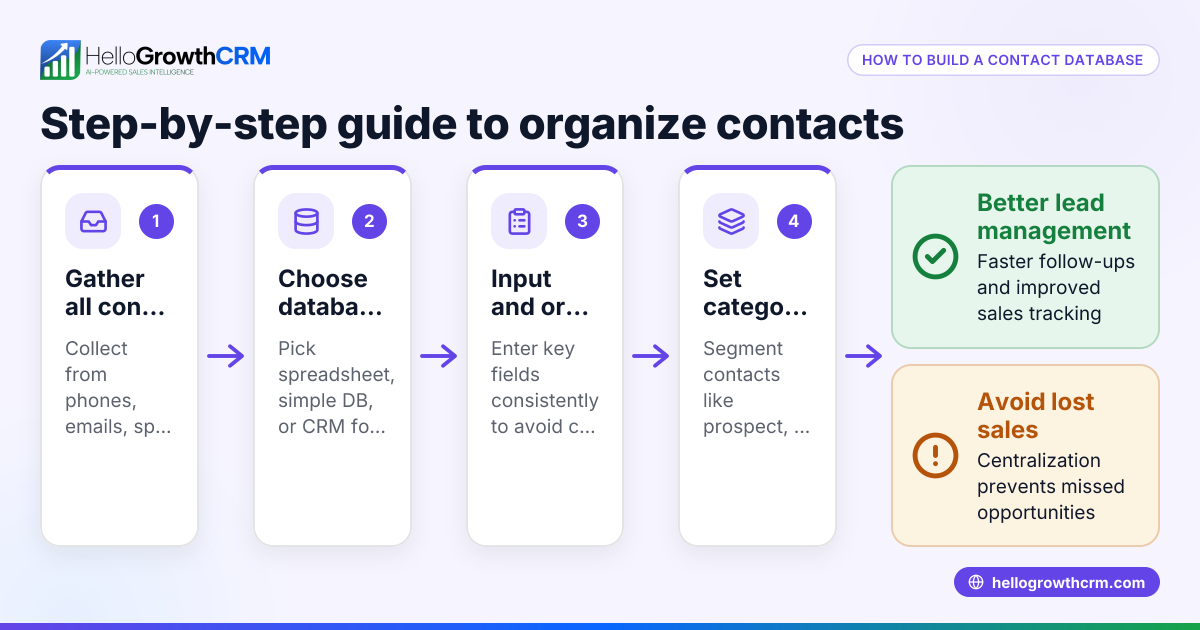
- Choose your format: Decide whether to use a spreadsheet like Excel or Google Sheets, or a simple CRM tool. Spreadsheets are widely accessible and customizable, while CRMs can automate reminders and updates.
- Set up essential columns: Include these fields:
- Customer Name
- Phone Number (with area code)
- Email Address
- Physical Address
- Preferred Contact Method (phone, email, text)
- Date of First Contact (MM/DD/YYYY)
- Last Contact Date (MM/DD/YYYY)
- Notes (for product interests, service requests, or follow-up details)
- Standardize data entry: Use consistent formats, e.g., phone numbers as (XXX) XXX-XXXX, dates as MM/DD/YYYY, and full names. This prevents confusion and errors.
- Add data validation: Use dropdown lists for fields like Preferred Contact Method to reduce typos and maintain consistency.
- Protect your data: Backup regularly using cloud storage or external drives. Restrict editing access to authorized team members to prevent accidental changes.
- Plan for updates: Schedule weekly reviews to update contact details and follow-up status. This keeps your sales pipeline accurate and actionable.
- Use free templates: Download sales pipeline or follow-up cadence templates from HelloGrowthCRM's free sales tools and calculators without an account to complement your database (/tools). These templates help you structure your sales process and follow-up activities effectively.
- Link service requests: After a sale, track service requests, referrals, and tickets linked to the same customer record to maintain a complete history of interactions (/product/customer-health-score).
Example (fictional figures)
A plumbing company in Austin, Texas, starts a customer contact database on 04/01/2024. They record 3 new customers and their details:
| Customer Name | Phone Number | Address | Preferred Contact | First Contact | Last Contact | Notes | |
|---|---|---|---|---|---|---|---|
| John Smith | (512) 555-1234 | john.smith@email.com | 123 Maple St, Austin, TX | Phone | 04/01/2024 | 04/02/2024 | Interested in leak fix |
| Maria Lopez | (512) 555-5678 | maria.lopez@email.com | 456 Oak Ave, Austin, TX | 04/01/2024 | 04/01/2024 | Needs water heater | |
| Dave Johnson | (512) 555-9012 | dave.j@email.com | 789 Pine Rd, Austin, TX | Text | 04/01/2024 | 04/03/2024 | Follow-up on estimate |
They track the value of upcoming jobs to forecast revenue:
- John Smith's leak fix job is estimated at $1,200
- Maria Lopez's water heater replacement is estimated at $3,500
- Dave Johnson's plumbing estimate follow-up could lead to a $2,800 job
Total potential revenue = $1,200 + $3,500 + $2,800
Total potential revenue = $7,500
By updating the last contact date and notes after each interaction, the company keeps the sales process clear and organized.
Common mistakes
- Inconsistent data entry: Using different phone or date formats causes confusion. Prevent this by standardizing formats and applying data validation.
- Missing key contact fields: Leaving out phone numbers or emails can block follow-up. Always include essential fields like phone, email, and preferred contact method.
- No regular updates: Outdated contact info leads to lost leads. Schedule weekly reviews to keep info current.
- Storing data in multiple unlinked places: Using separate spreadsheets or apps without integration causes data fragmentation. Centralize your contacts to avoid lost leads.
- Not backing up data: Losing your database to a crash or accidental deletion is avoidable. Use cloud storage or regular exports for backups.
- Ignoring follow-up tracking: Without a clear follow-up plan, leads go cold. Use templates for follow-up cadences to keep sales moving (/templates).
Doing this in HelloGrowthCRM
HelloGrowthCRM offers free sales tools, templates, and calculators, including follow-up cadences and pipeline templates you can download without an account (/tools). After a sale, service requests stay on the same customer record as the deal, using the customer portal, referrals, tickets, and knowledge base features (/product/customer-health-score). This helps keep all customer interactions and support requests organized in one place, improving team collaboration and customer satisfaction.
Frequently asked questions
What is the best format for a customer contact database? A spreadsheet like Excel or Google Sheets is easy to use and customize for small businesses. For larger teams or growing businesses, a CRM tool can automate updates, reminders, and provide integrations to streamline sales workflows.
How do I keep my customer contact data secure? Restrict access to authorized users only, back up data regularly using cloud storage or external drives, and use password protection. Avoid sharing files through unsecured email or public links.
Can I integrate my customer contact database with sales tools? Yes, many CRMs and some spreadsheet tools support integrations with email, phone, and marketing apps. HelloGrowthCRM offers free sales templates and tools that complement your contact database and improve follow-up efficiency (/tools).
How often should I update my customer contact database? Weekly updates are recommended to keep contact info and follow-up status accurate and actionable. This ensures no leads fall through the cracks and your sales pipeline reflects real-time opportunities.
What fields are essential in a US customer contact database? Include customer name, phone number, email, physical address, preferred contact method, first and last contact dates, and notes about their needs or interests. These fields help personalize communication and track sales progress.
How can I avoid losing leads due to slow follow-up? Use follow-up cadence templates and task boards to schedule reminders and next steps. HelloGrowthCRM provides free templates to structure your follow-up process and keep leads engaged (/templates).
Key takeaways
- Use a structured template with essential contact fields and standardized formats.
- Regularly update and back up your customer contact database to keep data accurate.
- Avoid common errors like inconsistent data entry, missing fields, and scattered storage.
- Download free sales templates and follow-up cadences to improve contact management and follow-up (/tools, /templates).
- After sales, track service requests, referrals, and tickets on the same customer record for better support and history (/product/customer-health-score).
- Plan weekly reviews to maintain and clean your database for optimal sales performance.
Start organizing your customer contacts today. Start on the Free Forever plan (200 leads, no credit card) with HelloGrowthCRM to access free templates and tools that fit your US small business needs.
Ready to put this into practice?
Set up your pipeline, WhatsApp follow-ups, and AI lead scoring in minutes — free, no credit card.
Try HelloGrowthCRM freeGet CRM tips in your inbox
Join thousands of sales professionals who get weekly insights on CRM strategy, AI automation, and pipeline optimization.

The HelloGrowthCRM team publishes guides on CRM strategy, AI sales tools, and revenue operations for small business sales teams.