HelloGrowthCRM software
Built for real small-business sales teams
HelloGrowthCRM helps reps qualify faster, follow up on time, and close more deals—with practical automation in one place.
- AI lead scoring and pipeline visibility
- Built-in dialer, WhatsApp, and email automation
- Sales forecasting and RevOps-ready reporting
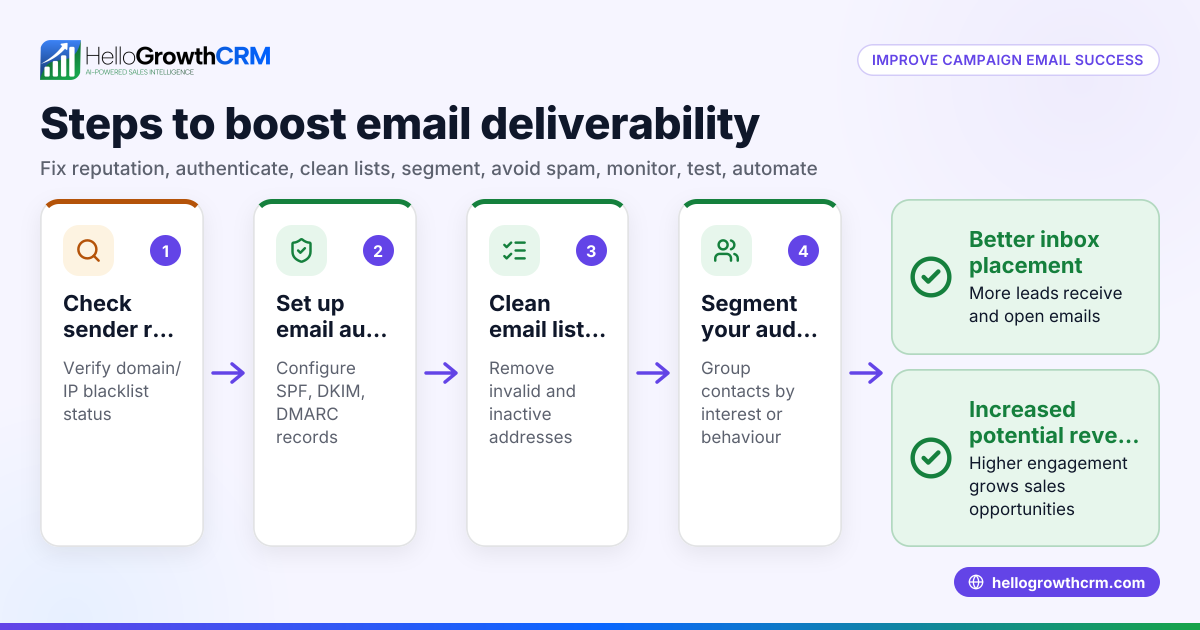
To improve email deliverability and protect your domain from spoofing or phishing, you need to configure SPF, DKIM and DMARC DNS records correctly. These records help receiving mail servers verify that your emails come from authorised sources and have not been tampered with.
Why this comes up / what goes wrong
Small business owners in the UAE often struggle with emails going to spam or not arriving at all. This happens because their domain lacks proper SPF, DKIM and DMARC records, or these are misconfigured. Without these, receiving servers cannot verify your emails, so they treat them as suspicious. Businesses running sales and customer communication via email need these setups to ensure leads and customers get their messages and to protect the brand from fraud.
Step-by-step
- Identify your sending mail servers
- List all services and servers authorised to send emails on your domain’s behalf (e.g., your hosting provider, email marketing platform).
- Check if you use a third-party service like HelloGrowthCRM for email sequences.
- Create your SPF record
- Format:
v=spf1 include:service1 include:service2 -all - Include all sending servers. For example, if you send via your own server and HelloGrowthCRM, include both.
- Add this as a TXT record in your domain’s DNS.
- Check your SPF record with online SPF validators.
- Generate your DKIM keys and record
- Your email provider or server generates a public/private key pair.
- Publish the public key as a TXT record under a selector subdomain, e.g.,
selector._domainkey.yourdomain.ae. - Configure your mail server to sign outgoing emails with the private key.
- Create your DMARC record
- Format:
v=DMARC1; p=none/quarantine/reject; rua=mailto:your-email@yourdomain.ae; ruf=mailto:your-email@yourdomain.ae; pct=100 - Start with
p=noneto monitor without blocking. - Add this as a TXT record for
_dmarc.yourdomain.ae.
- Verify your DNS records
- Use DNS lookup tools to confirm SPF, DKIM and DMARC records are published correctly.
- Send test emails to check DKIM signatures and DMARC reports.
- Monitor and adjust
- Review DMARC reports sent to your email for failures.
- Gradually change DMARC policy from
nonetoquarantineorrejectto enforce protection.
For detailed help with email automation and sequences, see email automation and sequences.
Example (fictional figures)
A dental clinic in Jumeirah, Dubai, "SmileCare.ae", wants to set up SPF, DKIM, and DMARC to improve email deliverability.
- They send emails via their web hosting provider and HelloGrowthCRM.
SPF record creation:
- Hosting provider SPF include:
include:hostingprovider.com - HelloGrowthCRM SPF include:
include:hellogrowthcrm.com
SPF record: v=spf1 include:hostingprovider.com include:hellogrowthcrm.com -all
They add this as a TXT record in their DNS.
DKIM setup:
- Their hosting provider gives a selector
mailand a public key. - They add TXT record at
mail._domainkey.smilecare.aewith the public key.
DMARC record:
- Start with monitoring only:
v=DMARC1; p=none; rua=mailto:dmarc@smilecare.ae; pct=100
They add this TXT record at _dmarc.smilecare.ae.
Checks:
- They verify DNS records with online tools.
- Send test emails to Gmail and check headers for SPF and DKIM pass.
- Receive DMARC reports after a week and see no failures.
Common mistakes
- Not including all sending servers in SPF: Leads to SPF failures. Prevent by listing all mail sources.
- Incorrect DKIM selector or missing public key: Causes DKIM failures. Prevent by copying keys exactly and testing.
- Setting DMARC policy to reject immediately: Can block legitimate emails. Prevent by starting with
p=noneand monitoring. - Not publishing DNS records as TXT: Some try CNAME or other types, which don’t work. Always use TXT.
- Ignoring DMARC reports: Missing issues that cause delivery problems. Prevent by regularly reviewing reports.
For more help, visit our help center.
Doing this in HelloGrowthCRM
HelloGrowthCRM supports email follow-up with sequences and campaigns that send timed emails until the prospect replies, helping you stay on top of communication. Replies to quotation emails appear in the HelloMail shared inbox, visible to your whole sales team on the deal. This reduces the risk of missed responses after setting up your email deliverability. Learn more about these features at email automation and sequences.
Frequently asked questions
What is the difference between SPF, DKIM and DMARC? SPF specifies which servers can send emails for your domain. DKIM adds a digital signature to your emails to prove they are unaltered. DMARC tells receiving servers how to handle emails that fail SPF or DKIM checks, improving protection against spoofing.
How do I check if my SPF, DKIM and DMARC are set up correctly? Use online DNS lookup tools to verify your TXT records. Send test emails to services like Gmail and check email headers for SPF and DKIM pass results. Review DMARC reports sent to the email address you specified.
Can I set up SPF, DKIM and DMARC myself without technical help? Yes, by following step-by-step instructions and using your domain registrar’s DNS management interface. If unsure, ask your hosting provider or IT support for help.
How long does it take for these DNS changes to take effect? DNS changes can take from a few minutes to 48 hours to propagate worldwide. Plan accordingly before testing.
What happens if I set DMARC policy to reject too soon? Legitimate emails that fail SPF or DKIM due to misconfiguration may be blocked or sent to spam. Start with p=none to monitor before enforcing stricter policies.
For more questions, see HelloGrowthCRM for the United Arab Emirates.
Key takeaways
- Add SPF, DKIM and DMARC as TXT records in your domain DNS to improve email deliverability.
- Include all sending servers in SPF to avoid failures.
- Start DMARC with
p=noneto monitor before enforcing. - Verify records with DNS tools and test emails.
- Use HelloGrowthCRM sequences and shared inbox to manage email follow-up effectively.
Set up your email deliverability today to ensure your leads and customers receive your messages. To manage your email campaigns and follow-ups easily, Start on the Free Forever plan (200 leads, no credit card).
Ready to put this into practice?
Set up your pipeline, WhatsApp follow-ups, and AI lead scoring in minutes — free, no credit card.
Try HelloGrowthCRM freeGet CRM tips in your inbox
Join thousands of sales professionals who get weekly insights on CRM strategy, AI automation, and pipeline optimization.

The HelloGrowthCRM team publishes guides on CRM strategy, AI sales tools, and revenue operations for small business sales teams.