HelloGrowthCRM software
Built for real small-business sales teams
HelloGrowthCRM helps reps qualify faster, follow up on time, and close more deals—with practical automation in one place.
- AI lead scoring and pipeline visibility
- Built-in dialer, WhatsApp, and email automation
- Sales forecasting and RevOps-ready reporting
TCPA and CAN-SPAM CRM setup for B2B sales teams means building outreach rules inside your CRM before reps start sending messages. In the United States, that setup should control who gets emails, calls, texts, and WhatsApp follow-ups, when they get them, and how opt-outs are captured and enforced.
If your CRM does not manage consent, suppression, call timing, and audit trails, automation can create risk fast. A safe setup helps your team move quicker while reducing avoidable complaints, blocked numbers, and compliance headaches.
Key takeaways
- TCPA and CAN-SPAM should shape your CRM workflows before you automate outreach.
- Your CRM should track source, consent status, opt-outs, message channel, and last contact date.
- Email, calling, and WhatsApp follow-ups need different rules, not one generic sequence.
- Sales leaders should use approval rules, suppression lists, and activity logs to reduce risk.
- AI can help prioritize and draft outreach, but humans still need clear policies and reviews.
- A practical setup starts with data hygiene, channel rules, and rep training.
Why TCPA and CAN-SPAM matter in a CRM
For most B2B sales teams, compliance problems do not start with bad intent. They start with messy records, unclear contact sources, and automation that keeps sending after a prospect opts out.
CAN-SPAM applies to commercial email. It sets rules for message content, sender identification, and unsubscribe handling. If your team sends outbound sales emails, your CRM should help enforce those basics every time.
TCPA is often discussed around calls and texts. For B2B teams, this matters when your reps place calls, use auto-dialing tools, leave voicemail drops, or send text-style messages. Even when a team is focused on business contacts, it is still smart to treat consent, timing, and opt-outs as core workflow rules.
A CRM setup is where these requirements become operational. It is not enough to tell reps, “Be careful.” The system should make the safe action the default action.
That means your CRM should answer a few simple questions on every record:
- Where did this lead come from?
- What channel can we use?
- Did the contact opt in, opt out, or never respond?
- When did we last contact them?
- Who on the team contacted them?
- Is the record safe for automation right now?
Without that structure, your team relies on memory. Memory does not scale.
What should a TCPA and CAN-SPAM CRM setup include?
A strong TCPA and CAN-SPAM CRM setup for B2B sales teams includes consent fields, unsubscribe controls, channel-specific automation rules, and a clear activity log. The goal is simple: stop unsafe outreach before it happens and keep proof of what your team did.
At a minimum, create a setup that covers data capture, suppression, timing, templates, logging, and review. Most teams can build this in phases, but the foundation should be there before large outbound campaigns begin.
Core contact fields to create
Start with the record structure. If your CRM does not store the right fields, your automations cannot make good decisions.
Include fields like:
- Lead source
- Original source detail
- Work email
- Mobile number
- Direct dial
- Company name
- Job title
- Contact owner
- Email opt-out status
- Call opt-out status
- Text or messaging opt-out status
- WhatsApp opt-out status
- Last contacted date
- Last channel used
- Consent note or source note
- Do not contact reason
- Compliance review flag
These do not need to be complicated. They need to be consistent.
For example, a Houston industrial supplier might import 4,000 trade show contacts. If reps do not know which booth scan records asked for follow-up and which were just badge scans, they can make poor outreach choices. A simple source detail field fixes that.
Suppression logic comes before sequences
Many teams build sequences first. That is backwards.
Before you automate anything, create suppression rules for contacts who should not receive outreach. These rules should exclude contacts who:
- Unsubscribed from email
- Asked not to be called
- Opted out of texts or WhatsApp messages
- Are already in an active opportunity stage with another rep
- Have bounced repeatedly
- Were contacted too recently
- Are marked for legal or compliance review
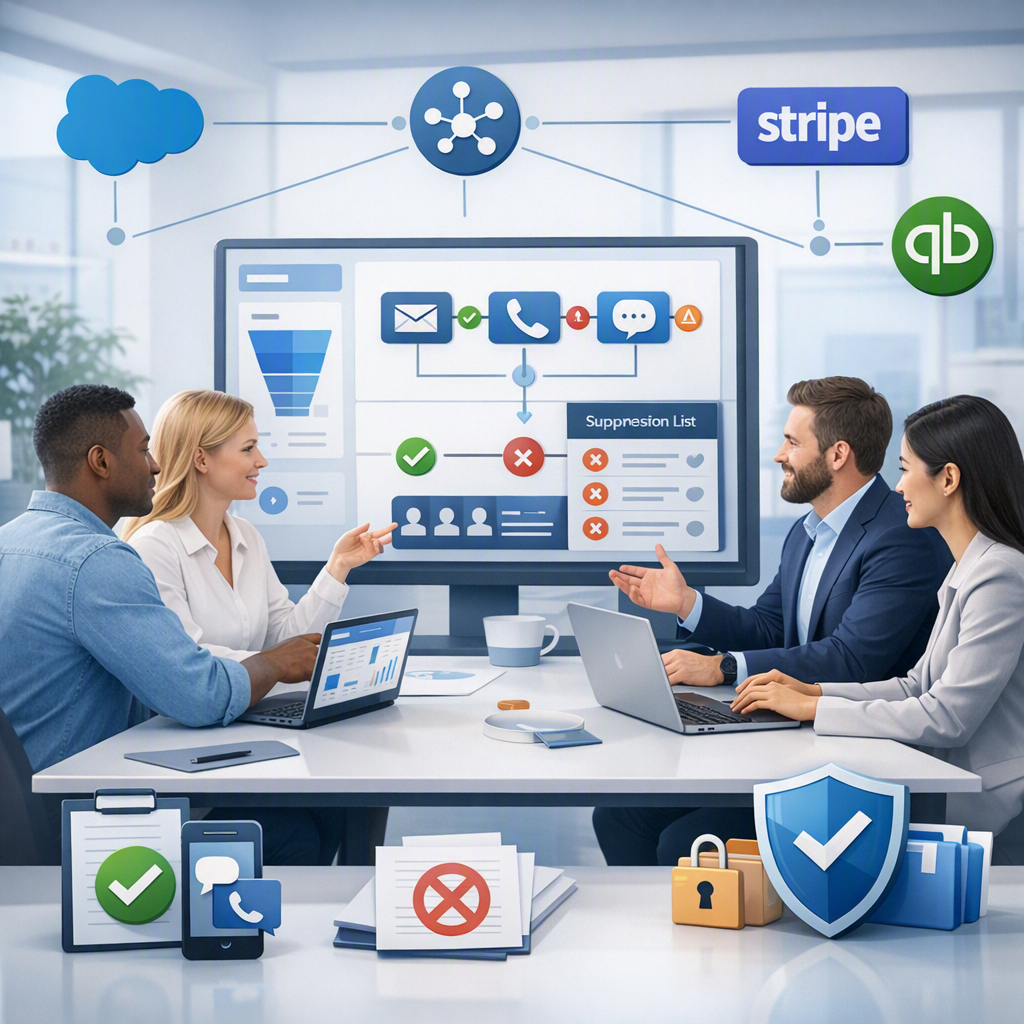
This is where automation becomes safer. Every campaign or sequence should check suppression status first.
Separate rules by channel
Email, calling, and WhatsApp should not live under one generic cadence. They involve different behaviors and different risk points.
A safe CRM setup should define:
- Which channel is allowed
- Which template set can be used
- Minimum spacing between touches
- Maximum touches per sequence
- What stops the sequence
- How opt-outs update the record
That structure gives RevOps and sales leaders control without slowing the team down.
How do you automate email follow-ups safely?
Use your CRM to require sender identification, include an unsubscribe path, honor opt-outs fast, and stop sequences when a contact replies or unsubscribes. Safe email automation is mostly about accurate lists, clear templates, and strong suppression rules.
Email setup rules for CAN-SPAM
For B2B teams in the United States, commercial email should follow basic standards every time. Your CRM should support those standards instead of depending on rep memory.
Build these rules into your email process:
- Use approved templates only
Let reps personalize messages, but lock key compliance elements. - Require clear sender identity
The recipient should know who is emailing and what company the message is from. - Include a working unsubscribe option
This should be present in automated sales emails where appropriate and should route back into the CRM. - Sync opt-outs immediately
Once someone opts out, all future email automation should stop. - Pause on reply
If a prospect replies, remove them from the automation until the owner decides the next step. - Log every send
The CRM should show when the message was sent, from which sequence, and by whom.
This setup matters most when teams scale. A Detroit software company with five reps can manage manually for a while. At 25 reps, manual unsubscribe handling becomes unreliable fast.
Template guardrails that help
Your templates should be simple and factual. Avoid misleading subject lines. Avoid vague sender names. Avoid anything that makes the message look like a personal note if it is clearly automated outreach.
Create approved template categories such as:
- First-touch outbound
- Post-demo follow-up
- No-show follow-up
- Re-engagement
- Event follow-up
Give each template an owner. Review them on a schedule. Remove old versions so reps do not pull outdated language into new sequences.
If your team uses email automation, look for controls that make it easy to pause, suppress, and log every send.
How should calling and WhatsApp workflows be set up?
Set up calls and WhatsApp as permission-based channels with their own opt-outs, timing limits, and logs. Do not let reps send messaging follow-ups just because a phone number exists on the record.
Calling workflows need tighter controls
A lot of risk comes from speed. Reps can burn through a list quickly if the system makes every number look callable.
To reduce that risk, your CRM should:
- Distinguish mobile numbers from direct business lines when possible
- Store call opt-out status separately from email opt-out status
- Limit repeated call attempts in a short period
- Log call outcomes consistently
- Stop automated call tasks after a contact asks not to be called
- Flag records with uncertain consent or questionable source data
For example, if a Chicago business services firm buys a list and imports contacts without source notes, those records should not go straight into a calling sequence. They should first be reviewed.
WhatsApp follow-ups need their own rules
Many teams treat WhatsApp like email because it feels informal. That is a mistake. Messaging is more personal and usually more immediate, so your CRM should apply stricter control.
Set up WhatsApp workflows to:
- Use a dedicated opt-out field
- Require a valid business reason for use
- Limit message frequency
- Stop all messaging after opt-out or complaint
- Keep a clear message log on the contact record
- Route uncertain records for manager review
If a rep sends a WhatsApp message after a prospect asked not to be contacted there, “I forgot” is not a process. The CRM should have prevented it.
Where does AI fit in without creating more risk?
AI should help your team score leads, recommend next steps, and draft compliant messages within approved rules. It should not bypass consent, suppression, or human review just because it can automate faster.
Use AI for prioritization, not permission
This is where teams get excited and careless. AI can improve productivity, but it should sit inside your outreach rules.
Good uses of AI include:
- Scoring leads based on fit and engagement
- Recommending the next best channel
- Suggesting follow-up timing
- Drafting message variants from approved templates
- Flagging risky records for review
- Identifying stale opportunities that need attention
Bad uses include allowing AI to message every imported contact automatically with no review.
An ai tcpa approach should mean your AI respects communication controls built into the CRM. It should read suppression fields, not ignore them. It should lower risk, not just increase volume.
AI needs data discipline
AI only works well when the underlying records are clean. If your CRM has duplicate contacts, bad source data, or missing opt-out fields, AI will scale those problems.
Before turning on AI-driven sequences or recommendations, check:
- Duplicate rate
- Missing phone and email data
- Missing lead source values
- Missing owner assignments
- Old unsubscribes not synced correctly
- Inconsistent call outcome logging
If your team wants an AI CRM or AI lead scoring, focus first on control and visibility. Smarter automation starts with cleaner operations.
A practical CRM setup checklist for US B2B sales teams
The safest way to implement this is in a simple rollout. Do not try to solve every edge case on day one. Build the controls that stop the biggest mistakes first.
1. Audit your current outreach process
Map what happens today across email, calls, and WhatsApp.
Ask questions like:
- Where do new leads enter the CRM?
- Who can enroll contacts in sequences?
- How are opt-outs captured?
- What happens after a reply?
- Are reps using personal templates?
- Are all activities logged in one place?
Most teams discover gaps immediately. Usually, the biggest issue is not the message itself. It is the missing rule behind the message.
2. Standardize data fields and values
Pick one set of field names and status values. Then make everyone use them.
For example:
- Email status: Active, Unsubscribed, Bounced
- Call status: Callable, Do Not Call, Review Needed
- WhatsApp status: Allowed, Opted Out, Review Needed
Consistency matters more than complexity.
3. Build suppression lists and automation stops
Create automatic stops for:
- Unsubscribes
- Reply received
- Meeting booked
- Opportunity opened
- Wrong contact
- Complaint received
These conditions should remove the contact from future automation until someone reviews the record.
4. Lock down templates and sequence enrollment
Not every rep should be able to create live automations. Give sequence publishing rights to managers or RevOps. Let reps use approved templates and personalize them within limits.
This lowers risk and keeps your brand consistent.
5. Create an audit trail
Every contact record should show:
- Source
- Consent or source note
- Sequence enrollment history
- Sent emails
- Call attempts
- Message history
- Opt-out events
- Owner changes
When a complaint happens, speed matters. Your team should be able to pull the record and understand what happened in minutes.
6. Review performance and risk together
Do not look only at open rates and meetings booked. Review:
- Unsubscribe rate
- Complaint patterns
- Call connection outcomes
- Sequence pause reasons
- Message channel performance
- Opt-out by source
This gives sales and RevOps a more honest view of what is working.
If your team needs help building the workflows, reporting, and controls behind this process, managed RevOps can reduce the lift on your internal team.
Common mistakes that create unnecessary risk
Most compliance problems come from a short list of process issues. The good news is that they are fixable.
Using one opt-out for every channel
A contact may unsubscribe from email but still accept calls. Another may want email only and no WhatsApp messages. Track preferences by channel.
Letting reps import lists without review
Imports should require source mapping and field validation. If the source is unclear, the records should be held for review.
Failing to stop automation after human interaction
If a prospect replies, books a meeting, or says “not interested,” automation should stop. No one wants a generic sequence email after a live conversation.
Relying on memory instead of system rules
Training matters, but system design matters more. Reps under pressure will miss steps. Your CRM should catch what humans miss.
Ignoring reporting until there is a problem
Risk signals usually appear before a complaint. Rising unsubscribes, repeated wrong-number outcomes, and frequent manual overrides all tell you something is broken.
If you are comparing systems, review the available features, check integrations with tools like QuickBooks and Stripe where needed, and make sure the CRM can support both process control and reporting.
What does a safe rollout look like in the first 30 days?
In the first 30 days, define channel rules, create opt-out fields, clean contact data, lock templates, and launch one small sequence per channel. Start with tight controls, then expand only after you confirm suppression, logging, and stop conditions work reliably.
A realistic 30-day rollout looks like this:
Week 1: Policy and field setup
Document your outreach rules in plain language. Then turn them into CRM fields and statuses.
Week 2: Template and suppression build
Approve templates. Create sequence stop conditions. Test unsubscribes, replies, and handoffs.
Week 3: Pilot with one team
Run a limited outbound pilot with a small rep group. Watch opt-outs, replies, and activity logs closely.
Week 4: Review and expand
Fix edge cases. Train the rest of the team. Expand only after reporting confirms the workflow is doing what you expect.
This approach is slower than flipping on automation for everyone. It is also far safer.
Can a small sales team handle this without a full compliance department?
Yes. A small B2B sales team can handle this by using simple channel rules, approved templates, clear opt-out fields, and regular review. You do not need a large department to build a safer process, but you do need discipline in the CRM.
Small teams often have an advantage here. They can move faster and clean up process issues quickly. The key is to avoid overbuilding.
Start with the basics:
- Clean lead source tracking
- Channel-specific opt-outs
- Approved sequences only
- Auto-stop on replies and unsubscribes
- Weekly manager review
That is enough to create a much safer system than many larger teams have today.
Ready to put this into practice?
Set up your pipeline, WhatsApp follow-ups, and AI lead scoring in minutes — free, no credit card.
Try HelloGrowthCRM freeGet CRM tips in your inbox
Join thousands of sales professionals who get weekly insights on CRM strategy, AI automation, and pipeline optimization.

The HelloGrowthCRM team publishes guides on CRM strategy, AI sales tools, and revenue operations for small business sales teams.