HelloGrowthCRM software
Built for real small-business sales teams
HelloGrowthCRM helps reps qualify faster, follow up on time, and close more deals—with practical automation in one place.
- AI lead scoring and pipeline visibility
- Built-in dialer, WhatsApp, and email automation
- Sales forecasting and RevOps-ready reporting
Field operations workflow automation means using software to streamline and automate the routine tasks and processes your field team handles daily. This reduces manual work, speeds up response times, and improves accuracy. This article explains why small businesses need it, how to start automating step-by-step, a practical example with Australian figures, common mistakes to avoid, and how HelloGrowthCRM supports automation.
Why this comes up / what goes wrong
Small businesses with field teams often struggle with managing leads, assigning tasks, and following up promptly. Many still rely on text messages, emails, or spreadsheets to track work orders, appointments, and customer communications. This causes delays, lost leads, and errors in scheduling or data entry. For example, a service business might lose track of which technician was assigned a job or miss sending a follow-up message after a site visit. These inefficiencies hurt customer satisfaction and sales.
Field operations workflow automation addresses these issues by creating a clear, automated process that routes leads, assigns tasks, and triggers follow-ups without manual intervention. This helps small businesses keep their field teams coordinated and responsive.
Step-by-step
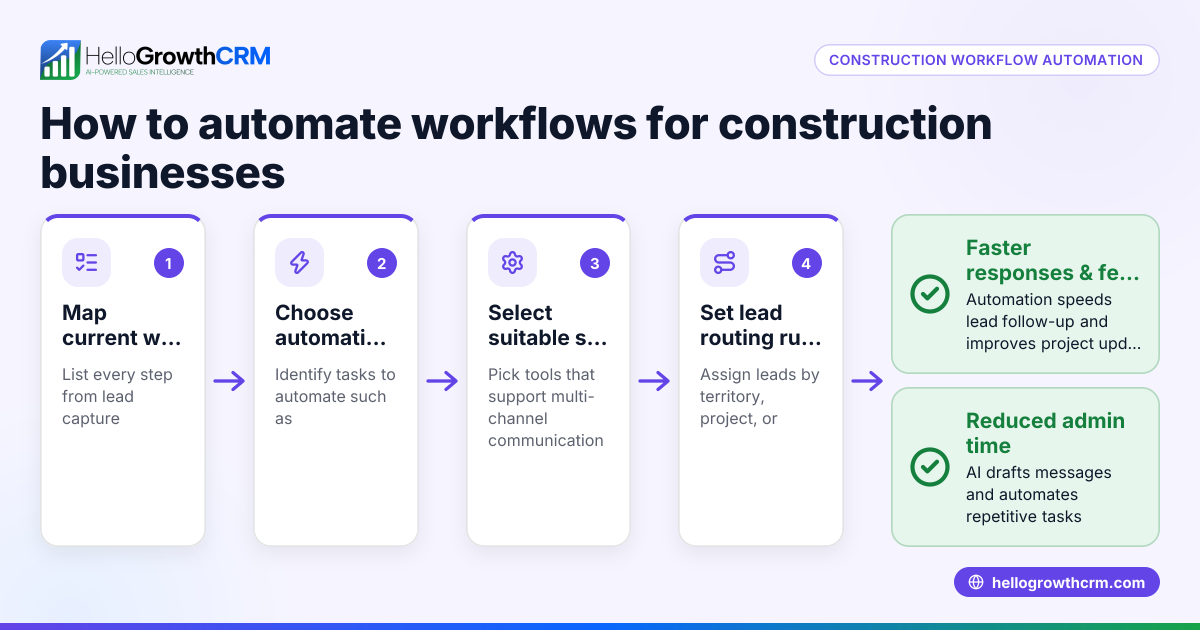
- Map your current field operations workflow: Write down each step from receiving a lead or job request, assigning it to a field worker, scheduling the job, completing the task, and following up.
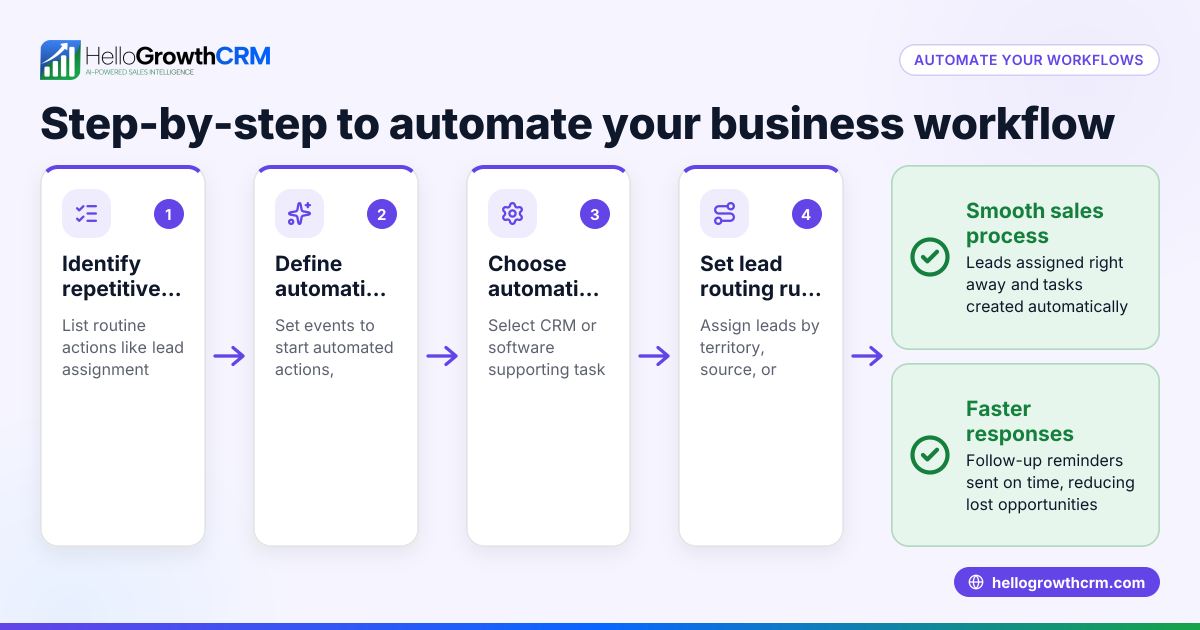
- Identify repetitive tasks to automate: Look for actions you repeat often, like assigning leads, sending reminders, or updating job status.
- Choose automation triggers: Decide what events should start an automated action, such as a new enquiry arriving or a job status changing.
- Set up lead routing rules: Assign leads automatically by territory, round-robin, or source to balance workloads and speed response.
- Create task and follow-up sequences: Automate steps like scheduling first calls, sending reminders, and follow-up messages over days or weeks.
- Use validation rules to ensure data quality: Prevent incomplete or incorrect information from entering your system.
- Test and refine your workflows: Run through the process end-to-end to check for gaps or delays.
- Train your team: Make sure everyone understands the new automated steps and how to interact with the system.
- Monitor and adjust regularly: Use reporting to spot bottlenecks or missed tasks and update workflows accordingly.
These steps help you move from manual, error-prone processes to a streamlined, automated field operations workflow. For more on automation tools, see AI CRM and WhatsApp and SMS CRM.
Example (fictional figures)
A Melbourne-based buyer's agency receives property inspection requests. They want to automate lead assignment and follow-ups.
- Monthly leads: 100
- Average job value: A$1,500
- Current manual follow-up rate: 50%
With automation:
- Leads assigned round-robin to 4 agents
- Automated 5-step follow-up over 2 weeks
Calculations:
Leads per agent = 100 ÷ 4 = 25 leads
Expected follow-up improvement = 50% + 30% (automation lift) = 80% follow-up
Additional jobs from automation = 100 × (80% - 50%) = 30 jobs
Additional revenue = 30 × A$1,500 = A$45,000
This example shows how workflow automation can increase follow-up rates and revenue by ensuring leads are promptly assigned and followed up.
Common mistakes
- Skipping workflow mapping: Not documenting current steps leads to missed automation opportunities. Prevent by mapping every step clearly.
- Over-automating without checks: Automating every task without validation causes errors. Use validation rules to maintain data quality.
- Ignoring team training: If staff don’t understand the system, automation fails. Prevent by thorough training and clear documentation.
- Failing to monitor workflows: Without regular review, workflows become outdated. Schedule periodic checks and updates.
- Neglecting follow-up automation: Manual follow-ups cause lost leads. Use automated sequences to maintain contact.
- Relying on too many tools: Managing multiple disconnected tools complicates workflows. Choose integrated solutions like HelloGrowthCRM.
Doing this in HelloGrowthCRM
HelloGrowthCRM offers automated workflows, lead routing, and validation rules that assign new enquiries round-robin and create first-call tasks automatically. Its sequences and campaigns feature runs multi-step follow-ups over two weeks that pause as soon as a prospect replies. Additionally, AI agents draft follow-up messages after calls for reps to review and send, saving time. Learn more about these features on the AI CRM page.
Frequently asked questions
What is field operations workflow automation? It is the use of software to automate routine field tasks like lead assignment, scheduling, task management, and follow-ups. This reduces manual work and improves efficiency.
How can small businesses start automating field workflows? Begin by mapping your current process, identifying repetitive tasks, then setting up automation rules for lead routing, task creation, and follow-ups. Test and train your team to use the new system.
What common tools support field operations automation? CRMs with workflow automation, sequences for follow-ups, and AI agents to draft messages help streamline field operations. HelloGrowthCRM provides these features with WhatsApp, SMS, and email integration.
How does automation improve customer follow-up? Automation ensures timely, consistent follow-ups without relying on manual reminders. Sequences run until the prospect replies, reducing lost leads.
Can automation handle lead assignment fairly? Yes. Automated lead routing can assign leads by round-robin, territory, or source, balancing workloads and speeding response.
Is training necessary for automation success? Absolutely. Automation changes how teams work, so training ensures everyone understands their roles and how to use the system effectively.
For more detailed automation tools, see HelloGrowthCRM for Australia.
Key takeaways
- Field operations workflow automation reduces manual tasks and speeds response.
- Start by mapping workflows and identifying repetitive tasks to automate.
- Use lead routing, task creation, and follow-up sequences for efficiency.
- Avoid common mistakes like skipping mapping or neglecting training.
- HelloGrowthCRM supports automation with workflows, sequences, and AI agents.
- Regularly monitor and update workflows for best results.
Automating your field operations workflow can save time, reduce errors, and increase sales. To get started, Start on the Free Forever plan (200 leads, no credit card).
Ready to put this into practice?
Set up your pipeline, WhatsApp follow-ups, and AI lead scoring in minutes — free, no credit card.
Try HelloGrowthCRM freeGet CRM tips in your inbox
Join thousands of sales professionals who get weekly insights on CRM strategy, AI automation, and pipeline optimization.

The HelloGrowthCRM team publishes guides on CRM strategy, AI sales tools, and revenue operations for small business sales teams.