HelloGrowthCRM software
Built for real small-business sales teams
HelloGrowthCRM helps reps qualify faster, follow up on time, and close more deals—with practical automation in one place.
- AI lead scoring and pipeline visibility
- Built-in dialer, WhatsApp, and email automation
- Sales forecasting and RevOps-ready reporting
To broadcast a message on WhatsApp, you create a broadcast list that sends your message individually to multiple contacts at once. Each recipient receives the message as a private chat, not a group message, so they cannot see other recipients. This is useful for sending announcements, promotions, or updates efficiently.
Why this comes up / what goes wrong
Small business owners in the UK often need to send the same message to many customers quickly, such as appointment reminders or product offers. WhatsApp broadcasting suits this because it feels personal and immediate. However, difficulties arise because WhatsApp only delivers broadcasts to contacts who have saved your number. Without this, messages won’t reach recipients. Also, some confuse broadcasts with group chats, risking privacy breaches. Without clear steps, you may send messages incorrectly or to incomplete lists.
Step-by-step
- Open WhatsApp on your phone. Ensure you are running the latest version for smooth operation.
- Access the menu:
- On Android, tap the three-dot icon at the top right.
- On iPhone, go to the Chats tab and tap "Broadcast Lists" at the top.
- Select "New broadcast" from the menu or Broadcast Lists screen.
- Add recipients: Scroll through your contacts and tap the names of those you want to include. Remember, only contacts who have saved your number will receive the broadcast.
- Confirm your selection: Tap the green checkmark (Android) or "Create" (iPhone) to form the broadcast list.
- Compose your message: Type the message you want to send in the chat window that opens.
- Send the message: Tap the send icon. Your message will be sent individually to each contact.
- Save the broadcast list: If you plan to send similar messages later, save the list for easy reuse.
Check that your contacts have your number saved to ensure delivery. Also, keep your messages relevant and compliant with any UK marketing rules.
Example (fictional figures)
An accountancy practice in Birmingham wants to remind 150 clients about the upcoming self-assessment tax return deadline on 31/01/2025. They decide to send a broadcast message on 15/06/2024.
- They create a new broadcast list with 150 client contacts.
- They type the message: "Reminder: The deadline for your self-assessment tax return is 31/01/2025. Contact us for assistance."
- They send the message.
This saves time compared to messaging each client individually and ensures everyone receives the same private message.
Worked example:
- Number of clients: 150
- Message: Reminder about tax return deadline
- Date of sending: 15/06/2024
If each message takes about 10 seconds to send individually, total time saved by broadcasting:
150 messages × 10 seconds = 1,500 seconds
1,500 seconds ÷ 60 = 25 minutes saved
By using broadcast, the practice saves 25 minutes compared to sending messages one by one.
Common mistakes
- Not saving contacts first: Broadcast messages only reach contacts who have saved your number. Prevent this by confirming your contacts have your number saved before broadcasting.
- Confusing broadcast with group chat: Broadcast sends individual messages; group chats send one message visible to all members. Prevent by always selecting "New broadcast" and not "New group".
- Exceeding contact limits: WhatsApp limits broadcast lists to 256 contacts. Prevent by splitting large lists into smaller groups.
- Sending irrelevant or too frequent messages: This can annoy recipients. Prevent by segmenting your lists and scheduling messages thoughtfully.
- Ignoring message tracking: Broadcasts don’t show who read the message individually. Prevent by manually following up or using a CRM with WhatsApp integration to track responses.
Doing this in HelloGrowthCRM
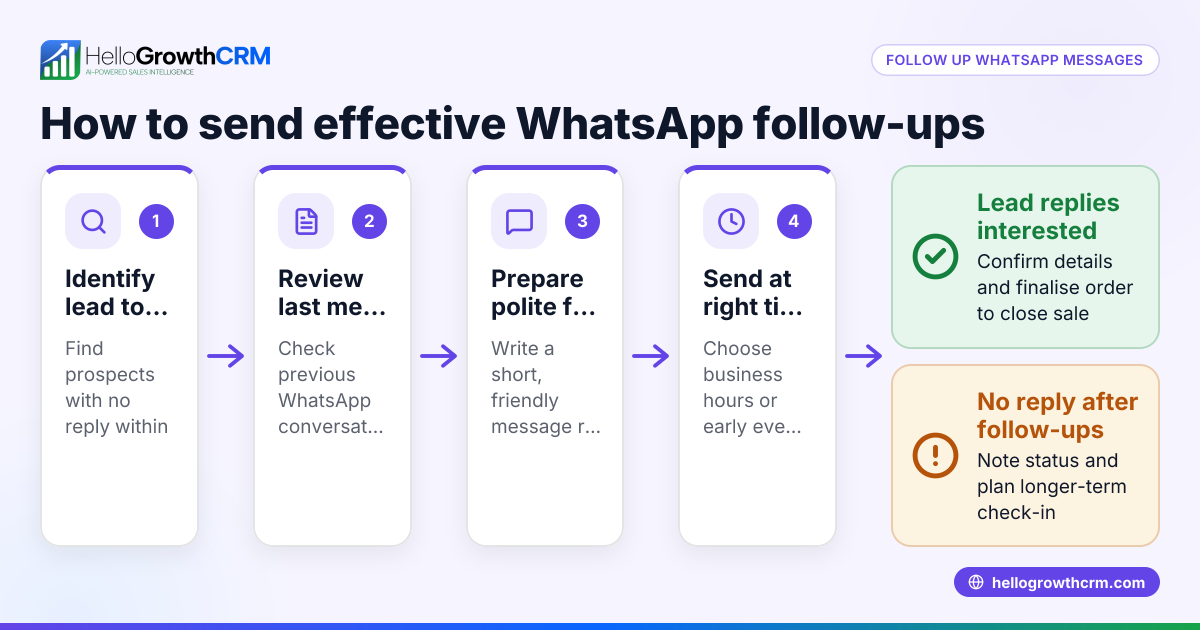
HelloGrowthCRM offers WhatsApp and SMS messaging where WhatsApp conversations with a lead are logged on the lead record and follow-ups can go out as messages. Using Sequences and campaigns, you can automate a five-step follow-up over two weeks that runs on its own and stops the moment the prospect replies. This helps small businesses manage WhatsApp messaging efficiently and track responses without manual effort. Learn more about WhatsApp and SMS CRM.
Frequently asked questions
Can I broadcast messages to any WhatsApp contact? You can only broadcast to contacts who have saved your phone number in their address book. If they haven’t, they won’t receive your broadcast message.
Is there a limit to how many contacts I can add to a broadcast list? Yes, WhatsApp limits broadcast lists to 256 contacts per list. For more contacts, you need to create multiple broadcast lists.
Can recipients see who else received the broadcast? No. Each recipient receives the broadcast message as a normal chat, so they cannot see other recipients.
How do I follow up after sending a broadcast? You can manually check replies or use a CRM with WhatsApp integration like HelloGrowthCRM to log conversations and automate follow-ups. See built-in CRM dialer for managing calls alongside messages.
Can I schedule broadcast messages in WhatsApp? WhatsApp itself does not support scheduling. For scheduled or automated multi-step messaging, consider using sequences and campaigns in HelloGrowthCRM.
Key takeaways
- Broadcast messages send individually to multiple contacts who have saved your number.
- Create a broadcast list by selecting contacts, composing your message, and sending.
- Broadcast lists can hold up to 256 contacts; split larger groups.
- Avoid common mistakes like confusing broadcast with groups or messaging unsaved contacts.
- Use HelloGrowthCRM to automate WhatsApp follow-ups and log conversations.
Start sending your broadcast messages efficiently today. To manage your WhatsApp outreach and automate follow-ups, start on the Free Forever plan (200 leads, no credit card).
Ready to put this into practice?
Set up your pipeline, WhatsApp follow-ups, and AI lead scoring in minutes — free, no credit card.
Try HelloGrowthCRM freeGet CRM tips in your inbox
Join thousands of sales professionals who get weekly insights on CRM strategy, AI automation, and pipeline optimization.

The HelloGrowthCRM team publishes guides on CRM strategy, AI sales tools, and revenue operations for small business sales teams.