HelloGrowthCRM software
Built for real small-business sales teams
HelloGrowthCRM helps reps qualify faster, follow up on time, and close more deals—with practical automation in one place.
- AI lead scoring and pipeline visibility
- Built-in dialer, WhatsApp, and email automation
- Sales forecasting and RevOps-ready reporting
Collecting customer feedback is essential for UK small businesses to improve service quality and customer satisfaction. However, many business owners find it challenging to design effective feedback forms that customers will complete and that provide useful insights. This guide offers a clear process to create a customer feedback form, including a detailed worked example, common pitfalls, and practical tips.
Why this comes up / what goes wrong
Small-business owners want to gather honest opinions from their customers to improve their products or services. Often, they create forms that are too long, confusing, or lack focus, which results in low response rates or feedback that is hard to interpret. Additionally, distributing the form and analysing responses can be difficult without a clear plan. This leads to missed opportunities for improvement and customer retention.
Step-by-step
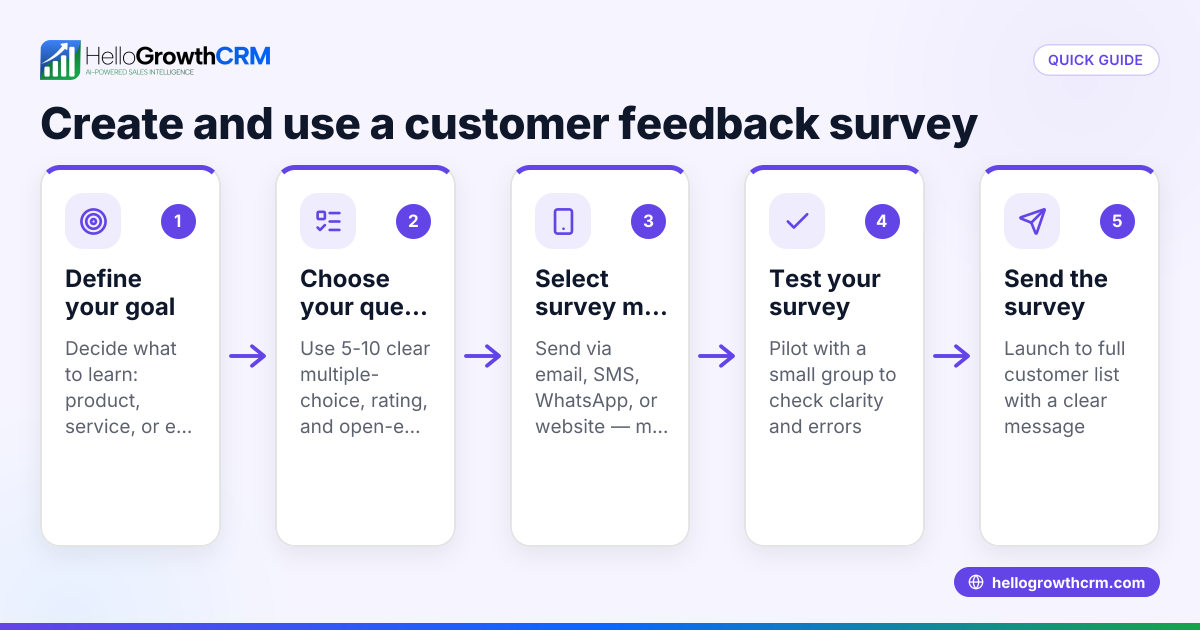
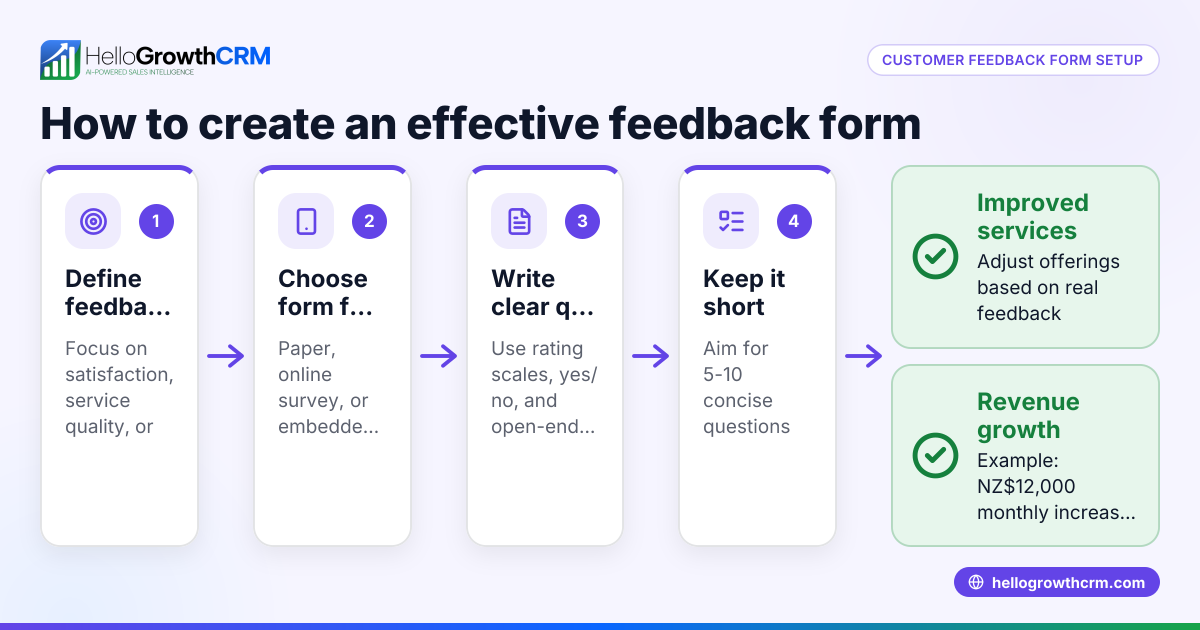
- Define your goal: Decide exactly what you want to learn from your customers. Are you measuring overall satisfaction, product quality, or service speed? Clear goals help you choose relevant questions.
- Select question types: Use a mix of question formats such as rating scales (e.g., 1 to 5), yes/no questions, and open-ended text fields for detailed comments. Limit the total number of questions to between 5 and 10 to keep the form manageable.
- Write clear questions: Avoid jargon or technical terms. Use simple language. For example, ask "How satisfied were you with your purchase?" with options from "Very satisfied" to "Very dissatisfied".
- Choose a form-building tool: Use online platforms like Google Forms, Microsoft Forms, or a form builder integrated into your website.
- Build the form: Add your questions, include an introductory message explaining why you want feedback, and a thank-you note at the end to acknowledge the customer's time.
- Test the form: Complete it yourself and ask colleagues or friends to test it on different devices and browsers to ensure clarity and technical functionality.
- Distribute the form: Share the link by email, WhatsApp, social media, or embed it on your website. Use channels your customers prefer to increase response rates.
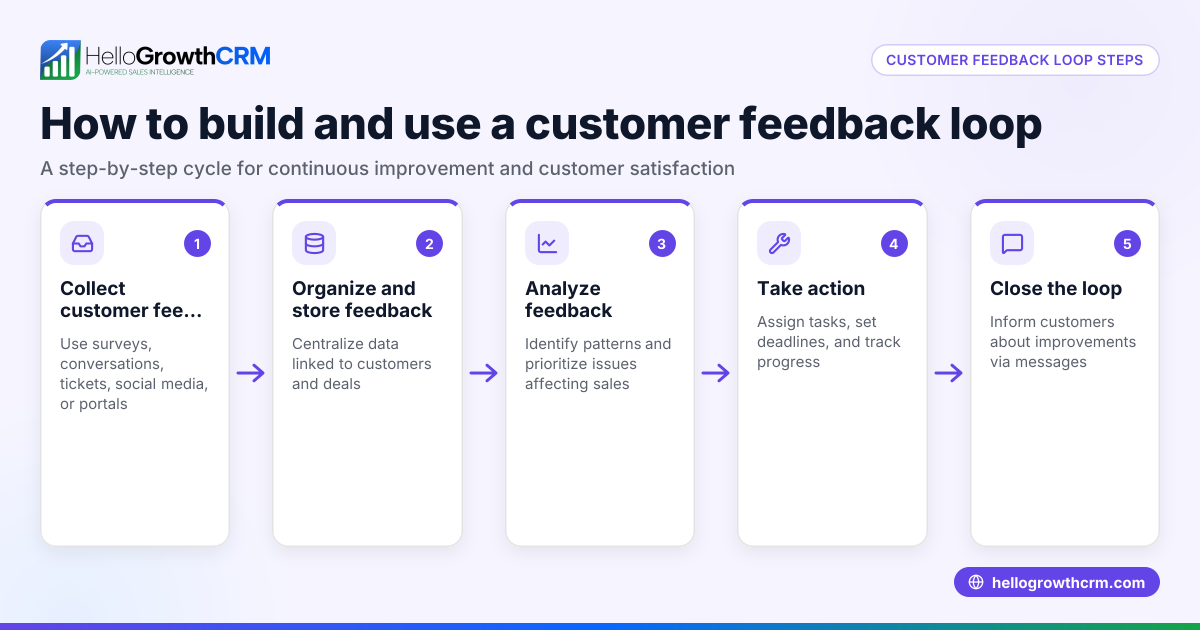
- Collect and analyse responses: Regularly review the answers, look for patterns or common issues, and summarise key findings.
- Follow up: Thank customers for their feedback and communicate any changes you make as a result. This builds trust and encourages future participation.
Example (fictional figures)
A recruitment consultancy based in Bristol wants to gather feedback on its candidate experience. They create a form with 6 questions:
- How easy was it to apply? (scale 1-5)
- Was communication clear? (Yes/No)
- How likely are you to recommend us? (scale 1-10)
- What did you like most?
- What could we improve?
- Any other comments?
They send the form link by email to 200 candidates on 01/05/2024. 80 candidates respond.
The average ease of application score is calculated as: 3.8 × 80 = 304 total points 304 ÷ 80 = 3.8 average score
The average recommendation score is: 7.5 × 80 = 600 total points 600 ÷ 80 = 7.5 average score
The consultancy calculates the combined average satisfaction score as: 3.8 + 7.5 = 11.3 total 11.3 ÷ 2 = 5.65 average satisfaction score
They note repeated comments mentioning slow email replies and plan to improve response times accordingly.
Common mistakes
- Too many questions: Long forms discourage completion. Prevent this by reviewing and removing non-essential questions.
- Unclear or complex questions: Use simple, direct language and test the form with real users.
- Ignoring feedback: Always act on responses to build customer trust and improve service.
- Not testing the form: Check the form on various devices and browsers to ensure it works properly.
- Poor distribution channels: Use communication methods your customers prefer, such as WhatsApp or email, to increase response rates.
- No follow-up: Thank respondents and share improvements to encourage ongoing engagement. Learn more about managing customer relationships with HelloGrowthCRM’s customer health score.
Doing this in HelloGrowthCRM
HelloGrowthCRM offers a branded self-service customer portal where customers can submit feedback and service requests. After the sale, all tickets and feedback stay linked on the same customer record as the deal, helping your team track issues and referrals efficiently. This centralises communication and improves customer service continuity. See how HelloGrowthCRM fits UK businesses at HelloGrowthCRM for the United Kingdom.
Frequently asked questions
What questions should I include in a customer feedback form? Include a mix of rating scales for satisfaction, yes/no questions for clarity, and open-ended questions for detailed feedback. Keep questions relevant and concise to avoid overwhelming respondents.
How can I encourage customers to complete the feedback form? Keep the form short, explain why their feedback matters, offer incentives if possible, and share the form via preferred channels like WhatsApp or email. HelloGrowthCRM’s WhatsApp and SMS CRM can help automate sharing.
How often should I send customer feedback forms? Send feedback requests shortly after a transaction or interaction to capture fresh impressions. Avoid over-surveying to prevent survey fatigue.
Can I integrate feedback forms with my CRM? Yes, integrating feedback forms with your CRM consolidates customer data and helps track satisfaction over time. HelloGrowthCRM supports this by linking service tickets and feedback to customer records.
What should I do with the feedback collected? Analyse responses for trends, identify areas to improve, communicate changes to customers, and use insights to train your team or adjust processes.
Key takeaways
- Define clear goals before creating your feedback form.
- Use simple, relevant questions and keep the form short.
- Test your form on multiple devices and with real users.
- Distribute the form via channels your customers use.
- Act on feedback and communicate improvements.
- Use tools like HelloGrowthCRM to centralise feedback and customer service.
Creating an effective customer feedback form in the UK is straightforward with clear steps and attention to detail. Start collecting valuable insights today to improve your business.
Start on the Free Forever plan (200 leads, no credit card) at HelloGrowthCRM to manage customer feedback and more.
Ready to put this into practice?
Set up your pipeline, WhatsApp follow-ups, and AI lead scoring in minutes — free, no credit card.
Try HelloGrowthCRM freeGet CRM tips in your inbox
Join thousands of sales professionals who get weekly insights on CRM strategy, AI automation, and pipeline optimization.

The HelloGrowthCRM team publishes guides on CRM strategy, AI sales tools, and revenue operations for small business sales teams.