HelloGrowthCRM software
Built for real small-business sales teams
HelloGrowthCRM helps reps qualify faster, follow up on time, and close more deals—with practical automation in one place.
- AI lead scoring and pipeline visibility
- Built-in dialer, WhatsApp, and email automation
- Sales forecasting and RevOps-ready reporting
Creating a customer payment link is a practical way for UK small businesses to receive payments quickly and securely. A payment link allows you to send a direct URL or QR code to your customer for online payment by card or digital wallet, reducing delays and manual follow-up.
Why this comes up / what goes wrong
Many UK small business owners rely on manual invoicing, bank transfers, or informal requests via WhatsApp or email. This often leads to slow payments, lost leads, and confusion about payment status. Without a clear, trackable payment request, customers may delay payment or miss deadlines.
Sales teams using multiple communication channels and spreadsheets can struggle to keep payment requests organised. Creating a customer payment link centralises payment collection and works well alongside digital communication tools.
Step-by-step
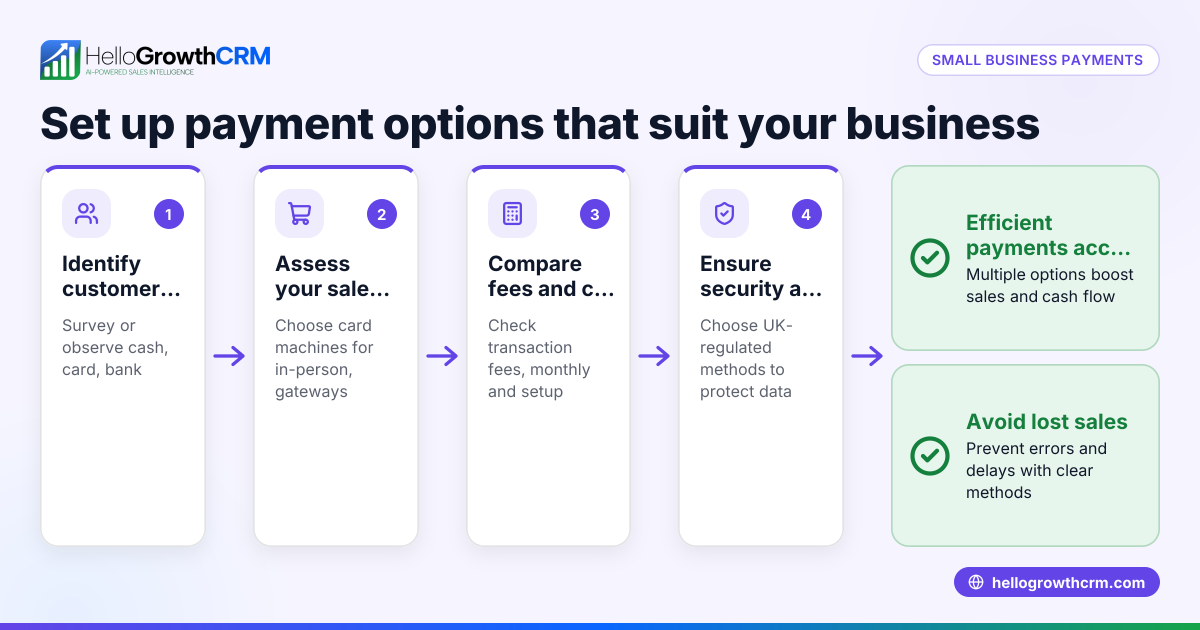
- Choose a payment platform: Pick a UK-based or UK-friendly service that offers payment link creation. Common options include PayPal, Stripe, or bank services with payment link features. Confirm the platform accepts your preferred payment methods like cards, Apple Pay, or Google Pay.
- Log in and find the payment link feature: Access your account dashboard and locate the option to create or request a payment link. This may be under sections labelled 'Payments', 'Invoices', or 'Request money'.
- Enter payment details:
- Amount: Enter the exact amount in GBP you want to receive.
- Description: Write a clear purpose, e.g. "Deposit for kitchen fitting at 12 Rose Street, Leeds".
- Due date: Set a payment deadline if the platform allows, to encourage timely payment.
- Customer information: Optionally add customer name or email to personalise the request.
- Generate the payment link: Review all details carefully, then create the payment link. The platform will provide a URL or QR code.
- Send the link to your customer: Share the link via email, WhatsApp, SMS, or embed it in a digital invoice. Confirm the customer has received it and understands how to pay.
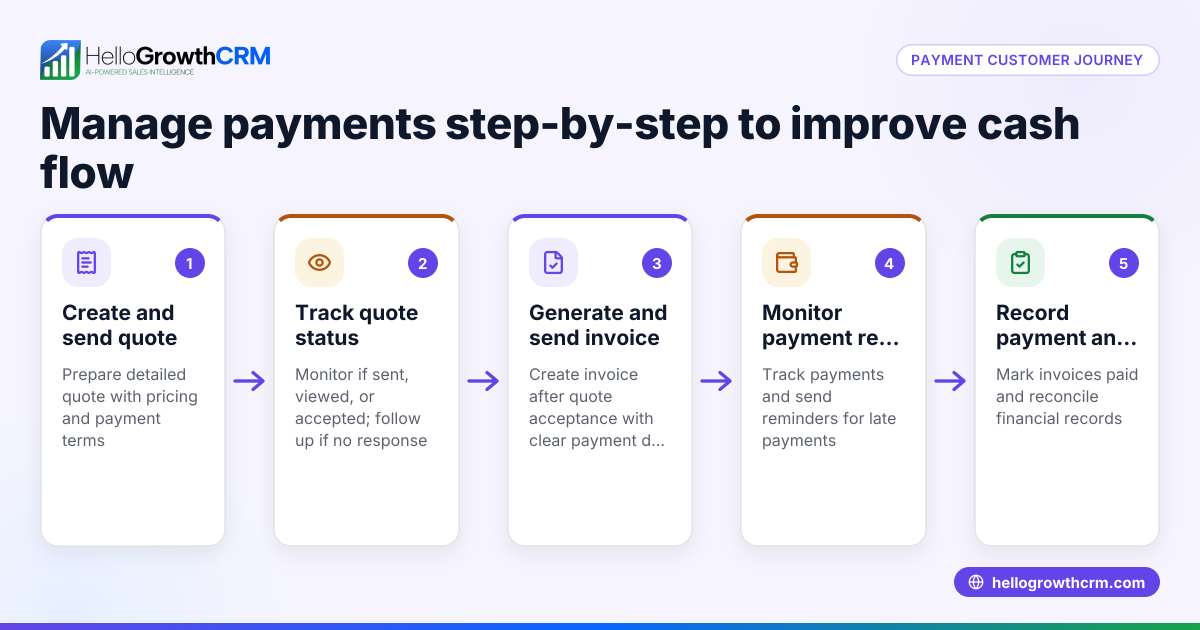
- Monitor payment status: Use the payment platform's dashboard or your CRM to track whether the payment is pending, completed, or overdue.
- Send reminders if necessary: If payment is late, send a polite reminder including the payment link.
- Record and reconcile the payment: Once the payment is received, update your records and reconcile the payment against invoices or sales.
Example (fictional figures)
A kitchen-fitting company in Leeds needs to collect a £3,500 deposit for a job starting on 15/07/2024.
- The company selects Stripe as their payment platform.
- They log in to the Stripe dashboard and navigate to 'Payment Links'.
- They enter the amount: £3,500.
- They add the description: "Deposit for kitchen fitting at 12 Rose Street, Leeds".
- They set the due date as 01/07/2024.
- They generate the payment link: https://pay.stripe.com/pay/cs_test_abc123 (fictional).
- They send the payment link via WhatsApp to the customer.
- The customer clicks the link and pays £3,500 by card.
- Stripe updates the payment status to 'Paid'.
- The company records the payment in their accounts.
Calculation for clarity:
£3,500 (deposit amount) = £3,500 (payment link amount)
Common mistakes
- Entering incorrect payment amounts: Always double-check the amount before generating the link to avoid undercharging or overcharging.
- Using unsecured or unfamiliar platforms: Choose well-known, reputable payment providers to protect your business and customers.
- Neglecting payment reminders: If a payment is overdue, send a polite reminder with the payment link to prompt payment.
- Failing to track payment status: Without monitoring, unpaid invoices can be missed. Use your payment platform dashboard or CRM to keep track.
- Mixing communication channels for payments: Keep payment links and follow-ups organised in one place to avoid confusion. Tools like HelloGrowthCRM help centralise this.
- Ignoring customer queries about payments: Be ready to assist customers who have issues with the payment process.
Doing this in HelloGrowthCRM
HelloGrowthCRM includes built-in quoting and proposal tools that let you create, send, and track quotes, proposals, and invoices from a deal record. The status of these documents—sent, viewed, or accepted—is visible alongside your follow-up tasks, helping you manage payment requests efficiently. Payments received can be reconciled within the deal record, keeping sales and payments organised in one place.
After the sale, any service requests or support tickets remain on the same customer record, providing a complete history of interactions. To learn more, see WhatsApp and SMS CRM and customer health score.
Frequently asked questions
Can I create a payment link without a business bank account? Most payment platforms require linking to a bank account to receive funds. While some allow payments to personal accounts, a dedicated business bank account is recommended to keep finances separate.
Are payment links secure for customers? Yes, reputable payment providers use encryption and secure processing to protect customer data. Always use trusted platforms to ensure security.
Can I send payment links via WhatsApp? Yes, payment links can be shared through WhatsApp messages. Although HelloGrowthCRM supports WhatsApp communication for sales and follow-up, payment link generation is done through your chosen payment platform.
What if a customer does not pay after receiving the link? Send a polite reminder including the payment link. If payment remains unpaid, follow your credit control procedures.
Does HelloGrowthCRM generate payment links? HelloGrowthCRM supports creating and sending quotes, proposals, and invoices with payment tracking, but payment link generation is handled by external payment platforms.
How do I reconcile payments with invoices? Use your payment platform or HelloGrowthCRM’s invoice and payment reconciliation features to match payments against invoices and keep your records accurate.
Key takeaways
- Choose a UK-friendly payment platform that supports payment links.
- Enter accurate payment details and review them before generating the link.
- Share the payment link clearly via email, WhatsApp, or SMS.
- Track payment status and send reminders if payment is overdue.
- Avoid common mistakes like incorrect amounts or poor tracking.
- Use HelloGrowthCRM to manage quotes, invoices, and payment follow-up in one place.
Start creating payment links today to speed up customer payments and improve cash flow. To organise your sales and payment processes efficiently, start on the Free Forever plan (200 leads, no credit card).
Ready to put this into practice?
Set up your pipeline, WhatsApp follow-ups, and AI lead scoring in minutes — free, no credit card.
Try HelloGrowthCRM freeGet CRM tips in your inbox
Join thousands of sales professionals who get weekly insights on CRM strategy, AI automation, and pipeline optimization.

The HelloGrowthCRM team publishes guides on CRM strategy, AI sales tools, and revenue operations for small business sales teams.