HelloGrowthCRM software
Built for real small-business sales teams
HelloGrowthCRM helps reps qualify faster, follow up on time, and close more deals—with practical automation in one place.
- AI lead scoring and pipeline visibility
- Built-in dialer, WhatsApp, and email automation
- Sales forecasting and RevOps-ready reporting
To create a lead capture form in Singapore, you need to decide what customer information to collect, design the form clearly, and connect it to your sales workflow so leads don’t get lost. This article guides you through these steps with concrete instructions, a realistic example, common pitfalls to avoid, and a look at how HelloGrowthCRM supports lead capture and qualification.
Why this comes up / what goes wrong
Small business owners in Singapore often lose leads because enquiries come through WhatsApp, email, or web forms but are tracked in notebooks or spreadsheets. This slows follow-up and causes missed sales. Creating a simple, effective lead capture form helps centralise enquiries and ensures your sales team knows who to contact next. However, many struggle with what fields to include, how to design the form for easy use, and how to connect captured leads to a follow-up system.
Step-by-step
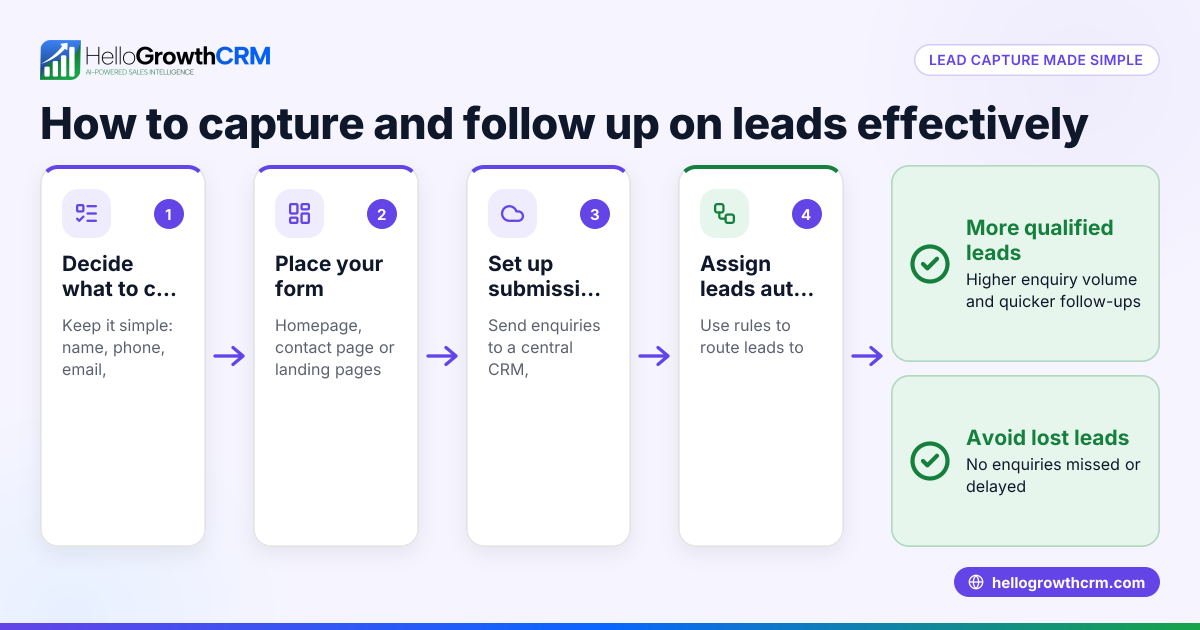
- Decide what information to capture
- Include essential fields: full name, phone number, email address, and enquiry details.
- Optional fields: company name, preferred contact time, or product interest.
- Check that fields are not too many to avoid discouraging submissions.
- Choose a form tool or platform
- Use website builders, Google Forms, or CRM tools that support forms.
- Ensure the tool can integrate with your sales process or export data easily.
- Design the form layout
- Place fields in logical order: contact info first, then enquiry details.
- Use clear labels and placeholders.
- Make required fields obvious.
- Add data validation
- Validate phone numbers (e.g., Singapore numbers start with 8 or 9 and have 8 digits).
- Check email format.
- Set up lead capture and notification
- Connect the form to your CRM or email so enquiries are recorded immediately.
- Assign an owner or sales rep to each lead.
- Test the form
- Submit test entries to check data capture and notifications.
- Confirm the form works on mobile and desktop.
- Publish and promote the form
- Embed on your website or share via WhatsApp and social media.
- Use clear call-to-action buttons.
- Monitor and improve
- Track submission rates.
- Adjust fields or layout if users drop off.
Example (fictional figures)
An F&B supplier in Woodlands creates a lead capture form to get enquiries from restaurants for delivery services.
- Fields: Name, Phone, Email, Company, Order Details.
- The form is tested and embedded on their website on 15/05/2024.
They receive 50 enquiries in May, with 40 providing valid phone numbers.
Calculation of follow-up workload:
40 leads × 15 minutes per call = 600 minutes = 10 hours
They assign 2 telecallers:
10 hours ÷ 2 = 5 hours each per month
This helps the team plan their follow-up schedule efficiently.
Common mistakes
- Too many fields
- Prevent by limiting to essential info to increase submissions.
- No data validation
- Prevent by adding phone and email format checks to reduce errors.
- Leads not assigned promptly
- Prevent by integrating with a CRM that assigns owners automatically.
- Form not mobile-friendly
- Prevent by testing on phones and simplifying design.
- No follow-up reminders
- Prevent by setting tasks or notifications for sales reps.
- Ignoring lead scoring
- Prevent by prioritising leads likely to convert first.
Doing this in HelloGrowthCRM
HelloGrowthCRM captures every enquiry from forms, calls, or WhatsApp as a lead with an assigned owner and a next step, preventing leads from getting lost in notebooks. Its AI lead scoring helps telecallers focus on leads most likely to convert first. Automated workflows and lead routing can assign enquiries round-robin and create follow-up tasks automatically. Learn more about AI lead scoring and the WhatsApp and SMS CRM features. HelloGrowthCRM is tailored for Singapore businesses to manage leads efficiently.
Frequently asked questions
What fields are essential in a lead capture form? Essential fields include full name, phone number, email, and enquiry details. Optional fields like company name or preferred contact time can be added but keep the form concise to encourage submissions.
How can I validate Singapore phone numbers on my form? You can add data validation rules requiring the phone number to start with 8 or 9 and be exactly 8 digits long. Many form builders offer custom validation options.
Can I integrate my lead capture form with HelloGrowthCRM? Yes, HelloGrowthCRM captures leads from web forms, calls, and WhatsApp automatically, assigning owners and next steps to streamline follow-up.
How do I prioritise leads from my capture form? Using AI lead scoring in HelloGrowthCRM, telecallers can focus on leads with higher conversion likelihood first, improving sales efficiency.
Should I use a form on WhatsApp or just a website? Both are useful. Website forms capture visitors directly, while WhatsApp forms or messages can engage customers already in conversation. HelloGrowthCRM supports leads from both channels.
Key takeaways
- Keep lead capture forms simple with essential fields.
- Validate contact information to reduce errors.
- Connect forms to a CRM for automatic lead assignment and follow-up.
- Test forms on multiple devices before publishing.
- Use AI lead scoring to prioritise follow-up calls.
- Avoid common mistakes like too many fields or no reminders.
Creating and managing lead capture forms well helps Singapore small businesses convert enquiries into customers faster. For an easy start, try HelloGrowthCRM’s free plan to capture and score leads automatically.
Start on the Free Forever plan (200 leads, no credit card).
Ready to put this into practice?
Set up your pipeline, WhatsApp follow-ups, and AI lead scoring in minutes — free, no credit card.
Try HelloGrowthCRM freeGet CRM tips in your inbox
Join thousands of sales professionals who get weekly insights on CRM strategy, AI automation, and pipeline optimization.

The HelloGrowthCRM team publishes guides on CRM strategy, AI sales tools, and revenue operations for small business sales teams.