HelloGrowthCRM software
Built for real small-business sales teams
HelloGrowthCRM helps reps qualify faster, follow up on time, and close more deals—with practical automation in one place.
- AI lead scoring and pipeline visibility
- Built-in dialer, WhatsApp, and email automation
- Sales forecasting and RevOps-ready reporting
To manage multiple contacts at one company in New Zealand, you need a system that clearly links each person to the company and tracks their role and communication details. This helps avoid confusion, missed follow-ups, and lost sales opportunities.
Why this comes up / what goes wrong
Small and mid-sized businesses often deal with several contacts within one client company—such as the purchasing manager, finance officer, and technical lead. Without a clear system, sales teams may lose track of who to contact for what, duplicate efforts, or miss deadlines. Managing contacts on spreadsheets or scattered emails can cause confusion and slow follow-up, which risks losing leads.
Step-by-step
- Create a master company record: Start by setting up a single record for the company, including its full legal name, address, and main phone number. This is your anchor.
- Add multiple contact entries under the company: For each person you deal with, create a separate contact linked to that company. Include:
- Full name
- Job title or role
- Direct phone number and email
- Preferred communication method
- Notes on relationship or responsibilities
- Designate a primary contact: Identify one main contact for overall communication, but keep others linked for specific issues.
- Use consistent naming conventions: For example, always list contacts as "[First Name] [Last Name] - [Role]" to avoid confusion.
- Record communication history per contact: Keep notes and follow-up tasks tied to the specific contact, not just the company.
- Regularly update contact details: Check in periodically to confirm phone numbers, roles, or emails haven’t changed.
- Set reminders for follow-ups by contact: Use task boards or calendar alerts linked to each contact’s record.
- Use filters or tags to segment contacts: For example, tag contacts by department or decision-making authority to prioritise communications.
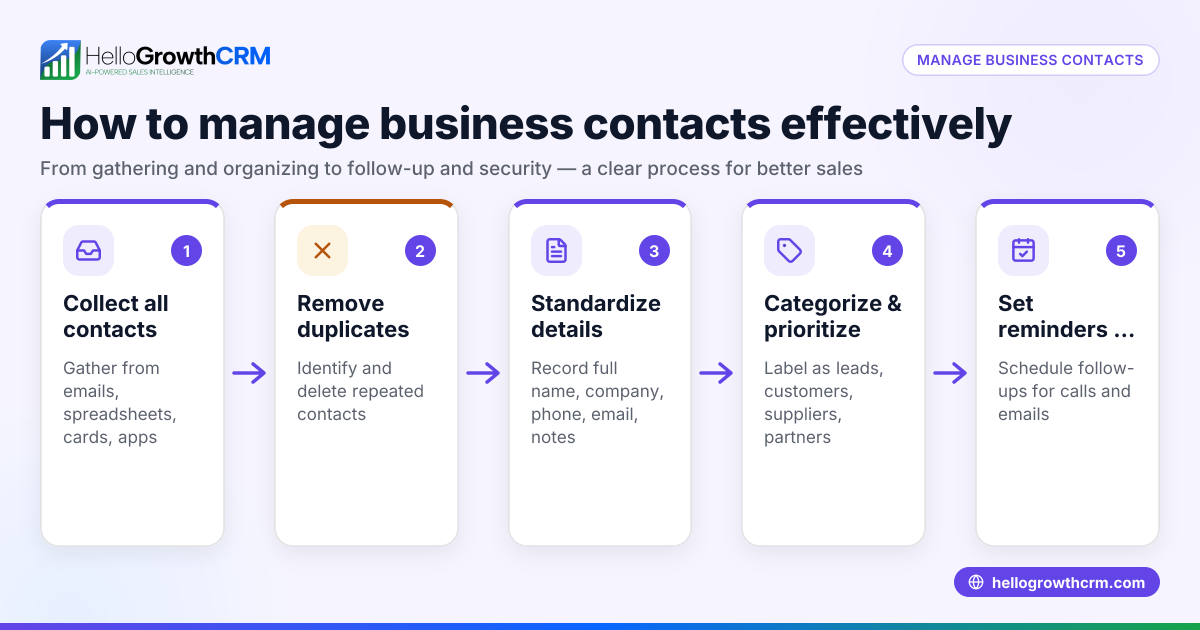
- Review your contacts regularly: Remove duplicates or outdated contacts to keep data clean.
- Train your team on this system: Ensure everyone entering or using contact data follows the same process to maintain consistency.
This approach reduces errors and speeds up your sales process by keeping contact information organised and accessible.
Example (fictional figures)
An electrical contractor in Wellington, “Wellington Electrics Ltd,” has three contacts:
- Sarah Lee, Purchasing Manager, phone 021 555 1234, email sarah.lee@welectrics.co.nz
- Tom Brown, Finance Officer, phone 027 888 4321, email tom.brown@welectrics.co.nz
- Emily White, Technical Lead, phone 022 444 9876, email emily.white@welectrics.co.nz
Step 1: Create company record:
- Company name: Wellington Electrics Ltd
- Address: 15 Main St, Wellington
- Main phone: 04 555 0000
Step 2: Add contacts linked to company:
- Sarah Lee - Purchasing Manager
- Tom Brown - Finance Officer
- Emily White - Technical Lead
Step 3: Designate Sarah Lee as primary contact.
Step 4: Use consistent naming:
- Sarah Lee - Purchasing Manager
- Tom Brown - Finance Officer
- Emily White - Technical Lead
Step 5: Record communication:
- 10/05/2024: Called Sarah about new quote.
- 12/05/2024: Email to Tom regarding invoice payment.
Step 6: Update contacts quarterly.
Step 7: Track sales opportunity values linked to contacts:
- Quote sent to Sarah Lee: NZ$48,000
- Expected additional work from Emily White: NZ$8,640
- Total projected sales = NZ$48,000 + NZ$8,640 = NZ$56,640
This system helps the sales team know who to contact about quotes, payments, or technical questions, avoiding confusion and delays.
Common mistakes
- Mixing contacts in one field: Avoid listing multiple names in a single contact field; create separate entries to track communication clearly.
- Not linking contacts to the company: Without linking, you lose the context of the relationship and risk duplicated efforts.
- Failing to update roles or contact details: Outdated information wastes time and frustrates clients.
- Ignoring communication preferences: Contacting someone by the wrong method can slow responses.
- No primary contact identified: Without a main contact, your team may not know who to approach first.
- Using inconsistent naming: This causes confusion when searching or reporting on contacts.
Prevent these by following the step-by-step system and training your team. Tools like HelloGrowthCRM for New Zealand can support managing contacts and communications effectively.
Frequently asked questions
Can I manage multiple contacts for one company using Excel? Yes, but it can become complex and error-prone as you add more contacts. You need separate rows for each contact linked by a company ID and consistent naming. Using a CRM designed for multiple contacts per company is easier and more reliable. See WhatsApp and SMS CRM for options.
How do I decide who the primary contact is? The primary contact is usually the person responsible for most communication or decision-making, such as a purchasing manager. If unsure, ask your client directly or choose the person who responds most promptly.
What if contacts change roles or leave the company? Update their records promptly and add new contacts as needed. Mark old contacts as inactive but keep their history for reference.
Is it necessary to record communication history per contact? Yes, this ensures you know which contact you spoke to about what, which helps avoid confusion and speeds up follow-up.
How do I train my team to manage multiple contacts effectively? Provide clear instructions and templates for entering contacts, emphasise the importance of updates, and monitor data quality regularly. Tools with built-in task boards and reminders, like a built-in CRM dialer, can help keep everyone aligned.
Key takeaways
- Create a single company record and link multiple contacts under it.
- Record detailed info for each contact: name, role, phone, email, and notes.
- Designate one primary contact for overall communication.
- Keep contact details and roles updated regularly.
- Record communication and follow-ups per contact to avoid confusion.
- Use consistent naming and train your team on the process.
Managing multiple contacts well improves sales follow-up and customer relationships. Start organising your contacts today to avoid missed opportunities.
Start managing your contacts efficiently with the Free Forever plan (200 leads, no credit card) at HelloGrowthCRM.
Ready to put this into practice?
Set up your pipeline, WhatsApp follow-ups, and AI lead scoring in minutes — free, no credit card.
Try HelloGrowthCRM freeGet CRM tips in your inbox
Join thousands of sales professionals who get weekly insights on CRM strategy, AI automation, and pipeline optimization.

The HelloGrowthCRM team publishes guides on CRM strategy, AI sales tools, and revenue operations for small business sales teams.