HelloGrowthCRM software
Built for real small-business sales teams
HelloGrowthCRM helps reps qualify faster, follow up on time, and close more deals—with practical automation in one place.
- AI lead scoring and pipeline visibility
- Built-in dialer, WhatsApp, and email automation
- Sales forecasting and RevOps-ready reporting
Reconciling your invoice and payment records means verifying that every invoice you sent matches the payments you received. This ensures your accounting is accurate, prevents lost revenue, and helps detect errors or fraud. In Canada, businesses often face challenges due to multiple payment methods and timing differences. This guide explains why reconciliation is important for small businesses, provides clear step-by-step instructions, a practical example with Canadian currency, common pitfalls, and how HelloGrowthCRM supports this process.
Why this comes up / what goes wrong
Small business owners in Canada often lose track of payments against invoices because of manual record-keeping or using separate systems like email, spreadsheets, and text messages. Payments might arrive late, partially, or with unclear references. Without regular reconciliation, you risk misstating your income, missing unpaid invoices, or double-counting payments. This can affect cash flow management and tax reporting accuracy. Reconciling invoices and payments helps you maintain clean records and a clear picture of your business finances.
Step-by-step
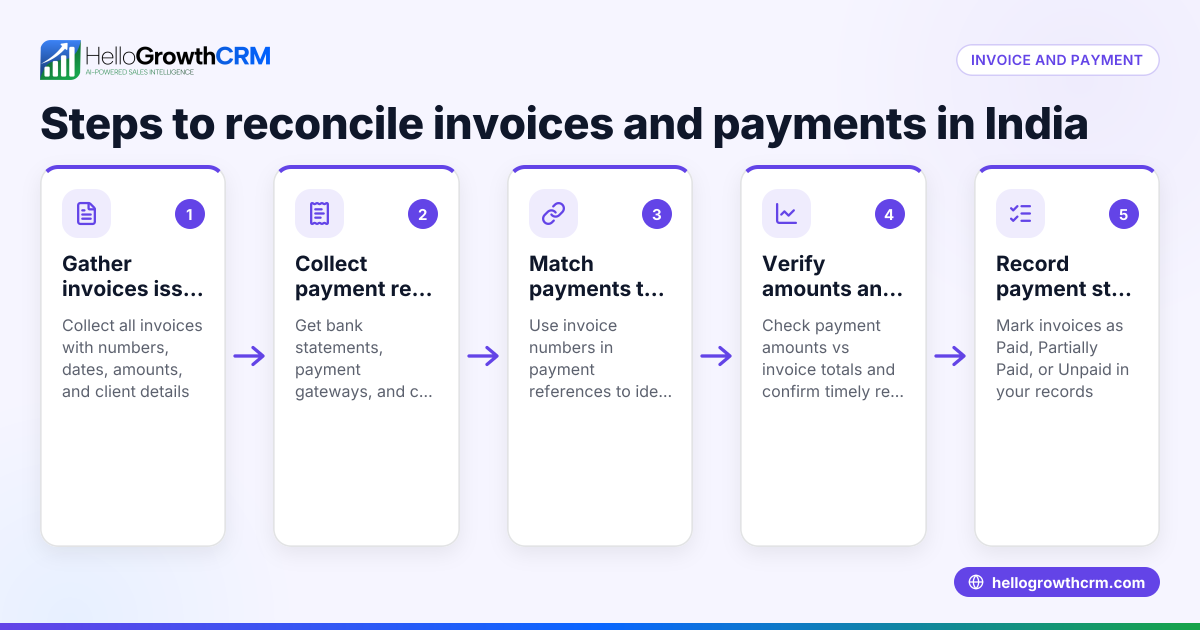
- Gather your invoice records: Collect all invoices issued for the period you want to reconcile. Include invoice number, client name, date, and amount.
- Collect payment records: Obtain all payment confirmations from your bank statements, payment gateways, or manual receipts, noting payment date, amount, and payer.
- Create a reconciliation sheet: Use a spreadsheet or accounting software to list invoices and payments side by side.
- Match payments to invoices: For each invoice, find corresponding payment(s) by invoice number or client reference. Check that payment amounts equal the invoice amount.
- Identify discrepancies: Look for partial payments, payments without invoices, or invoices without payments.
- Investigate differences: Contact clients for missing payments or clarify partial payments. Check for data entry errors.
- Adjust records: Mark invoices as paid when matched, record partial payments, and note outstanding invoices.
- Update your accounting system: Reflect reconciled payments and invoices accurately to maintain up-to-date financial records.
- Schedule regular reconciliation: Perform this process monthly or quarterly to avoid backlog and errors.
- Keep documentation: Retain invoices, payment proofs, and reconciliation sheets for audit and tax purposes.
Using task boards and follow-up reminders can help manage this process efficiently activities and task boards.
Example (fictional figures)
A home-renovation contractor in Calgary, Alberta, named Maple Home Improvements, wants to reconcile invoices and payments for March 2024.
Invoices issued:
- Invoice #1001 to Client A: C$4,200 on 2024-03-05
- Invoice #1002 to Client B: C$6,500 on 2024-03-10
- Invoice #1003 to Client C: C$3,750 on 2024-03-15
Payments received:
- Payment from Client A: C$4,200 on 2024-03-20
- Payment from Client B: C$3,250 on 2024-03-25 (partial)
- Payment from Client B: C$3,250 on 2024-03-30 (remaining)
Reconciliation:
Invoice #1001 (C$4,200) = Payment C$4,200 → Fully paid
Invoice #1002 (C$6,500) = Payment C$3,250 + C$3,250 = C$6,500 → Fully paid in two parts
Invoice #1003 (C$3,750) = No payment received → Outstanding
Maple Home Improvements notes Invoice #1003 as unpaid and will follow up with Client C.
Common mistakes
- Ignoring partial payments: Record partial payments properly to avoid false overdue balances. Use clear notes to track remaining amounts.
- Mismatched invoice references: Always check invoice numbers and client names carefully to match payments correctly. Confirm with clients if unclear.
- Delaying reconciliation: Waiting too long leads to confusion and errors. Schedule monthly reconciliations.
- Not keeping backup documentation: Keep all invoices, payment receipts, and reconciliation sheets organized for verification.
- Using multiple disconnected tools: Managing invoices in email, payments in bank statements, and follow-ups in separate apps causes errors. Consider integrated tools like HelloGrowthCRM HelloGrowthCRM for Canada.
Doing this in HelloGrowthCRM
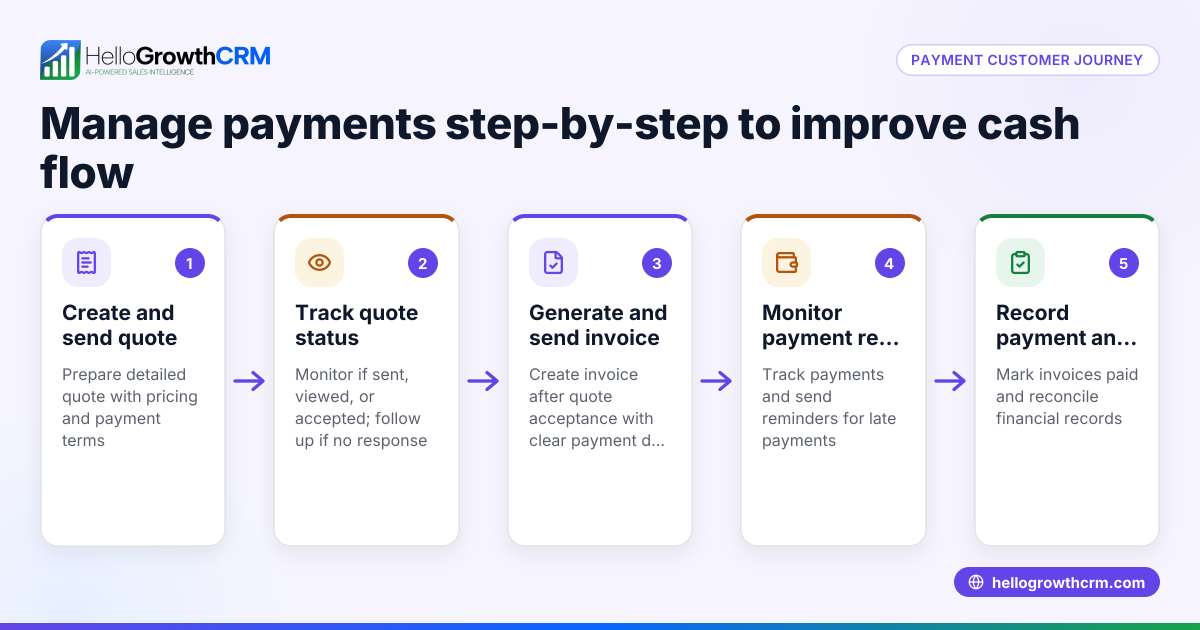
HelloGrowthCRM lets you create and send quotes, proposals, and invoices directly from a deal record. You can track invoice status (sent, viewed, accepted) alongside follow-up tasks. Payments received are linked to invoices and deals, helping you reconcile records within the same system. Activities and task boards keep follow-ups organized with due dates, and WhatsApp and SMS conversations with clients are logged on lead records for easy reference. This integration reduces errors and saves time in managing your sales and payment processes. Learn more about its features including the built-in CRM dialer built-in CRM dialer and mobile messaging WhatsApp and SMS CRM.
Frequently asked questions
How often should I reconcile invoices and payments? Monthly reconciliation is recommended to keep records accurate and manageable, but some businesses prefer quarterly or after each billing cycle depending on volume.
What if a payment doesn't match any invoice? Investigate the payment details with the client or your bank. It could be an advance, a mistake, or related to a different invoice. Record it separately until clarified.
Can I reconcile partial payments? Yes. Record the amount received and note the remaining balance. Follow up on outstanding amounts to avoid revenue loss.
What is the best way to track follow-ups for unpaid invoices? Use task boards or CRM tools with reminders and due dates to manage follow-ups systematically, rather than relying on memory or scattered notes.
How does HelloGrowthCRM help with reconciliation? It ties invoices and payments directly to deals, tracks invoice status, and logs client communications, helping you keep all sales and payment information in one place for easier reconciliation.
Key takeaways
- Reconcile invoices and payments by matching amounts, dates, and client details.
- Use a structured sheet or software to track and identify discrepancies.
- Record partial payments and follow up on outstanding balances.
- Schedule regular reconciliation to avoid errors and backlog.
- Keep all documentation organized for audit and tax purposes.
- Integrated CRM tools like HelloGrowthCRM can simplify and speed up this process.
Start reconciling your invoices and payments today to maintain clear financial records and improve your cash flow management. To try managing your sales and payment follow-ups in one place, start on the Free Forever plan (200 leads, no credit card) at HelloGrowthCRM free CRM.
Ready to put this into practice?
Set up your pipeline, WhatsApp follow-ups, and AI lead scoring in minutes — free, no credit card.
Try HelloGrowthCRM freeGet CRM tips in your inbox
Join thousands of sales professionals who get weekly insights on CRM strategy, AI automation, and pipeline optimization.

The HelloGrowthCRM team publishes guides on CRM strategy, AI sales tools, and revenue operations for small business sales teams.