HelloGrowthCRM software
Built for real small-business sales teams
HelloGrowthCRM helps reps qualify faster, follow up on time, and close more deals—with practical automation in one place.
- AI lead scoring and pipeline visibility
- Built-in dialer, WhatsApp, and email automation
- Sales forecasting and RevOps-ready reporting
Reconciling invoice and payment records means matching each invoice you issued with the payments you have received. This ensures your records are accurate and that customers have paid what they owe.
Why this comes up / what goes wrong
Small business owners in Singapore often face challenges reconciling invoices and payments because sales happen through multiple channels such as WhatsApp, email, and spreadsheets. This can lead to:
- Payments recorded but not matched to invoices.
- Partial or overpayments not tracked properly.
- Delays in identifying outstanding payments.
- Errors from manual data entry.
Without a clear process, you risk losing track of customer payments, affecting cash flow and financial accuracy.
Step-by-step
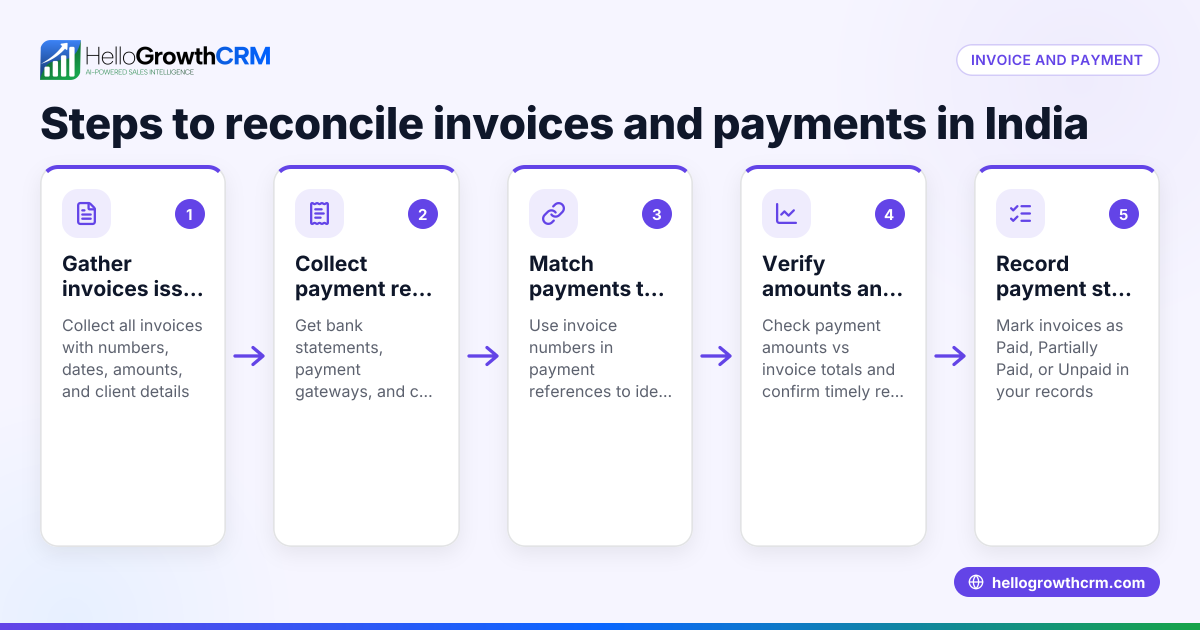
- Gather your invoice records
- Collect all issued invoices for the period you want to reconcile.
- Confirm each invoice has a unique number, issue date, customer name, and amount.
- Collect payment records
- Obtain payment receipts, bank statements, or payment confirmations.
- Record payment date, amount, and customer details.
- Match payments to invoices
- For each invoice, find payments from the same customer.
- Check if the payment amount equals the invoice amount.
- Identify partial payments or overpayments
- If payment is less than invoice, note the outstanding balance.
- If payment is more, check if it covers multiple invoices or requires crediting.
- Adjust for discounts, credit notes, or refunds
- Include any discounts or credit notes that reduce invoice amounts.
- Update your records accordingly.
- Record unmatched payments or invoices
- Flag payments without invoices or invoices without payments for follow-up.
- Update your accounting or CRM system
- Mark invoices as paid, partially paid, or outstanding.
- Note payment dates and references.
- Review your reconciliation report
- Confirm total invoices equal total payments plus outstanding balances.
- Follow up on discrepancies promptly
- Contact customers for missing payments or clarify mismatches.
Example (fictional figures)
A Woodlands-based F&B supplier issued these invoices in March 2024:
| Invoice No | Date | Customer | Amount (S$) |
|---|---|---|---|
| INV-1001 | 05/03/2024 | ABC Cafe | 5,000 |
| INV-1002 | 10/03/2024 | XYZ Bakery | 3,500 |
| INV-1003 | 15/03/2024 | DEF Deli | 4,200 |
Payments received:
| Payment Ref | Date | Customer | Amount (S$) |
|---|---|---|---|
| PAY-2001 | 07/03/2024 | ABC Cafe | 5,000 |
| PAY-2002 | 12/03/2024 | XYZ Bakery | 2,000 |
| PAY-2003 | 20/03/2024 | XYZ Bakery | 1,500 |
| PAY-2004 | 18/03/2024 | DEF Deli | 4,200 |
Reconciliation:
- INV-1001 matched with PAY-2001: 5,000 = 5,000 (full payment)
- INV-1002 matched with PAY-2002 + PAY-2003: 2,000 + 1,500 = 3,500 (full payment in two parts)
- INV-1003 matched with PAY-2004: 4,200 = 4,200 (full payment)
All invoices fully paid with no outstanding balance.
Common mistakes
- Not matching payments to the correct invoice number
- Prevent by always recording invoice numbers on payment receipts.
- Ignoring partial payments or splitting them incorrectly
- Prevent by tracking partial payments carefully and updating balances.
- Overlooking credit notes or discounts
- Prevent by including all adjustments in your reconciliation.
- Delaying reconciliation leading to confusion
- Prevent by scheduling regular reconciliation, such as weekly or monthly.
- Using multiple unintegrated tools (WhatsApp, email, spreadsheets)
- Prevent by centralising sales and payment data in one system.
- Failing to follow up on discrepancies
- Prevent by flagging unmatched records and contacting customers promptly.
See how HelloGrowthCRM helps organise follow-ups with activities and task boards and centralise communication with WhatsApp and SMS CRM.
Doing this in HelloGrowthCRM
HelloGrowthCRM supports your sales and follow-up process with these features:
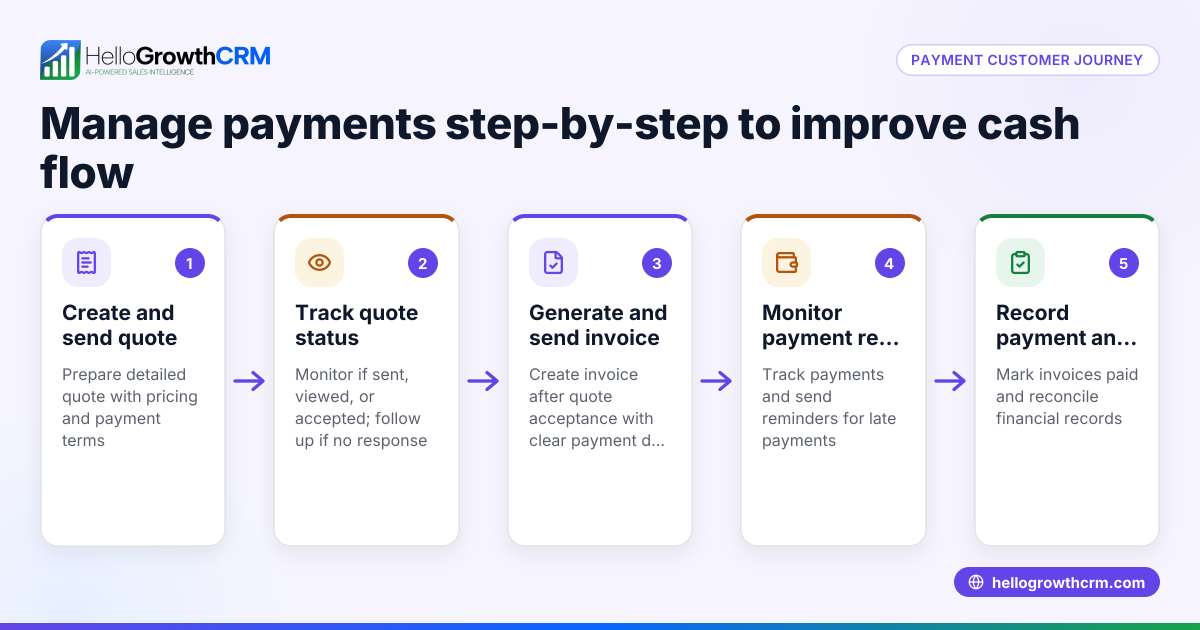
- Quotes, proposals, invoices and payments received: Send and track quotations and invoices directly from the deal record. See the status (sent, viewed, accepted) alongside follow-up tasks.
- Activities and task boards: Turn follow-ups into tasks with due dates so your team never misses calls or reminders. The day’s calls are organised as a list, not a memory test. Learn more about activities and task boards.
- WhatsApp and SMS: Keep WhatsApp conversations logged on the lead record and send follow-ups as messages, keeping communication and payment discussions in one place. See details on WhatsApp and SMS CRM.
These features help reduce manual errors and keep your sales and payment data organised.
Frequently asked questions
How often should I reconcile invoices and payments? It’s best to reconcile regularly, such as weekly or monthly, to catch discrepancies early and keep accurate records.
What if a customer pays late or partially? Record the partial payment and update the outstanding balance. Follow up promptly to collect the remainder or agree on new terms.
Can I reconcile if I use WhatsApp and email for sales? Yes. Using a CRM like HelloGrowthCRM centralises communication and sales documents, logging WhatsApp chats and linking invoices to deals, which makes reconciliation easier.
What if I find a payment without a matching invoice? Investigate the payment source and contact the customer to clarify. It may be an advance payment or a misapplied amount.
How do I handle credit notes or discounts in reconciliation? Include these adjustments by reducing the invoice amount accordingly before matching payments.
Can HelloGrowthCRM help with payment follow-ups? Yes. Its task boards and messaging features organise follow-ups and log conversations, ensuring you don’t miss payment reminders. See more on the built-in CRM dialer.
Key takeaways
- Collect and organise all invoice and payment records before starting.
- Match payments to invoices by customer, date, and amount.
- Track partial payments, overpayments, discounts, and credit notes.
- Reconcile regularly to avoid confusion and cash flow issues.
- Use task boards and messaging tools to manage follow-ups.
- Centralising communication and sales documents in a CRM reduces errors.
Start reconciling your invoices and payments today with a clear process. To simplify this further, try HelloGrowthCRM, which helps organise sales, tasks, and communication in one place.
Start on the Free Forever plan (200 leads, no credit card) to organise your sales and payment follow-ups efficiently.
Ready to put this into practice?
Set up your pipeline, WhatsApp follow-ups, and AI lead scoring in minutes — free, no credit card.
Try HelloGrowthCRM freeGet CRM tips in your inbox
Join thousands of sales professionals who get weekly insights on CRM strategy, AI automation, and pipeline optimization.

The HelloGrowthCRM team publishes guides on CRM strategy, AI sales tools, and revenue operations for small business sales teams.