HelloGrowthCRM software
Built for real small-business sales teams
HelloGrowthCRM helps reps qualify faster, follow up on time, and close more deals—with practical automation in one place.
- AI lead scoring and pipeline visibility
- Built-in dialer, WhatsApp, and email automation
- Sales forecasting and RevOps-ready reporting
Reconciliation of invoice and payment records is a crucial task for UK small businesses to ensure accurate financial tracking and proper cash flow management.
Why this comes up / what goes wrong
Many small business owners keep invoices and payment records across different platforms such as spreadsheets, emails, and WhatsApp messages. Payments may arrive late, be partial, or lack clear references. Without regular reconciliation, you risk misstating your income, missing unpaid invoices, or chasing payments unnecessarily. Reconciling helps confirm that what you have invoiced matches the payments received, and highlights any issues needing attention.
Step-by-step
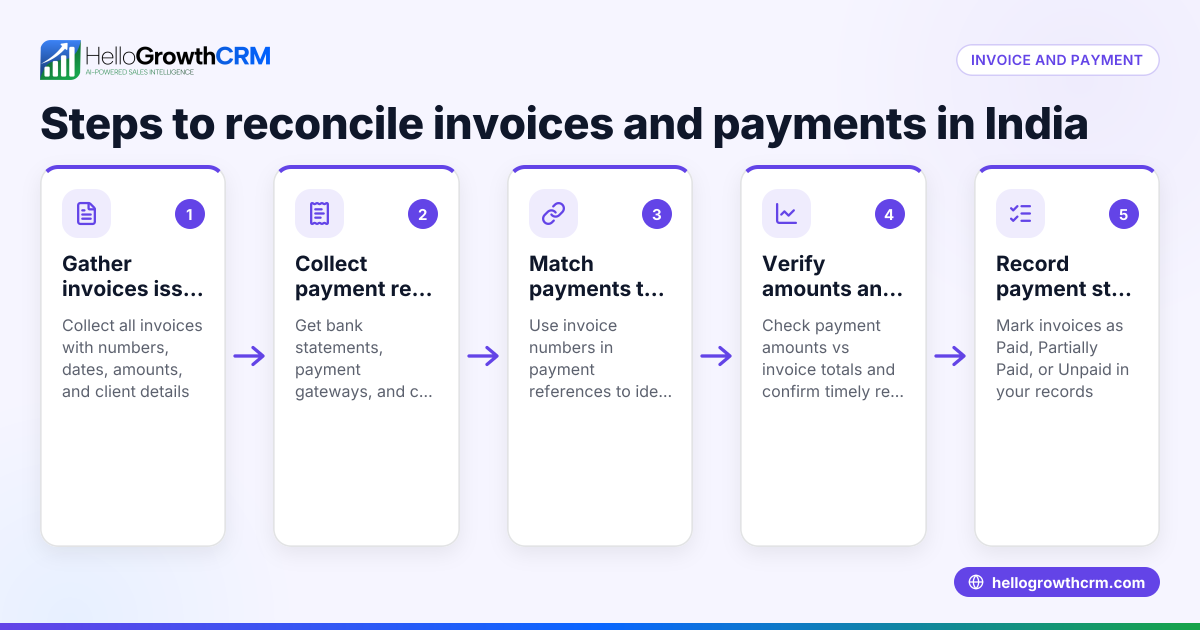
- Collect your records: Gather all invoices issued and payment records for the period you want to reconcile. This includes invoices, bank statements, payment notifications, and receipts.
- Match invoices to payments: For each invoice, find the corresponding payment(s). Check the payment amount against the invoice total.
- Verify payment dates: Confirm that payment dates fall after the invoice date and within your reconciliation period.
- Check payment references: Ensure payment references or transaction IDs correspond to the invoice number or customer details.
- Identify discrepancies: Note invoices without payments, payments without invoices, or partial payments.
- Investigate discrepancies: Contact customers or check bank records for missing or partial payments.
- Update your records: Mark invoices as paid, partially paid, or outstanding in your accounting system or records.
- Document the reconciliation: Maintain a summary sheet or report showing matched invoices and payments, discrepancies, and follow-up actions.
- Schedule regular reconciliation: Perform this task monthly or after each billing cycle to keep records accurate.
Using tools like activities and task boards can help you manage follow-up tasks and reminders effectively.
Example (fictional figures)
A Manchester letting agency reconciles its invoices and payments for April 2024.
Invoices issued:
- Invoice 101 dated 05/04/2024 for £1,200
- Invoice 102 dated 10/04/2024 for £850
- Invoice 103 dated 15/04/2024 for £1,450
Payments received:
- Payment A on 12/04/2024 for £1,200 referencing Invoice 101
- Payment B on 20/04/2024 for £850 referencing Invoice 102
- Payment C on 25/04/2024 for £1,000 referencing Invoice 103
Reconciliation:
- Invoice 101 matched with Payment A: £1,200 = £1,200 (paid in full)
- Invoice 102 matched with Payment B: £850 = £850 (paid in full)
- Invoice 103 matched with Payment C: £1,450 ≠ £1,000 (partial payment)
Action:
- Mark Invoice 103 as partially paid with £450 outstanding £1,450 - £1,000 = £450
- Follow up with the customer for the remaining £450
Common mistakes
- Ignoring payment references: Payments may be misapplied if you don’t verify references. Always check that payment references match invoice numbers.
- Reconciling outside the correct period: Mixing invoices and payments from different periods causes confusion. Stick to a defined date range.
- Overlooking partial payments: Treat partial payments separately and update your records to reflect them.
- Not documenting reconciliation: Without clear records, disputes or errors are harder to resolve. Keep detailed notes.
- Relying on memory for follow-ups: Use task boards or reminders to track follow-ups and calls, reducing missed payments. See activities and task boards.
- Scattering records across platforms: Using WhatsApp, email and spreadsheets separately complicates reconciliation. Consolidate communication where possible, for example with a WhatsApp and SMS CRM.
Doing this in HelloGrowthCRM
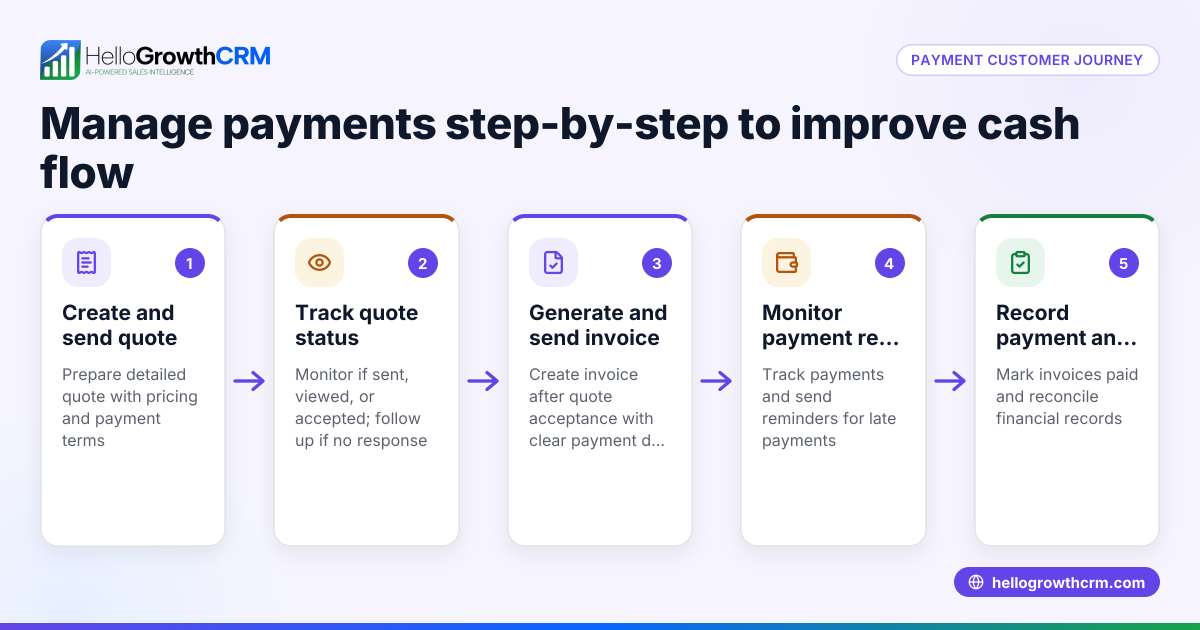
HelloGrowthCRM offers features that support sales teams in managing quotes, proposals, invoices, and payments efficiently. You can create and send quotations and invoices directly from a deal record, with the quotation status (sent, viewed, accepted) visible alongside follow-up tasks. Payments received link directly to invoices and deals, helping you track what has been paid.
Each follow-up becomes a task with a due date, turning your daily calls and reminders into manageable lists rather than relying on memory. WhatsApp conversations with leads and customers are logged on their records, and follow-ups can be sent as messages, consolidating communication in one place. Learn more about the built-in CRM dialer and how it can support your sales workflow.
Frequently asked questions
How often should I reconcile invoices and payments? Monthly reconciliation is typical for small businesses, but you may do it more often if you have many transactions or require up-to-date cash flow visibility.
What if a payment doesn’t match any invoice? Investigate immediately by checking customer details and payment references. It could be an advance payment, a deposit, or an error needing correction.
Can partial payments be recorded automatically? Manual review is best to ensure partial payments are recorded correctly. Some CRM systems assist with tracking these, but always verify accuracy.
Is it necessary to keep all invoices and payment proofs? Yes, retaining documentation supports audits and dispute resolution. Keep digital or paper copies organised and accessible.
How can I avoid losing track of follow-ups? Use task management tools like activities and task boards to schedule and track calls and reminders effectively.
Key takeaways
- Match each invoice with its payment by amount, date and reference.
- Identify and follow up on discrepancies such as missing or partial payments.
- Document your reconciliation process clearly to avoid confusion.
- Use task boards and CRM tools to manage follow-ups and communication.
- Consolidate records to avoid scattered data across multiple platforms.
Start reconciling your invoices and payments today with HelloGrowthCRM. You can start on the Free Forever plan (200 leads, no credit card) and organise your sales pipeline and communications in one place.
Ready to put this into practice?
Set up your pipeline, WhatsApp follow-ups, and AI lead scoring in minutes — free, no credit card.
Try HelloGrowthCRM freeGet CRM tips in your inbox
Join thousands of sales professionals who get weekly insights on CRM strategy, AI automation, and pipeline optimization.

The HelloGrowthCRM team publishes guides on CRM strategy, AI sales tools, and revenue operations for small business sales teams.