HelloGrowthCRM software
Built for real small-business sales teams
HelloGrowthCRM helps reps qualify faster, follow up on time, and close more deals—with practical automation in one place.
- AI lead scoring and pipeline visibility
- Built-in dialer, WhatsApp, and email automation
- Sales forecasting and RevOps-ready reporting
Reconciling invoice and payment records means comparing your issued invoices with the payments you have received and confirming that every transaction matches correctly. This process ensures your financial records are accurate and helps you track outstanding payments clearly.
Why this comes up / what goes wrong
Small-business owners in the USA often struggle with reconciling invoices and payments because these records come from different sources. Invoices might be created in invoicing software or spreadsheets, while payments come through bank deposits, checks, or payment platforms like PayPal or Stripe. When these records aren’t updated consistently or are kept separately, mismatches occur. For example, a payment might be recorded late, partial payments may be missed, or discounts and credits might not be applied correctly. This leads to confusion about who owes what, delayed collections, and inaccurate financial reporting.
Step-by-step
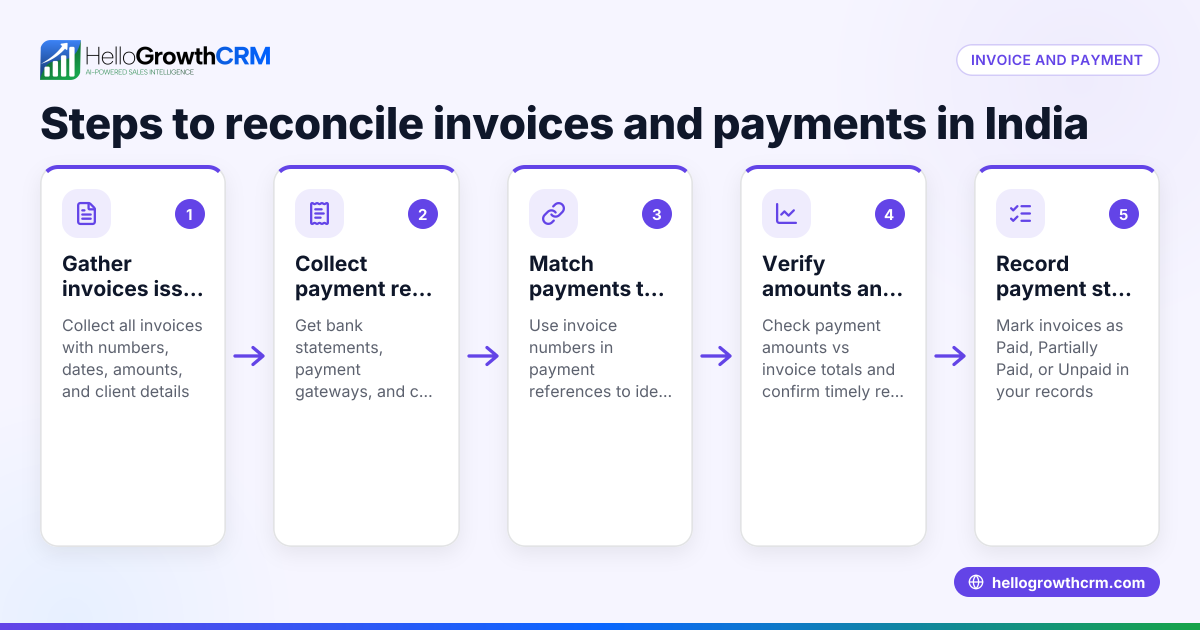
- Gather all invoice records: Collect every invoice issued for the period you are reconciling. Include invoice numbers, dates, customer names, and amounts.
- Collect payment records: Obtain payment information from bank statements, payment processors, or your accounting system. Note payment dates, amounts, and payment methods.
- Sort and organize: Arrange invoices and payments by customer and date to make matching easier.
- Match payments to invoices: For each invoice, find the corresponding payment(s). Confirm the payment amount matches the invoice amount. If a payment is partial, note the remaining balance.
- Verify payment dates: Make sure payment dates are after invoice dates and within any agreed payment terms.
- Adjust for discounts or credits: If a customer has a discount or credit, subtract that from the invoice amount before matching payments.
- Record discrepancies: Identify any payments without matching invoices or invoices without payments. Investigate these promptly to resolve issues.
- Update your records: Mark invoices as paid or partially paid and record payment details such as date and method.
- Reconcile with bank deposits: Ensure the total payments recorded match the deposits shown on your bank statement.
- Schedule follow-ups: Use a task management system to remind you of overdue payments or to follow up on partial payments.
- Document the reconciliation: Keep a report listing matched invoices and payments, adjustments made, and unresolved items.
Using task boards and integrated messaging can help keep follow-ups organized. For example, HelloGrowthCRM offers activities and task boards that turn follow-ups into tasks with due dates, so you never miss a call or message.
Example (fictional figures)
A B2B software reseller in Denver, Colorado, called TechSolutions, issues an invoice on 03/01/2024 for $5,000 to client Alpha Corp. On 03/15/2024, TechSolutions receives a payment of $3,000 from Alpha Corp.
Step 1: Invoice amount = $5,000 Step 2: Payment received = $3,000 Step 3: Calculate remaining balance: $5,000 - $3,000 = $2,000
Step 4: Record invoice status as partially paid.
Step 5: Confirm bank statement shows $3,000 deposit on 03/15/2024.
Step 6: Schedule follow-up task to collect remaining $2,000.
This example shows why tracking partial payments carefully is important to avoid overstating what customers owe.
Common mistakes
- Not matching payments to the correct invoice: Always record payment with the invoice number to avoid confusion.
- Ignoring partial payments: Update invoice status to partial and note outstanding balances.
- Delaying reconciliation: Perform reconciliations regularly, ideally monthly, to catch issues early.
- Failing to adjust for discounts or credits: Document all adjustments clearly on invoices.
- Relying on memory for follow-ups: Use task boards or CRM reminders like those in HelloGrowthCRM to keep track.
- Overlooking bank deposits: Always reconcile payments recorded with bank statement deposits to confirm accuracy.
Doing this in HelloGrowthCRM
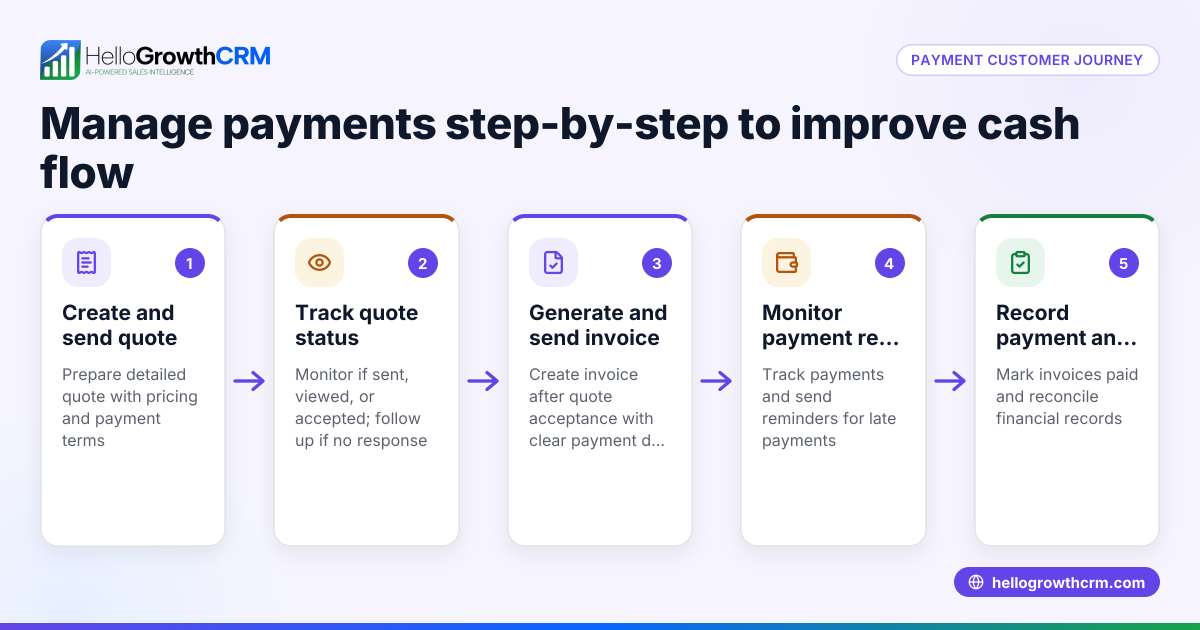
HelloGrowthCRM supports managing quotes, proposals, invoices, and payments by connecting commercial documents to deals. You can build, send, and track quotes and invoices from a deal record. The status of each quotation or invoice (sent, viewed, accepted) appears alongside follow-up tasks, helping you stay on top of collections. Payment details tie directly to invoices and deals, simplifying record-keeping. The integrated WhatsApp and SMS CRM logs conversations with leads and customers for easy reference and follow-up. Additionally, the built-in CRM dialer lets you call customers to clarify payments or send reminders, all managed within one platform.
Frequently asked questions
How often should I reconcile invoices and payments? Monthly reconciliation is recommended to keep your records accurate and to identify payment issues early.
What should I do if a payment doesn’t match any invoice? Investigate the payment source and contact the customer for clarification. It could be a prepayment or an error.
How do I handle partial payments? Record the partial payment against the invoice and update the remaining balance. Schedule follow-ups to collect the outstanding amount.
Can I automate invoice and payment reconciliation? Some software offers partial automation, but manual review is necessary to catch errors, discounts, or credits.
What if I find a payment recorded twice? Correct your records immediately and adjust your bank reconciliation to avoid overstating income.
How can I keep track of follow-ups for outstanding payments? Using task boards or CRM reminders, such as those in HelloGrowthCRM, helps manage follow-ups efficiently.
Key takeaways
- Collect and organize invoices and payments by customer and date.
- Match payments to invoices, noting partial payments and adjustments.
- Verify payment dates and reconcile with bank deposits.
- Use task boards or CRM reminders to manage follow-ups.
- Perform regular reconciliations to avoid errors and improve cash flow.
- HelloGrowthCRM integrates quotes, invoices, payments, task boards, and messaging to help manage this process.
Reconciliation keeps your business finances clear and helps maintain steady cash flow. Start simplifying your invoicing and payment tracking today by starting on the Free Forever plan (200 leads, no credit card).
Ready to put this into practice?
Set up your pipeline, WhatsApp follow-ups, and AI lead scoring in minutes — free, no credit card.
Try HelloGrowthCRM freeGet CRM tips in your inbox
Join thousands of sales professionals who get weekly insights on CRM strategy, AI automation, and pipeline optimization.

The HelloGrowthCRM team publishes guides on CRM strategy, AI sales tools, and revenue operations for small business sales teams.