HelloGrowthCRM software
Built for real small-business sales teams
HelloGrowthCRM helps reps qualify faster, follow up on time, and close more deals—with practical automation in one place.
- AI lead scoring and pipeline visibility
- Built-in dialer, WhatsApp, and email automation
- Sales forecasting and RevOps-ready reporting
Recording customer advance payments correctly ensures your accounting stays accurate and your cash flow clear. In the USA, advance payments should be recorded as liabilities until you deliver the goods or services and invoice the customer. This prevents premature revenue recognition and keeps your financial records clean.
Why this comes up / what goes wrong
Small businesses often receive advance payments to secure orders or cover initial costs. Without proper recording, these payments can be mistaken for earned revenue, inflating income and misrepresenting your financial position. Also, failing to apply advances against invoices can cause confusion about what customers owe or have paid.
For example, a dental practice might take deposits for future procedures, or a retailer might get prepayments for custom orders. Recording advances as liabilities until delivery keeps your accounts accurate and helps with customer trust.
Step-by-step
- Set Up a Customer Deposit Account: Create a liability account in your accounting system named "Customer Deposits" or "Advance Payments". This will track money received before the sale is complete.
- Record the Advance Payment: When you receive the advance payment (by cash, check, credit card, or electronic transfer), record it as a debit to your cash or bank account and a credit to the Customer Deposit liability account.
- Provide a Receipt or Acknowledgment: Give the customer proof of their advance payment, stating it is a deposit against future goods or services.
- Generate the Sales Invoice: When delivering the product or service, create an invoice for the total amount due.
- Apply the Advance Payment to the Invoice: Record a payment against the invoice equal to the advance payment amount by debiting the Customer Deposit liability account and crediting Accounts Receivable.
- Record the Remaining Balance: If the invoice amount exceeds the advance, record the difference as Accounts Receivable. If the advance exceeds the invoice, consider refunding the difference or leaving it as credit for the customer.
- Reconcile the Customer Deposit Account: Regularly review this liability account to ensure all advances are either applied to invoices or refunded.
- Keep Detailed Documentation: Maintain records of all advance payments, invoices, and applications for audit and customer service purposes.
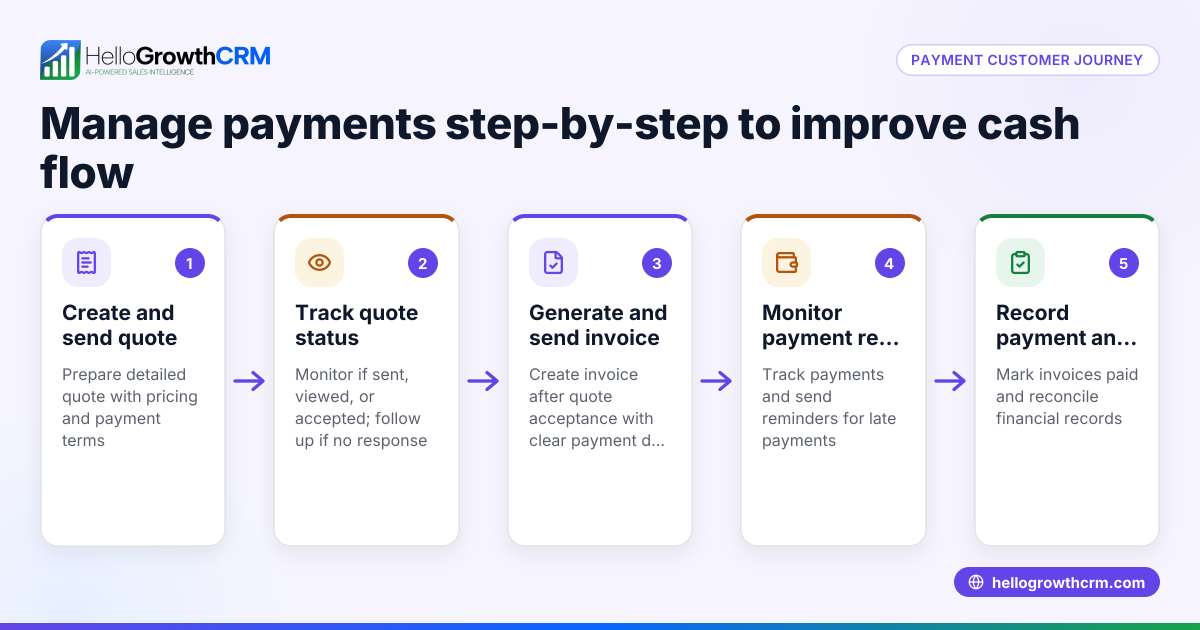
Use HelloGrowthCRM’s quoting and payment features to send proposals, track payment status, and manage follow-up tasks from the same deal screen. After the sale, service requests stay linked to the customer record, helping you maintain customer satisfaction and track payment follow-ups customer health score.
Example (fictional figures)
A two-location dental practice in Columbus, Ohio, receives a $2,000 advance payment on 03/15/2024 for a $7,500 procedure scheduled for 04/10/2024.
- Record the advance payment:
- Debit Cash/Bank $2,000
- Credit Customer Deposits (liability) $2,000
- On 04/10/2024, issue invoice for $7,500:
- Debit Accounts Receivable $7,500
- Credit Sales Revenue $7,500
- Apply advance payment to invoice:
- Debit Customer Deposits $2,000
- Credit Accounts Receivable $2,000
- Calculate remaining balance:
- $7,500 - $2,000 = $5,500
The patient pays the remaining $5,500 later, completing the transaction.
Common mistakes
- Recording advances as revenue immediately: Prevent by using a separate liability account for advances.
- Not applying the advance to the invoice: Prevent with a checklist to match advances to invoices promptly.
- Mixing deposits with regular sales receipts: Prevent by clearly labeling and segregating accounts.
- Failing to issue receipts for advances: Prevent by standardizing customer communication.
- Ignoring reconciliation of the Customer Deposit account: Prevent with monthly reviews.
- Not documenting terms of advance payments: Prevent by including advance payment terms in quotes or proposals.
Using HelloGrowthCRM’s quoting and task features helps avoid these mistakes by keeping quotes, invoices, and payment follow-ups linked on the same screen WhatsApp and SMS CRM.
Doing this in HelloGrowthCRM
HelloGrowthCRM offers a built-in quoting and proposal tool that lets you build, send, and track commercial documents from a deal record. The quotation status (sent, viewed, accepted) appears on the same screen as your follow-up tasks, helping you manage customer advance payments efficiently. After the sale, service requests remain linked on the same customer record, improving ongoing support and communication. Learn more about HelloGrowthCRM for the United States here.
Frequently asked questions
How do I handle advance payments if the customer cancels? If a customer cancels, decide whether to refund the advance or retain it according to your policy. Record any refund by debiting the Customer Deposit account and crediting your cash or bank account.
Should advance payments be included in sales tax calculations? Sales tax treatment of advance payments varies by state and transaction type. Consult a tax professional for your jurisdiction. NEEDS EXPERT REVIEW.
Can I record advance payments without invoicing? You can record advances as liabilities before invoicing, but you should issue an invoice when goods or services are delivered to recognize revenue properly.
How do advance payments affect cash flow reporting? Advance payments increase cash flow but are liabilities until earned. Tracking them separately ensures accurate cash flow and profit reporting.
Does HelloGrowthCRM help with advance payment reminders? Yes, HelloGrowthCRM’s task boards and follow-up task features help you remind customers about remaining balances and manage payment schedules.
Key takeaways
- Record customer advance payments as liabilities, not revenue.
- Apply advances against invoices when goods or services are delivered.
- Use a dedicated Customer Deposit account to track advances.
- Reconcile advance payments regularly to avoid errors.
- Provide clear receipts and document terms for customer advances.
- HelloGrowthCRM’s quoting, proposal, and task management features help track advance payments and follow-ups.
Start managing your customer advance payments today with HelloGrowthCRM. Start on the Free Forever plan (200 leads, no credit card).
Ready to put this into practice?
Set up your pipeline, WhatsApp follow-ups, and AI lead scoring in minutes — free, no credit card.
Try HelloGrowthCRM freeGet CRM tips in your inbox
Join thousands of sales professionals who get weekly insights on CRM strategy, AI automation, and pipeline optimization.

The HelloGrowthCRM team publishes guides on CRM strategy, AI sales tools, and revenue operations for small business sales teams.