HelloGrowthCRM software
Built for real small-business sales teams
HelloGrowthCRM helps reps qualify faster, follow up on time, and close more deals—with practical automation in one place.
- AI lead scoring and pipeline visibility
- Built-in dialer, WhatsApp, and email automation
- Sales forecasting and RevOps-ready reporting
Setting up recurring payment reminders helps your Singapore business get paid on time and maintain steady cash flow. You do this by defining when to send reminders, choosing the right communication channels, drafting clear messages with invoice details, and automating the process to reduce manual effort.
Why this comes up / what goes wrong
Many small businesses in Singapore struggle to keep track of payment due dates or send reminders late or inconsistently. They often use manual methods like WhatsApp chats, emails, or spreadsheets that don’t prompt timely follow-up. This results in late payments, cash flow problems, and extra time spent chasing customers. Setting up recurring reminders prevents these issues by prompting customers regularly and professionally.
Step-by-step
- Determine your billing cycle and payment terms: Identify how often payments recur (monthly, quarterly, yearly) and the exact due dates.
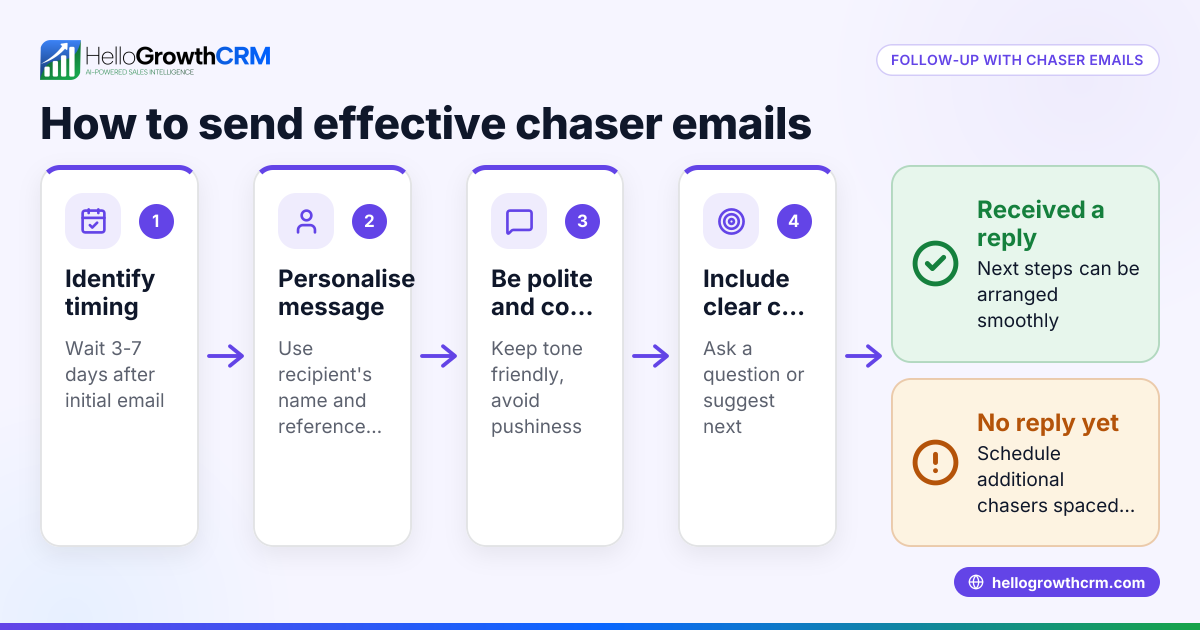
- Plan your reminder schedule: Common practice is to send the first reminder 7 days before the due date, a second on the due date, and a final one 5 days after if unpaid. Adjust timings based on your business needs.
- Choose communication channels: Decide whether to send reminders by email, SMS, WhatsApp, or a mix. Pick what your customers prefer and what suits your business style.
- Draft clear reminder messages: Each message should include the invoice number, amount due, due date, payment methods, and contact details for queries.
- Set up automation: Use a CRM or scheduling tool to automate sending reminders according to your schedule, reducing manual work and errors.
- Test your reminder flow: Send test reminders to yourself or colleagues to ensure messages are clear and sent at the right times.
- Monitor payments and responses: Track which reminders lead to payments and adjust your schedule or messages if needed.
- Keep records: Maintain logs of reminders sent and payments received for follow-up and accounting.
Using sales task boards can help you organise follow-up tasks and calls so you never miss a payment reminder.
Example (fictional figures)
An interior design studio in Tanjong Pagar bills clients monthly, with payments due on the 15th of each month. They want to send three reminders:
- First reminder: 7 days before due date (08/07/2024)
- Second reminder: On due date (15/07/2024)
- Final reminder: 5 days after due date (20/07/2024)
Invoice amount: S$12,500
Step 1: Invoice date: 01/07/2024, due date: 15/07/2024
Step 2: Schedule reminders:
- 08/07/2024: First reminder
- 15/07/2024: Second reminder
- 20/07/2024: Final reminder
Step 3: Draft message for first reminder: "Dear Client, your invoice #12345 for S$12,500 is due on 15/07/2024. Please arrange payment by the due date to avoid delays. Contact us at [phone/email] for assistance."
Step 4: Automate sending via email and WhatsApp.
Step 5: Track payment receipt and mark invoice as paid once payment arrives.
Worked example calculation: Invoice amount = S$12,500
No discounts or partial payments applied.
Payment reminders sent on:
- 08/07/2024 (7 days before due date)
- 15/07/2024 (due date)
- 20/07/2024 (5 days after due date)
This setup helps the studio reduce late payments by reminding clients in advance and following up promptly.
Common mistakes
- Sending reminders too late or only after due date: Prevent by scheduling reminders ahead of time.
- Using unclear or generic messages: Prevent by including invoice details, amounts, and contact info.
- Relying solely on manual follow-up: Prevent by automating reminders and using task boards to track follow-ups.
- Ignoring customer communication preferences: Prevent by asking customers how they prefer to receive reminders.
- Not tracking reminder effectiveness: Prevent by monitoring which reminders result in payments and adjusting accordingly.
- Failing to keep records of reminders and payments: Prevent by logging all communications and payments.
Learn more about managing follow-ups and tasks in the help center.
Doing this in HelloGrowthCRM
HelloGrowthCRM lets you create and send quotes, proposals, and invoices directly from deal records, with payment status visible alongside follow-up tasks. Each payment reminder can become a task with a due date on your sales task boards, so you never miss a follow-up. Automated sequences allow you to set up multi-step reminder campaigns over days or weeks that stop automatically once the customer replies. This keeps payment reminders consistent and timely without extra manual effort. See HelloGrowthCRM for Singapore for details.
Frequently asked questions
How often should I send payment reminders? Send reminders starting about a week before the due date, on the due date, and a few days after if unpaid. Adjust frequency based on your business and customer responses.
What is the best channel for payment reminders in Singapore? Email and WhatsApp are popular for professional and quick communication. SMS can be used for short alerts. Choose based on your customers’ preferences.
Can I automate payment reminders without a CRM? Yes, calendar alerts or email scheduling tools can automate reminders, but these are less efficient than CRM systems that track payments and automate sequences.
What information must a payment reminder include? Include invoice number, amount due, due date, payment methods, and contact info for questions.
How do I handle customers who ignore reminders? Follow up with a phone call or personalised message. Consider revising payment terms or requiring deposits for future work.
Can I customise reminder sequences in HelloGrowthCRM? Yes, sequences can be customised to send multiple reminders over days or weeks and will stop automatically when the customer replies.
Key takeaways
- Schedule reminders before, on, and after payment due dates.
- Use clear, detailed messages including invoice info and contact details.
- Automate reminders using CRM tools or scheduling software.
- Track reminders and payments to improve follow-up efficiency.
- Respect customer communication preferences for best results.
- Avoid common mistakes like late reminders and unclear messages.
Set up recurring payment reminders today to improve your cash flow and customer relationships. Start on the Free Forever plan (200 leads, no credit card) with HelloGrowthCRM to manage your payment reminders and sales follow-ups efficiently.
Ready to put this into practice?
Set up your pipeline, WhatsApp follow-ups, and AI lead scoring in minutes — free, no credit card.
Try HelloGrowthCRM freeGet CRM tips in your inbox
Join thousands of sales professionals who get weekly insights on CRM strategy, AI automation, and pipeline optimization.

The HelloGrowthCRM team publishes guides on CRM strategy, AI sales tools, and revenue operations for small business sales teams.