HelloGrowthCRM software
Built for real small-business sales teams
HelloGrowthCRM helps reps qualify faster, follow up on time, and close more deals—with practical automation in one place.
- AI lead scoring and pipeline visibility
- Built-in dialer, WhatsApp, and email automation
- Sales forecasting and RevOps-ready reporting
Tracking partial invoice payments accurately is crucial for UK small businesses to maintain cash flow and clear financial records. When a customer pays only part of an invoice, you must record the payment, update the remaining balance, and track the invoice status until fully settled. This guide covers why partial payments happen, detailed steps to track them, a worked example with realistic figures, common mistakes, and how HelloGrowthCRM helps manage this process.
Why this comes up / what goes wrong
Small businesses often encounter partial payments due to customer cash flow issues, disputes over goods or services, or phased deliveries and payments. Without a clear tracking method, it’s easy to lose sight of how much remains unpaid. Many business owners use spreadsheets, WhatsApp, emails, or other tools separately, which can cause errors, slow follow-ups, and lost revenue. Keeping accurate records and timely reminders helps avoid these problems.
Step-by-step
- Create a clear invoice: Prepare an invoice with a unique reference number, total amount due, payment terms, due date, and your business and customer details.
- Record the invoice details: Enter the invoice into your tracking system, whether a spreadsheet or CRM, noting the full amount due and due date.
- Record each partial payment received: When a customer pays part of the invoice, record the payment date, amount, and payment method against the invoice.
- Calculate the outstanding balance: Subtract the partial payment amount from the total invoice value to update the remaining balance.
- Update invoice status: Mark the invoice as “Partially Paid” or “Outstanding Balance” to reflect the current payment status.
- Send a payment receipt: Issue a receipt for the partial payment, clearly stating the amount paid and the remaining balance.
- Schedule follow-up reminders: Set reminders or tasks to follow up on the unpaid balance before or after the due date.
- Repeat for further payments: Each time a partial payment arrives, repeat steps 3 to 7 until the invoice is fully paid.
- Close the invoice when fully paid: Mark the invoice as “Paid” once the total amount is received and keep it for your records.
- Regularly review outstanding invoices: Check your accounts receivable regularly to spot overdue invoices and take action.
Using HelloGrowthCRM’s built-in CRM dialer can help automate follow-ups and manage tasks alongside payment tracking.
Example (fictional figures)
A Birmingham-based accountancy practice issues an invoice on 15/03/2024 for £2,400 for tax advisory services. The invoice is due in 30 days.
- Invoice total: £2,400
- Payment 1 received on 25/03/2024: £1,000
- Payment 2 received on 10/04/2024: £1,400
Step 1: Record invoice total £2,400
Step 2: Receive first partial payment £2,400 - £1,000 = £1,400 outstanding
Step 3: Record second partial payment £1,400 - £1,400 = £0 outstanding
Step 4: Mark invoice as fully paid
The practice sends receipts after each payment and schedules follow-ups after the first payment to remind the client of the remaining balance.
Common mistakes
- Not recording payments immediately: Prevent this by updating your records as soon as a payment arrives.
- Failing to communicate partial payments clearly: Always send receipts specifying amounts paid and outstanding.
- Mixing payments for multiple invoices: Track each invoice separately to avoid confusion.
- Ignoring follow-ups on outstanding balances: Use reminders or CRM tasks to ensure timely collection.
- Relying solely on spreadsheets or messaging apps: These can lead to errors; consider a CRM with invoicing features.
- Not reconciling payments regularly: Schedule regular reviews to catch discrepancies early.
HelloGrowthCRM’s quoting, invoicing, and payment reconciliation features help avoid these mistakes by keeping all related information on the same screen as the deal and follow-up tasks. Learn more about how HelloGrowthCRM handles quotes, proposals, invoices and payments received.
Doing this in HelloGrowthCRM
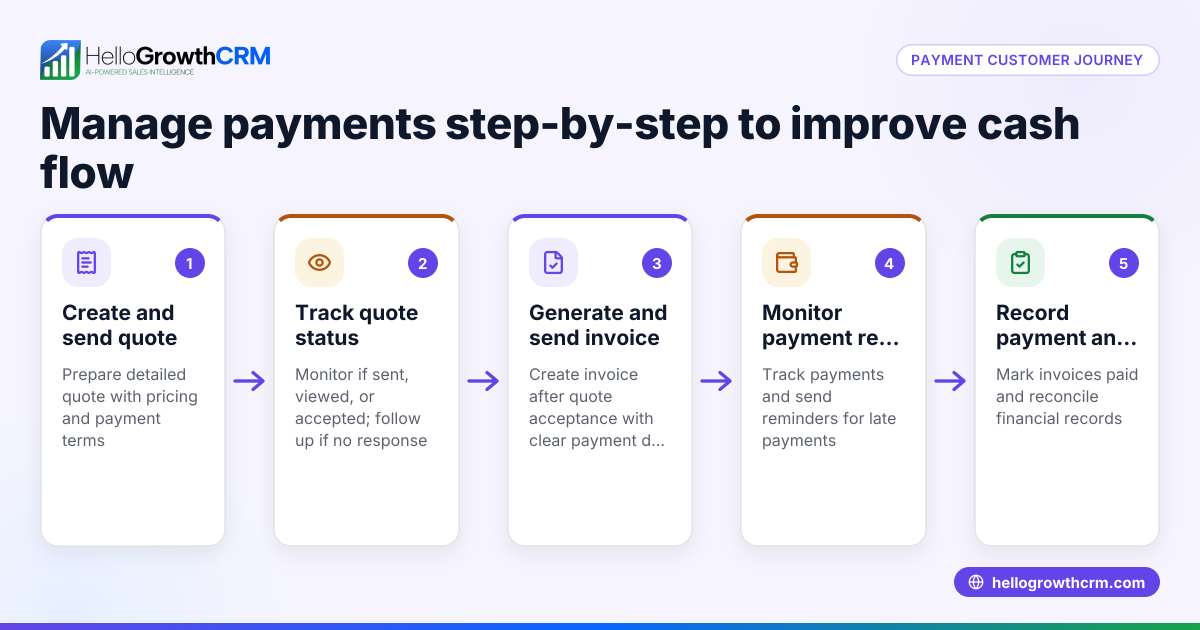
HelloGrowthCRM lets you create and send quotes, proposals, and invoices directly from a deal record. You can track the status of each commercial document—whether sent, viewed, or accepted—on the same screen as your follow-up tasks. Payments received against invoices are recorded and reconciled within the deal, helping you manage partial payments efficiently and keep your sales process organised. Find out more about HelloGrowthCRM’s invoicing and payment features here.
Frequently asked questions
How do I record partial payments on an invoice? Record each partial payment against the invoice, update the outstanding balance by subtracting the payment from the total, and mark the invoice status as partially paid until fully settled.
Can I send multiple receipts for one invoice? Yes, send a receipt each time a partial payment is received. This keeps your customer informed and confirms what has been paid.
What if the customer never pays the remaining balance? Set reminders for follow-up and consider escalating collection efforts. Keeping clear records helps if you need to take legal action or use a debt collection agency.
Is it better to use a CRM for tracking payments? A CRM with invoicing and payment tracking keeps all information in one place, automates reminders, and reduces errors compared to spreadsheets or messaging apps. HelloGrowthCRM offers these features, including a built-in CRM dialer to help manage follow-ups.
How do I handle overpayments or credit notes? Record any overpayment separately and issue a credit note or refund as appropriate. Ensure your records reflect these adjustments.
Key takeaways
- Record partial payments promptly and update the outstanding balance.
- Communicate payment receipts clearly, specifying amounts paid and remaining.
- Use reminders or CRM tasks to follow up on outstanding balances.
- Track each invoice separately to avoid confusion.
- Regularly reconcile payments to catch errors early.
- HelloGrowthCRM integrates quotes, invoices, and payment tracking on the same screen as follow-up tasks.
Tracking partial invoice payments accurately helps maintain cash flow and customer trust. To manage this efficiently, consider using HelloGrowthCRM’s invoicing and payment features. Start on the Free Forever plan (200 leads, no credit card) at HelloGrowthCRM.
Ready to put this into practice?
Set up your pipeline, WhatsApp follow-ups, and AI lead scoring in minutes — free, no credit card.
Try HelloGrowthCRM freeGet CRM tips in your inbox
Join thousands of sales professionals who get weekly insights on CRM strategy, AI automation, and pipeline optimization.

The HelloGrowthCRM team publishes guides on CRM strategy, AI sales tools, and revenue operations for small business sales teams.