HelloGrowthCRM software
Built for real small-business sales teams
HelloGrowthCRM helps reps qualify faster, follow up on time, and close more deals—with practical automation in one place.
- AI lead scoring and pipeline visibility
- Built-in dialer, WhatsApp, and email automation
- Sales forecasting and RevOps-ready reporting
A single customer view is a unified record of every interaction, transaction, and communication you have with a customer across channels. It helps you understand your customer fully and personalize your sales and service efforts. This article explains why it matters, how to build one step-by-step, common pitfalls, and how HelloGrowthCRM supports it.
Why this comes up / what goes wrong
Small business owners often face the problem of customer data scattered across multiple platforms. For example, sales leads may be in spreadsheets, conversations happen over WhatsApp and SMS, and service requests come through emails or separate ticketing systems. This fragmentation means your team lacks a clear, complete picture of each customer. Without a single customer view, you risk missing timely follow-ups, duplicating outreach, and failing to spot upsell or referral opportunities. This causes lost sales, frustrated customers, and inefficiencies in your sales and support teams.
Step-by-step
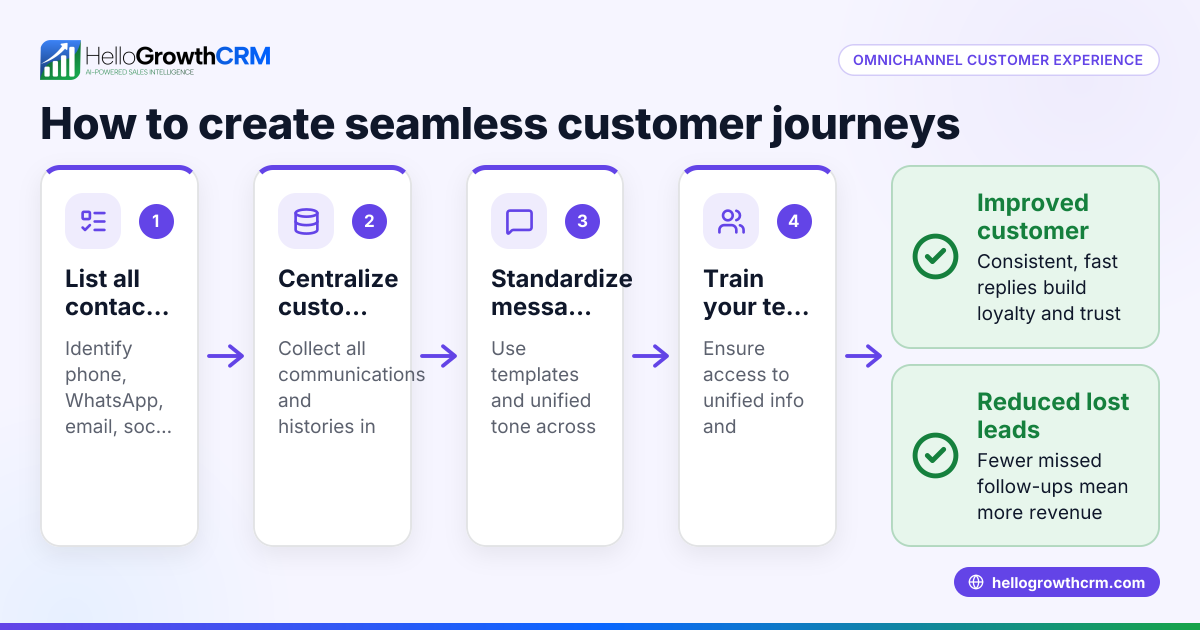
- Identify all sources of customer data. List where customer information currently lives: spreadsheets, email inboxes, WhatsApp chats, SMS threads, web forms, and any other tools. Check that you can access each source and export or integrate data.
- Select a central system to store and manage customer data. Choose a CRM or platform that supports multiple communication channels and can unify data in one place. Verify it works with WhatsApp, SMS, email, and web forms.
- Import and merge customer records. Bring all data into the central system. For each customer, combine contact details, purchase history, and communications into a single profile. Check for duplicate entries and merge them carefully.
- Set up real-time data capture. Automate the process so new leads, messages, and service requests automatically update the correct customer profile. This prevents information gaps and manual errors.
- Use the single customer view to personalize sales and service. Before contacting a customer, review their profile to tailor your message based on past interactions and preferences.
- Monitor customer engagement and health. Track key indicators like response times, open tickets, and referral activity. Use this data to prioritize follow-ups and identify upsell opportunities. See customer health score for tools that help.
- Train your team on consistent usage. Make sure all team members know how to use the system properly and update customer profiles regularly. Consistent use keeps data accurate and valuable.
Example (fictional figures)
Imagine a B2B software reseller in Denver, Colorado, named Rocky Mountain Software. They decide on 04/15/2026 to unify customer data for their top 50 clients.
- Total annual sales: $1,000,000 across 50 clients.
- Customer data is scattered across email, WhatsApp chats, and spreadsheets.
Steps taken:
- Gathered all customer data from spreadsheets, emails, and WhatsApp.
- Imported data into a CRM, creating 50 unified customer profiles.
- Identified 5 duplicate client records and merged them.
Calculation for duplicates merged:
50 total profiles - 5 duplicates = 45 unique customer profiles after merging.
- Set up automation to update profiles with new messages and sales daily.
- Used profiles to personalize follow-ups, which increased repeat sales.
Sales impact example:
Assume each client buys $20,000 annually on average.
50 clients × $20,000 = $1,000,000 total sales
After unifying data and improving follow-ups, repeat sales increased by 10%:
$1,000,000 × 10% = $100,000 additional sales
New total sales:
$1,000,000 + $100,000 = $1,100,000
This consolidation helped Rocky Mountain Software avoid missed messages, improve customer satisfaction, and make sales forecasting more accurate.
Common mistakes
- Not centralizing data sources. Prevent this by choosing a CRM that integrates WhatsApp, SMS, email, and web forms to capture all customer interactions.
- Ignoring duplicate customer records. Prevent by regularly cleaning the database and merging duplicates to keep profiles accurate.
- Failing to update profiles in real time. Prevent by automating data capture so new messages and sales automatically update the correct customer profile.
- Not training the team consistently. Prevent by scheduling regular training sessions and monitoring system usage to ensure everyone updates data properly.
- Overlooking customer service data. Prevent by linking service tickets and support requests to the same customer record, as explained in HelloGrowthCRM for the United States.
Doing this in HelloGrowthCRM
HelloGrowthCRM supports a single customer view by keeping service requests, support tickets, and referrals linked to the same customer record as the deal. Its branded customer portal and knowledge base help customers serve themselves while keeping your team informed. This ensures all communication and service history stays in one place, accessible to your sales and support teams. Learn more about these features in WhatsApp and SMS CRM.
Frequently asked questions
What is the main benefit of a single customer view? A single customer view gives you a complete picture of your customer’s interactions and history, enabling personalized communication, faster follow-up, and better service.
How does a single customer view improve sales? By consolidating data, your team can quickly see past purchases and conversations, allowing them to tailor offers and avoid redundant outreach.
Can small businesses build a single customer view without complex software? Yes, but it requires manual effort and discipline. Using a CRM that integrates multiple channels simplifies this significantly.
How does HelloGrowthCRM help maintain a single customer view? It links deals, service tickets, referrals, and customer communications like WhatsApp and SMS in one record, keeping all information together after the sale.
Is customer data security a concern with a single customer view? Yes, ensure your system complies with data protection laws, obtains consent before marketing, honors opt-outs, and uses secure storage and access controls.
Key takeaways
- Single customer view unifies all customer data into one complete profile.
- It prevents lost leads and missed follow-ups by centralizing information.
- Automate data capture from emails, WhatsApp, SMS, and web forms.
- Regularly clean duplicates and keep profiles updated.
- Link service tickets and referrals to the same customer record.
- Train your team to use the system consistently for best results.
Start building your single customer view today with HelloGrowthCRM. Start on the Free Forever plan (200 leads, no credit card).
Ready to put this into practice?
Set up your pipeline, WhatsApp follow-ups, and AI lead scoring in minutes — free, no credit card.
Try HelloGrowthCRM freeGet CRM tips in your inbox
Join thousands of sales professionals who get weekly insights on CRM strategy, AI automation, and pipeline optimization.

The HelloGrowthCRM team publishes guides on CRM strategy, AI sales tools, and revenue operations for small business sales teams.