HelloGrowthCRM software
Built for real small-business sales teams
HelloGrowthCRM helps reps qualify faster, follow up on time, and close more deals—with practical automation in one place.
- AI lead scoring and pipeline visibility
- Built-in dialer, WhatsApp, and email automation
- Sales forecasting and RevOps-ready reporting
SMS lists are groups of phone numbers collected from customers or leads that a business can message simultaneously. They allow you to send promotions, reminders, or updates via SMS, which is a direct and often more immediate way to reach your audience than email or calls.
Why this comes up / what goes wrong
Small business owners often hear about SMS marketing or texting customers but don’t know exactly what an SMS list is or how to build one. They may be running sales by manually texting contacts saved in their phone or scattered across spreadsheets, which leads to slow follow-up and lost leads. Without a clear SMS list, you risk missing opportunities, sending messages to wrong numbers, or violating texting rules. Organizing your contacts into SMS lists is the first step to efficient, targeted communication.
Step-by-step
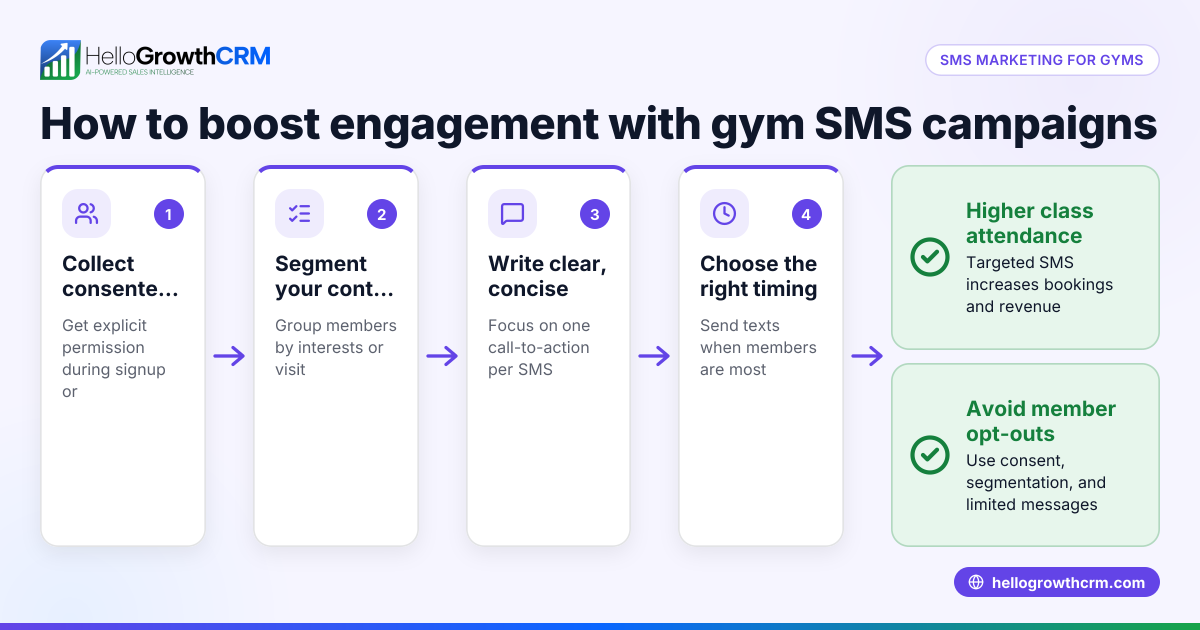
- Collect Phone Numbers Legally: Make sure you have explicit permission to text the contacts. This can come from web forms, in-person signups, or previous opt-ins. Check that each number is valid and belongs to the intended contact.
- Organize Contacts into Lists: Group your contacts based on criteria like customer type, location, or interest. This helps you send relevant messages. For example, separate leads from existing customers or segment by service interest.
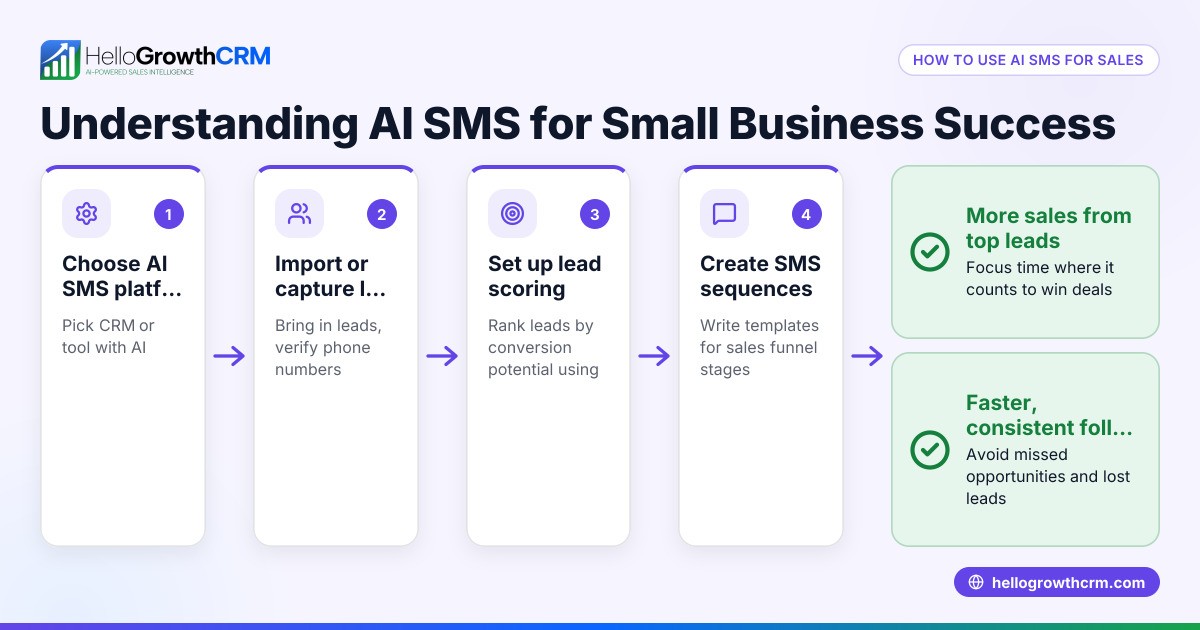
- Choose a Platform to Manage SMS Lists: Use a CRM or messaging tool that supports SMS lists to store, filter, and message your contacts. Avoid texting manually from your phone to reduce errors and improve tracking.
- Create Your SMS Campaign or Message Sequence: Write clear, concise messages tailored to each list. Plan the timing and frequency to avoid spamming.
- Send Messages and Track Responses: Use your platform’s tools to send SMS blasts or sequences and monitor who replies or engages. Update your lists accordingly.
- Maintain and Clean Your SMS Lists Regularly: Remove invalid numbers, opt-outs, or inactive contacts to keep your list healthy and compliant.
Example (fictional figures)
A plumbing company in Austin, Texas, called "Austin Pipe Masters" wants to promote a seasonal discount to its customer SMS list.
- They have 1,200 customers with phone numbers and permission to text.
- They segment the list into 800 residential customers and 400 commercial customers.
- They decide to send a $50 discount offer only to residential customers.
They send the SMS campaign on 09/01/2025.
Number of messages sent = 800
Cost per SMS assumed = $0.05
Total SMS cost = 800 × $0.05 = $40
Expected redemption rate = 10% (80 customers)
Average job value = $250
Expected revenue = 80 × $250 = $20,000
Return on investment (ROI) calculation:
Revenue - Cost = $20,000 - $40 = $19,960
This example shows how organizing an SMS list and targeting it effectively can generate significant revenue.
Common mistakes
- Not getting explicit permission to text: Always get opt-in to comply with regulations and avoid spam complaints.
- Mixing all contacts in one list: Segment your lists to send relevant messages and improve engagement.
- Using personal phones for mass texting: This risks errors, lacks tracking, and can lead to lost data. Use a CRM or SMS platform instead.
- Ignoring list maintenance: Regularly clean your lists to remove invalid or unsubscribed numbers.
- Sending too many messages too often: This annoys customers and increases opt-outs. Plan frequency carefully.
- Not tracking responses: Without tracking, you miss opportunities to follow up or adjust your messaging.
Prevent these by following best practices and using tools designed for SMS list management.
Doing this in HelloGrowthCRM
HelloGrowthCRM supports WhatsApp and SMS messaging workflows that help teams engage leads and customers on channels they already use. WhatsApp conversations with a lead are logged on the lead record, and follow-ups can be sent as SMS or WhatsApp messages, keeping your communication organized and efficient. Learn more about HelloGrowthCRM’s WhatsApp and SMS CRM features here.
Frequently asked questions
What is the difference between an SMS list and a contact list? An SMS list is a subset of your contacts specifically organized for sending text messages. It usually contains only numbers with permission to receive SMS, while a contact list can include emails, addresses, or other data.
How do I get permission to add someone to an SMS list? Permission comes from explicit opt-in, such as a web form checkbox, a text message opt-in keyword, or verbal consent recorded by your business. Always document this permission to comply with regulations.
Can I send SMS messages to any phone number? No. You must have permission to text each number, and the number must be valid and able to receive SMS. Sending unsolicited messages can lead to legal penalties and damage your reputation.
How often should I send messages to my SMS list? Frequency depends on your business and your audience, but avoid sending too many messages. A good rule is to limit messages to no more than one or two per week unless there is a special event.
How can I track the effectiveness of my SMS campaigns? Use your SMS platform or CRM to monitor delivery rates, open rates (if available), replies, and conversions. This data helps you improve future campaigns.
Can HelloGrowthCRM help with both SMS and WhatsApp messaging? Yes. HelloGrowthCRM supports WhatsApp and SMS messaging workflows. Conversations with leads are logged, and follow-ups can be sent as messages, helping you manage communication efficiently. See more at WhatsApp and SMS CRM and explore the built-in CRM dialer for additional outreach.
Key takeaways
- SMS lists are organized groups of phone numbers with permission to receive text messages.
- Collect and segment your contacts carefully to send relevant messages.
- Use a CRM or SMS platform to manage lists, send campaigns, and track responses.
- Avoid common mistakes like texting without permission or over-messaging.
- HelloGrowthCRM supports WhatsApp and SMS messaging workflows to help manage leads and customer communication.
Start organizing your SMS lists and improve your follow-up today. You can start on the Free Forever plan (200 leads, no credit card) with HelloGrowthCRM.
Ready to put this into practice?
Set up your pipeline, WhatsApp follow-ups, and AI lead scoring in minutes — free, no credit card.
Try HelloGrowthCRM freeGet CRM tips in your inbox
Join thousands of sales professionals who get weekly insights on CRM strategy, AI automation, and pipeline optimization.

The HelloGrowthCRM team publishes guides on CRM strategy, AI sales tools, and revenue operations for small business sales teams.