HelloGrowthCRM software
Built for real small-business sales teams
HelloGrowthCRM helps reps qualify faster, follow up on time, and close more deals—with practical automation in one place.
- AI lead scoring and pipeline visibility
- Built-in dialer, WhatsApp, and email automation
- Sales forecasting and RevOps-ready reporting
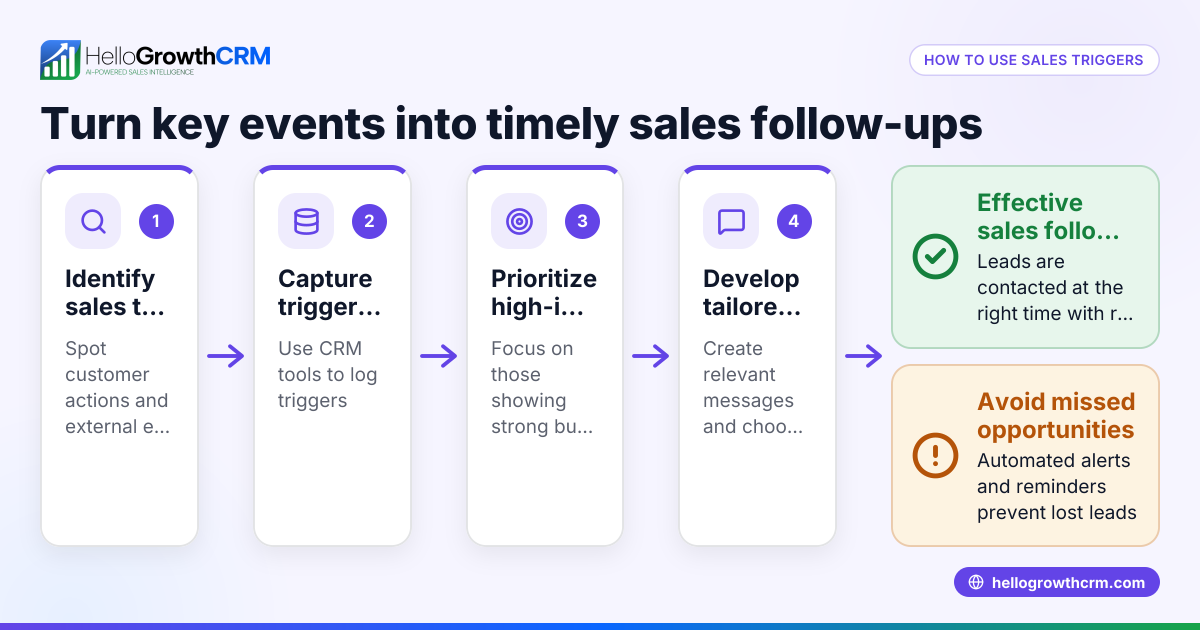
Trigger based emails are automated messages sent immediately or shortly after a specific action or event occurs. For example, when a customer signs up for a newsletter, abandons a shopping cart, or makes a purchase, the system automatically sends a relevant email. This helps small businesses engage customers promptly, improve response rates, and save time compared to manual follow-up.
Why this comes up / what goes wrong
Small-business owners often struggle with timely and consistent communication. Leads can get lost or ignored if follow-up emails are delayed or forgotten. Managing sales and marketing emails manually using spreadsheets, text messages, or basic email tools leads to slow responses and missed opportunities. Trigger based emails solve this by automating responses tied to customer actions, ensuring no lead or customer is left waiting too long.
Step-by-step
- Identify the key triggers: Decide which customer actions should start an automated email. Common triggers include sign-ups, purchases, cart abandonment, or inquiry submissions. Check that these triggers align with your sales process.
- Write the email content: Create clear, concise emails tailored to each trigger. For example, a welcome email after sign-up or a reminder if a cart is abandoned. Verify the tone matches your brand.
- Choose an email automation tool: Use software that supports trigger based emails and integrates with your lead capture methods. Check it can track triggers automatically and send emails without manual intervention. Learn more about email automation and sequences.
- Set up the automation rules: Configure the tool to send the right email when the trigger happens. Test each trigger to confirm emails send correctly and contain accurate information.
- Monitor and optimize: Regularly review email open rates, click rates, and responses. Adjust timing, content, or triggers to improve engagement.
- Integrate with your CRM: Connect your email automation with your CRM to centralize lead data and communication history. This helps sales teams follow up efficiently and avoid duplicate outreach. See how WhatsApp and SMS CRM can complement your email efforts.
Example (fictional figures)
A plumbing company in Austin, Texas, wants to automate follow-up emails after a customer requests a service quote online.
- They identify the trigger: customer submits a quote request form.
- They write a thank-you email offering a discount on the first service.
- They set up their email tool to send this email immediately after form submission.
- They track results over one month.
Results:
Number of quote requests = 150
Email open rate = 105 (assumed 70% of 150)
Conversion rate (customers booking service after email) = 21 (assumed 20% of 105)
Average service value = $450
Revenue from triggered emails = 21 × $450 = $9,450
This shows how timely trigger based emails can turn leads into paying customers automatically.
Common mistakes
- Sending irrelevant emails: Avoid generic messages. Tailor content specifically to the trigger to keep customers engaged.
- Setting triggers too broadly or narrowly: Too many triggers can overwhelm customers; too few miss opportunities. Review your sales funnel carefully.
- Neglecting testing: Always test each trigger email for correct timing, links, and personalization before going live.
- Ignoring analytics: Without tracking open and click rates, you won’t know what to improve. Use data to refine your emails.
- Not integrating with CRM: Without integration, your sales team may not see the email history, causing repeated or missed follow-ups. Integrate with your CRM to maintain a complete communication record.
- Failing to comply with email laws: Ensure your emails include unsubscribe options and comply with regulations like CAN-SPAM.
Frequently asked questions
What are some common triggers for trigger based emails? Common triggers include sign-up confirmations, welcome emails, purchase receipts, cart abandonment reminders, re-engagement emails after inactivity, and feedback requests after service. Each trigger should correspond to a meaningful customer action.
How soon after a trigger should the email be sent? Emails should be sent as soon as possible, ideally within minutes of the trigger event, to maximize relevance and effectiveness. Delays can reduce engagement.
Can I use trigger based emails for sales follow-up? Yes, trigger based emails can automate follow-ups after demos, inquiries, or meetings, ensuring timely communication without manual effort. Combining this with a CRM helps sales teams track responses.
Do I need technical skills to set up trigger based emails? Many email automation tools offer user-friendly interfaces with no coding required. You typically select triggers and email templates through simple menus. However, some basic setup and testing are necessary.
How do trigger based emails differ from regular newsletters? Trigger based emails are personalized and sent based on specific actions, while newsletters are usually broadcast to a whole list on a schedule. Triggers create timely, relevant communication.
Can I combine trigger based emails with WhatsApp or SMS? Yes, combining email with WhatsApp and SMS messages can increase reach and engagement. Look for CRM solutions that support multiple channels for seamless communication. See HelloGrowthCRM for the United States for options.
Key takeaways
- Trigger based emails send automated messages immediately after specific customer actions.
- They improve response times and lead engagement without manual effort.
- Set up involves identifying triggers, writing tailored emails, configuring automation, and monitoring results.
- Avoid common mistakes like irrelevant content, poor testing, and lack of integration with your CRM.
- Combining trigger based emails with other channels like WhatsApp and SMS can boost effectiveness.
Start automating your customer communications today to capture more leads and close more sales. You can Start on the Free Forever plan (200 leads, no credit card) to try trigger based emails and more.
Ready to put this into practice?
Set up your pipeline, WhatsApp follow-ups, and AI lead scoring in minutes — free, no credit card.
Try HelloGrowthCRM freeGet CRM tips in your inbox
Join thousands of sales professionals who get weekly insights on CRM strategy, AI automation, and pipeline optimization.

The HelloGrowthCRM team publishes guides on CRM strategy, AI sales tools, and revenue operations for small business sales teams.