HelloGrowthCRM software
Built for real small-business sales teams
HelloGrowthCRM helps reps qualify faster, follow up on time, and close more deals—with practical automation in one place.
- AI lead scoring and pipeline visibility
- Built-in dialer, WhatsApp, and email automation
- Sales forecasting and RevOps-ready reporting
Websites with chatbots are online platforms that use automated chat software to communicate instantly with visitors. These chatbots provide quick answers, gather contact information, and help direct customer inquiries, which can increase engagement and sales for small businesses.
Why this comes up / what goes wrong
Small-business owners often search for "websites with chatbots" because they want to improve customer service and sales without hiring more staff. Many small and mid-sized businesses lose leads because they cannot respond quickly to website visitors. Sales processes run on text messages, email, and spreadsheets can be slow and inefficient. Chatbots on websites can capture leads immediately, answer common questions, and qualify prospects before a salesperson follows up. However, business owners may be unsure how to add a chatbot, what features to look for, or how to avoid common pitfalls.
Step-by-step
- Identify your goals for the chatbot: Decide if you want the chatbot to capture leads, answer FAQs, book appointments, or all of these. Clear goals help you choose the right chatbot platform.
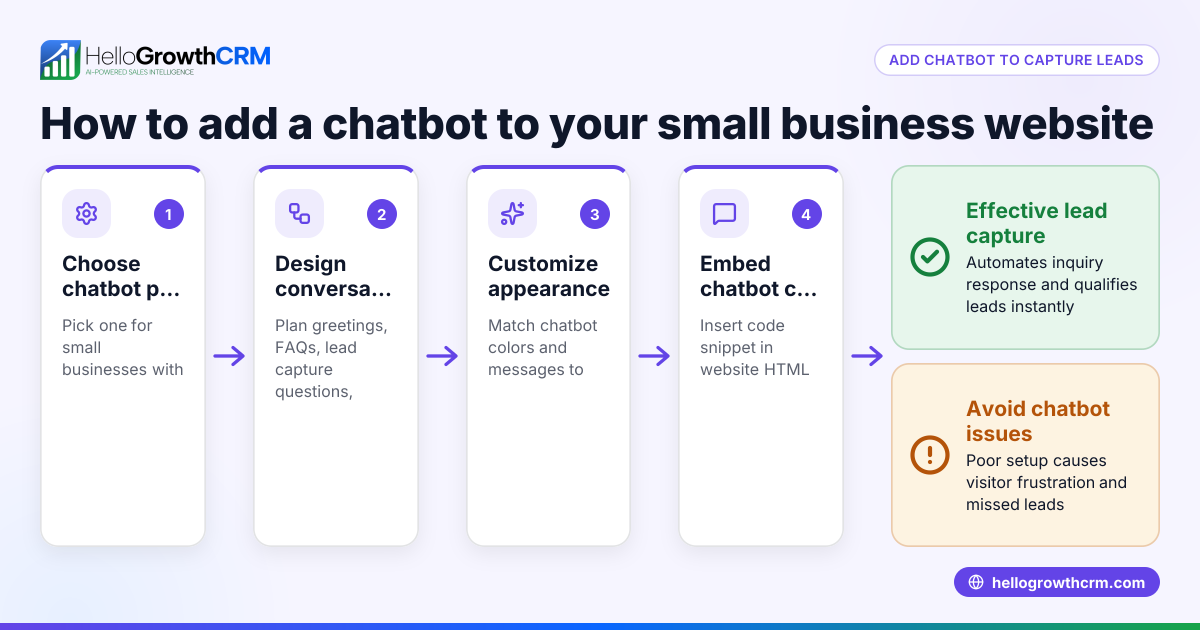
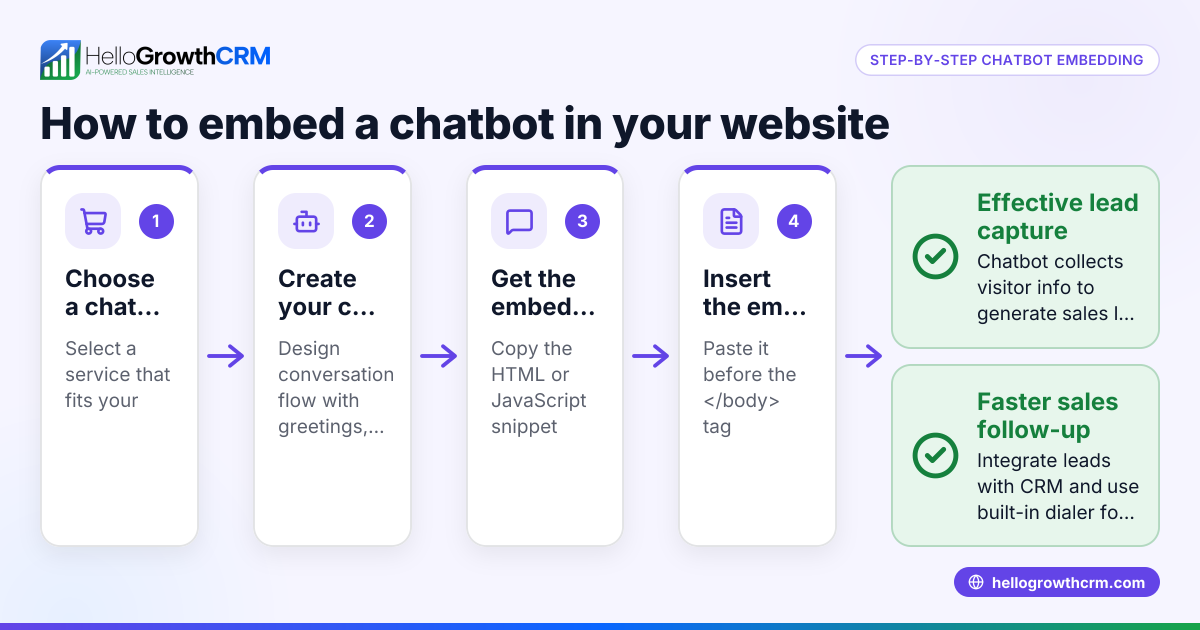
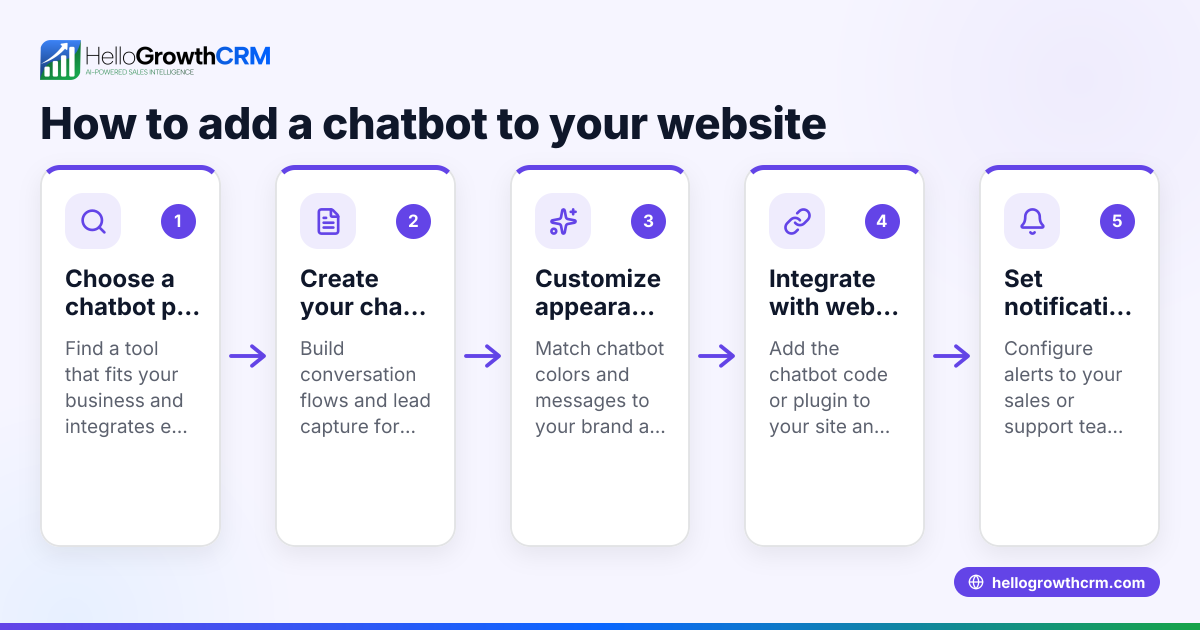
- Choose a chatbot provider or platform: Look for chatbot services that integrate easily with your website and sales tools. Check if they support popular messaging channels like WhatsApp or SMS, which many small businesses use for sales communication (WhatsApp and SMS CRM).
- Design chatbot conversation flows: Map out typical questions and answers your customers ask. Include options to capture contact details and qualify leads.
- Install the chatbot on your website: Most chatbot platforms provide a snippet of code or plugin to add to your website. Verify it loads correctly on desktop and mobile devices.
- Test the chatbot: Simulate visitor interactions to ensure the chatbot responds accurately and hands off complex queries to a human agent if needed.
- Train your team to use chatbot leads: Make sure salespeople know how to access chatbot-captured leads and follow up promptly.
- Monitor chatbot performance: Use analytics to track chats, lead capture rates, and customer satisfaction. Adjust conversation flows based on feedback to improve results.
Example (fictional figures)
A plumbing company in Austin, Texas, wants to add a chatbot to its website to capture emergency repair leads.
- Monthly website visitors: 5,000
- Current lead capture rate: 2% (100 leads/month)
- Average job value: $450
- Goal: Increase lead capture rate to 4% with chatbot
Calculations:
Current monthly leads = 5,000 × 2% = 100 leads New monthly leads = 5,000 × 4% = 200 leads Additional leads gained = 200 - 100 = 100 leads Additional revenue = 100 leads × $450 = $45,000
If the chatbot costs $300/month, the return is:
Net gain = $45,000 - $300 = $44,700
This example shows how a chatbot can significantly increase leads and revenue with minimal cost.
Common mistakes
- Not defining clear chatbot goals: Prevent this by deciding upfront what the chatbot should achieve—lead capture, support, or booking.
- Choosing a chatbot that doesn’t integrate with your sales tools: Prevent this by selecting platforms compatible with your CRM or communication channels like WhatsApp and SMS (WhatsApp and SMS CRM).
- Poorly designed conversation flows that frustrate users: Prevent this by testing chatbot scripts thoroughly and keeping responses simple and helpful.
- Ignoring chatbot leads or delayed follow-up: Prevent this by training your sales team to act quickly on chatbot-generated leads.
- Not monitoring or updating the chatbot regularly: Prevent this by reviewing chatbot analytics and making improvements to conversation flows.
- Installing chatbots without mobile-friendly design checks: Prevent this by verifying the chatbot works well on smartphones and tablets to reach all visitors.
Frequently asked questions
What types of chatbots work best for small businesses? Small businesses benefit from rule-based chatbots that answer FAQs and capture leads or AI-powered bots that understand natural language. Choose one that fits your budget and integrates with your sales tools.
Can chatbots handle complex customer questions? Chatbots can handle basic queries and direct complex questions to human agents. Design your chatbot to recognize when to escalate conversations to ensure customers get the help they need.
How do chatbots integrate with sales and communication tools? Many chatbot platforms offer integration with CRMs, email, WhatsApp, and SMS systems. This ensures leads captured by chatbots flow directly into your sales pipeline, improving follow-up speed and accuracy (built-in CRM dialer).
Are chatbots expensive to implement? Costs vary widely. Some chatbot services offer free plans or low monthly fees suitable for small businesses. Consider the potential revenue gain from faster lead capture when evaluating chatbot costs.
Do chatbots improve customer experience? Yes, chatbots provide instant responses 24/7, reducing wait times and improving engagement. They help customers get answers quickly without waiting for a human agent.
Can I use chatbots on mobile-friendly websites? Yes, most chatbots are designed to work on both desktop and mobile sites, ensuring customers can interact from any device. Testing on mobile is essential to ensure a smooth experience.
Key takeaways
- Websites with chatbots automate visitor interaction to capture leads and answer questions.
- Small businesses use chatbots to overcome slow follow-up and scattered sales communication.
- Implement chatbots by defining goals, choosing the right platform, designing flows, and training sales teams.
- Avoid common mistakes like unclear goals, poor integration, neglecting chatbot leads, and ignoring mobile usability.
- Monitoring chatbot performance helps improve customer engagement and sales.
Start improving your sales follow-up and lead capture by adding a chatbot to your website. You can begin easily with tools that integrate with your existing communication channels like WhatsApp and SMS (HelloGrowthCRM for the United States).
Start on the Free Forever plan (200 leads, no credit card) at HelloGrowthCRM.
Ready to put this into practice?
Set up your pipeline, WhatsApp follow-ups, and AI lead scoring in minutes — free, no credit card.
Try HelloGrowthCRM freeGet CRM tips in your inbox
Join thousands of sales professionals who get weekly insights on CRM strategy, AI automation, and pipeline optimization.

The HelloGrowthCRM team publishes guides on CRM strategy, AI sales tools, and revenue operations for small business sales teams.