HelloGrowthCRM software
Built for real small-business sales teams
HelloGrowthCRM helps reps qualify faster, follow up on time, and close more deals—with practical automation in one place.
- AI lead scoring and pipeline visibility
- Built-in dialer, WhatsApp, and email automation
- Sales forecasting and RevOps-ready reporting
Text messages can fail to send for several practical reasons that affect small businesses in the UK. Common causes include poor mobile network coverage, errors in the recipient’s phone number, lack of sufficient credit on pay-as-you-go plans, or technical glitches with the sending device or software. Understanding these causes helps business owners act quickly to ensure messages reach customers without delay.
Why this comes up / what goes wrong
For UK small business owners, timely communication with leads and customers is essential. Many use SMS for appointment reminders, promotions, or quick updates. When texts fail to send, it can lead to lost sales opportunities, missed appointments, or damage to customer trust. This problem often arises when teams use multiple channels such as WhatsApp, email, and spreadsheets without a centralised system, increasing the chance of errors or delays. Network outages, incorrect numbers, or software issues on phones or computers commonly disrupt message delivery, causing frustration and inefficiency.
Step-by-step
- Check mobile network signal: Confirm your device has good network coverage. Move to a location with stronger signal or try sending the message later if there’s a known outage affecting your area.
- Verify recipient’s phone number: Double-check the mobile number for typos or formatting errors. UK phone numbers generally start with +44 or 07, followed by additional digits. Incorrect formatting or missing digits will cause failure.
- Confirm sufficient credit or SMS allowance: If using a pay-as-you-go SIM or SMS service, check your balance and top up if needed. Insufficient credit is a common cause of failed messages.
- Restart your device: Sometimes device glitches prevent messages from sending. Restart your phone or computer to refresh the system and clear temporary issues.
- Update messaging software or app: Outdated apps or software can cause failures. Check for updates and install the latest version to ensure compatibility and fix bugs.
- Clear message queue or outbox: If messages are stuck unsent, deleting or resending them may help clear the block.
- Test sending to another number: Send a test message to a different phone number to determine if the issue is with a specific recipient or your device.
- Contact your mobile network provider: If problems persist, your network might have restrictions, outages, or account issues affecting SMS delivery.
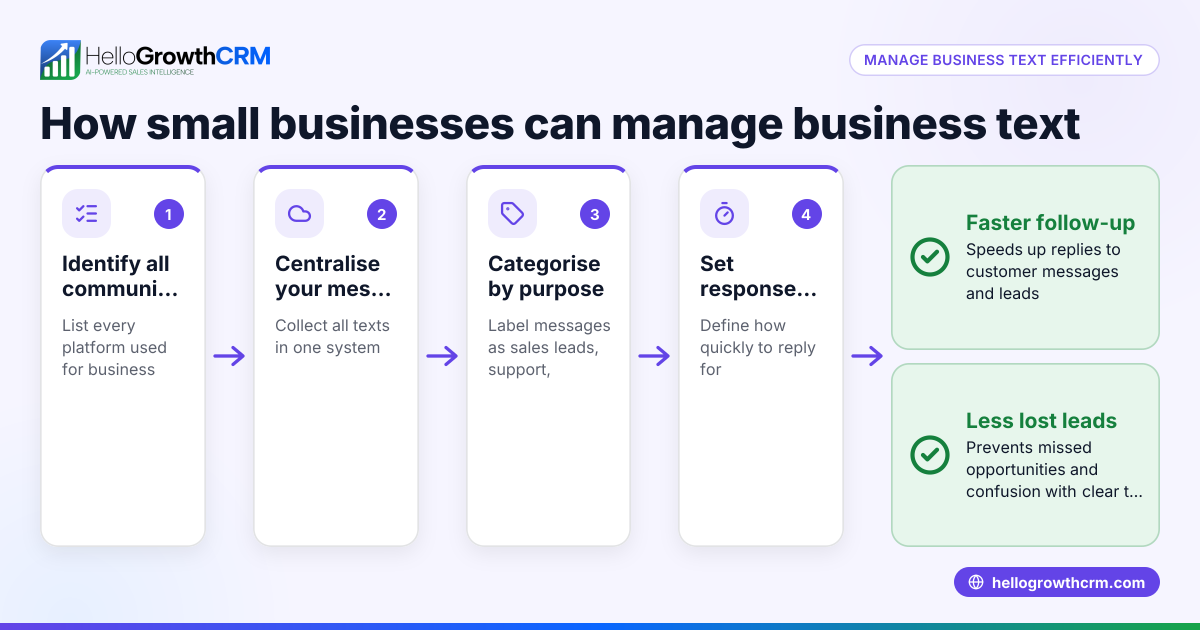
Using a unified tool like a WhatsApp and SMS CRM can help manage messages across channels, reducing errors from juggling multiple apps and spreadsheets.
Example (fictional figures)
A letting agency in Manchester sends SMS reminders to tenants about rent payments. They use a pay-as-you-go mobile plan costing £0.05 per SMS. On 15/04/2026, they attempt to send 1,000 messages but half fail due to low credit.
Cost calculation: £0.05 × 1,000 = £50 (total cost if all messages sent) Only 500 messages sent successfully, so cost incurred: £0.05 × 500 = £25 They top up £30 to cover the remaining 500 messages: £25 + £30 = £55 total spent After topping up, all messages send successfully, avoiding late payment issues and keeping tenants informed.
Common mistakes
- Ignoring network coverage: Avoid sending messages in areas with poor signal; always check coverage first to prevent failures.
- Entering incorrect phone numbers: Carefully verify numbers before sending to prevent errors and undelivered messages.
- Not checking credit balance: Regularly monitor and top up SMS credit to prevent interruptions in sending.
- Delaying software updates: Keep messaging apps and device software updated to avoid bugs causing message failures.
- Using multiple unintegrated tools: Managing SMS through separate apps and spreadsheets increases error risk; consider a WhatsApp and SMS CRM to streamline communications.
- Not testing message delivery: Periodically send test messages to ensure systems work correctly and messages reach recipients.
Frequently asked questions
Why do my text messages say "failed to send"? This usually happens due to network issues, incorrect numbers, or insufficient credit. Restarting your device, verifying recipient details, and checking your balance can often resolve the problem.
Can using WhatsApp instead of SMS reduce message failures? WhatsApp can be more reliable for business messaging if both sender and recipient use it. However, SMS remains essential for customers without WhatsApp. Managing both channels through a WhatsApp and SMS CRM helps keep communication smooth and reliable.
How do I check if my SMS credit is low? Check your mobile account or SMS service dashboard. Many providers send low-balance alerts. Regular monitoring prevents sending failures due to insufficient funds.
Is there a way to send SMS directly from my CRM? Yes, some CRMs offer a built-in CRM dialer and SMS features, allowing you to send messages and track delivery from one place. This reduces errors from manual entry and juggling multiple tools.
What should I do if SMS still won’t send after all checks? Contact your mobile network provider to check for outages or account issues. Sometimes network restrictions or technical faults affect SMS delivery.
Key takeaways
- Text messages fail mainly due to network issues, wrong numbers, or low credit.
- Verify recipient details and network signal before sending.
- Keep messaging apps updated and restart devices if needed.
- Use integrated tools like a WhatsApp and SMS CRM to reduce errors.
- Regularly monitor SMS credit and test message delivery.
- Contact your provider if problems persist.
For UK businesses wanting to improve sales communication and reduce message failures, consider managing your SMS and WhatsApp messages through a dedicated CRM. To get started, you can Start on the Free Forever plan (200 leads, no credit card).
Ready to put this into practice?
Set up your pipeline, WhatsApp follow-ups, and AI lead scoring in minutes — free, no credit card.
Try HelloGrowthCRM freeGet CRM tips in your inbox
Join thousands of sales professionals who get weekly insights on CRM strategy, AI automation, and pipeline optimization.

The HelloGrowthCRM team publishes guides on CRM strategy, AI sales tools, and revenue operations for small business sales teams.