HelloGrowthCRM software
Built for real small-business sales teams
HelloGrowthCRM helps reps qualify faster, follow up on time, and close more deals—with practical automation in one place.
- AI lead scoring and pipeline visibility
- Built-in dialer, WhatsApp, and email automation
- Sales forecasting and RevOps-ready reporting
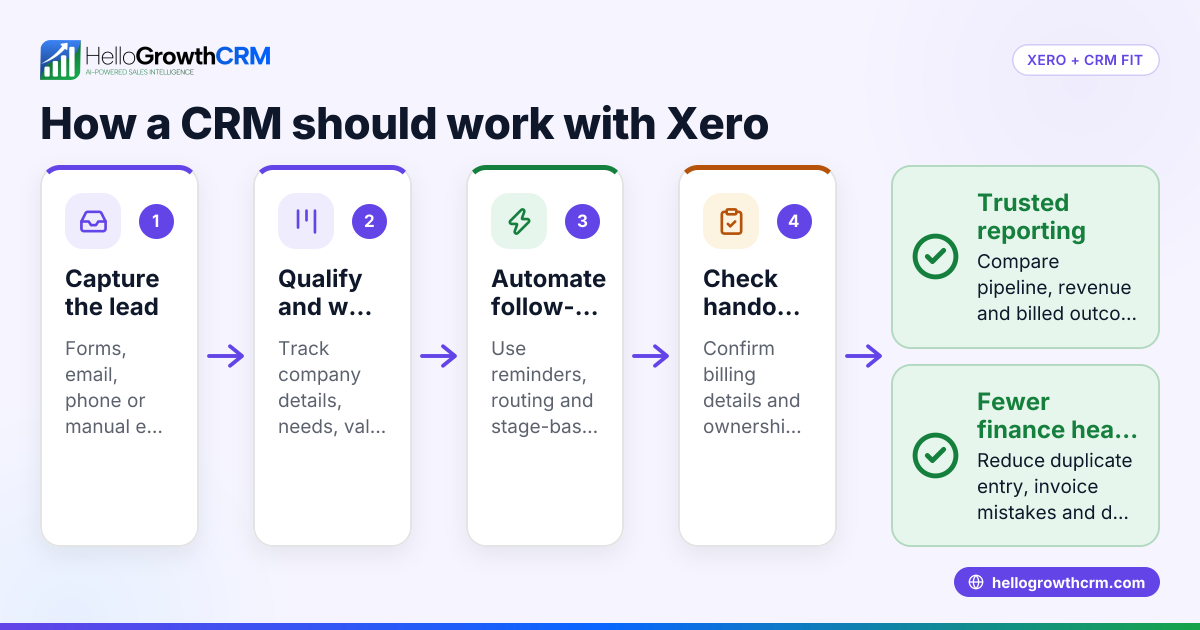
Xero CRM integrations link your accounting system with CRM software to help your sales, finance, and support teams work together efficiently. They automate data sharing like invoices, payments, and customer details between systems, reducing manual work and errors.
Why this comes up / what goes wrong
Many Indian small business owners use Xero for accounting and want a CRM that syncs well with it. Without proper integration, sales leads, invoices, and payments stay siloed, causing slow follow-ups, lost leads, or duplicated data entry. Businesses selling on platforms like IndiaMART or JustDial need leads to flow directly into their CRM and then connect with accounting data in Xero for smooth order-to-cash cycles. Evaluating Xero CRM integrations helps avoid fragmented workflows and improves efficiency.
Step-by-step
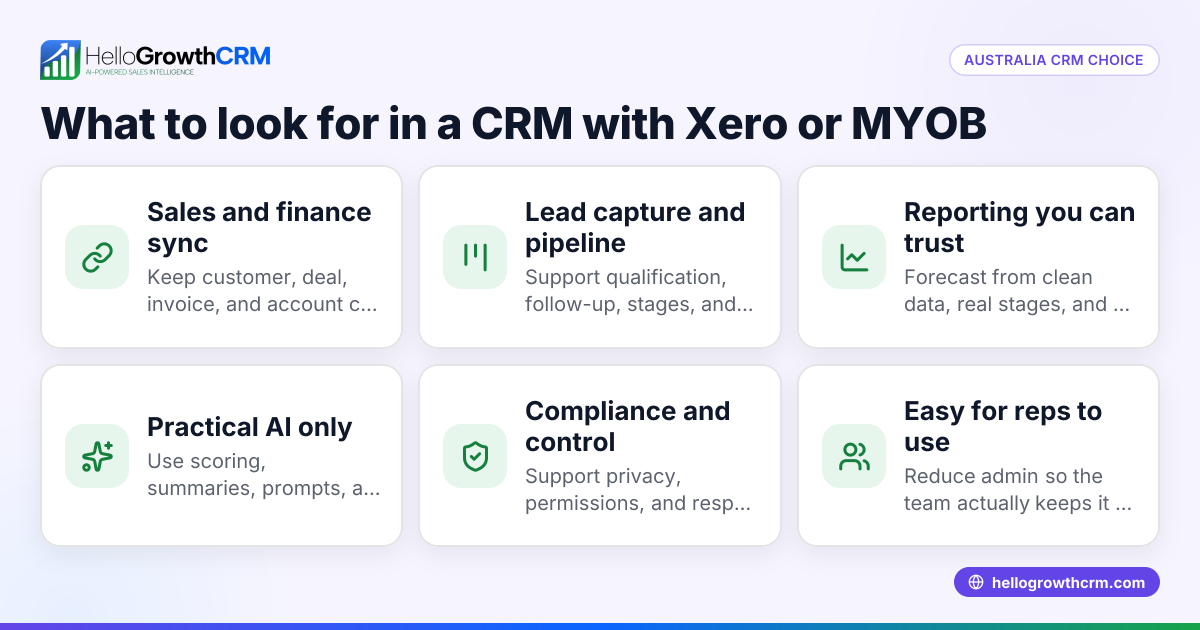
- Identify your business needs: List what data you want to sync between Xero and CRM (e.g., customer info, invoices, payments, products).
- Check integration compatibility: Confirm the CRM supports integration with Xero and the specific Xero features you use.
- Evaluate data sync features: Check if the integration supports two-way sync or only one-way, and how frequently data updates.
- Assess ease of use: Look for integrations that require minimal manual setup or coding, suitable for your team’s tech skill.
- Review lead capture sources: If you get leads from IndiaMART or JustDial, ensure the CRM imports these leads automatically.
- Consider communication channels: Check if the CRM supports WhatsApp and SMS messaging to engage leads directly.
- Test AI capabilities: Some CRMs offer AI agents to draft follow-ups after calls, saving time.
- Check pricing and plans: Understand what features come in different plans and whether the integration fits your budget.
- Read reviews and case studies: Learn from other Indian SMBs’ experiences with the integration.
- Trial before commitment: Use free trials or free plans to test the integration’s fit for your workflow.
Example (fictional figures)
Rajesh runs a small electronics parts business in Pune. He wants to integrate Xero with a CRM to automate lead capture from IndiaMART and sync invoices.
- Monthly sales from IndiaMART leads: ₹5,00,000
- Average invoice value: ₹25,000
- Number of invoices per month: ₹5,00,000 ÷ ₹25,000 = 20 invoices
Rajesh chooses a CRM that imports IndiaMART leads automatically and syncs invoices to Xero daily.
- Time saved on manual data entry per invoice: 15 minutes
- Total time saved monthly: 20 invoices × 15 minutes = 300 minutes = 5 hours
If Rajesh’s staff cost is ₹300/hour, monthly savings are:
₹300 × 5 hours = ₹1,500
This integration saves Rajesh ₹1,500 monthly in staff time and reduces errors.
Common mistakes
- Choosing CRM without Xero compatibility: Prevent by confirming integration before purchase.
- Ignoring lead source integration: Prevent by ensuring leads from IndiaMART or JustDial flow directly into CRM.
- Overlooking communication channels: Prevent by choosing CRM with WhatsApp and SMS support for faster follow-up.
- Not testing AI features: Prevent by trying AI drafting agents in trial to save rep time.
- Neglecting data sync frequency: Prevent by checking if sync happens in real-time or daily to avoid outdated info.
- Skipping free trials: Prevent by using free plans to evaluate fit before paying.
Doing this in HelloGrowthCRM
HelloGrowthCRM offers API and integrations that bring IndiaMART and JustDial enquiries directly into the CRM as leads, reducing manual lead entry. It supports WhatsApp and SMS messaging, logging conversations on lead records and enabling follow-ups via messages. Its AI agents draft follow-up messages after calls, so sales reps only need to review and send, saving time. Learn more about integrations (WhatsApp, Tally, IndiaMART) and the WhatsApp and SMS CRM features suitable for Indian SMBs.
Frequently asked questions
What is the benefit of integrating Xero with a CRM? Integrating Xero with a CRM automates data sharing between accounting and sales systems, reducing manual entry, improving accuracy, and speeding up customer follow-ups and invoicing.
Can I capture leads from IndiaMART and JustDial in a CRM integrated with Xero? Yes, some CRMs like HelloGrowthCRM import leads directly from IndiaMART and JustDial, which can then sync relevant data with Xero for smooth sales and accounting workflows.
Does the CRM support WhatsApp for sales follow-ups? Many CRMs integrated with Xero also support WhatsApp and SMS messaging, allowing sales teams to engage leads on familiar channels and log conversations automatically.
Are AI features available in Xero CRM integrations? Some CRMs offer AI agents that draft follow-up messages or update records after calls, reducing sales reps’ workload. HelloGrowthCRM provides such AI agents in its Growth plan (Beta).
How do I choose the best Xero CRM integration for my small business? Evaluate your data sync needs, lead sources, communication channels, ease of use, and budget. Testing free plans or trials helps ensure the integration fits your workflow.
Key takeaways
- Xero CRM integrations automate syncing of customer, invoice, and payment data.
- Check compatibility, lead source integration, and communication channel support.
- Automate lead capture from IndiaMART and JustDial for Indian SMBs.
- Use CRMs with WhatsApp and SMS features for faster follow-ups.
- AI agents can draft follow-ups to save sales team time.
- Test free plans to ensure the integration fits your business needs.
Start evaluating your Xero CRM integration options today. For Indian SMBs looking to streamline lead capture and follow-ups, consider HelloGrowthCRM’s integration with IndiaMART and JustDial, WhatsApp and SMS messaging, and AI follow-up agents. You can Start on the Free Forever plan (200 leads, no credit card) to try these features.
Ready to put this into practice?
Set up your pipeline, WhatsApp follow-ups, and AI lead scoring in minutes — free, no credit card.
Try HelloGrowthCRM freeGet CRM tips in your inbox
Join thousands of sales professionals who get weekly insights on CRM strategy, AI automation, and pipeline optimization.

The HelloGrowthCRM team publishes guides on CRM strategy, AI sales tools, and revenue operations for small business sales teams.