Track Team Spend, Approvals, and Reimbursements in One Workflow
Manage expense claims, approval routing, reimbursement status, and field-team spending without breaking context between sales activity and operational cost control.
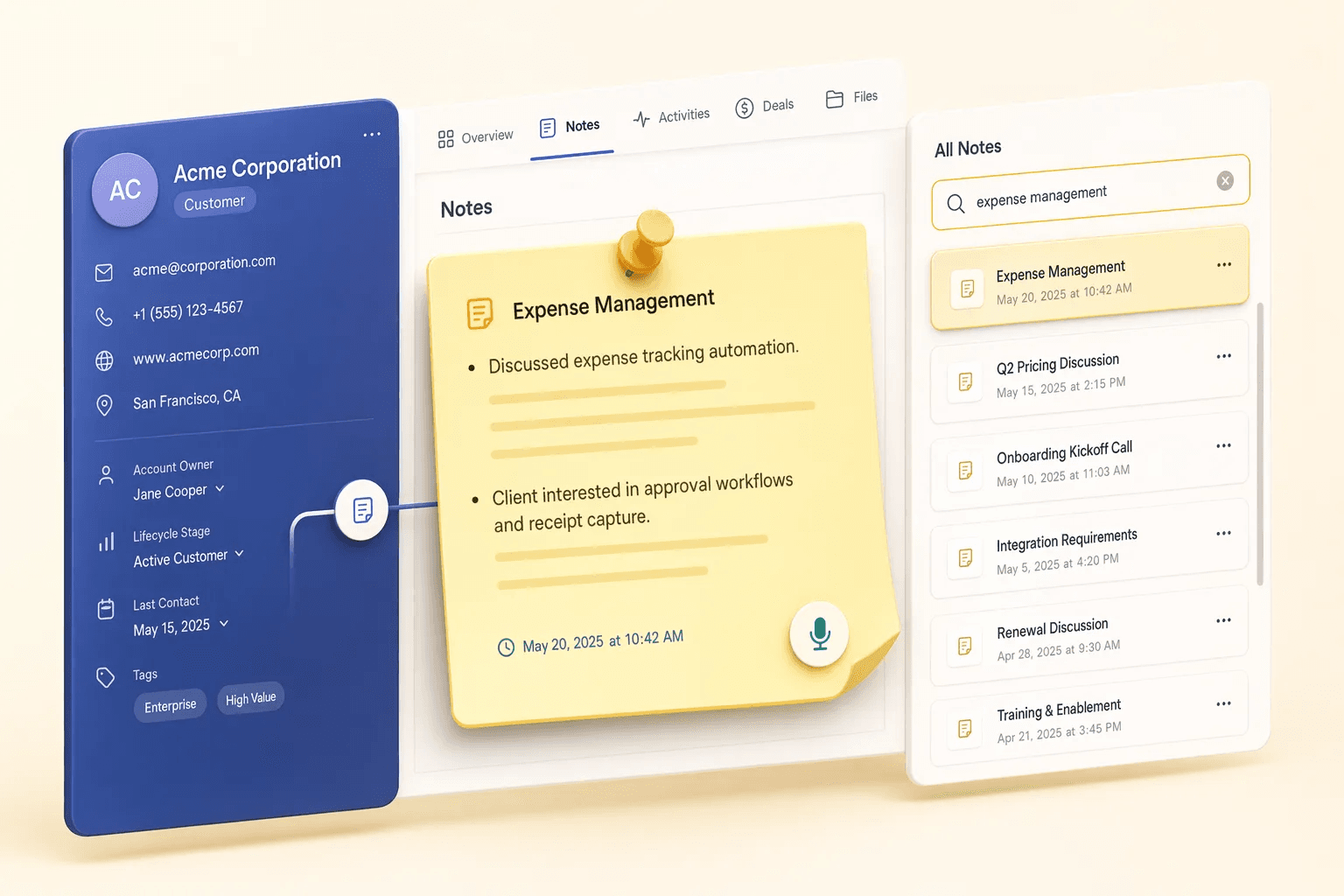
Why teams evaluate expense management
Expense Management usually becomes important when a repeated part of the revenue workflow is creating too much manual work, too little visibility, or too much tool-switching. Teams are rarely shopping for a feature in isolation. They are usually trying to make one meaningful workflow cleaner, faster, and easier to inspect.
That is why buyers usually look beyond the headline capability and inspect the surrounding details: Expense claim submission with notes and attachments, Approval routing by manager or policy rules, Reimbursement status tracking, Claim categories for travel, events, field ops, and customer spend. Those details determine whether the feature actually improves day-to-day execution or simply adds another surface area to manage.
Where expense management fits in the workflow
Most teams adopt this capability as part of practical motions such as field-sales reimbursements, event and exhibition costs, service-team operational costs. The value tends to show up fastest when the workflow is tied to a clear owner, a clear next action, and a visible outcome that managers can review later.
It also matters how this page connects to the rest of the stack. For many teams, tools such as Google Drive, Razorpay, Tally, QuickBooks are what make the feature operational instead of theoretical because they keep data, communication, and handoffs in sync.
What a strong rollout looks like for expense management
The best rollout usually starts small: one high-value workflow, one clear ownership model, and one review rhythm for adoption. Once the team is consistently using the feature, managers can expand into deeper automation, reporting, or cross-functional handoffs without rebuilding the foundation.
In practice, that means evaluating not only what the feature can do, but also whether the team can maintain the process around it. Ease of use, reporting trust, and manager visibility matter just as much as the feature checklist itself.
- Use it first for field-sales reimbursements if that is the workflow creating the most friction today.
- Use it first for event and exhibition costs if that is the workflow creating the most friction today.
- Use it first for service-team operational costs if that is the workflow creating the most friction today.
- Use it first for approval discipline if that is the workflow creating the most friction today.
How It Works
Get started in three simple steps
Key Features
Use Cases
Field-sales reimbursements
Handle travel, fuel, food, and visit expenses with cleaner approval trails.
What teams care about
- Fast adoption with less manual cleanup for managers and reps.
- Clear visibility into workflow execution, outcomes, and accountability.
- Reliable handoffs into the CRM record so downstream teams keep full context.
Deep dive
Open the sections that matter most instead of scrolling through a long uninterrupted text block.
Why expense workflows belong closer to operations
Expense management becomes painful when the people doing the work and the people approving the spend operate in different systems. Teams lose receipts, forget business context, or wait too long for reimbursement updates.
A CRM-adjacent expense workflow helps field and revenue teams keep the why behind the spend visible, not just the amount.
Expense management becomes painful when the people doing the work and the people approving the spend operate in different systems. Teams lose receipts, forget business context, or wait too long for reimbursement updates.
A CRM-adjacent expense workflow helps field and revenue teams keep the why behind the spend visible, not just the amount.
Buyer playbook
Compare, launch, and govern the workflow with an interactive overview instead of four long generic essays.
How teams evaluate expense management
The best pages help buyers understand fit quickly instead of forcing them through long walls of copy.
Check whether the product covers the capabilities you actually care about, such as Expense claim submission with notes and attachments, Approval routing by manager or policy rules, Reimbursement status tracking, Claim categories for travel, events, field ops, and customer spend.
Test if it supports real execution scenarios like Field-sales reimbursements, Event and exhibition costs, Service-team operational costs.
Confirm the workflow stays connected to Google Drive, Razorpay, Tally, QuickBooks so reporting and handoffs remain reliable.
Frequently Asked Questions
Explore More
Related Products
Free Tools & Calculators
Competitor Comparisons
What is CRM Expense Management?
HelloGrowthCRM's expense management module connects field sales activity directly to your accounting workflow. Reps log travel reimbursements, client entertainment, demo materials, and courier costs from their mobile — attaching receipt photos and tagging each expense to the deal or customer it relates to. No spreadsheets, no WhatsApp photo chains, and no end-of-month receipt hunts.
Finance and sales managers in India have long struggled with disconnected expense tracking — reps submit photos on WhatsApp, managers approve via email, and finance reconciles in a separate spreadsheet. HelloGrowthCRM brings the whole cycle into one place: submission, approval, GST verification, and deal-level cost reporting. Teams processing 50 to 500 expense claims per month typically cut processing time by 60 percent and eliminate manual data re-entry entirely.
Key Capabilities
- Mobile Receipt Capture: Reps photograph receipts from the field and submit instantly. The app reads vendor name, date, and amount automatically using OCR, reducing manual entry errors.
- GST-Compliant Vouchers: Each expense stores vendor GSTIN, HSN/SAC code, and CGST/SGST/IGST breakdowns. Finance gets vouchers that map directly to GST input credit claims — no reformatting needed.
- Multi-Level Approval Workflows: Configure approval chains based on amount, category, or department. Small claims auto-approve; larger claims escalate to the regional manager and then finance automatically.
- Deal-Linked Cost Tracking: Every expense is tagged to a deal or contact. Managers see true cost-per-deal and can calculate field sales ROI — identifying which territories or customer segments deliver the best return after expenses.
- Per-Category Budget Limits: Set monthly limits for travel, fuel, client dining, and gifts per role or territory. Reps see their remaining budget in real time; the system flags over-budget submissions before they reach the approver.
- WhatsApp Approval Notifications: Approvers receive an instant WhatsApp message with receipt preview and one-tap approve/reject — reducing approval cycles from days to minutes.
- Accounting Export: Export approved expenses in CSV or JSON format compatible with Tally Prime, Zoho Books, and QuickBooks. Expense codes map to your chart of accounts.
- Expense Analytics Dashboard: Track total spend by rep, team, category, and region. Spot high-spend territories and compare field cost trends month over month.
How Indian Sales Teams Use It
- FMCG Distributor Networks: A Mumbai-based FMCG distributor with 40 field reps uses HelloGrowthCRM to log daily travel and retailer visit expenses. Regional managers approve on WhatsApp during their evening commute. Finance reconciles claims by Friday instead of the following month — saving significant finance overhead every year.
- Real Estate Sales Teams: Property developers track site visit transportation costs and client entertainment for each booking. By linking expenses to deals, they calculate the true cost of every conversion — helping management set realistic field budgets for new projects.
- B2B SaaS Field Sales: A Hyderabad SaaS company with enterprise sales reps travelling to customer offices logs flight and hotel costs against the deal. Finance gets GST invoices with IGST breakdowns for inter-state travel, simplifying the quarterly GST return process.
From Claim to Accounting: The Full Expense Cycle
The reason expense claims drag on in most small businesses is that each step lives in a different tool. The rep photographs a receipt in their phone gallery, the claim arrives as a WhatsApp forward, the approval happens in a reply, and finance re-types everything into Tally weeks later. Every handoff is a chance for a receipt to go missing or an amount to be typed wrong — and month-end becomes a reconstruction exercise.
Inside HelloGrowthCRM the cycle is one unbroken thread. The rep submits from the visit itself: photo, category, amount, and the deal it belongs to. The approver gets the notification with the receipt attached and acts on it the same day. Once approved, the voucher is already GST-structured and export-ready — finance imports it rather than re-entering it. The claim that used to take three weeks to settle is closed inside the same week, and every step is visible on an audit trail.
A concrete example: a Pune industrial equipment dealer sends two reps across Maharashtra each week. Before, the owner approved a month of mixed fuel bills in one sitting, with no idea which customer visits they belonged to. Now each toll, fuel stop, and client lunch is tagged to the dealer visit that caused it — so when a distant account keeps generating travel cost without orders, the owner sees it on the expense dashboard and shifts those visits to a quarterly cadence.
Expenses Work Better Connected to the Rest of Your CRM
Expense management earns its place inside a CRM because the costs come from sales activity that the CRM already tracks. Field visits planned in field sales tracking generate the travel claims; deals moving through the deals pipeline give every claim a commercial context; and approval follow-ups can create entries in task management so a pending claim never sits unnoticed for a fortnight.
On the money-out side, expense data pairs naturally with the money-in side of the same deal. Compare what a deal cost to win against what it invoiced through GST invoicing, and territory budgets stop being guesses. Teams that already approve expenses over WhatsApp notifications tend to adopt the WhatsApp CRM workflows for customer follow-up too — the habit of acting on a notification is the same.
Frequently Asked Questions
- How does HelloGrowthCRM handle GST-compliant expense receipts?
- HelloGrowthCRM lets reps upload receipt photos directly from their phone. The system captures vendor GSTIN, HSN/SAC code, and tax breakdowns, generating GST-compliant expense vouchers automatically. Finance teams can export approved expenses in a format ready for Tally or your accounting software.
- Can managers approve or reject expenses from their phone?
- Yes. Approvers receive a WhatsApp or push notification the moment a rep submits an expense. They can review the receipt image, check the deal it is linked to, and approve or reject with a single tap — no login to a desktop required.
- Does HelloGrowthCRM cap how much a rep can claim without approval?
- You can configure per-category spending limits. Expenses below the threshold are auto-approved; amounts above trigger the manager approval workflow. Different limits can be set for different roles or territories.
- Can I see which deals or customers expenses are being spent on?
- Every expense in HelloGrowthCRM is linked to a deal, contact, or lead. Managers get a cost-per-deal view so they can calculate true deal profitability — including field travel, client entertainment, and demo costs — not just revenue.
- What happens if a rep submits an expense without a receipt?
- You decide. Admins can make receipt photos mandatory for specific categories — client dining or fuel, for example — while allowing small incidentals like parking to pass without one. Submissions missing a required receipt are held in draft until the rep attaches the photo, so incomplete claims never reach the approver.
- Can reps log expenses when they are offline in the field?
- Yes. The mobile app stores the expense entry and receipt photo locally when there is no signal — common on highway travel or inside large industrial premises — and syncs everything to the CRM automatically once the phone reconnects. The submission timestamp reflects when the expense was logged, not when it synced.
- How do advances and reimbursements work in HelloGrowthCRM?
- Managers can record a travel advance against a rep before a trip. As the rep submits expenses, they are set off against the advance, and the closing balance — amount to reimburse or recover — is calculated automatically. Finance sees one settlement figure per rep per period instead of reconciling individual claims by hand.
- Can I separate expense policies for different teams or territories?
- Yes. Approval chains, category limits, and receipt rules can differ by role, team, or territory. A metro field team can have a higher travel cap than an inside sales team, and international travel can route through an extra finance approval step — all configured once, then enforced automatically on every claim.
Ready to eliminate expense spreadsheets? See HelloGrowthCRM pricing — expense management is included on every plan. Explore the mobile CRM or see how field sales teams use HelloGrowthCRM.