HelloGrowthCRM software
Built for real small-business sales teams
HelloGrowthCRM helps reps qualify faster, follow up on time, and close more deals—with practical automation in one place.
- AI lead scoring and pipeline visibility
- Built-in dialer, WhatsApp, and email automation
- Sales forecasting and RevOps-ready reporting
AI email composer for B2B sales helps your team write follow-ups faster, with better consistency and less manual work. In the United States, the best setup gives reps a strong draft in seconds while keeping human review, brand control, and compliance with email and calling rules that matter to US businesses.
Key takeaways
- An AI email composer speeds up follow-ups, but your team still needs approval rules and clear messaging standards.
- Good results depend on clean CRM data, defined stages, and templates built around your real sales process.
- US B2B teams should keep CAN-SPAM, TCPA, and internal approval workflows in mind when automating outreach.
- The safest way to start is with low-risk use cases like first follow-ups, no-response nudges, and meeting recaps.
- Managers should measure reply rate, meetings booked, and time saved, not just email volume.
- A strong AI CRM makes AI writing more useful because it has context from contacts, pipeline, and past activity.
What is an AI email composer for B2B sales?
An AI email composer for B2B sales is a writing assistant inside your CRM or sales workflow. It uses contact data, deal context, prior activity, and prompts from the rep to draft outreach emails. Those drafts can include subject lines, body copy, calls to action, and follow-up sequences.
For a US B2B sales team, the value is simple. Reps spend less time staring at a blank screen. Managers get more consistency across the team. Prospects receive clearer follow-ups tied to their stage, industry, and previous conversations.
This matters most when your team handles a high volume of leads or long sales cycles. Think of a manufacturing sales team in Detroit following up after plant tours, or a software company in Chicago sending recap emails after discovery calls. The rep knows what to say, but writing every message from scratch slows the process and creates uneven quality.
An ai-powered composer does not replace sales judgment. It gives your team a faster first draft. The rep still decides what to send, when to send it, and whether the tone fits the buyer.
Why B2B teams in the United States are adopting it now
Three changes are driving interest. First, sales teams are under pressure to move faster without adding headcount. Second, buyers expect timely, relevant follow-ups. Third, many teams now have enough CRM data to make AI writing actually useful.
If your CRM has contact details, meeting notes, pipeline stage, and product interest, an AI composer can generate better drafts than a generic writing assistant. If your data is messy, the output will be messy too.
That is why the composer works best as part of a broader sales system. Email drafting alone is helpful. Email drafting connected to lead capture, activity history, and sequences is much more valuable.
How does an AI email composer work for B2B sales?
It pulls CRM context like company, role, stage, notes, and past emails, then writes a draft for the rep to review. The best systems let you control tone, templates, approvals, and when messages can be sent so your team moves faster without losing quality.
Under the hood, the process is usually straightforward. The composer gathers data from the record. It reads the account name, contact title, last touch, meeting outcome, and deal stage. Then it combines that data with a prompt or template.
For example, a rep may select “follow up after demo.” The system uses that prompt plus CRM context to create a message. It may mention the pain point discussed on the call, the product area shown, and the next step requested by the buyer.
The better the context, the better the draft. That is why an AI composer inside a CRM often outperforms a standalone writing app. It knows who the buyer is and where the deal stands.
Common inputs an AI composer uses
Most systems need a few core data points:
- Contact name and job title
- Company name and industry
- Deal stage and last activity
- Meeting notes or call summary
- Desired call to action
- Tone guidance and brand language
If those inputs are present, the draft feels specific. If they are missing, the message becomes generic.
What a strong system should let you control
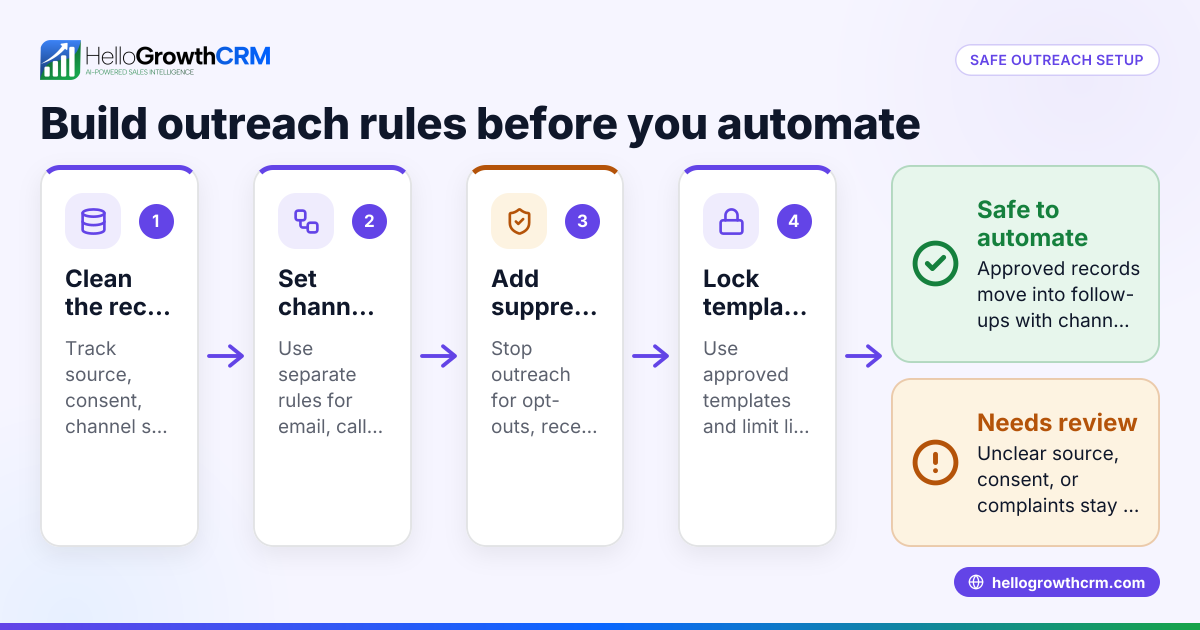
Control is the difference between useful automation and risky automation. Your team should be able to set:
- Approved prompts and templates
Reps should start from approved use cases, not random free-form requests. - Brand voice rules
You may want concise, plainspoken emails with no hype and one clear CTA. - Human review before send
For most B2B teams, drafts should be reviewed before they go out. - Stage-based messaging
Prospecting emails should sound different from proposal follow-ups. - Compliance safeguards
Email settings should support opt-out handling and proper sender practices.
That kind of structure helps teams use ai automation without creating chaos.
Why do US B2B sales teams need control over AI-written follow-ups?
Because speed without guardrails can hurt deliverability, brand trust, and compliance. The right setup lets reps write faster while managers control messaging, approvals, and sending rules, which is especially important for US teams dealing with CAN-SPAM, customer expectations, and high-value sales cycles.
The risk is not just “bad writing.” The real risk is bad process. If reps can generate and send anything, your pipeline may fill with low-quality touches that annoy buyers and confuse reporting.
In the United States, sales leaders also need to think about real-world compliance. CAN-SPAM matters for commercial email. If your workflow includes calling or texting after email outreach, TCPA concerns can come into play depending on the channel and how consent is handled. Your AI composer does not remove those responsibilities.
That does not mean you should avoid AI. It means your workflow needs rules. For example:
- Drafts are allowed automatically, but sending requires rep review.
- Certain use cases, like legal language or pricing commitments, require manager review.
- Outreach templates include approved opt-out language where needed.
- The system logs who edited and sent each message.
For many teams, this is where CRM adoption either improves or breaks down. Reps will use the system if it genuinely saves time. Managers will support it if they can trust the output.
Control matters more in complex B2B sales
If you sell a simple, low-ticket service, a generic message may be enough. But many US B2B teams sell into longer cycles with multiple stakeholders. A manufacturer in Houston may need to email operations, procurement, and finance across one deal. A software company may need follow-ups that mention security reviews, SOC 2 expectations, integration needs, or approval timelines.
Those emails need context. They also need accuracy. AI should help reps get to a usable draft faster. It should not invent facts, promise features, or guess on pricing.
Where AI email composers help most
The best use cases are repetitive, time-sensitive, and structured. That is where the time savings are highest and the risk is lower.
1. First follow-up after inbound lead capture
A new lead comes in from a form, webinar, or referral. The rep needs a fast, relevant email that reflects the lead source and next step. AI can draft that message in seconds using the contact record and campaign source.
2. No-response follow-ups
Reps often delay these because they feel repetitive. An ai tool can create short follow-ups with a fresh angle while staying within approved messaging.
3. Meeting recap emails
After a discovery call, reps need to summarize pain points, next steps, and owners. This is a strong use case because the structure is predictable.
4. Proposal or quote nudges
When a buyer goes quiet after a proposal, reps need a tactful reminder. The draft should be direct, professional, and tied to the buyer’s timeline.
5. Re-engagement of older opportunities
For stalled deals, AI can help create tailored re-engagement messages based on previous notes and the reason the deal paused.
What should you look for in an AI email composer for B2B sales?
Start with context, controls, and workflow fit. A good composer should work inside your CRM, use real deal data, support templates and approvals, and make it easy for reps to edit before sending.
Once those basics are covered, look deeper. The right choice depends on how your team sells and how much process discipline you already have.
Core features that matter
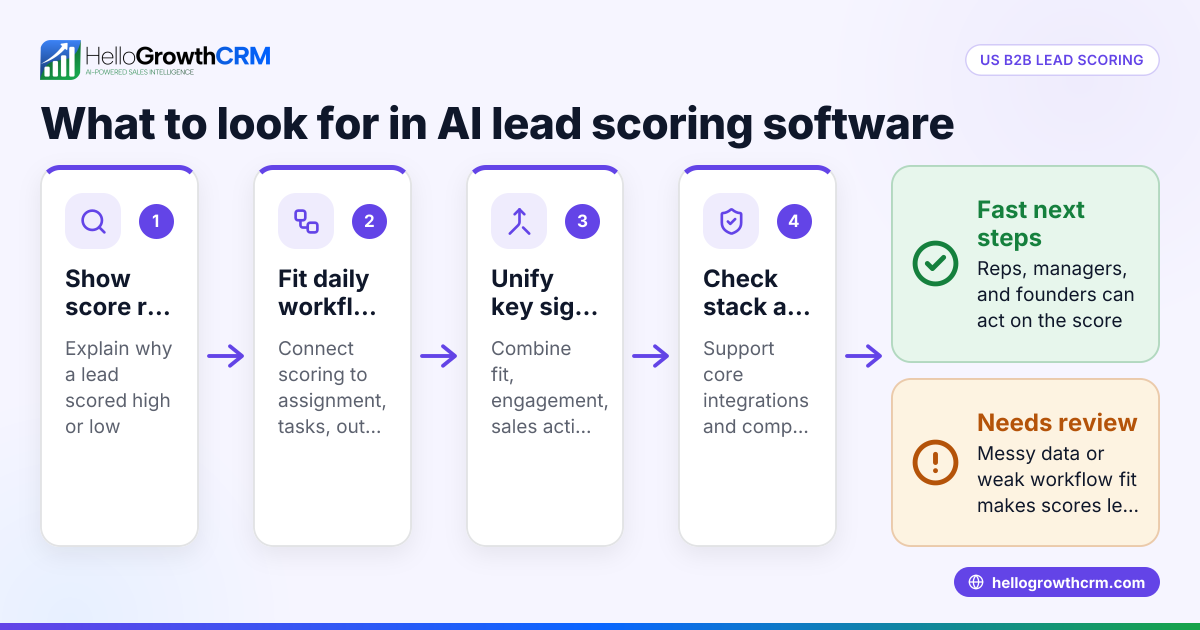
Here are the capabilities that matter most:
- CRM-native context
The tool should use contact, account, and pipeline data. This makes messages specific. - Editable drafts
Reps should be able to quickly adjust tone, CTA, and details before sending. - Template support
The team needs approved structures for common moments in the sales cycle. - Sequence compatibility
Email writing should fit your existing follow-up process, not create a separate workflow. - Activity logging
Emails and edits should be recorded for reporting and coaching. - Permission controls
Managers should be able to define who can send what. - Integration with your stack
If you use tools like QuickBooks, Stripe, or ERP systems for customer context, connected data can improve timing and handoffs. Strong integrations help.
Signs the system may create more problems than it solves
Watch for these red flags:
- It produces polished text but has no pipeline awareness.
- It cannot enforce approvals or template rules.
- It encourages volume over relevance.
- It does not track outcomes clearly.
- It sits outside the CRM, so reps copy and paste manually.
That last point matters. Every extra step reduces adoption.
How to roll out AI email writing without losing control
Most failures happen because teams start too wide. A better approach is to launch with a few defined use cases and simple rules.
Step 1: Pick three low-risk email scenarios
Start with scenarios like:
- Inbound lead follow-up
- Post-demo recap
- No-response nudge
These are common, structured, and easy to review.
Step 2: Build approved prompts and templates
Do not ask reps to invent prompts. Create approved inputs such as:
- “Write a follow-up after a 30-minute discovery call”
- “Write a polite nudge after no response for 7 days”
- “Write a recap with next steps and owners”
Keep each template short. Define tone, CTA, and what should never be included.
Step 3: Set review rules
For example:
- All drafts require rep review
- Manager review is required for pricing, contract, or legal language
- Reps cannot send untouched AI text without editing if policy requires it
This protects quality and keeps reps engaged.
Step 4: Train on editing, not just generating
Your reps need to know how to improve drafts. Teach them to check:
- Accuracy of names and details
- Relevance to the buyer’s situation
- Clarity of next step
- Tone and sentence length
- Claims the system should not make
This is where ai software helps the most. It handles the heavy lifting, while the rep applies judgment.
Step 5: Measure outcomes weekly
Track more than output. Useful metrics include:
- Time from lead assignment to first follow-up
- Reply rate
- Meeting booked rate
- Deal progression by stage
- Rep adoption rate
- Manual writing time saved
If email volume rises but meetings do not, your process needs work.
How should managers measure success?
Measure time saved, reply quality, meeting rate, and stage progression, not just the number of emails sent. If reps send more messages but buyers reply less, your AI workflow is increasing activity without improving sales performance.
This is where many rollouts go wrong. Leaders see faster email production and assume the tool works. But more drafts do not equal better pipeline.
A healthy scorecard combines efficiency and sales impact. Start with operational metrics, then tie them to pipeline movement.
Operational metrics
These show whether the tool is being used well:
- Average time to create a follow-up
- Percentage of rep-edited drafts
- Time from meeting end to recap email sent
- Adoption by team and manager
Revenue metrics
These show business impact:
- Reply rate by template type
- Meetings booked from follow-up emails
- Opportunity-to-next-stage conversion
- Win rate changes over time
- Forecast quality if follow-up discipline improves
If your CRM also supports sales forecasting, cleaner follow-up activity can improve pipeline visibility. That is because managers see who is moving deals forward and who is letting opportunities stall.
Practical tips for better AI-written follow-ups
Even a strong system needs good process. These practices keep quality high.
Keep prompts simple and specific
“Write a follow-up after a demo” is too broad. Better: “Write a short follow-up after a demo for a VP of Sales at a 50-person software company. Mention pipeline visibility and ask for a 20-minute next-step call.”
Use one CTA per email
Many AI drafts become crowded. Keep one clear ask. That could be a meeting, a reply, or a confirmation.
Feed the system better notes
If reps log weak notes, the emails will be vague. Good notes lead to better drafts.
Protect your tone
If your brand is direct and practical, say so in the template. The system should not default to hype.
Avoid full autopilot early on
Being automated with ai does not mean every message should send without review. In B2B sales, context and timing matter too much for that.
Build around your actual CRM workflow
If the composer lives inside a broader process with email automation, templates, and stage rules, adoption gets easier. Reps stay in one system instead of jumping between tools.
The role of CRM and RevOps in making AI email useful
An AI email composer is only as good as the sales system around it. If ownership is unclear, stages are inconsistent, and contact data is incomplete, the drafts will reflect that mess.
This is why RevOps matters. Someone needs to define lifecycle stages, clean fields, template governance, routing, and reporting. For small and mid-sized B2B teams, that work often determines whether AI becomes a daily habit or another ignored feature.
A platform that combines CRM, automation, and process support can make rollout much easier. For example, if your team wants email drafting connected to lead capture, pipeline rules, and AI lead scoring, it helps to evaluate the full workflow rather than buying a writing tool alone. Teams that need hands-on setup help may also benefit from managed RevOps so prompts, stages, and approvals match the way they actually sell.
You should also look at the broader features and workflow fit before making a decision. The goal is not just to write faster emails. The goal is to create a sales process your team actually uses.
If you want to see how HelloGrowthCRM handles AI-driven follow-ups, approvals, and pipeline context in one place, explore the product and compare options on the pricing page.
Read next
This article covers one part of a bigger topic. For the complete picture, read our guide to ai email composer.
Ready to put this into practice?
Set up your pipeline, WhatsApp follow-ups, and AI lead scoring in minutes — free, no credit card.
Try HelloGrowthCRM freeGet CRM tips in your inbox
Join thousands of sales professionals who get weekly insights on CRM strategy, AI automation, and pipeline optimization.

The HelloGrowthCRM team publishes guides on CRM strategy, AI sales tools, and revenue operations for small business sales teams.