HelloGrowthCRM software
Built for real small-business sales teams
HelloGrowthCRM helps reps qualify faster, follow up on time, and close more deals—with practical automation in one place.
- AI lead scoring and pipeline visibility
- Built-in dialer, WhatsApp, and email automation
- Sales forecasting and RevOps-ready reporting
An automated lead follow up system is software that sends timely, pre-planned messages and reminders to your leads without manual effort. It helps small businesses respond quickly and consistently to enquiries, reducing lost opportunities. This article explains why automated follow-up matters, how to select and implement such a system, common mistakes to avoid, and how HelloGrowthCRM supports automated follow-up with lead capture, task boards, and multi-step sequences.
Why this comes up / what goes wrong
Small business owners in Canada often lose leads because follow-up is too slow, inconsistent, or relies on manual tracking like notebooks, spreadsheets or scattered apps. For example, a busy sales rep might forget to call a promising lead or delay responding to an email enquiry. Leads then go cold or choose competitors. Without an automated system, follow-up depends on memory or manual reminders, which fail as lead volume grows or teams expand. This creates a gap between initial contact and conversion, hurting revenue.
Step-by-step
- Identify your follow-up needs. Determine how many leads you get weekly, typical follow-up channels (email, phone, WhatsApp, SMS), and how many steps your follow-up process requires.
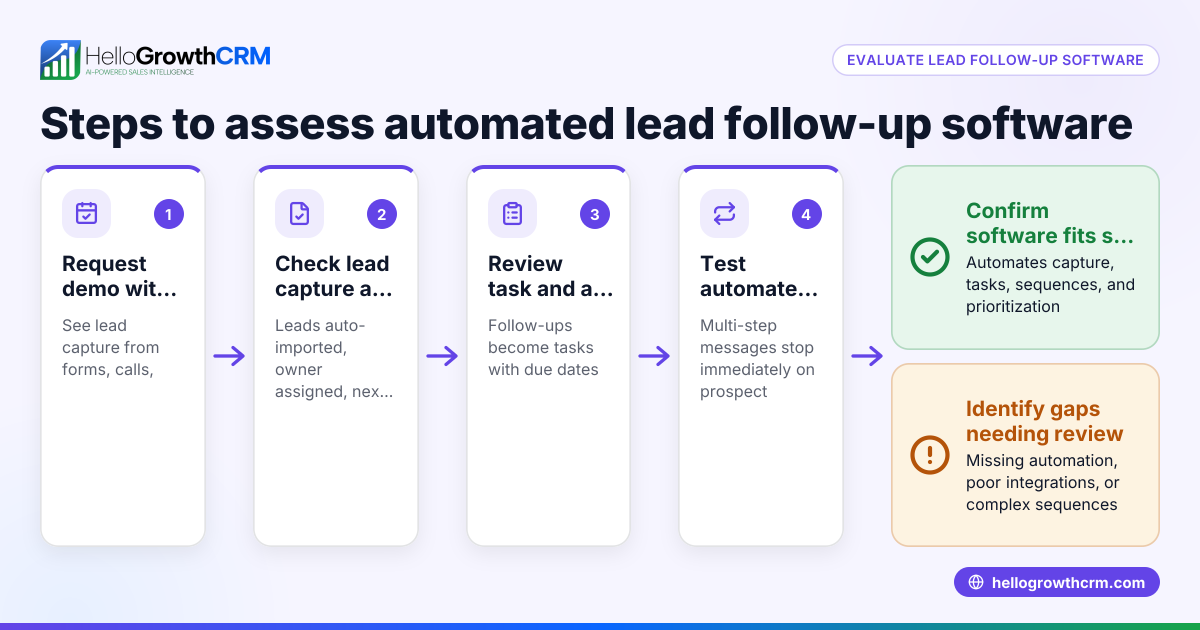
- Evaluate software features. Look for lead capture from web forms and calls, task management for follow-ups, and automated sequences that send messages on a schedule until a reply arrives. Confirm it supports the channels you use.
- Check ease of use and team adoption. The system must be simple enough that your salespeople will actually use it daily, with clear task lists and reminders.
- Test integration with your existing tools. Ensure the system can capture leads from your website, phone calls, or WhatsApp without manual entry.
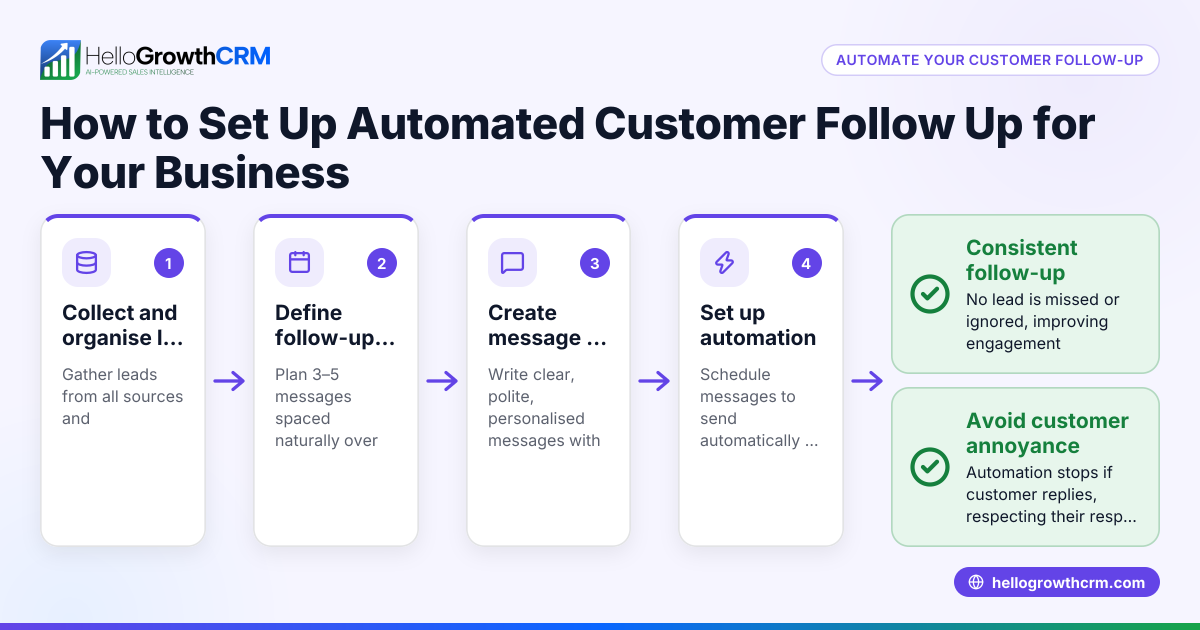
- Set up your follow-up sequences. Create a multi-step plan (e.g., initial call, follow-up email in 3 days, WhatsApp message in 7 days) that runs automatically.
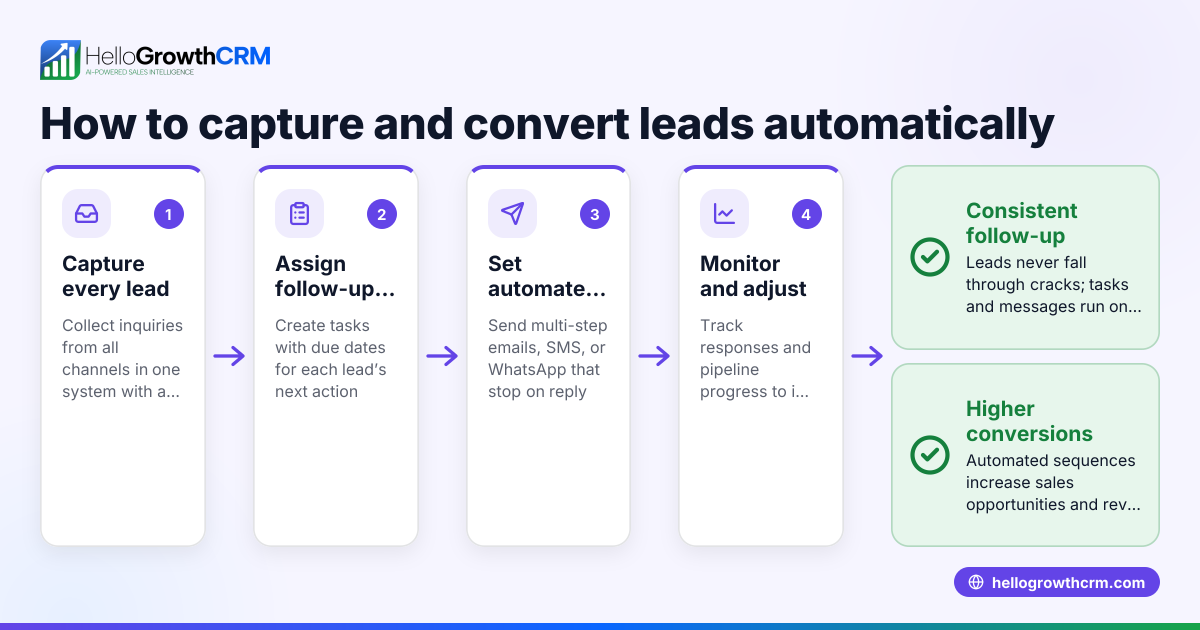
- Assign leads and tasks. Each new lead should have an owner responsible for follow-up, with tasks and due dates visible on a board.
- Monitor and adjust. Track which messages get replies and which steps work best. Refine your sequences and task priorities accordingly.
For managing tasks and sequences, see sales task boards and email automation and sequences.
Example (fictional figures)
A mortgage brokerage in Mississauga, Ontario, receives 50 new leads per month from its website and phone calls. They want a five-step follow-up over two weeks to increase contact rates.
- Each lead is assigned to a loan officer with a follow-up task due the next day.
- The sequence is: call on day 1, email on day 3, WhatsApp message on day 7, SMS on day 10, and final email on day 14.
If 60% of leads respond by step 3, the remaining 40% get the full sequence.
Assuming they convert 10% of all leads contacted:
Leads per month = 50
Expected conversions = 50 × 10% = 5
If follow-up was manual and only 30 leads got timely follow-up:
Conversions would be 30 × 10% = 3
By automating follow-up, they potentially gain 2 extra conversions monthly.
Common mistakes
- Not assigning lead owners: Without clear responsibility, leads fall through the cracks. Prevent by assigning an owner as soon as the lead arrives.
- Using too many manual tools: Tracking follow-ups across notebooks, spreadsheets, and emails causes errors. Use a unified system with leads and task boards.
- Ignoring multi-channel follow-up: Relying on only one channel like email misses prospects who prefer SMS or WhatsApp. Choose software that supports all.
- Not stopping sequences when prospects reply: Continuing automated messages after a response annoys leads. Use sequences that stop immediately on reply.
- Overcomplicating sequences: Too many steps or messages can overwhelm leads. Keep follow-up concise and spaced realistically.
- Failing to monitor follow-up effectiveness: Without tracking responses, you cannot improve your process. Use reporting features if available.
Doing this in HelloGrowthCRM
HelloGrowthCRM helps Canadian small businesses automate lead follow-up with key features:
- Leads: Every enquiry from a web form, call or WhatsApp lands as a lead with an owner and a next step, avoiding lost or forgotten leads.
- Activities and task boards: Each follow-up becomes a task with a due date; the day’s calls and tasks appear as a clear list, not a memory test. See sales task boards.
- Sequences and campaigns: A five-step follow-up over two weeks runs automatically across email, WhatsApp and SMS, stopping the moment the prospect replies. Learn more at email automation and sequences.
These features help your team stay organised and ensure no lead is left behind.
Frequently asked questions
What is an automated follow up system? An automated follow up system sends scheduled messages and reminders to leads without manual effort. It helps businesses respond quickly and consistently to enquiries across channels like email, SMS and WhatsApp.
How does an automated lead follow-up system improve sales? It reduces missed or delayed responses by assigning owners and tasks, and running multi-step message sequences until the lead replies. This keeps leads engaged and increases conversion chances.
Can I use automated follow-up with WhatsApp and SMS? Yes, many systems including HelloGrowthCRM support multi-channel sequences that send messages via WhatsApp, SMS and email, adapting to how your leads prefer to communicate.
Is it difficult to set up automated follow-up sequences? Good systems offer templates and simple editors to create sequences. You define message timing and content once, then the system runs it automatically, saving time.
What should I look for in automated lead follow up software? Key features include lead capture from forms and calls, task management with due dates, multi-channel messaging sequences that stop on reply, and easy team collaboration.
Key takeaways
- Automated lead follow-up systems prevent lost leads by sending timely, consistent messages.
- Assigning lead owners and using task boards ensures accountability and clear daily priorities.
- Multi-channel sequences across email, SMS and WhatsApp reach leads where they prefer.
- Sequences should stop immediately when a lead replies to avoid annoyance.
- Choose software that integrates lead capture, task management and automated messaging.
- Monitor follow-up results to refine your process and improve conversions.
Start streamlining your sales follow-up today with HelloGrowthCRM. Start on the Free Forever plan (200 leads, no credit card).
Ready to put this into practice?
Set up your pipeline, WhatsApp follow-ups, and AI lead scoring in minutes — free, no credit card.
Try HelloGrowthCRM freeGet CRM tips in your inbox
Join thousands of sales professionals who get weekly insights on CRM strategy, AI automation, and pipeline optimization.

The HelloGrowthCRM team publishes guides on CRM strategy, AI sales tools, and revenue operations for small business sales teams.