HelloGrowthCRM software
Built for real small-business sales teams
HelloGrowthCRM helps reps qualify faster, follow up on time, and close more deals—with practical automation in one place.
- AI lead scoring and pipeline visibility
- Built-in dialer, WhatsApp, and email automation
- Sales forecasting and RevOps-ready reporting
If your sales team already lives in Salesforce and your finance team runs on QuickBooks, the best CRM is the one that keeps both sides in sync without adding more admin work. In the United States, that usually means strong integrations, clean opportunity data, reliable handoffs from sales to invoicing, and automation your reps will actually use.
Key takeaways
- The best CRM for Salesforce and QuickBooks should connect sales activity, pipeline data, and finance records with minimal manual entry.
- US B2B teams need to think beyond features and check workflow fit, data ownership, reporting, and compliance for email and calling.
- A good setup should help sales close deals faster and help finance bill faster, collect faster, and forecast cash flow better.
- AI can help most when it improves lead scoring, follow-up timing, pipeline hygiene, and forecasting accuracy.
- For many growing teams, the winning system is not the one with the longest feature list. It is the one the team actually uses every day.
Why this matters for US B2B sales teams
Sales and finance often run on different clocks. Sales wants speed. Finance wants accuracy. In many US companies, that creates a gap between what the rep promises and what the back office can invoice, recognize, or collect.
That gap gets expensive fast. A rep in Chicago closes a deal. The account executive marks it won in Salesforce. Then someone has to retype the customer details into QuickBooks. Another person checks billing terms. Someone else chases the first invoice. If the data is wrong, the customer experience starts with friction.
This is why so many buyers search for the best CRM for salesforce and quickbooks. They do not just want software. They want fewer handoff mistakes, cleaner reporting, and less time spent fixing records.
For a US B2B company, this matters in practical ways:
- Revenue forecasts need to match booked deals.
- Sales tax handling needs accurate customer and invoice data.
- Finance teams want clear records for reconciliation.
- Teams issuing 1099 forms to contractors need clean vendor and payment processes.
- Buyers often expect professional billing and a secure data process, especially when SOC 2 questions come up during procurement.
A CRM that works well with Salesforce and QuickBooks should reduce duplicate entry, not create more of it.
What should you look for in the best CRM for Salesforce and QuickBooks?
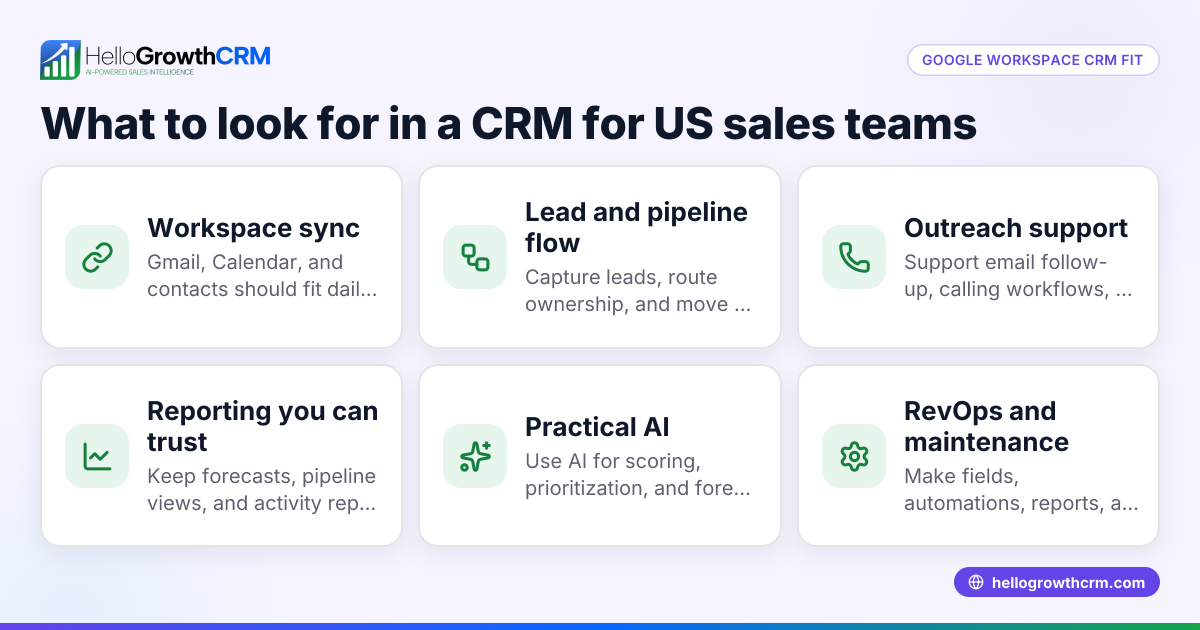
Look for a CRM that syncs contacts, companies, deals, products, and billing details accurately between Salesforce and QuickBooks. The best option for US B2B teams also supports automation, forecasting, clear permissions, and reliable reporting so sales and finance can trust the same numbers.
The short answer is simple. You need one system of action and a clean system of record. The CRM should help reps work faster while making sure finance gets complete, structured deal data.
Core integration quality matters more than the connector logo
Many tools claim they "integrate" with Salesforce and QuickBooks. That can mean almost anything. In practice, you need to know what actually syncs, how often it syncs, and what happens when records conflict.
Ask these questions:
- Which objects sync?
- Contacts
- Accounts or companies
- Opportunities or deals
- Products and line items
- Invoices
- Payments
- Notes or activity history - Is the sync one-way or two-way?
A one-way sync may be enough for billing. It may not be enough for pipeline reporting. - What is the source of truth?
If the same field changes in two systems, which update wins? - How are duplicates handled?
Duplicate companies and contacts can break both reporting and invoicing. - Can the integration support your actual process?
A software company with annual contracts works differently from a manufacturer in Detroit quoting multiple SKUs.
This is where many teams discover they do not just need software. They need process design. That is one reason some companies pair an AI CRM with managed RevOps support.
The CRM should support the way US teams sell
US B2B sales motions usually involve email, phone, meetings, quotes, procurement review, and invoicing. The CRM should make those steps easier.
Look for:
- Email and calling activity logging
- Lead routing
- Follow-up reminders
- Simple quote-to-close workflows
- Role-based permissions
- Forecast categories
- Custom fields for billing terms
- Basic integration with your finance stack
If your reps work from inboxes and mobile phones all day, they will ignore a CRM that feels like a reporting chore. A practical system should reduce clicks and give managers a better view of what is real in the pipeline.
Can one CRM really work well with both Salesforce and QuickBooks?
Yes, but only if it handles data mapping, sync rules, and ownership clearly. A CRM can work well with both systems when sales knows where to update deal data, finance knows what fields matter for invoicing, and the integration avoids duplicate records and broken handoffs.
That short answer is the test. Many teams assume a connector solves the problem. It does not. The setup does.
What good integration looks like in real life
A strong workflow often looks like this:
- A lead enters the CRM from a form, inbound call, or list upload.
- The rep qualifies it and creates or updates the deal.
- Opportunity stage changes trigger tasks, emails, and reminders.
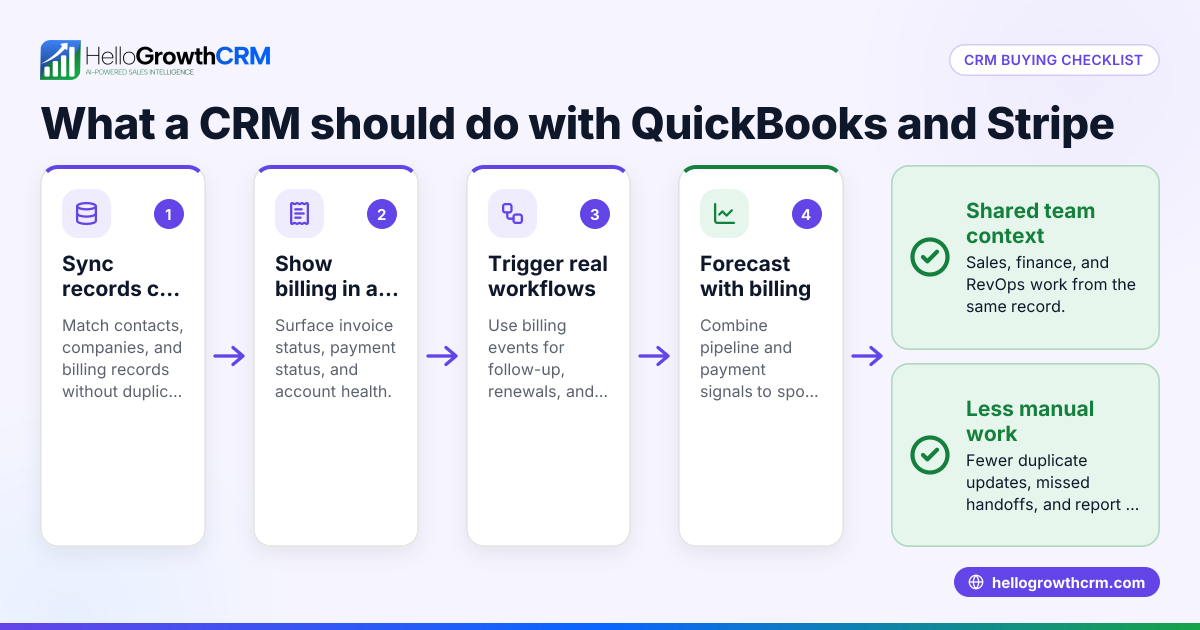
- When the deal is marked closed won, the right customer and deal details flow to finance.
- QuickBooks receives the approved billing data.
- Finance sends the invoice without rekeying basic information.
- Sales can still see invoice status or payment notes if that visibility helps account follow-up.
This reduces common problems:
- Wrong billing contact
- Missing purchase order references
- Mismatched customer names
- Incomplete product lines
- Delayed first invoice
- Forecasts that look good in Salesforce but fail in QuickBooks
Why growing teams feel this pain first
Early on, a founder can keep all this in their head. At 5 reps or 10 reps, that stops working. Data quality drops. Forecast meetings get slower. Finance asks sales for details that should already exist. Reps complain that CRM updates take too long.
That is the point when companies start searching for the ai best crm, not because they want a trendy label, but because they want fewer manual steps and smarter prioritization.
The features that matter most
The best CRM for this use case is not just an address book with a connector. It should help your team decide what to do next, keep the pipeline clean, and pass complete records downstream.
1. Strong lead capture and qualification
Good pipeline starts with good inputs. Your CRM should capture leads from forms, chat, imports, and manual entry without losing source details.
It should also support:
- Lead assignment rules
- Qualification fields
- Activity tracking
- Auto-created tasks
- Clear stage definitions
If your sales team gets a mix of inbound demos, outbound replies, referrals, and partner leads, lead routing matters more than people think.
2. AI lead scoring and prioritization
This is one of the few AI use cases that can save real time right away. Instead of treating every lead the same, AI can help rank leads based on fit, behavior, response patterns, and historical conversion signals.
For a growing B2B team, AI lead scoring can help reps focus on the accounts most likely to move. That matters when every rep is juggling follow-ups, demos, and renewals.
3. Pipeline management that reps will use
Your CRM should make opportunity updates simple. If updating stages, close dates, and next steps takes too long, reps will skip it.
Look for:
- Fast deal editing
- Mandatory next-step fields
- Stage-based guidance
- Task automation
- Visibility by rep, manager, and team
A pipeline is only useful if it reflects what is happening this week, not last month.
4. Email and follow-up automation
US B2B sales teams still rely heavily on email. Automation helps when it reduces repetitive work without making outreach feel robotic.
Useful capabilities include:
- Sequences for follow-up
- Auto-reminders after no reply
- Templates with personalization
- Activity logging
- Unsubscribe handling to support CAN-SPAM compliance
For teams doing regular outbound or nurture flows, email automation should feel tightly connected to deal stages and rep activity.
5. Forecasting and reporting
Forecasting is where disconnected systems get exposed. If the CRM says one thing and QuickBooks shows another, leadership loses trust fast.
A practical setup should show:
- Pipeline by stage
- Weighted forecast
- Closed won by rep
- Average sales cycle
- Revenue by product or segment
- Billing and collection context where needed
For leadership teams trying to improve forecast discipline, sales forecasting should be tied to rep behavior, not just spreadsheet rollups.
How should US teams evaluate CRM integration with QuickBooks?
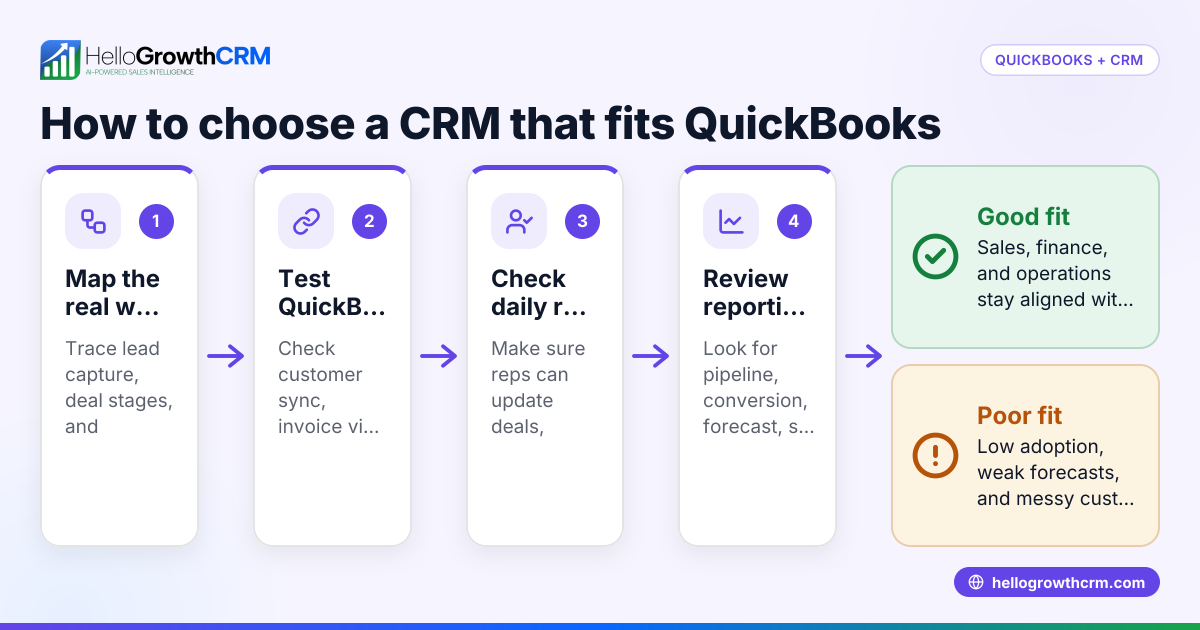
Start by mapping your sales-to-cash process from lead to invoice. Then test whether the CRM can pass the exact customer, deal, product, and billing fields finance needs in QuickBooks without manual cleanup.
Map the process before you compare tools
Do this before any demo:
- List every step from lead creation to first invoice.
- Identify which team owns each step.
- Write down every field needed to invoice correctly.
- Mark where errors happen today.
- Decide which system should own each field.
This exercise often reveals the real issue. The problem may not be the CRM itself. It may be undefined ownership or inconsistent stages.
Check the finance details sales usually forgets
Many CRM evaluations focus only on sales workflows. That is a mistake. QuickBooks success depends on whether the sales side captures finance-ready data.
Review whether your process captures:
- Legal customer name
- Billing contact
- Billing address
- Payment terms
- Product or service detail
- Start date
- Contract value
- Purchase order details if required
- Tax-related fields your team uses
You do not need every field for every business. But you do need a clean handoff.
Test with real deals, not sample records
During evaluation, use actual scenarios:
- A new customer with one invoice
- A multi-line annual contract
- A customer expansion
- A change in billing contact
- A delayed close date
- A canceled deal that should not invoice
This shows whether the system supports your business, not just the vendor's demo script.
Common mistakes when choosing a CRM for Salesforce and QuickBooks
Teams often buy for features and regret the workflow later. The most common mistakes are predictable.
Choosing based on feature count
More features do not mean more adoption. Most growing teams need a cleaner process, not ten more menus.
Ignoring rev ops and data governance
If nobody owns field definitions, sync rules, and pipeline standards, your reports will drift. This is why RevOps matters even in a 20-person company.
Letting sales and finance evaluate separately
If finance is not involved, invoicing problems show up after launch. If sales is not involved, reps resist the system and data quality drops.
Forgetting compliance basics
If the CRM includes email, calling, or texting, make sure your workflows support US requirements like CAN-SPAM and TCPA where applicable. The right system should make compliant workflows easier, not harder.
Over-customizing too early
Heavy customization can slow rollout and confuse users. Start with the minimum structure needed to support reporting and billing accuracy.
A practical shortlist for the best CRM for Salesforce and QuickBooks
The best choice depends on your team size, sales motion, and handoff complexity. Still, your shortlist should be built around a few filters.
Good fit if you are a growing B2B sales team
You likely want:
- Fast rep adoption
- Clear pipeline visibility
- AI help with prioritization
- Built-in communication workflows
- Integration flexibility
- Better handoff to QuickBooks
- Less spreadsheet reporting
For teams in that stage, it helps to review product features and confirm the platform can support both daily sales work and finance-ready data flow.
Good fit if you have a lean RevOps team
If you do not have a full in-house RevOps function, choose a platform that is simple to maintain. Complexity grows fast once you add stage rules, automations, permissions, and sync logic.
It is also worth checking available integrations and whether setup support exists for field mapping and process design.
What does a successful rollout look like?
A successful rollout has clear ownership, a small first scope, and a tight feedback loop. Start with one clean sales process, one QuickBooks handoff workflow, and a few must-have reports. Then improve after reps and finance use it for real deals.
Start with one workflow that matters
Do not launch everything at once. Start with:
- Lead capture
- Opportunity stages
- Close won handoff
- Invoice creation process
- Core reports
This gets value live quickly.
Train by role, not by feature
Reps need to know what to update and when. Managers need inspection views. Finance needs handoff clarity. Admins need sync rules and exception handling.
Measure outcomes, not activity alone
Track results like:
- Time from close won to first invoice
- Percentage of deals missing billing data
- Forecast accuracy
- Rep CRM adoption
- Duplicate record rate
- Lead response time
Those numbers tell you whether the system is helping.
If you are comparing options, HelloGrowthCRM combines CRM, automation, and AI support for growing B2B teams that want less admin work and better adoption. You can review pricing when you are ready to compare fit.
Start a free trial or book a demo to see how HelloGrowthCRM can support your Salesforce and QuickBooks workflow in the United States.
Frequently asked questions
Is Salesforce itself enough if we already use QuickBooks?
Sometimes, but not always. Many teams still need better workflow automation, cleaner adoption, or stronger finance handoffs. The issue is often less about owning Salesforce and more about whether the process is simple enough for reps to keep accurate.
Should sales reps be able to see invoice status?
Usually yes, at least at a basic level. That visibility helps with account follow-up and reduces back-and-forth with finance. Just make sure permissions are appropriate for your team structure.
How long does CRM and QuickBooks integration setup usually take?
It depends on your process complexity and data quality. A simple setup can move quickly, while custom fields, duplicate cleanup, and unclear ownership can slow things down. The best approach is to define the workflow first, then configure the tools.
What is the biggest risk in a Salesforce and QuickBooks CRM project?
The biggest risk is bad process design hidden behind a good-looking integration. If stages, field ownership, and sync rules are unclear, errors keep happening after launch. That leads to weak adoption and low trust in reports.
Do small US B2B teams really need AI in their CRM?
Not every team needs every AI feature. But AI is useful when it helps reps prioritize leads, keeps follow-ups on track, and improves forecast quality. The best AI features remove admin work instead of adding another dashboard to monitor.
Frequently Asked Questions
Ready to put this into practice?
Set up your pipeline, WhatsApp follow-ups, and AI lead scoring in minutes — free, no credit card.
Try HelloGrowthCRM freeGet CRM tips in your inbox
Join thousands of sales professionals who get weekly insights on CRM strategy, AI automation, and pipeline optimization.

The HelloGrowthCRM team publishes guides on CRM strategy, AI sales tools, and revenue operations for small business sales teams.