HelloGrowthCRM software
Built for real small-business sales teams
HelloGrowthCRM helps reps qualify faster, follow up on time, and close more deals—with practical automation in one place.
- AI lead scoring and pipeline visibility
- Built-in dialer, WhatsApp, and email automation
- Sales forecasting and RevOps-ready reporting
A CRM for home services companies is a customer relationship management system designed to capture incoming leads, manage estimates, schedule jobs, and track customer communication in one organized pipeline. Instead of juggling spreadsheets, call logs, email threads, and messaging apps, a CRM centralizes the entire lead‑to‑job workflow. For HVAC, plumbing, electrical, roofing, and other service businesses, this means every inquiry, estimate, and booked job stays visible from the first phone call to the completed service visit.
Key Takeaways
- A CRM for home services companies centralizes leads, estimates, job scheduling, and communication in one system.
- Automated follow‑ups help convert more estimates into booked jobs without relying on manual reminders.
- AI-powered lead scoring highlights the most promising service inquiries so teams respond faster.
- Integrated messaging, call tracking, and scheduling keep technicians, office staff, and customers aligned.
- Pipeline visibility helps managers forecast workload, manage technicians, and reduce missed opportunities.
Why Home Services Businesses Need a CRM
Most home services companies grow quickly through referrals, website inquiries, and phone calls. But operational systems rarely keep up with that growth.
Leads often arrive through multiple channels:
- Website contact forms
- Phone calls from ads or local listings
- Text messages and WhatsApp inquiries
- Email requests for estimates
- Social media messages
Without a central system, these inquiries get scattered across different tools. Some leads stay in email inboxes. Others live in spreadsheets or handwritten notes. Follow‑ups become inconsistent, and estimates get forgotten.
This is where an AI-powered system like an AI CRM becomes essential.
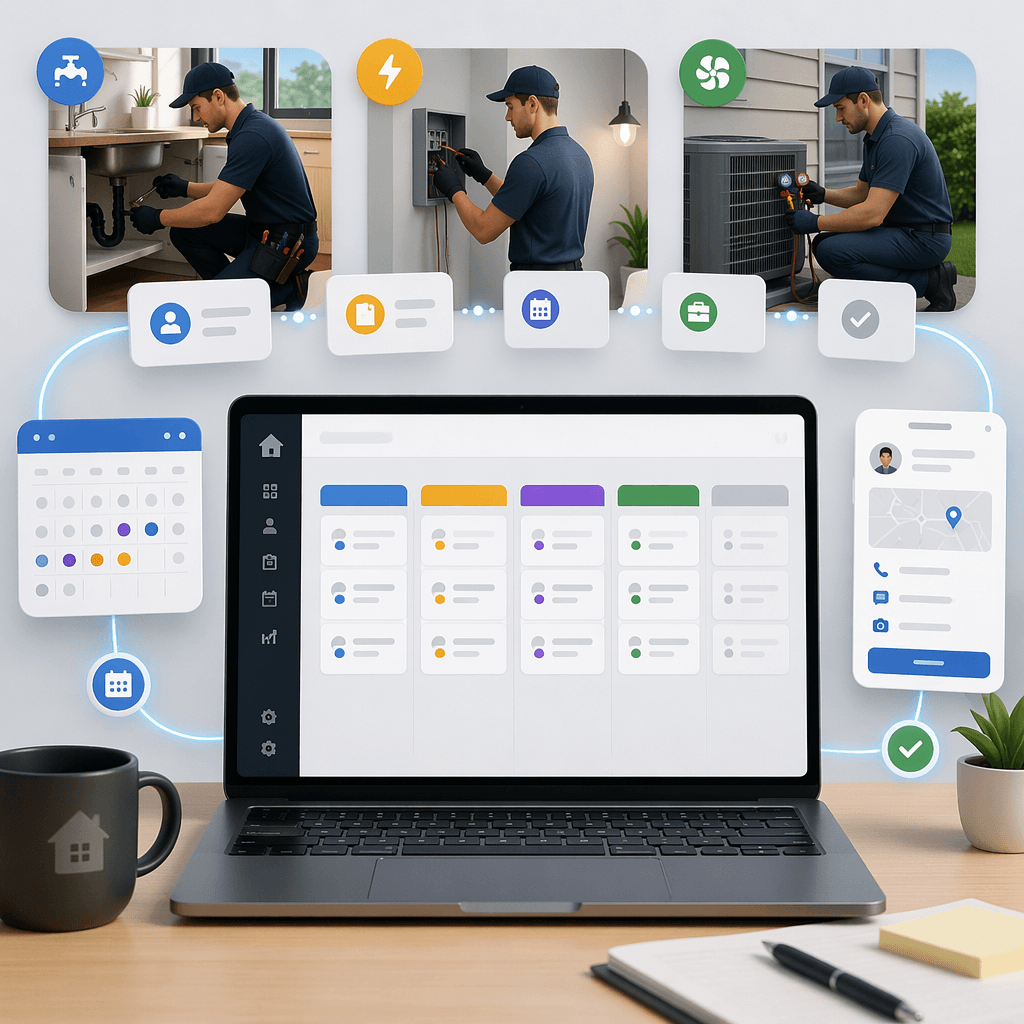
Instead of tracking leads across multiple tools, a CRM creates a single pipeline that shows:
- New inquiries
- Estimates sent
- Jobs scheduled
- Work completed
- Repeat service opportunities
Everyone in the company can see the same information. Office staff manage leads. Sales staff track estimates. Technicians see upcoming jobs. Managers monitor pipeline health and revenue projections.
This unified workflow prevents lost leads and makes the entire operation easier to manage.
The Typical Lead-to-Job Workflow in Home Services
Home services companies follow a predictable workflow, even if it is not formally documented.
A typical service pipeline looks like this:
- Customer inquiry
- Initial qualification call
- Site visit or diagnostic appointment
- Estimate creation
- Customer follow‑up
- Job scheduling
- Service completion
- Payment and repeat service
The problem is that many companies track each step in a different tool.
For example:
- Calls are logged in phone systems
- Estimates are stored in PDF files
- Job schedules live in calendars
- Customer conversations happen in text threads
- Revenue tracking happens in accounting software
A CRM connects all of these steps into one workflow.
With features like AI Pipeline Management, service companies can move leads through each stage automatically. The system records interactions, tracks estimate status, and alerts teams when follow‑ups are overdue.
This pipeline view helps businesses answer critical questions:
- Which estimates are still open?
- Which leads need follow‑ups?
- How many jobs are scheduled this week?
- Which technicians have capacity?
Instead of guessing, managers see the entire business pipeline in real time.
Capturing Leads from Calls, Forms, and Messages
For most home services businesses, the first customer interaction happens quickly. Someone notices a plumbing leak, broken HVAC system, or electrical issue and wants help immediately.
If the inquiry process is slow or disorganized, the customer simply calls the next company.
A CRM solves this by capturing leads automatically from multiple sources.
With integrations such as Gmail, WhatsApp, and phone systems through Twilio, incoming inquiries automatically create new leads in the CRM pipeline.
This ensures:
- No inquiry gets lost
- Contact information is saved automatically
- Conversations are recorded in the customer timeline
A unified messaging system like the Smart Inbox allows teams to manage email, SMS, and messaging in one place.
Instead of checking five different tools, office staff respond to all inquiries from a single dashboard.
This dramatically improves response time. Faster responses often lead directly to higher booking rates.
Managing Estimates and Service Quotes
Estimates are one of the most critical steps in the home services sales process.
A customer may request multiple quotes from different companies. The business that follows up consistently often wins the job.
However, many companies send estimates and then rely on memory to follow up.
A CRM fixes this by tracking every estimate inside the pipeline.
Using tools like the Proposal Builder, service teams can quickly generate professional estimates directly from the CRM. Each estimate stays attached to the customer record.
The system tracks:
- When the estimate was sent
- Whether the customer opened it
- When follow‑ups are due
- Whether the estimate converts to a job
Automation tools such as Email Automation can send follow‑up reminders automatically.
For example:
- Day 1: Estimate sent
- Day 3: Friendly follow‑up email
- Day 7: Reminder message
- Day 14: Final check‑in
These automated sequences ensure no estimate goes cold.
Over time, this dramatically improves the estimate‑to‑job conversion rate.
Scheduling Jobs Without Chaos
Once a customer approves an estimate, the next step is scheduling the job.
This is where many home services businesses struggle. Schedules change constantly due to weather, emergency calls, or technician availability.
A CRM helps coordinate scheduling with the sales pipeline.
Tools like the Meeting Scheduler allow customers to book appointments directly from available time slots.
For example:
- Diagnostic visits
- On-site inspections
- Installation appointments
- Maintenance visits
Because the scheduler connects directly to the CRM, each appointment is linked to the customer record and deal stage.
Teams can also assign jobs using structured workflows like Sales Task Boards. These boards help coordinate work between office staff and technicians.
Managers can quickly see:
- Which jobs are scheduled today
- Which technicians are assigned
- Which jobs are pending confirmation
This visibility prevents scheduling conflicts and reduces operational confusion.
Using AI to Prioritize High-Value Leads
Not every inquiry turns into a profitable job.
Some leads are quick service calls. Others represent larger installation projects. Some may never convert at all.
AI tools can help identify the most promising opportunities.
With AI Lead Scoring, the CRM analyzes lead behavior and attributes to prioritize high‑value opportunities.
The system can consider signals such as:
- Service type requested
- Property type or location
- Response engagement
- Inquiry source
- Past service history
Leads with higher scores can receive priority follow‑ups from sales staff.
AI agents can also help teams understand deal health. For example, a Deal Risk Agent can detect when an estimate has gone quiet or when a follow‑up is overdue.
This proactive insight helps teams intervene before opportunities are lost.
Tracking Customer History for Repeat Business
Home services companies often rely on repeat business.
Customers may need:
- Annual HVAC maintenance
- Seasonal plumbing inspections
- Electrical upgrades
- Equipment replacement after several years
Without a CRM, customer history becomes difficult to track.
A centralized CRM record shows every interaction with a customer, including:
- Past service visits
- Previous estimates
- Invoices and payments
- Communication history
- Maintenance reminders
This allows teams to proactively reach out when services are due.
For example, automated reminders can notify customers when:
- HVAC filters should be replaced
- Annual inspections are recommended
- Equipment warranties are expiring
Over time, these reminders help generate consistent recurring revenue.
How to Implement a CRM for Home Services Companies: Step-by-Step
1. Centralize Lead Capture
Connect website forms, phone systems, and messaging channels so every inquiry automatically creates a CRM lead.
2. Create Pipeline Stages
Define the stages of your workflow such as Inquiry, Estimate Scheduled, Quote Sent, Job Booked, and Job Completed.
3. Automate Follow-Ups
Set automated email and SMS sequences to follow up on estimates and unanswered inquiries.
4. Enable Scheduling Tools
Allow customers to book inspections or service visits using integrated scheduling tools connected to your CRM.
5. Track Estimates and Jobs
Attach quotes, service notes, and job details directly to each pipeline record for full visibility.
6. Monitor Pipeline Performance
Use dashboards and reporting tools to track conversion rates, job volume, and technician workload.
Choosing the Right CRM for Service Businesses
Not every CRM works well for home services companies.
Generic CRMs often focus on software sales pipelines rather than field service workflows. They lack scheduling tools, messaging integrations, and automation for estimate follow‑ups.
A purpose-built platform like HelloGrowthCRM combines sales, communication, and scheduling tools in one system.
Key capabilities include:
- AI-powered pipeline tracking
- Multi-channel messaging through tools like WhatsApp & SMS CRM
- Automated lead prioritization
- Job scheduling workflows
- Revenue insights through Sales Forecasting
For service businesses that handle dozens or hundreds of inquiries each week, these tools prevent missed opportunities and streamline operations.
Many companies also connect the CRM with accounting or operational systems using integrations available in the All Integrations ecosystem.
This ensures that customer data flows across the entire business stack.
The result is a cleaner, more efficient process from the first inquiry to the final invoice.
If your home services company still relies on spreadsheets, disconnected calendars, and scattered messages, it may be time to centralize everything in one pipeline.
HelloGrowthCRM is designed to help service businesses capture more leads, convert more estimates, and schedule jobs without operational chaos. Explore the platform’s Features, review the Pricing, or start a Free Trial to see how it works.
Frequently Asked Questions
Q: What is a CRM for home services companies?
A: A CRM for home services companies is software that manages customer inquiries, estimates, job scheduling, and communication in one system. It helps businesses track leads from the first contact through completed service jobs. This improves organization and increases estimate‑to‑job conversion rates.
Q: How does a CRM help HVAC, plumbing, or electrical businesses?
A: A CRM centralizes customer communication, tracks estimates, and organizes job scheduling. This ensures no inquiries are missed and follow‑ups happen on time. It also gives managers visibility into upcoming jobs and technician workload.
Q: Can a CRM automate follow-ups for service estimates?
A: Yes. Many modern CRMs allow automated email or SMS follow‑ups after estimates are sent. These reminders help keep the company top of mind and significantly improve the chances that customers approve the estimate.
Q: How does a CRM capture leads from phone calls and messages?
A: CRM platforms integrate with communication tools such as phone systems, email, and messaging apps. When a customer calls or sends a message, the CRM automatically creates a lead record and stores the conversation history.
Q: Is a CRM useful for small home services companies?
A: Yes. Even small teams benefit from having a central place to manage inquiries, quotes, and job scheduling. A CRM prevents lost leads and helps small businesses respond to customers faster than competitors.
Q: How does AI improve CRM performance for service companies?
A: AI can analyze lead behavior, prioritize high‑value inquiries, and detect stalled deals. This helps teams focus on the best opportunities and ensures that estimates and follow‑ups are handled efficiently.
Frequently Asked Questions
Ready to put this into practice?
Set up your pipeline, WhatsApp follow-ups, and AI lead scoring in minutes — free, no credit card.
Try HelloGrowthCRM freeGet CRM tips in your inbox
Join thousands of sales professionals who get weekly insights on CRM strategy, AI automation, and pipeline optimization.

The HelloGrowthCRM team publishes guides on CRM strategy, AI sales tools, and revenue operations for small business sales teams.