HelloGrowthCRM software
Built for real small-business sales teams
HelloGrowthCRM helps reps qualify faster, follow up on time, and close more deals—with practical automation in one place.
- AI lead scoring and pipeline visibility
- Built-in dialer, WhatsApp, and email automation
- Sales forecasting and RevOps-ready reporting
Automating email follow-ups helps small businesses stay in touch with leads promptly without manual effort, reducing lost opportunities. This guide explains why automation is important, gives detailed steps to set it up, shows a UK business example with calculations, highlights common mistakes, and describes relevant HelloGrowthCRM features.
Why this comes up / what goes wrong
Small business owners often handle follow-ups manually via email or spreadsheets, which can be slow, inconsistent, or forgotten. This results in lost leads and revenue. Using separate tools like WhatsApp or email clients makes it hard to track all communications and follow-up status, especially as the sales team grows. Automating follow-ups in a CRM ensures timely, personalised contact without extra work and keeps all communication logged in one place.
Step-by-step
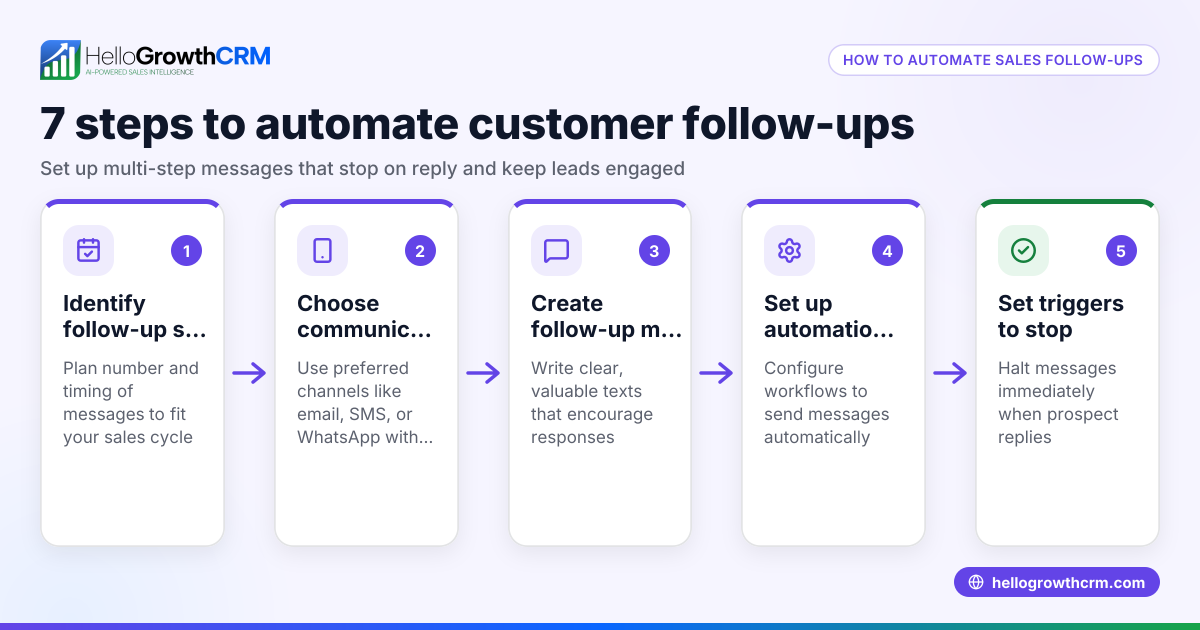
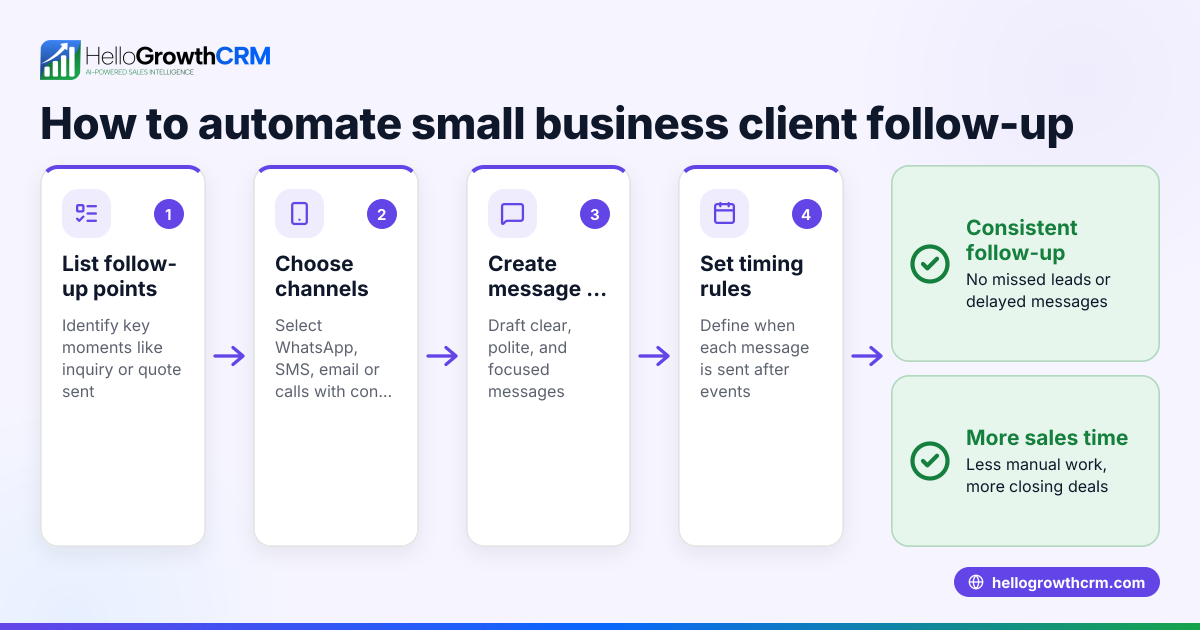
- Access your CRM’s email automation feature: Locate the section for email sequences or follow-up workflows. Verify you can schedule follow-up emails triggered by events such as lead creation or after sending an initial email.
- Set the trigger event: Choose when the first follow-up email should send, for example, 2 days after the initial enquiry or quotation email is sent.
- Create follow-up email templates: Write short, polite follow-up emails. Use personalisation fields like lead name or company to increase engagement.
- Schedule follow-up timings: Decide intervals between follow-ups, e.g., first follow-up 2 days after trigger, second 5 days later, third 10 days after that.
- Add stop conditions: Set the automation to stop sending follow-ups if the lead replies or the deal is marked won.
- Test the sequence: Send test emails to yourself or your team to check formatting, links, and timing.
- Activate the automation: Turn on the sequence so it runs automatically for new leads.
- Monitor and adjust: Regularly review open and reply rates. Change email copy or timing as needed.
Make sure your CRM supports a shared inbox or team visibility for replies so everyone stays informed. Also confirm that email activity is logged on lead records for clear tracking. For details, see email automation and sequences.
Example (fictional figures)
A letting agency in Manchester wants to automate follow-ups for tenant enquiries received via its website.
- Lead created on 01/06/2024.
- First follow-up email scheduled 2 days later: 03/06/2024.
- Second follow-up 5 days after first: 08/06/2024.
- Third follow-up 10 days after second: 18/06/2024.
Calculations:
- Follow-up 1 date: 01/06/2024 + 2 days = 03/06/2024.
- Follow-up 2 date: 03/06/2024 + 5 days = 08/06/2024.
- Follow-up 3 date: 08/06/2024 + 10 days = 18/06/2024.
The agency tracks that automating follow-ups helps convert 10 extra leads monthly, each with an average booking value of £1,200.
Monthly extra revenue = 10 leads × £1,200 = £12,000.
Common mistakes
- Not personalising emails: Sending generic emails reduces reply rates. Use CRM fields to insert names and company details.
- Following up too often or too rarely: Too many emails annoy leads; too few lose chances. Follow a tested schedule like 2, 5, then 10 days.
- Ignoring replies: Continuing follow-ups after a reply looks unprofessional. Set stop conditions to pause sequences on reply.
- Failing to test emails: Broken links or poor formatting reduce effectiveness. Always test before activating.
- Not tracking results: Without monitoring open and reply rates, you can’t improve your sequence. Use CRM reporting.
- Using multiple channels separately: Managing email, WhatsApp and calls separately causes confusion. Use a CRM that logs all communication in one place, such as HelloGrowthCRM. See WhatsApp and SMS CRM for multi-channel follow-up.
Doing this in HelloGrowthCRM
HelloGrowthCRM offers a HelloMail shared inbox where replies to quotation emails are visible to the whole team on the deal record, keeping everyone aligned. Its built-in dialer lets telecallers call leads directly within the CRM and log call outcomes on the lead record. WhatsApp and SMS messaging are integrated, with conversations logged and follow-ups sent as messages, helping you engage leads on their preferred channels. Learn more at email automation and sequences and WhatsApp and SMS CRM.
Frequently asked questions
Can I automate email follow-ups for only certain leads? Yes, most CRMs allow you to set conditions to target follow-ups based on lead source, deal stage, or tags, ensuring messages reach the right leads.
How do I stop automated emails if a lead replies or buys? Set your email sequence to pause or stop when a reply is received or when the deal moves to a won status. This prevents unnecessary emails.
Is it better to automate follow-ups by email or phone? Both methods have advantages. Email provides a written record and is less intrusive, while phone calls can be more personal. Combining both using CRM features like HelloGrowthCRM’s dialer and email automation is effective.
How often should I send follow-up emails? A common schedule is 2 days after first contact, then 5 days later, and a final follow-up 10 days after that. Adjust timing based on your audience’s responses.
Can I personalise automated emails? Yes, use CRM merge fields to insert names, company details, or product info automatically, making emails feel tailored.
What if my team uses WhatsApp and email separately? Using a CRM that logs all communication channels together, like HelloGrowthCRM, helps avoid missed follow-ups and keeps the team coordinated. See HelloGrowthCRM for the United Kingdom for details.
Key takeaways
- Automate email follow-ups by setting triggers, timing, and stop conditions in your CRM.
- Personalise emails and test sequences before activating.
- Monitor open and reply rates to optimise timing and content.
- Avoid common mistakes like over-emailing or ignoring replies.
- Use a CRM that integrates email, calls and WhatsApp for seamless follow-ups.
- HelloGrowthCRM offers shared inboxes, a built-in dialer, and WhatsApp/SMS logging to support follow-ups.
Start automating your email follow-ups today to improve your lead conversion rates. To begin, Start on the Free Forever plan (200 leads, no credit card).
Ready to put this into practice?
Set up your pipeline, WhatsApp follow-ups, and AI lead scoring in minutes — free, no credit card.
Try HelloGrowthCRM freeGet CRM tips in your inbox
Join thousands of sales professionals who get weekly insights on CRM strategy, AI automation, and pipeline optimization.

The HelloGrowthCRM team publishes guides on CRM strategy, AI sales tools, and revenue operations for small business sales teams.