HelloGrowthCRM software
Built for real small-business sales teams
HelloGrowthCRM helps reps qualify faster, follow up on time, and close more deals—with practical automation in one place.
- AI lead scoring and pipeline visibility
- Built-in dialer, WhatsApp, and email automation
- Sales forecasting and RevOps-ready reporting
Creating a customer payment link in India enables small businesses to receive payments digitally and quickly. Start by choosing a payment platform with payment link features, register your business and bank account, then create and share the payment link with your customer. This guide explains why payment links matter, provides detailed steps, a worked example, common mistakes, and how HelloGrowthCRM supports your sales and payment tracking.
Why this comes up / what goes wrong
Many small-business owners in India still rely on cash or manual bank transfers, which can delay payments and complicate follow-up. Customers often prefer easy digital payments via clickable links sent through WhatsApp or SMS. Without payment links, businesses spend time coordinating payment details and confirming receipts, slowing cash flow and increasing effort.
Tracking payment requests, pending payments, and completed payments is also difficult if using spreadsheets or informal WhatsApp messages. Payment links provide a clear, trackable, and convenient payment request customers can pay immediately using UPI, cards, or wallets.
Step-by-step
- Choose a payment gateway that supports payment links: Popular options in India include Razorpay, Paytm, Instamojo, or your bank’s payment gateway. Confirm the gateway offers payment link generation.
- Register your business with the gateway: Provide your business name, PAN, GSTIN (if applicable), bank account details, and KYC documents. Verification may take a few hours to a couple of days.
- Log in to the merchant dashboard or app: After approval, access your dashboard to create payment links.
- Create a new payment link: Enter the payment amount in INR and add a description or invoice number for your customer’s reference.
- Add customer details (optional but recommended): Include the customer’s name, phone number, and email to personalise the link and receive notifications.
- Generate the payment link: The system will create a unique URL that you can copy.
- Share the payment link with your customer: Use WhatsApp, SMS, email, or any messaging app your customer prefers. WhatsApp is widely used in India and convenient for quick payments.
- Track payment status: Monitor your dashboard to see if the payment is completed, pending, or expired.
- Send payment confirmation or receipt: After payment is received, send a confirmation message or invoice to the customer for their records.
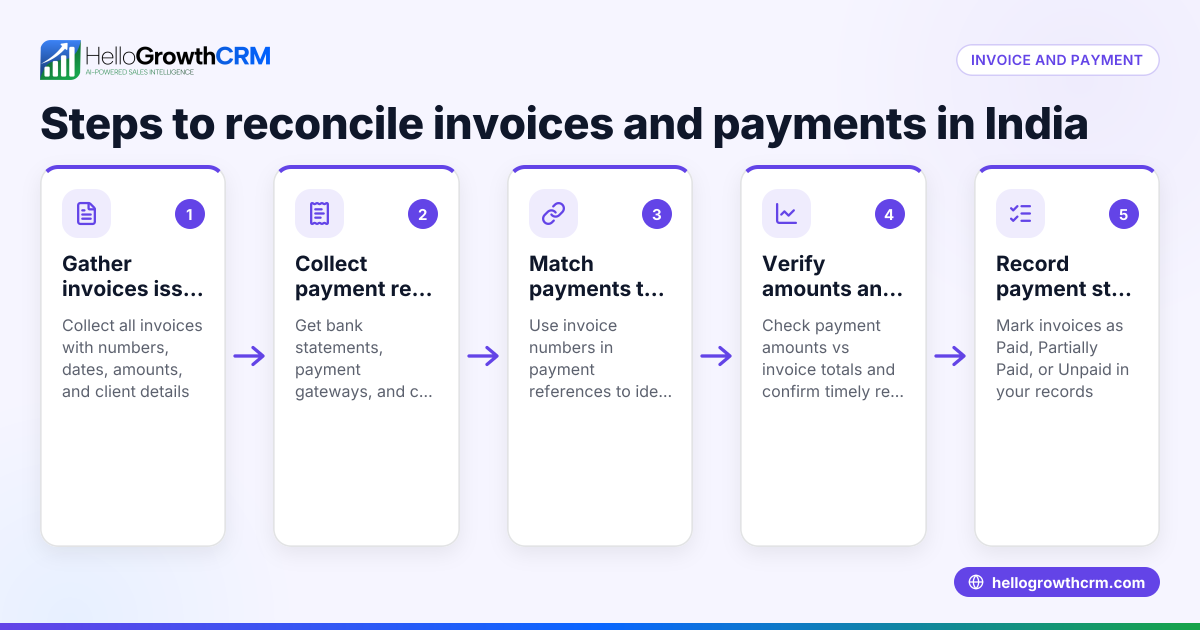
- Reconcile payments with your accounts: Match received payments with invoices or sales records for accurate bookkeeping.
Example (fictional figures)
You run a small electronics repair shop in Bengaluru and sold a laptop repair service on 10/06/2024 for ₹7,500. You want to create a payment link for this amount.
- Step 1: Log in to your Razorpay dashboard.
- Step 2: Click on "Create Payment Link".
- Step 3: Enter Amount: ₹7,500
- Step 4: Enter Description: "Laptop repair service invoice #1234"
- Step 5: Add customer name: "Ravi Kumar" and phone: "9876543210"
- Step 6: Generate payment link.
- Step 7: Copy the link and send it via WhatsApp to Ravi.
Ravi clicks the link and pays ₹7,500 using UPI.
You check your dashboard:
₹7,500 (amount requested) = ₹7,500 (payment received)
Payment status changes to "Completed".
You send Ravi a payment receipt via WhatsApp.
Common mistakes
- Not verifying bank account details: Incorrect account information delays payment settlement. Double-check your account number and IFSC before submitting.
- Ignoring customer contact details: Without phone or email, you cannot send reminders or confirm payments easily. Always add these details.
- Sharing expired or incorrect links: Payment links may expire after a set time. Generate fresh links if payment is delayed.
- Not tracking payment status regularly: Failing to monitor payment status causes confusion about who has paid. Set reminders to check daily.
- Not sending payment confirmation promptly: Customers expect confirmation. Send receipts quickly to avoid disputes.
- Using multiple uncoordinated tools: Managing payments separately on WhatsApp and spreadsheets causes errors. Use integrated tools or CRM features to keep everything organised, such as HelloGrowthCRM’s quoting and payment tracking. See WhatsApp and SMS CRM.
Doing this in HelloGrowthCRM
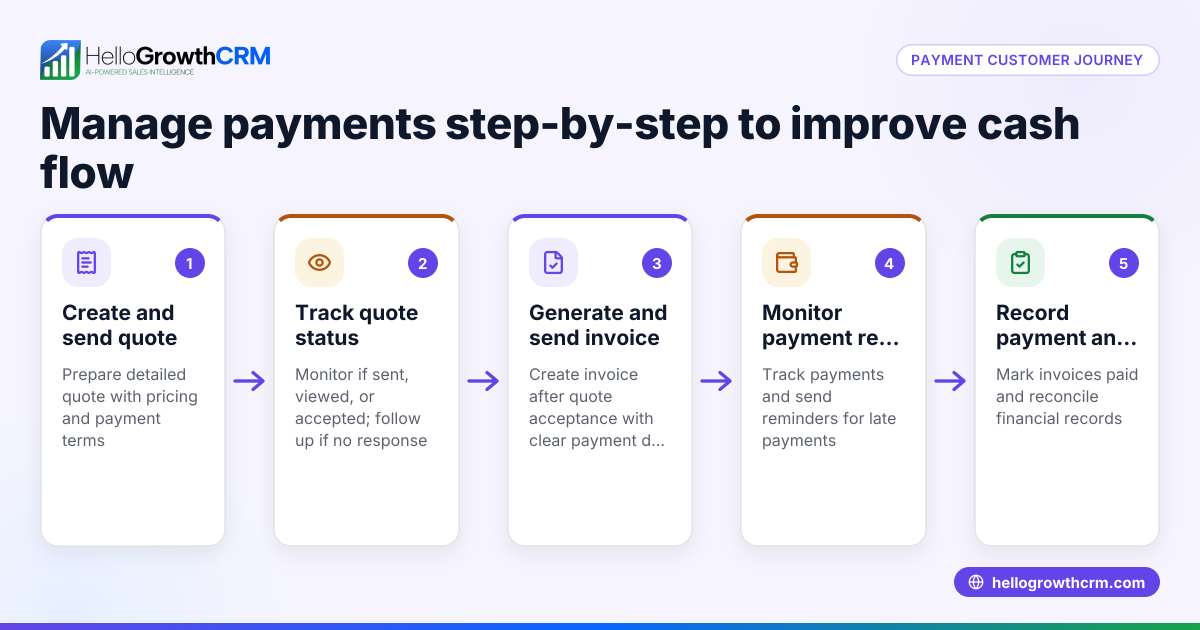
HelloGrowthCRM includes a built-in quoting and proposal tool for building, sending, and tracking commercial documents from a deal record. You can generate invoices tied to closed deals and track payments received. The quotation goes out from the deal and its status (sent, viewed, accepted) is visible alongside follow-up tasks. After the sale, service requests stay on the same customer record as the deal. Learn more about these features at HelloGrowthCRM for India.
Frequently asked questions
Can I create payment links without GST registration? Yes, most payment gateways allow businesses without GST registration to create payment links, but check your gateway’s policy. GST registration is required for filing GST returns but is not mandatory just for creating payment links.
What payment methods do payment links support? Payment links usually support UPI, credit/debit cards, net banking, and popular wallets like Paytm and PhonePe, giving customers multiple convenient options.
Are payment links secure for customers? Yes, payment links use encrypted URLs hosted on secure payment gateway platforms. Customers can safely complete payments using trusted UPI apps or card processing networks.
How long do payment links stay active? This depends on the gateway but usually ranges from 24 hours to 7 days. You can generate new links if a customer misses the payment window.
Can I automate follow-ups for unpaid payment links? Some gateways and CRMs offer automated reminders via SMS or WhatsApp. HelloGrowthCRM supports WhatsApp and SMS CRM features to help automate payment follow-ups. See WhatsApp and SMS CRM.
Do I need to reconcile payments manually? Payment gateways provide reports and dashboards for reconciliation, but manual checks are recommended to match payments with invoices. Using CRM tools like HelloGrowthCRM can help simplify reconciliation.
Key takeaways
- Choose a payment gateway that supports payment links and complete your business registration.
- Create payment links with accurate amounts and customer details.
- Share payment links via WhatsApp or SMS for faster customer payments.
- Track payment status regularly to avoid delays and confusion.
- Send payment confirmations promptly to customers to maintain trust.
- Use CRM tools like HelloGrowthCRM to manage quotes, invoices, and payments efficiently in one system.
Start receiving payments faster and reduce follow-up delays by creating payment links today.
Start on the Free Forever plan (200 leads, no credit card) at HelloGrowthCRM.
Ready to put this into practice?
Set up your pipeline, WhatsApp follow-ups, and AI lead scoring in minutes — free, no credit card.
Try HelloGrowthCRM freeGet CRM tips in your inbox
Join thousands of sales professionals who get weekly insights on CRM strategy, AI automation, and pipeline optimization.

The HelloGrowthCRM team publishes guides on CRM strategy, AI sales tools, and revenue operations for small business sales teams.