HelloGrowthCRM software
Built for real small-business sales teams
HelloGrowthCRM helps reps qualify faster, follow up on time, and close more deals—with practical automation in one place.
- AI lead scoring and pipeline visibility
- Built-in dialer, WhatsApp, and email automation
- Sales forecasting and RevOps-ready reporting
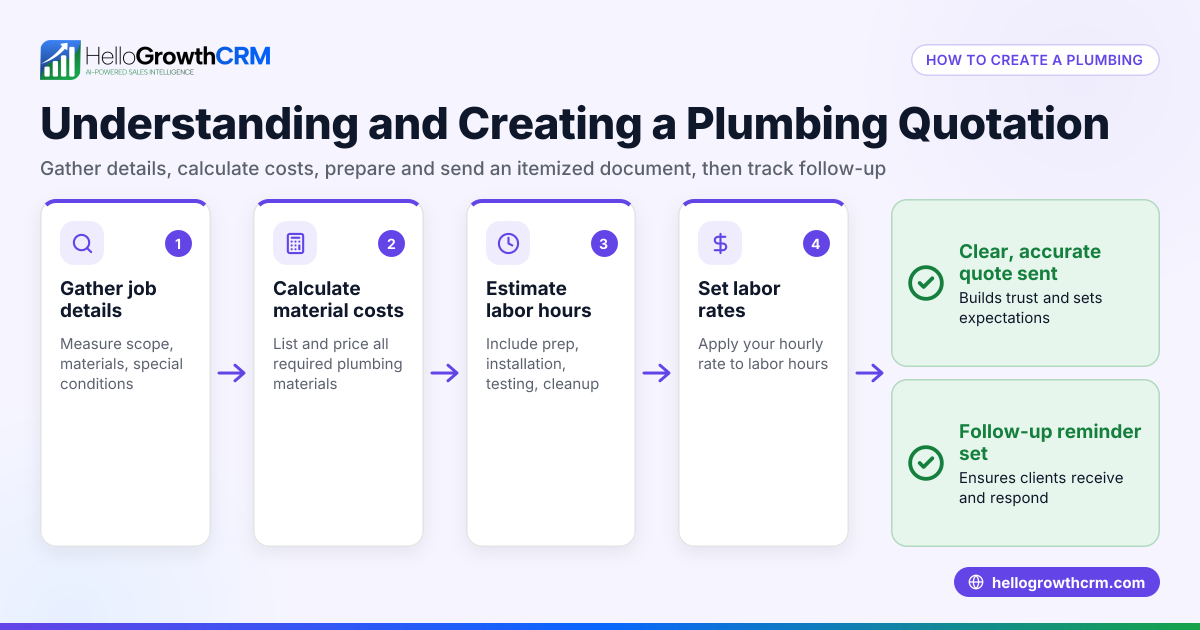
To create a quotation for a customer in India, you must prepare a document that clearly states what goods or services you will provide, at what price, and under which terms. This document should include your business and customer details, a breakdown of items or services, applicable taxes, the total price, and payment terms. Below, you will find why this task is important, step-by-step instructions, a worked example with realistic figures, common mistakes to avoid, and how HelloGrowthCRM can help you manage quotations and follow-ups effectively.
Why this comes up / what goes wrong
Small business owners in India often need to send quotations to potential customers to confirm pricing and terms before a sale. Many lose leads because quotations are unclear, incomplete, or delayed. Without a clear quotation, customers may hesitate or compare competitors. Also, running sales on WhatsApp or spreadsheets can cause errors or missed follow-ups. A proper quotation helps build trust and speeds up sales.
Step-by-step
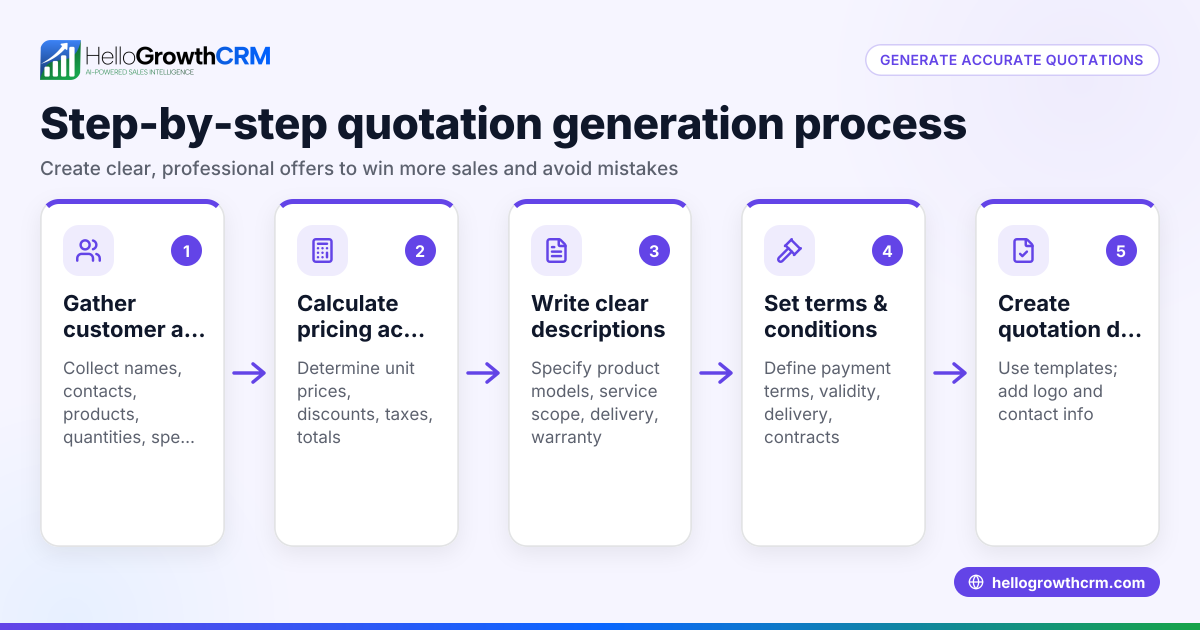
- Prepare your business details: Include your registered business name, address, contact number, email, and GSTIN if registered. Check these details are current.
- Add customer details: Write the customer’s name, address, contact details, and GSTIN if applicable. Verify spelling and GSTIN correctness.
- Assign a quotation number and date: Use a unique sequential number for tracking and add the date the quotation is issued.
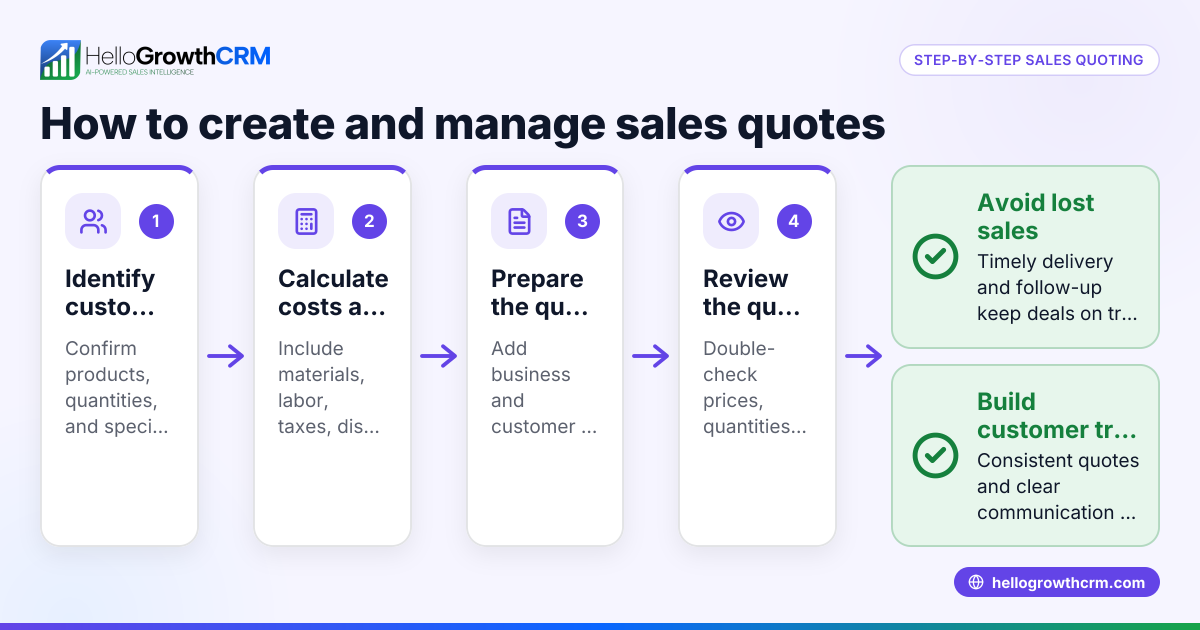
- List the items or services: For each product or service, mention the description, quantity, unit price, and total price (quantity × unit price). Double-check quantities and prices.
- Calculate taxes: Apply the correct GST rates (CGST + SGST or IGST) based on the customer’s location. Show tax amounts separately for clarity.
- Calculate the total amount: Add the total price of items and applicable taxes to get the grand total.
- Mention payment terms and validity: Specify how long the quotation is valid (e.g., 30 days), payment modes accepted (UPI, cheque, etc.), and any advance or credit terms.
- Add additional terms if needed: Delivery timelines, warranty, or service conditions can be included.
- Review and sign: Proofread the quotation for accuracy and sign or stamp it before sending.
- Send the quotation: Email or share via WhatsApp, keeping a record of when it was sent and any follow-up tasks.
Example (fictional figures)
Business: ABC Electronics Customer: XYZ Traders Quotation No.: Q-2024-015 Date: 10/06/2024
| Item Description | Quantity | Unit Price (₹) | Total (₹) |
|---|---|---|---|
| LED TV 42 inch | 2 | 25,000 | 50,000 |
| Soundbar System | 1 | 10,000 | 10,000 |
Subtotal = ₹50,000 + ₹10,000 = ₹60,000
Assumed GST rate: 18% (CGST 9% + SGST 9%)
GST = ₹60,000 × 18% = ₹10,800
Grand Total = ₹60,000 + ₹10,800 = ₹70,800
Validity: 30 days from date of quotation Payment terms: 50% advance by UPI, balance on delivery
Common mistakes
- Missing GST details: Always include GSTIN and tax breakup to avoid confusion. Check GSTIN accuracy.
- Incorrect pricing or calculations: Double-check quantities, unit prices, and tax calculations to prevent disputes.
- Unclear validity period: Specify how long the quotation is valid to avoid misunderstandings.
- No follow-up plan: Track when the quotation was sent and schedule follow-ups to close the sale. Using a CRM can help with this.
- Sending quotations without customer details: Always include full customer information for official records.
- Not including payment terms: Clearly state payment modes and timelines to prevent delays.
Doing this in HelloGrowthCRM
HelloGrowthCRM offers a built-in quoting and proposal tool that lets you create, send, and track quotations directly from the deal record. You can see the quotation status (sent, viewed, accepted) alongside follow-up tasks, ensuring timely action. After the sale, customer service requests stay on the same customer record, helping you manage support efficiently. If you don’t have a sales manager, Managed RevOps services assign a specialist to work your follow-up queue weekly. Learn more about HelloGrowthCRM for India and its WhatsApp and SMS CRM features to streamline your sales process.
Frequently asked questions
How do I create a customer database in India? Create a database by collecting customer names, contact details, addresses, and GSTINs if applicable. Maintain records in a spreadsheet or CRM like HelloGrowthCRM, which helps track interactions and quotations.
What taxes should I include in a quotation in India? Include GST applicable based on your and your customer’s location. For intra-state sales, show CGST and SGST separately; for inter-state sales, show IGST. Confirm current GST rates for your products or services. NEEDS EXPERT REVIEW
Can I send quotations via WhatsApp? Yes, sending quotations via WhatsApp is common in Indian SMB sales. Using a CRM with WhatsApp integration ensures quotations are tracked and followed up systematically.
How long should a quotation be valid? Typically, quotations are valid for 15 to 30 days. Specify this clearly to avoid confusion and ensure timely responses.
What if the customer wants to negotiate the quotation? Be prepared to revise the quotation with updated pricing or terms. Keep track of versions and approvals in your records or CRM.
Key takeaways
- Include business and customer details with GSTIN in the quotation.
- List items with quantities, unit prices, and calculate taxes clearly.
- Specify quotation number, date, validity period, and payment terms.
- Review carefully to avoid pricing or tax errors.
- Use a CRM like HelloGrowthCRM to create, send, and track quotations and follow-ups.
- Follow up promptly to convert quotations into sales.
Start on the Free Forever plan (200 leads, no credit card) at HelloGrowthCRM to manage your quotations and sales pipeline efficiently.
Ready to put this into practice?
Set up your pipeline, WhatsApp follow-ups, and AI lead scoring in minutes — free, no credit card.
Try HelloGrowthCRM freeGet CRM tips in your inbox
Join thousands of sales professionals who get weekly insights on CRM strategy, AI automation, and pipeline optimization.

The HelloGrowthCRM team publishes guides on CRM strategy, AI sales tools, and revenue operations for small business sales teams.